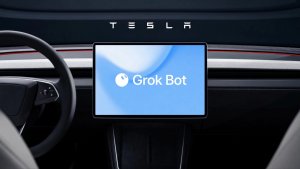
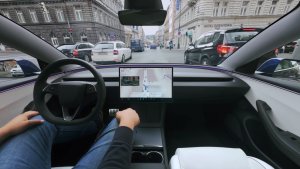
Tesla vehicles are taking another massive leap toward becoming true personal assistants on wheels. Rather than just answering trivia or adjusting cabin temperature, your car can now carry out complex external chores and online tasks completely hands-free while you drive, all thanks to Grok Bot.
Tesla officially announced the launch on X earlier today, explaining that drivers can now check their email, manage their calendar, make online purchases, and even ask Grok Bot to talk them through existing conversations and tasks.
Grok Bot builds on that growing integration, shifting that functionality from in-car control to actual task delegation. Rather than launching a separate application on the center display, the agent runs directly inside the existing Grok interface.
Grok Bot and Connectors
You can rouse Grok by tapping on the Grok app in the App Launcher, pressing and holding the microphone button on your steering wheel, or simply saying “Hey Grok.” Once Grok’s listening, Tesla says you can tell it to do things like place your usual coffee order, schedule appointments, and make online purchases.
Real-world demos from early access users like @DevinOlsenn and @SawyerMerritt show just how seamless these workflows feel on the road. While Full Self-Driving navigates through town, a driver can tell Grok to order their usual iced coffee at a local Starbucks. Grok routes the vehicle to the store, confirms the drink details and card total, and submits the order so it’s ready on the counter the moment the car parks.
The system handles productivity tasks just as easily. Drivers can instruct specialized agents — such as a Chief of Staff bot — to draft and send emails to contacts, create calendar entries, or review files. Specialized shopping bots can even confirm items waiting in your Amazon cart and check out on your behalf using saved payment details while you stay focused on the road.
You’re going to need Connectors to make sure Grok Bot can access certain third-party apps, like your email. These are secure integrations for external services like Gmail and Google Calendar that allow Grok Bot to safely access your information. Here’s how to set up a Connector:
Open the Grok app.
Tap on the + icon.
Tap on New Connector.
Pick the service you want to connect to and follow the onscreen instructions to sign in.
Once you set up a Connector, Grok Bot will be able to use it automatically.
Availability
Currently, Grok Bot functionality is available exclusively to SuperGrok Heavy subscribers, though Tesla has confirmed other subscription tiers will gain access in future rollouts. Connectors themselves remain open for anyone to configure.
Placing an order on the way to your favorite coffeehouse without lifting a single finger is just the beginning. Blending autonomous driving with proactive AI agents can make commute time genuinely productive. Expect agent workflows to expand further as Tesla and SpaceXAI expand third-party service hooks for Grok Bot.
The UNECE, which sets Europe’s and many other markets’ autonomous driving regulations, has begun reviewing a proposal from manufacturers and supplier groups to increase the RCP (Remote Control Parking) range in UN Regulation No. 79. This R79 regulation directly affects Tesla’s Actually Smart Summon feature.
Europe’s 6-meter Cap
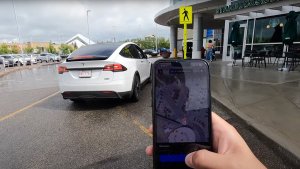
Actually Smart Summon was first introduced in Europe with the 2024.44.3 update, but due to UNECE R79, this feature has been limited to a 6-meter (~19.5 feet) range, while in North America a distance of more than 10 times is allowed. This means that owners in Europe have to stand practically next to the vehicle to use the feature, making it useless in most situations.
What the Proposal Would Change
This new proposed amendment to R79 suggests increasing the current 6-meter RCP range limit to 10 meters (~33 feet) for general use and up to a maximum of 15 meters in scenarios where there is a direct line of sight between the remote-control device and the vehicle.
The justification for this proposal is that a longer range could actually improve safety, since the user would have a better view of the vehicle.
Being closer than 6 meters to the vehicle can not only impair visibility, but it also puts the user much closer to a moving vehicle in the middle of a parking lot.
Not a Tesla App
Still Only a Draft
The amendment is still under review and has not yet been approved. If approved, Tesla could send an OTA update to almost triple the distance allowed during Actually Smart Summon use.
North America
There is no regulation governing the RCP range in North America. This allows Tesla to offer a range of about 65 meters (~213 feet) for the same feature in that region. Even if Europe increases this limit to 15 meters under the new regulation, the range will remain noticeably lower than in North America.