Tesla’s Automations feature looks ready to launch outside of China. Maciej Wilczyński (@maciej) shared a video on X showing the app running in English, saying it now appears “fully polished and present in latest firmware revisions,” but hidden from view behind a feature flag. With help from @CoilShift, he enabled it to show off the feature in its stock condition without any modifications.
Tesla Android Project creator Michał Gapiński (@mikegapinski), who works with Wilczyński, also enabled the Automations feature on another vehicle and shared a video showing off how it works. He compared it to “the first version of Shortcuts on iOS.”
Just to put more context into how the automations app works with our little @CoilShift setup. Our @maciej forgot to show what it can do 😅
— Michał Gapiński (@mikegapinski) October 12, 2026
My wife will now get a reminder to use FSD every time her seatbelts gets fastened. Neat! It’s like the first version of Shortcuts on iOS… https://t.co/QHJMfQCrKQ pic.twitter.com/KpKOOeaJuB
Automations first rolled out to Tesla owners in China earlier this year. The English version suggests Tesla is now preparing to bring it to other regions.
What Tesla’s Automations Feature Does
If you’ve used Apple Shortcuts or Android’s Tasker, Automations will feel familiar. It uses “If This, Then That” logic, letting you pick a trigger, add optional conditions, and chain together one or more actions.


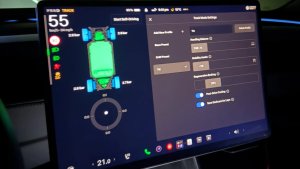
Wilczyński’s video shows how it works. You tap “Create an automation,” choose a trigger like the driver’s seatbelt being buckled, then add a condition such as the passenger seatbelt being unbuckled. Finally, you pick an action, like setting the media volume to 9.3. Triggers and actions are sorted into categories with a search bar, and you can add delays between actions.
Back in January @NotATeslaApp reported that Tesla is set to introduce an Automations app in the car infotainment system. It seems that it’s now fully polished and present in latest firmware revisions, but hidden behind a feature flag. Thanks to @CoilShift I’m now able to present… pic.twitter.com/41c47jSwfa
— Maciej P. Wilczyński (@maciej) October 12, 2026
Wilczyński’s car also had a few other automations saved. One enables both child locks and the window lock when you say “Child Mode,” and another has the car announce “Gear Shifted” when you start driving or reversing. Each automation appears as a card that you can switch off without deleting it.
There are some limits. Automations only run when the center display is on, and they can’t be triggered while Autopilot or FSD is active. Actions that control FSD aren’t available either, although you’ll soon be able to do that with Grok.
Triggers and Actions
You can pair one or more triggers with any action or set of actions. The triggers also work as conditions.
Category | Triggers | Actions |
|---|---|---|
Time | Time, Sunrise, Sunset | Delay |
Environment | Outside Temperature, Outside Temperature Range, Outside Air Quality, Outside Brightness | N/A |
Voice | Voice Trigger | Voice Announcement |
Seats | Driver, Passenger, Second Row Left and Second Row Right Seat, Any Seat Occupied | Heat & Cool: Driver, Passenger, Second Row Left and Second Row Right Seat Climate, Steering Wheel Heater |
Seatbelt | Driver, Passenger, Second Row Left and Second Row Right Seatbelt, Any Seatbelt Buckled, Any Seatbelt Unbuckled | N/A |
Doors & Windows | Door and Window States (all four), Window Lock, Door Child Lock State, Frunk State, Trunk State | Open Each Window, Window Lock, Door Child Lock, Frunk, Trunk, Glove Box |
Drive | Gear State, Vehicle Speed, Odometer | Acceleration Mode, Regenerative Braking |
Charging | Charging State, Charge Port, Battery Level, Front Wireless Phone Pad | Charge Port |
HVAC | HVAC State | Front and Second Row HVAC, Driver and Passenger Temperature, Front Temperature Zone Split, Front HVAC Auto, Fan Speed, A/C, Intake Mode, Wipers, Wiper Heat, Front and Rear Defrost, Front and Second Row Airflow |
Location | Arrived at/Left Location, Home or Work | N/A |
Navigation | Navigation Destination, Navigated to Home or Work, Time to Arrival, Distance to Arrival | Navigate to Location, Home or Work, Nav Voice Guidance |
Phone | Phone Call State | Phone Call |
Media | N/A | Media Commands, Music Play Song, Music Playlist, Media Volume |
Lights | N/A | Dome, Accent and Footwell Light, Headlights, Headlights After Exit, Rear Fog Light |
Display | N/A | UI Appearance |
Connectivity | N/A | Wi-Fi |
For more on how it works in China, check out the video below and our first hands-on look at Automations.
A Holiday Update Candidate, Alongside CarPlay
With the feature translated and only hidden behind a flag, Automations is a strong candidate for this year’s Holiday Update, Tesla’s biggest software release of the year. Don’t expect it before then.
Apple CarPlay could join it. A report last fall said Tesla was working on an official CarPlay implementation, but it skipped last year’s Holiday Update. Reports earlier this year said CarPlay support was still in the works, and that Tesla was working directly with Apple to iron out the kinks. Things have been quiet since, so December may be the next real chance to see both features arrive.
Follow Us on Google
Add Not a Tesla App as a preferred source on Google to see more of our stories in Top Stories.
Add to Preferred SourcesOrdering a New Tesla?
Get FSD free for 3 months by using our referral code.