Grok has come a long way in Tesla vehicles. What started as a chatbot for answering questions can now handle most of the things you used to do with Tesla’s old voice commands, and quite a few things those commands couldn’t.
Tesla owner @LifeMiddie tested 172 voice commands to see which ones Grok can handle. At the latest count, Grok supports 119 of them, while the other 53 still require pressing the mic button and using Tesla’s older voice commands. Here’s a rundown of the most useful things you can ask Grok to do.
How Grok Got Here
Grok first arrived in Tesla vehicles in the U.S. with software update 2025.26 as a conversational assistant. Tesla then added navigation commands in the 2025 Holiday Update, letting drivers describe where they wanted to go instead of reciting addresses. The Spring 2026 Update added the “Hey Grok” wake word and location-based reminders, and this year’s Summer Update gave Grok control over vehicle functions like climate, seat heating, and settings.
Grok is now available across North America, Europe, Australia, and most of Asia and the Middle East.
To use these commands, you’ll need a vehicle with an AMD Ryzen infotainment computer and either Premium Connectivity or a Wi-Fi connection. It isn’t available on Intel Atom-powered vehicles (although that might be about to change — more on that later). Grok also needs to be set to the Assistant personality. Just say “Hey Grok” to get started. According to @LifeMiddie, “Hey Bro” works as a wake word too.
Climate and Seat Heaters
Climate controls are some of the most useful Grok commands. You can say things like:
“Set climate to 68”
“Set fan speed to low”
“Turn on Dog Mode” (Camp Mode and Climate Keeper work too)
“Recirculate air”
“Turn on all seat heaters”
“Turn on all seat heaters except for the driver’s”
“Defrost the windshield”
It should be noted that Grok can’t control heating for the rear seats, so it only does the driver’s and front passenger’s. If you ask it to adjust rear seat heating, it’ll tell you it doesn’t have access to those controls.

You can also speak more naturally. Saying “I’m cold” raises the temperature by 3°F, while “I’m hot” lowers it by 3°F. Grok can also aim the vents at your face, spread the airflow out, sync or split the driver and passenger temperatures, turn on the heated steering wheel, and even turn on Bioweapon Defense Mode.
Navigation and Reminders
Grok can find places using vague descriptions, so you don’t need an exact name or address. Try “I’m hungry,” “Show nearby Superchargers,” or “Let’s go home.” You can also say “Find Starbucks along my route,” turn Avoid Tolls, Avoid Ferries, or HOV lanes on or off, and cancel navigation.

Location-based reminders are another handy feature. Say “Remind me to charge when I get home,” and Grok will alert you once you’re within about 1,600 feet of your destination. Reminders can be one-time or recurring, and you can say “List all my reminders” to see or delete them.
Calls, Music, and the Web
To call someone, say “Call” or “Phone,” followed by a contact name or number. For music, Grok can play a specific song, artist, or playlist, or handle requests like “Play the most popular song of 2001.” You can also switch between Spotify, TuneIn, Tidal, Bluetooth, USB, and radio. It can’t pause music, but if you’ve already paused it, Grok will resume playback when you ask it to.
Grok can also open apps like the Browser, Energy app, Calendar, Netflix, YouTube, Tesla Arcade, and Tesla Theater. One of its more useful tricks is loading a website and reading an article to you. Just say “Load notateslaapp.com and read me the top article on the page.”
Settings and Vehicle Controls
You can ask Grok to find a feature in Settings, like “Show me Steering Weight,” and it’ll open the right menu. Really handy for when you just can’t seem to find that one pesky toggle. It can open the glovebox and charge port door, fold the mirrors, turn on Sentry Mode, save Dashcam clips, control the dome lights, and show the backup camera.
Grok can also handle the wipers, including turning them off or setting them to auto. It’ll even read off your tire pressures or odometer, or open the owner’s manual and update release notes.
Chain Commands Together
You don’t need to ask for one thing at a time. Grok can handle several requests in one sentence, like “Set climate to 68, set the fan speed to low, and turn on the seat heaters.” It’ll take care of all three at once.
What Grok Can’t Do (Yet)
Some functions still require the mic button or the touchscreen. Grok can’t lock or unlock the doors, open the trunk or frunk, or adjust the air suspension’s ride height. It also can’t change the acceleration mode, turn on Car Wash Mode, or adjust the mirrors and steering wheel. Changing display brightness and muting navigation guidance are also not possible, and as we mentioned before, neither is pausing music. For many of these (like display brightness), Grok will open the right screen so you can make the change yourself.
What’s Coming Next
Tesla’s owner’s manual already lists hands-free text messaging through Grok, with examples like “Text Mom saying on my way,” so it could arrive in any upcoming update (likely this year’s Holiday Update).
Grok is also getting FSD controls. Musk said in June that Tesla owners would be able to control FSD with Grok, letting drivers ask for things like parking near the door at their destination. The feature hasn’t arrived yet, but it’s still in the works.
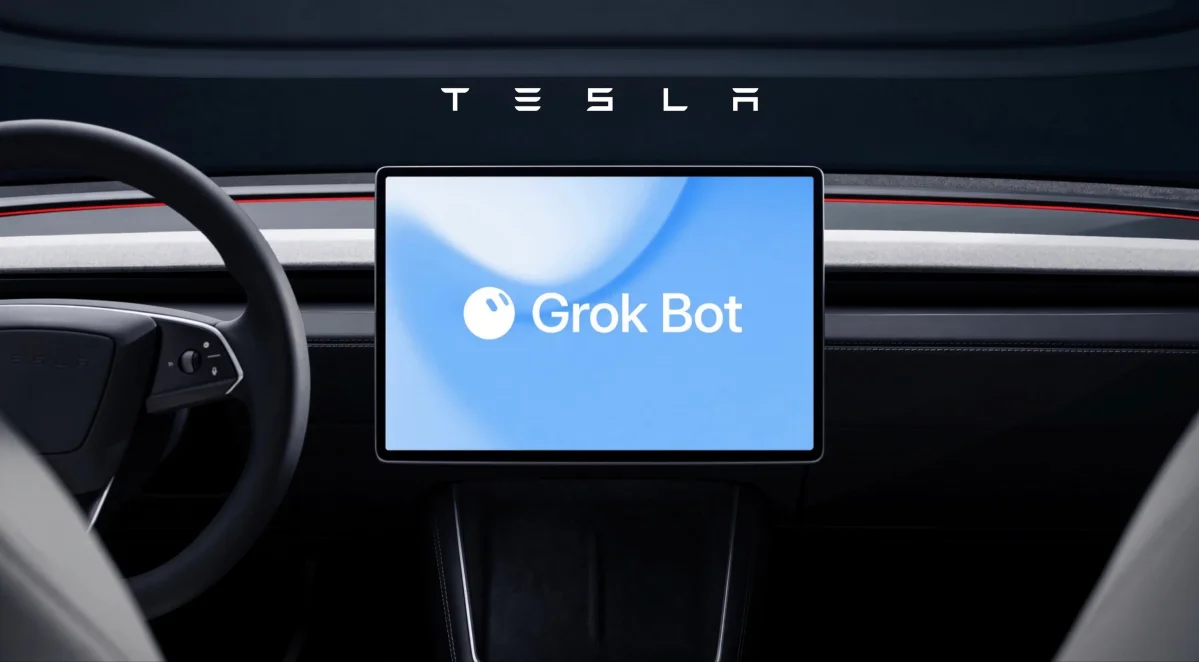
Tesla has also added Grok Bot to its vehicles, which gives drivers access to AI agents that can handle errands and tasks like checking email or shopping online. Owners of older Intel-based cars may not be left out much longer either, since update 2026.38 quietly added Grok files to Intel Model 3 and Model Y vehicles.
With texting and FSD controls on the way, the list of voice commands that still need the mic button should keep getting shorter.
Follow Us on Google
Add Not a Tesla App as a preferred source on Google to see more of our stories in Top Stories.
Add to Preferred Sources