Tesla’s in-cabin Grok assistant continues to pick up practical tricks that make commute time genuinely useful. While many drivers use the AI to manage navigation routes or answer trivia, Grok can also act as your personal web researcher, pulling up online pages on the center display and reading entire news articles aloud while you keep your eyes on the road.
Whether you want to catch up on the latest EV developments or digest long-form guides during your morning drive, turning our written articles into custom podcasts requires just a couple of spoken prompts.
How to Have Grok Read Web Articles Aloud
Getting Grok to read articles directly from the built-in browser takes three simple conversational steps (Grok must be set to the Assistant profile beforehand):
Launch the site: Wake the assistant by tapping the microphone button on the steering wheel or saying “Hey Grok,” then say something along the lines of, “Open notateslaapp.com.” Grok launches the browser and loads the homepage.
Select your story: Say, “Read the top headlines” or “Click on the first article.” While Grok sometimes paraphrases headlines rather than quoting them word-for-word, it reliably captures the core topic and opens the page on your screen.
Start reading: Once the article loads, simply say, “Read the article to me.” Grok parses the body text, filters out display ads, and reads the story out loud through the car speakers in its natural synthesized voice.
Here’s a video showcasing how the feature works:
You can pause the readout, ask Grok questions, or tell it to go back to the homepage whenever you’re finished.
Expanding In-Cabin Abilities and the Future Roadmap
Web narration builds on a fast-growing suite of in-cabin tools at Grok’s disposal. Running in Assistant mode, you can currently use Grok to control cabin climate, set and edit your navigation, manage phone calls hands-free, stream media, answer technical questions based on information from the Tesla owner’s manual, and configure location-based reminders.
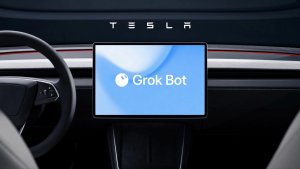
Tesla recently also added support for Grok Bot, giving drivers access to AI agents that they can delegate tasks like checking email, managing calendar appointments, and shopping online to.
What’s more, Tesla is currently preparing even deeper Grok integrations. Official roadmaps confirm that native hands-free text messaging is on the way, letting drivers write texts and reply to SMS conversations through natural language prompts. Further out, Tesla wants to connect Grok to Full Self-Driving, allowing passengers to verbally instruct the car to change lanes, take specific routes, or pull into specific parking spots.
Grok is currently available across most of Tesla’s largest markets, including North America, Europe, Australia, and select parts of Asia and the Middle East for vehicles equipped with AMD Ryzen processors. It requires a Premium Connectivity subscription or an active Wi-Fi connection, but you don’t need to have a Grok account.
As Tesla deepens the software hooks between SpaceXAI and its vehicles, Grok is turning into a full-fledged copilot that reads, navigates, and even drives for you.