Voice assistants in cars are often criticized for doing little more than tuning the radio or turning the AC on and off. Tesla, however, has been rewriting that reputation ever since Grok debuted across North America in update 2025.26 last year before spreading into Europe and Asian markets.
Over the past year, the SpaceXAI chatbot has evolved from a virtual conversation partner into a genuinely helpful copilot. After Tesla rolled out support for navigation commands, allowing Grok to set and edit destinations and routes, the devs took Grok’s utility a step further. In this year’s Spring Update, Tesla introduced location-based Grok reminders, giving drivers an easy way to tie automated alerts directly to physical destinations.
One-Time Reminders
The core premise of Grok reminders is that prompts should trigger when they are actually relevant — right as you arrive somewhere.
The simplest use case is setting a quick, one-off reminder tied directly to your active route. For instance, while driving, you can simply wake Grok by saying “Hey Grok” and tell it, “When I reach my destination, remind me to bring the food inside.” As you reach the end of your navigation route, you’ll see a notification pop up on the touchscreen accompanied by an audible alert.
You don’t have to be currently driving toward a location to pin a reminder to it, either. You can plan ahead by saying something like, “Next time I go to CVS in Fremont, remind me to buy vitamins.” Grok will store the prompt in memory and wait until you eventually travel near that specific storefront, firing off the alert the moment you pull into the parking lot.
Recurring Reminders
Beyond single-use alerts, Grok can handle routine recurring tasks that you want to happen on every visit.
Commuters often forget basic habits when stepping out of the cabin, making repetitive location triggers practical. You can tell Grok, “Every time I arrive home, remind me to plug in my car,” or “Every time I arrive at work, remind me to check the back seat and bring my bag in.”
Because recurring prompts persist until manually cleared, the system acts as a reliable checklist for your daily drive.
To ensure prompts don’t trigger awkwardly after you have already walked away from the car, Tesla uses a geofence radius of approximately 1,600 feet (500 meters). This means the reminder fires just as you approach the general vicinity of the target location, giving you ample time to read the notice before unbuckling your seatbelt.
Privacy and personalization are built into the design as well. Reminders are saved to your individual Tesla driver profile. If someone else is driving, your personal grocery notes and charging alerts will never trigger during their drive as long as they’re not using your driver profile.
See Active Reminders
Managing active prompts is just as straightforward as creating them. You don’t have to dig through obscure touchscreen menus or sub-folders to check what’s queued up.
Instead, you can simply wake Grok and say, “List all my reminders.” Grok will give you a rundown of each active reminder currently saved to your profile and present them on the screen, letting you edit existing alerts or remove them if they’re no longer needed.
What You Can't Do
While the feature handles basic physical destinations well, it has its limits. Grok currently can’t process conditional logic that combines locations with timestamps or vehicle telematics.
For example, you currently can’t say, “Remind me to charge my car every time I arrive home and it’s past 8 PM,” or “Remind me to plug in when my battery is under 30%.” Grok only checks whether your vehicle entered a specific geographic coordinate; it can’t yet cross-reference locations with time of day, ambient temperature, or internal vehicle stats like battery percentage.
Requirements
You don’t need the Summer 2026 Update to set up location-based reminders since the functionality has been available since the Spring 2026 feature drop. However, there are certain hardware and connectivity requirements to keep in mind:
AMD-Only: The feature is strictly limited to vehicles equipped with AMD Ryzen infotainment processors (MCU3). Older Intel Atom vehicles don’t support Grok features. Here’s how to tell which one you have.
Premium Connectivity: Grok reminders require an internet connection. The vehicle must have an active Premium Connectivity subscription or be tethered to a Wi-Fi network or personal phone hotspot.
Assistant Personality: You must set Grok to the Assistant personality mode to use reminders.

Future Improvements
Adding conditional parameters beyond just location and the ability to tie reminders to more than just one would take this feature from a neat convenience to an indispensable tool. Allowing drivers to pair locations with vehicle battery telemetry — such as,”"Remind me to plug in when I get home if the battery is below 50%” — would save drivers from unnecessary alerts when the pack is already full and could even help promote healthier charging habits.

Dedicated icons on the navigation interface would also be a great addition. Displaying small pin icons on the map for locations that have active reminders would help drivers visualize their errand lists while browsing the map.
The Growing Role of Grok
Tesla is moving fast to make Grok the central brain of its cabins. In the recent Summer Update, Tesla introduced deeper Grok integration and gave the chatbot control over core vehicle functions like cabin climate, seat heating, and settings toggles using conversational speech.
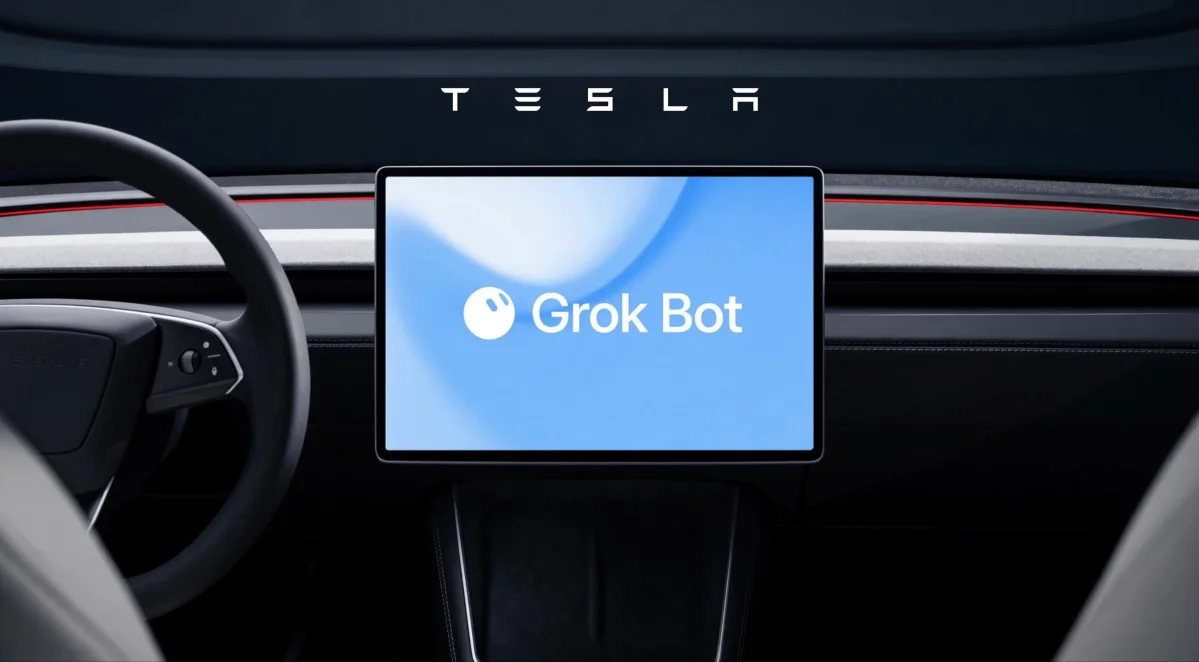
Looking ahead, we recently discovered references to a text messaging feature for Grok inside Tesla’s owner’s manual, indicating that Tesla is working on hands-free Grok messaging. Tesla has also hinted at future Full Self-Driving voice controls and Grok Bot integration.
Meanwhile, location-based Grok reminders offer a clear glimpse into how in-car artificial intelligence can quietly solve everyday headaches without demanding extra screen taps.
Follow Us on Google
Add Not a Tesla App as a preferred source on Google to see more of our stories in Top Stories.
Add to Preferred SourcesOrdering a New Tesla?
Get FSD free for 3 months by using our referral code.