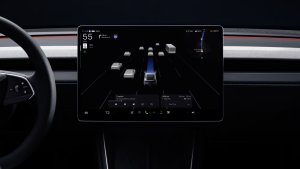
Tesla has given us our best look yet at what you’ll see from the new Roadster’s driver’s seat. In a new post on X, Tesla shared a walkthrough of the Roadster’s user interface. It says the UI was “inspired by fighter jet cockpits” and “designed around the pilot.”
A Red, Sci-Fi Cockpit
The Roadster’s UI looks more like something out of a sci-fi movie or Cyberpunk 2077 than the interface Tesla owners know. Everything is drawn in bright red on black, from the PRND gear indicator and battery percentage at the top to the dotted grid floor under a wireframe Roadster in the main vehicle visualization.
The main menu is split into Home, Vehicle, Listen, Climate, and Navigate, with the Vehicle tab covering controls like Dynamics, Lights, Display, and Charging. Drivers can pick between Comfort, Balance, Sport, and Custom modes, each adjusting acceleration, ride and handling, and ride height. There’s also a dedicated Track Mode for your circuit adventures.


That’s what you’ll get on the center touchscreen — as we covered in our breakdown of the new Roadster’s specs and interior, there’s also going to be a small red display near the windshield for speed and lap times.
The Car Shows You What’s Moving
The best part is how the visualization reacts to each setting. Open Dynamics and the suspension lights up in gold. Switch to Charging and the battery pack appears above a charge limit slider. Tap the rear wing, and you can pick Stowed, Low Drag, or High Downforce modes, while the barge boards and thrusters get similar callouts. With so many active parts on the Roadster, from its hood vent to its pop-down headlights, it’s an intuitive way to see what each setting actually does.

Track Mode swaps the car visualization for a packed dashboard. It shows brake and throttle inputs, battery and motor temps, brake temps and tire pressures at each corner, a G-meter, a live track map with sector times, and a lap log. You can also adjust aero balance, brake balance, and the suction fan, toggle ESC and traction control. The Thrust and Rocket trims will also show the cold-gas pressure and whether or not the thruster system is ready to boost.

Will It Survive to Production?
Under the styling, the layout is familiar. Climate sits in the bottom-left, volume in the bottom-right, and media controls along the bottom. That suggests the Roadster’s UI could be a custom skin over Tesla’s standard software, much like the Cybertruck’s.
There’s also some history to keep in mind. The Cybertruck’s early prototype interface was also very different from other vehicles’, merging the map and vehicle visualization into one view before Tesla ultimately shipped something much closer to the rest of its lineup. Even the Model 3’s 2016 prototype UI, with a map-heavy layout and a speedometer overlaid on top, looked very different from what owners got.
With production not slated to begin until 2028, a lot about the Roadster could still change, and the UI is no exception. Sawyer Merritt (@SawyerMerritt) also shared an earlier hands-on with the Roadster’s UI, praising its “retro-futuristic design aesthetic” after spending time with the car at this month’s reveal event. You can check that out below:
Here's an in-depth look at the new @Tesla Roadster's UI. Love the retro-futuristic design aesthetic. pic.twitter.com/zt2Cy1XJCO
— Sawyer Merritt (@SawyerMerritt) October 16, 2026
If you want to see the car itself, the new Roadster is on display at LA’s Petersen Automotive Museum through Tuesday, though it’s roped off, so you won’t get to try the UI yourself.
Follow Us on Google
Add Not a Tesla App as a preferred source on Google to see more of our stories in Top Stories.
Add to Preferred SourcesOrdering a New Tesla?
Get FSD free for 3 months by using our referral code.