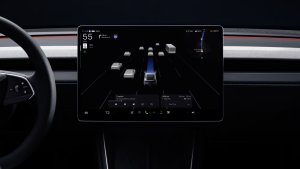
In Tesla update 2024.26, which is now in employee testing, Tesla is launching a set of parental controls. The parental controls allow you to limit certain vehicle options for teens or other drivers.
The new restricted controls are focused on safer driving. They will limit the vehicle's top speed, acceleration, enforce safety features and even notify you if the vehicle is driven late at night.
Update: Read our in-depth look at Parental Controls, how to enable and disable the feature, view the latest changes and see what each feature does.
Reducing Speed & Acceleration
One of the biggest features of the new parental controls is the ability for you to set a maximum speed and reduce the vehicle's acceleration. Tesla already included a max speed option that could be enforced in Valet Mode, but with this update, it could now be enforced for other drivers as well. Once a profile is tagged as a restricted driver, then they will need to enter a PIN code to modify or turn off the max speed. You will also be able to limit the acceleration mode to Chill, meaning that the vehicle's horsepower and torque are limited.
Enforcing Safety Features
With parental controls, the owner could also force specific safety features to remain on. These features include Speed Limit Warning, Automatic Emergency Braking and Forward Collision Warning. Although these features aren't a nuisance, parental controls prevent them from being turned off accidentally.
Notifications When Driving at Night
The last feature Tesla is adding to parental controls in update 2024.26 is the ability for the vehicle's owner to receive notifications if the vehicle is driven past a certain time. For example, if you set a curfew of midnight, then you'll receive a notification if the vehicle starts driving past this time.
Set Up Parental Controls
You'll be able to set up parental controls through the Tesla app or in the vehicle. In the vehicle, navigate to Controls > Safety and scroll to Parental Controls.
In the Tesla app, the feature is expected to be under the Security & Safety section, where you can already limit the top speed.
Any driver profiles that are limited will have a "training wheels" icon next to the driver's name.
Beyond Teen Drivers
It's possible that the new restricted profiles may also be able to useful if you rent your vehicle on Turo or another rental service as well. While you may not want to receive notifications for night driving, you may want to prevent drivers from going over 100 MPH, or from turning off important safety features.
Be sure to check out the other features of update 2024.26 such as YouTube Music, Amazon Music and others.
Follow Us on Google
Add Not a Tesla App as a preferred source on Google to see more of our stories in Top Stories.
Add to Preferred SourcesOrdering a New Tesla?
Get FSD free for 3 months by using our referral code.