You’ll have to wait until 2028 at the earliest to drive Tesla’s new Roadster, but you can fly one right now in your browser. A fan-made racing game called Road Thruster is built around the cold-gas thrusters Tesla showed off at the Roadster’s reveal event in October.
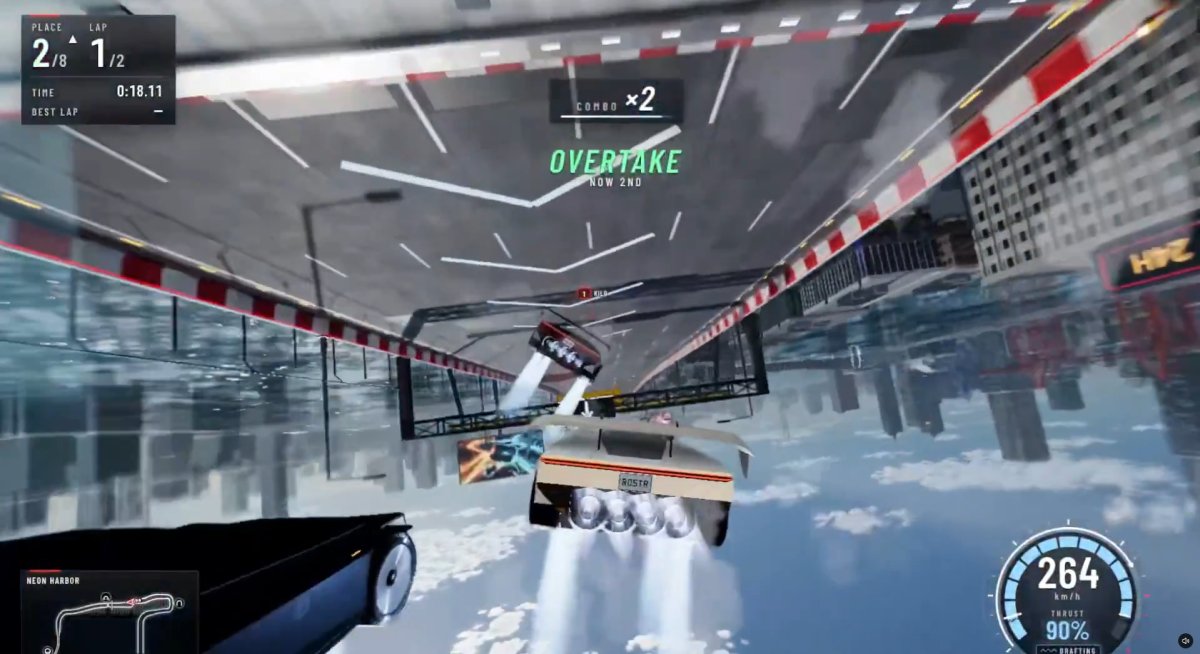
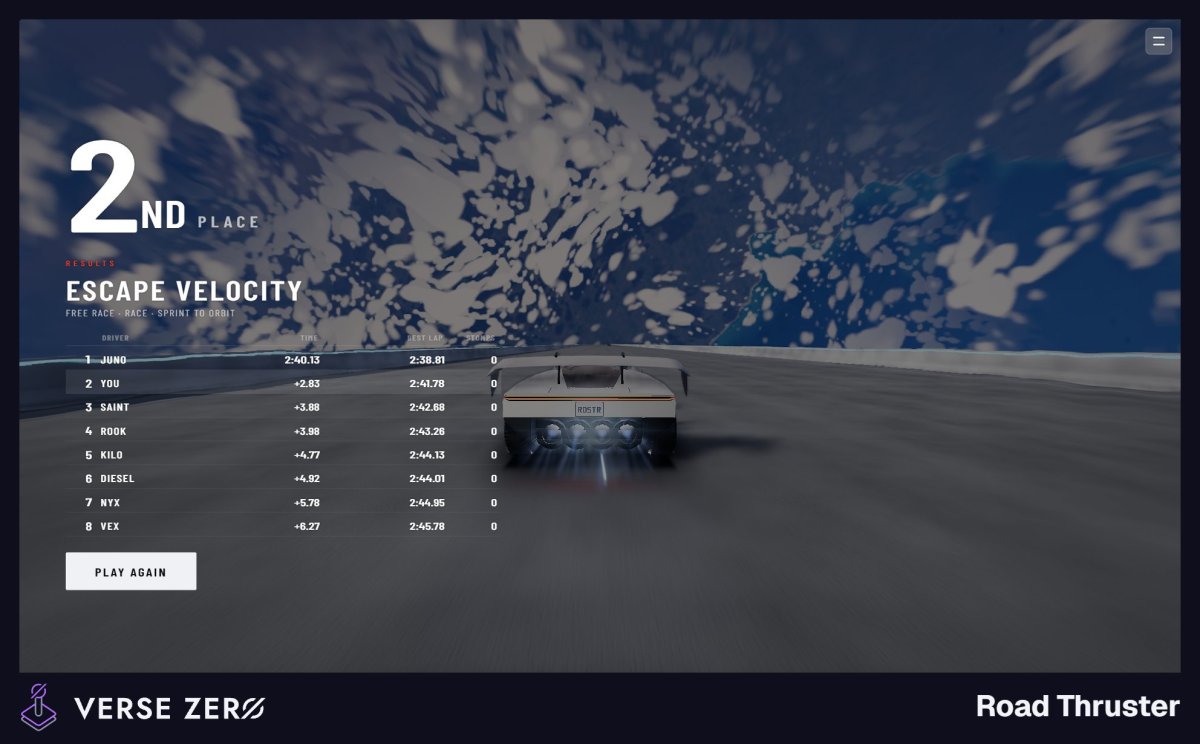
The game’s description sums it up: “Race seven rivals along walls, ceilings and twisting night roads, using thrusters to jump, hover and boost past them.” Fair warning: it’s addictive. I spent an embarrassing amount of time “researching” it for this article.
Not a Tesla App
What Road Thruster Is Like
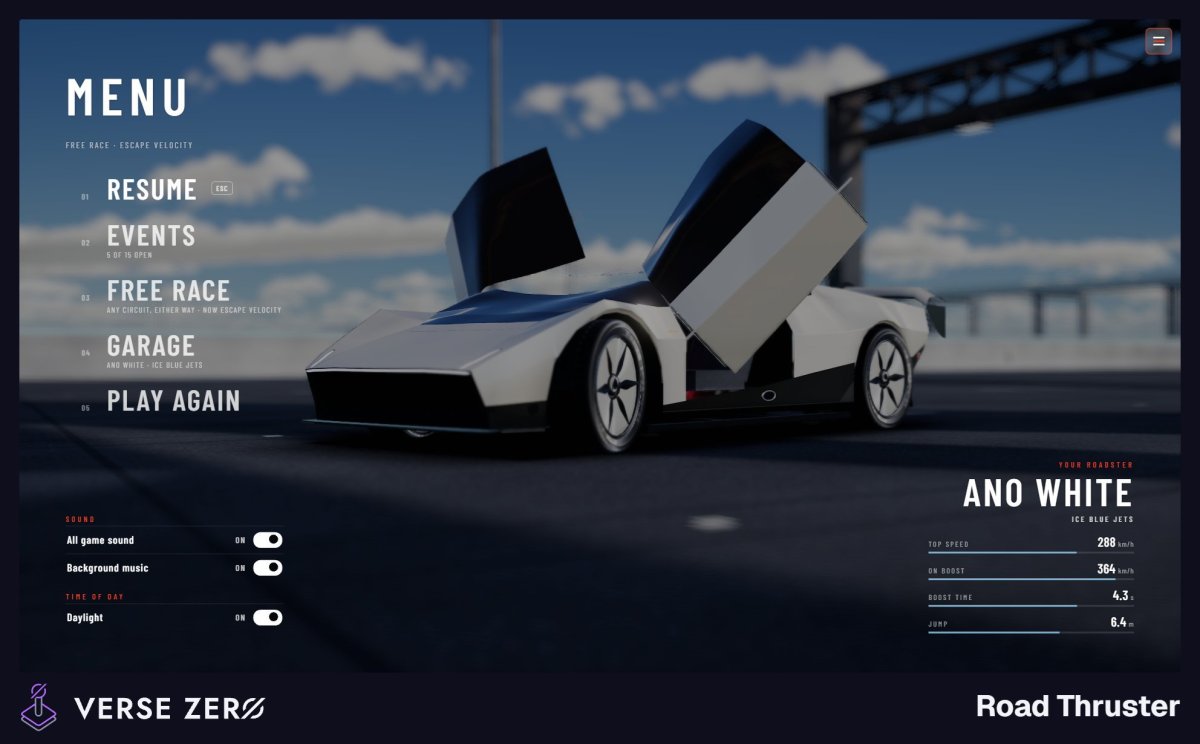
Built with Three.js, Road Thruster runs in your browser with keyboard controls. You race an Ano White Roadster against seven rivals, either solo or with friends using the game’s party system.
The thrusters are the main feature. You can use them for a speed boost or, since the vehicles feature the Rocket trim’s full-perimeter thruster system, to leap into the air, flip mid-air, and jump over obstacles. From city circuits to outer space — yeah, the “Escape Velocity” level is a doozy and even has an easter egg featuring Musk’s OG Roadster that SpaceX’s Falcon Heavy rocket shot into space — you drive along winding tracks, spiral through tunnels and loops, and pull off gravity-defying stunts that earn bonuses.
Not a Tesla App
There are several levels to race through, and the developer recently added a daytime mode. The game has been getting regular updates with fixes and new content, with the latest one shipping on October 30, though there’s no word on how long that pace will continue.
Not as Far-Fetched as It Looks
In most racing games, thruster boosts, upside-down driving, and flying would be gimmicks. Tesla has already shown the real Roadster doing all three.
At the Roadster reveal event, the car drove upside down on a half-loop using its fan-powered suction system that creates up to 2 Gs of downforce. It then drove off the end, used its thrusters to flip upright and hover, and landed safely on its wheels. It also launched off the ground and flipped over Tesla’s current consumer and commercial lineup, and hit 0-60 mph in a blistering 0.81 seconds with help from its thrusters.
Production isn’t set to begin until 2028, and the price will keep the Roadster out of reach for most people. The Roadster’s Thrust trim takes a $250,000 deposit just to reserve. The Rocket version, the one Tesla says can actually fly, is invite-only and doesn’t even have a public price.
If you’re in LA, you might have caught the new Roadster when it was on display at the Petersen Automotive Museum. For everyone else, Road Thruster is the closest you’ll get to flying a Roadster, and with updates still coming, it should have plenty to keep players busy until the real thing arrives.
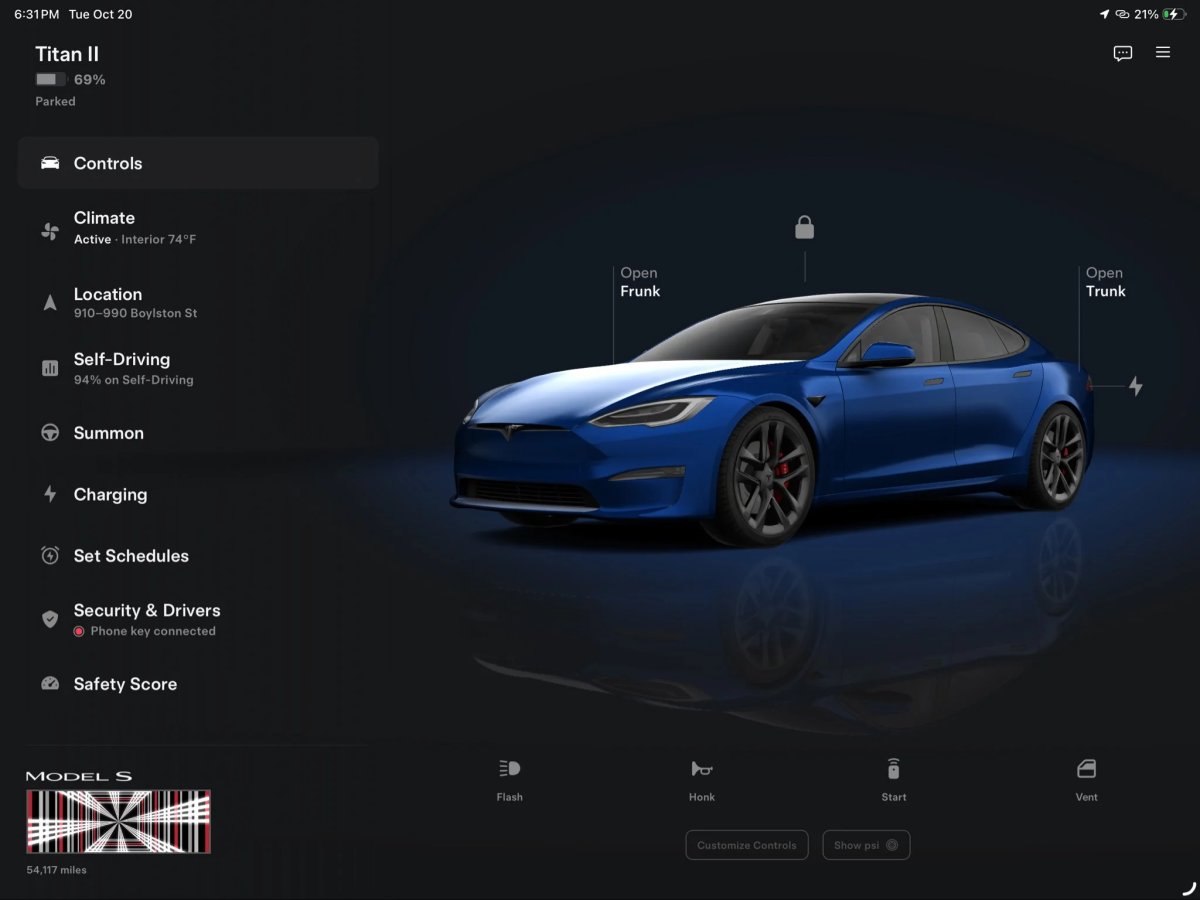
Tesla’s new big-screen app works well on iPads and iPhone Duo, but some Android foldable owners aren’t seeing it when they expect to. The good news is that Tesla is already working on a fix.
Tesla only has a handful of screen sizes and aspect ratios to deal with on the Apple side of things, but Android has eight years’ worth of foldables and even more tablets. That makes it hard to get the layout right everywhere.
@FCastrillo86 shared a video showing the issue on his Pixel 10 Pro Fold. The Tesla app looks normal on the outer screen, but when he unfolds the phone, the regular phone layout just stretches to fill the inner display. Only when he rotates the unfolded phone to landscape does the app switch to the new big-screen layout, with controls on the left and a large vehicle visualization on the right.
He said the new UI is great but “doesn’t feel cohesive when the layout split runs perpendicular to the screen crease,” and asked Tesla to allow the new layout in both orientations. Other users ran into the same problem, noting that even with an almost square (1:1 aspect ratio) screen, they had to rotate the phone to get the new view.
Tesla Is On It
Tesla UI engineer Alex Guichet responded to the issue on X. “Android is quite varied!” he said. “There are so many devices that it’s impossible to test them all.” He added that “we’re going to continue to test and refine screen size breakpoints in a future release.”
Tesla already updated the big-screen app shortly after launch, which also brought the new FSD referral program. Still, it understandably isn’t possible to optimize the layout for every single Android foldable and tablet out there right away. With X Money payments also on the way, the next few app updates should be busy. Until the layout fix arrives, Android foldable owners can rotate their unfolded phone to landscape to get the big-screen view.


![Tesla Driver in Mexico Makes His Model Y Fly [VIDEO]](https://www.notateslaapp.com/img/containers/article_images/2026/model-y-flying-accident-mexico.webp/d58bf5d7e21ac7f8713f4f35023d506b/model-y-flying-accident-mexico.jpg)