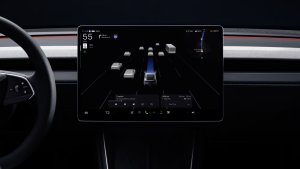
Tesla released its holiday update to consumers yesterday, and this is part two of our review of some of the biggest features of the annual update.
If you missed Part 1, where we covered the updated Energy app, the weather radar overlay, the app’s new Dashcam viewer, and more, please be sure to check that out as well.
Nearby Parking
When viewing details for a Point of Interest (POI) on the map, you can now tap on “Nearby Parking’ to get directions to nearby parking lots or garages. This should make it easier to find parking for big events or busy areas.
Lower Volume in Reverse

Tesla has added a new option under Controls > Safety that lets the vehicle automatically lower the volume of any audio being played when the vehicle goes into reverse. The option is right next to Joe Mode, which lowers the volume of all sounds like turn signals and Autopilot beeps.
Set Arrival Energy

You can now choose the amount of energy you’d like to arrive with at your destination. Tesla will then take this into account when determining charging stops and charging times.
The Set Arrival Energy is a new option under trip details which you can get to by swiping up (or pressing the …) in the navigation module that shows your destination and ETA.
Adjust Passenger Seat On Screen

Tesla has added a new Seats option to its settings. It appears that it has several purposes, not only letting you turn on/off seat heaters, but also letting you move the passenger seat forward and backward. This could be especially useful if you have a baby seat behind the passenger seat and sometimes need the extra room.
Unfortunately, there are no presets or memory, so you’ll need to adjust the seat each time. It does not allow you to adjust other seat functions, such as the seat back or lumbar support.
For the Model X, it also lets you move the middle seats backward or forward.
Vehicle Maintenance Summary

Owners can now view their vehicle's maintenance history. This builds upon the Maintenance History feature Tesla added recently, which lets you add digital vehicle records when maintenance is performed. It includes a wide variety of items, from adding windshield washer fluid to replacing the vehicle’s battery or motor.
However, with the Holiday Update, Tesla is adding an easy-to-view “consumer” version of vehicle history that lets owners view maintenance records without having to go into Service Mode. The Vehicle Maintenance Summary is under Controls > Service > Maintenance and provides a read-only view for vehicle owners. You’ll have to go into Service Mode to add any maintenance records, which are permanent and can not be erased, even after a factory reset.

When viewing the owner version of Maintenance Summary, owners can quickly view when tires were last rotated, when the cabin filter was replaced and more.
Autopilot Lane Changes

In Europe, Tesla has added a new indicator light that shows which automatic lane changes are available. Whenever Autopilot is enabled, the vehicle will now display a light indicating which lanes are available for Automatic Lane Changes. The icon will start off gray, then turn green and show an arrow to the left, right, or both sides.
If you want to see other Holiday Update features in action, be sure to check out part 1 of this series, where we take a look at all the features of Tesla’s Holiday Update. You can also read the release notes for the Holiday update, version 2024.44.25.2
If you’ve noticed any additional changes in this update, definitely let us know. Thanks to Zer and teslaway for the photos of the new features.
Follow Us on Google
Add Not a Tesla App as a preferred source on Google to see more of our stories in Top Stories.
Add to Preferred SourcesOrdering a New Tesla?
Get FSD free for 3 months by using our referral code.