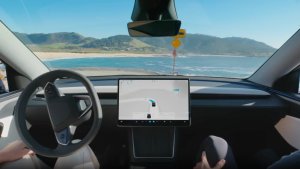
Tesla owners finally have a timeline for unsupervised Full Self-Driving, and the finish line is in sight. During Tesla’s Q3 2026 earnings call on Wednesday, Tesla VP of AI Ashok Elluswamy said the first customer vehicles could get unsupervised FSD and join the Robotaxi network around Q2 2027.
“We suspect somewhere around Q2 next year is when we can turn on some of the first customer vehicles to be part of the Robotaxi fleet,” Elluswamy said.
Same Software as Robotaxi, Within Tesla’s Geofences
Elluswamy explained that Cybercabs and Model Y robotaxis already run the same software. Tesla plans to release that software to customers as part of FSD v15.
The main remaining requirement is making sure customer vehicles can operate within Tesla’s geofences and fleet management system, so they can run fully autonomously. That means unsupervised FSD will likely be limited to select areas in the U.S. at first, similar to how Robotaxi has expanded city by city. Austin, the birthplace of the Robotaxi service, could be one of the first cities to get unsupervised FSD. Tesla recently named its next four Robotaxi cities.
FSD v15 is the next big step toward unsupervised autonomy. Elluswamy has said v15 will increase total neural network parameters from about 1 billion to 10 billion, marking a major upgrade. The Robotaxi fleet is set to get v15 first, with customer vehicles following suit. Given the Q2 2027 timeline, Tesla could start rolling out unsupervised FSD for customers in a later point release of v15.
Earning Money With Your Tesla
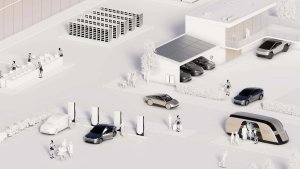
Tesla has long said Model 3 and Model Y owners will be able to add their cars to the Robotaxi network to earn money while they’re not using them. This is the first time it has given a timeline for that.
Not a Tesla App
There are still plenty of open questions. Tesla hasn’t shared how revenue sharing will work, or how charging, cleaning, and fleet management will be handled for owner-provided vehicles.
Owner interest in FSD is surging as Tesla creeps closer to unsupervised driving. Over 75% of new North American deliveries in Q3 included a paid FSD subscription, a new record, and FSD now has more than 1.7 million paid customers worldwide.
Musk also expects Robotaxi earnings to start making a noticeable difference to Tesla’s finances around Q2 2027, the same window Elluswamy gave for customer cars. Check out our full Q3 2026 earnings call recap for everything else Tesla shared.
If Tesla holds to its timeline, some owners could be sending their cars out to give rides by mid-2027.
During Tesla’s earnings call yesterday evening, Tesla VP Ashok Elluswamy announced that Tesla is developing its own AI-based mapping and navigation system. This new mapping system will arrive with FSD v15 and combine fleet data, personalized routing, and enable FSD voice control.
How Tesla’s Current Maps Work
Tesla’s current navigation combines third-party content with software developed in-house. As explained in coverage of Tesla’s Preferred Routes rollout, Google supplies content via APIs, including map tiles, street-level data, satellite imagery, points of interest, and traffic information. Tesla builds the app and calculates routes itself, allowing it to account for Supercharging and personalized routing.
During the earnings call, a shareholder raised a question around FSD issues with speed-limit recognition, parking and route selection. Elluswamy agreed, saying, “You’re totally right that we shouldn’t be depending on external people’s maps.”
He then confirmed that Tesla is developing its own AI-based maps that will address some of the FSD issues we’re seeing today, such as speed limits, parking and routing.
AI Maps That Learn Your Preferences
Elluswamy stated that this will be a completely new architecture and it won’t just be another mapping solution. He says that it’ll be “essentially AI-based mapping and navigation,” possibly meaning that Tesla’s own fleet will map streets and annotate data such as traveling speed, stop signs, traffic lights, parking lots, and more.
It Will Open a Whole New World
A new map architecture will open up a whole new world for Tesla and what’s possible. There’s a lot of data Tesla can add to maps to not only address FSD issues such as routing and speeding, but also to make traveling smoother and safer, such as annotating potholes, blind driveways, dangerous intersections, and more.
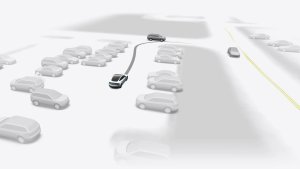
This will likely also be the solution that improves parking and lets users customize how and where they want their vehicle to park in a parking lot. Users should be able to pick from closest available, away from other cars, handicap, and more, and the fleet will help collect this data.
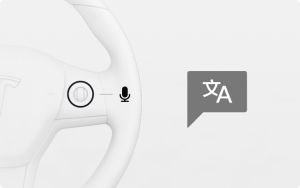
Elluswamy also stated that this map will allow Tesla to let users customize their route by voice, which sounds like the Grok feature that will let us control FSD that is slated for this fall.
Tesla already started offering Preferred Routes with Tesla’s 2026 Summer Update. Preferred Routes prioritizes your own previously driven routes when determining your route. During the same update, Automatic Navigation also gained the ability to automatically route to regularly visited destinations beyond home, work, and calendar appointments.
Preferred Routes builds on Alternate Routes, introduced in 2022, which offers up to three route choices.
First Applications Planned for FSD v15
Elluswamy expects the new maps to begin being used for trip departures and arrivals with FSD v15, then expand into the remaining navigation functions, including parking and voice control, over the following several months.