















FSD(スーパーバイズド)v14.1.2

フルセルフドライビング(スーパーバイズド)v14.1.2を含む:
- FSDが駐車する場所 (駐車場、路上、車道、駐車ガレージ、または路肩) を選択できる到着オプションが追加。
- 緊急車両が通過する際に車を路肩に寄せたり、道を譲ったりする処理能力の追加(例、警察、消防トラック、救急車など)。
- ビジョンベースのニューラル ネットワークへのナビゲーションおよびルーティングが追加され、障害物や迂回をリアルタイムで処理できるようになりました。
- 速度プロファイルの改良により、好みに合わせてドライビング スタイルがさらにカスタマイズ可能。
- 静的および動的なゲートの処理能力を改善。
- 路上障害物回避の改善(例:タイヤ、枝木、箱など)。
- 不用意な右左折、車線変更、車両の割り込み、スクール バスなど、いくつかの状況における処理能力が向上。
- システムの障害を管理し、劣化した運用からスムーズに復旧するFSDの能力を向上し、信頼性を向上。
- フロントガラスの視界に影響を与える可能性のある車内フロントガラスに付着する汚れの知らせる警告を追加。影響を受ける場合は、サービスで清掃を依頼してください。
今後の改良点:
- 総合的なスムーズさと機敏な反応
- 駐車スペースの選択とクオリティの高い駐車
到着オプション

- ロボタクシー スタイルの降車場所として、駐車場、道路、車道、駐車ガレージ、縁石などの到着オプションが選択可能。
- 各目的地ごとに、到着オプションと駐車位置に関する希望を設定可能。
- Teslaのリーズニング モデルは、目的地に適したオプションを評価し、直感的にデフォルト選択します。
速度プロフィール

FSD(スーパーバイズド)は、ドライバープロフィール、制限速度、周囲の交通状況の組み合わせに基づいて適切な速度を判断するようになりました。
- 「コンフォート」よりも低速で、より保守的な車線変更を行う新しい速度プロファイル「ナマケモノ」を導入。
- 新たな速度プロファイル「マッドマックス」を導入しました。これは、「急ぎ」よりも速い高速走行を行い、頻繁に車線変更を行います。
- ドライバー プロフィールが動作に与える影響が大きくなりました。プロフィールが積極的に設定されている場合は、最高速度が高くなります。
- 右スクロールホイールのアップ/ダウンにより、時速の表示(mph/kph)で正確な最大速度オフセットの選択し、速度プロファイル設定が調整可能。
UIの改善

- パーキングから、または運転中いつでもタッチスクリーンをタップしてセルフドライビングを開始。
- センターディスプレイのオートパイロット ビジュアライゼーションから、速度プロファイルや到着オプションなどの設定を直接調整することができます。
ブレーキによる確認

「セルフドライビングを開始」ボタンの「ブレーキによる確認」がデフォルトでオフになりました。無効にすると、「セルフドライビングを開始」するために、ブレーキを踏んで解除する必要がなくなります。
「オートパイロット」>「ブレーキによる確認」でブレーキによる確認を有効にすることができます。
フルセルフドライビング(Supervised)

お客様の監視の下、フルセルフドライビング(スーパーバイズド)は、お客様のTeslaをほぼどこへでも運転することができます。駐車した位置から起動し、車線変更、ナビゲーション ルートに合わせた分岐の選択、他の車両や障害物の回避、および左折や右折を行い、目的地に到着すると駐車します。お客様およびこれの使用を承認される方は、充分に注意を払い、周囲を確認しながら使用する必要があります。この機能はお客様の車両を自律運転させるものではありません。注意力散漫な状態で運転しないでください。
車両は、フルセルフドライビング(スーパーバイズド)が有効になっています。この機能を使用するには、UI の「セルフドライビングを開始」ボタンを押すか、右スクロール ホイール ボタンを 1 回押します。オートパイロット設定でフルセルフドライビング(スーパーバイズド)を無効にすることができます。
子ども置き去り検知

子どもの置き去りを検知すると、車両灯を点滅させ、警告音を鳴らし、Teslaアプリに通知を送信します。これは、あなたが車両に戻るまで定期的に繰り返されます。キャビンデータはローカルで処理され、Teslaには送信されません。
この設定はデフォルトで有効になっています。無効にするには、「コントロール」>「安全」>「子ども置き去り検知」の順に移動します。
レーブ ケイブ

レーブ ケイブがお客様の設定を記憶するようになりました。有効にすると、パーキングにシフトすると自動的にバイブレーションが作動します。
「アプリランチャー」>「おもちゃ箱」>「ライト同期」の順に移動します。
フロント エアバッグ システムの機能向上

このアップグレードでは、Tesla Visionを使用して車両の衝突保護機能をさらに強化し、正面衝突の際に最先端のエアバッグ性能を提供します。このリリースでは、規制および業界の衝突試験に基づいて構築され、Teslaの統合システムだけが実行できる方法で、フロントエアバッグがより早く膨張して乗員を拘束します。時間の経過とともにお客様の車の安全性が向上します。
低電力モード

低電力モードは、車両を駐車している間、電力を消費する機能を無効にすることでエネルギーを節約します。デフォルトでは、バッテリー残量が20%未満で有効になっていますが、このしきい値は10%まで調整することができます。
「コントロール」>「充電」>「低電力モード」の順に移動します。
セキュリティの改善

このアップデートには重要なセキュリティに関する修正および改善が含まれます。
軽微なアップデート

- ドッグ モードの最低温度を18°C(64°F)に設定できるようになりました。
- バッテリー航続距離見積りにバッテリーの劣化に関連する追加特性が含まれるようになりました。
- このアップデートには重要なセキュリティに関する修正および改善が含まれます。
- このアップデートには軽微な修正および性能強化が含まれています。
FSD Strikes
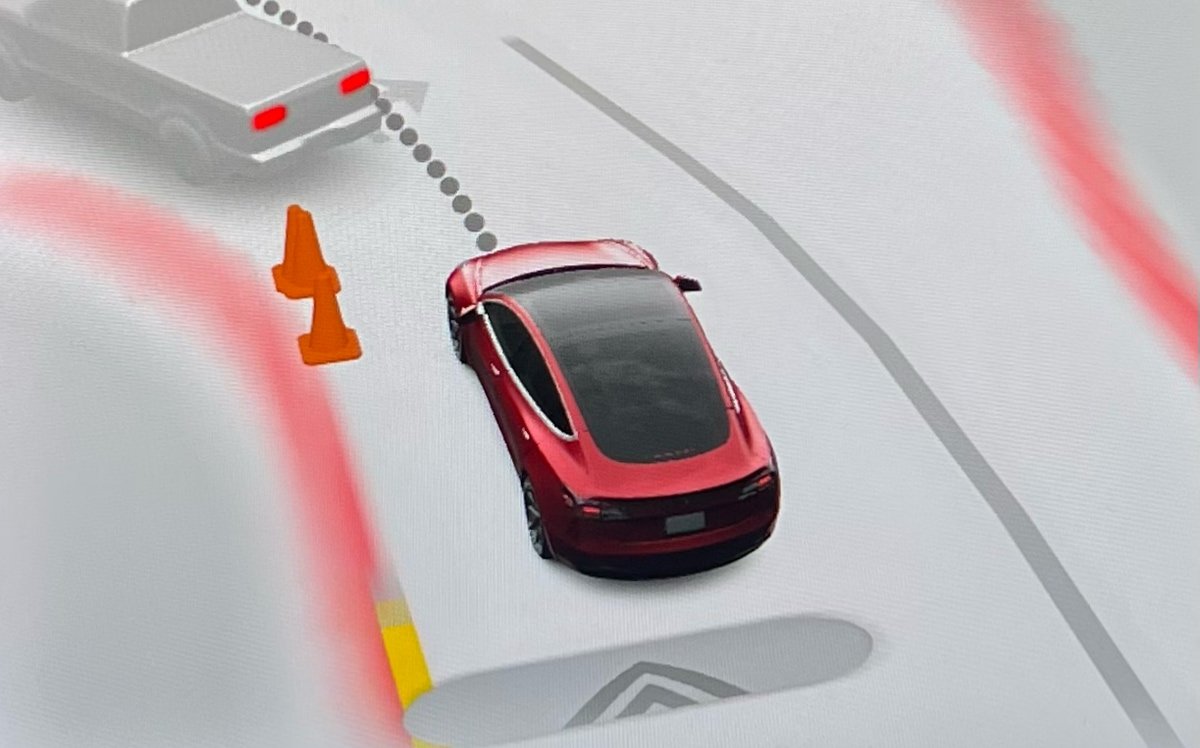
Tesla has reduced the “strike forgiveness” period for FSD from seven days to 3.5 days. Strikes are given when drivers fail to stay attentive while using FSD or Autopilot.
One strike is now forgiven every 3.5 days the driver goes without getting an additional strike. This counts days when FSD is not used as well. Hitting the limit—five strikes on a vehicle with a cabin camera or three without—temporarily suspends FSD access.
The change comes ahead of FSD v14, which is expected to ease driver monitoring. Despite the adjustment, Tesla stresses drivers must remain alert.
Summon Standby

Summon Standby energy consumption is lowered in this update by disabling it during periods of low usage. Summon Standby will be automatically disabled between the hours of midnight and 6 am.
In addition, if your vehicle has been parked for more than 24 hours, Summon Standby will also be disabled.
Summon Standby allows the vehicle to remain awake and processing data so that Summon can be used immediately after opening the Tesla app. The feature can be disabled completely under Controls > Autopilot.
Grok Reminder

For vehicles with Grok, which was introduced in update 2025.26, Tesla now distinguishes a difference between holding down the microphone button (or right scroll wheel on older vehicles) and just tapping it.
A long press of the button will activate Grok, while a tap will activate the older voice command system.
With this update, Tesla is now reminding users that they’ll need to hold down the mic button to activate Grok, whenever they activate voice commands.
PIN to Drive Supports Start FSD From Park
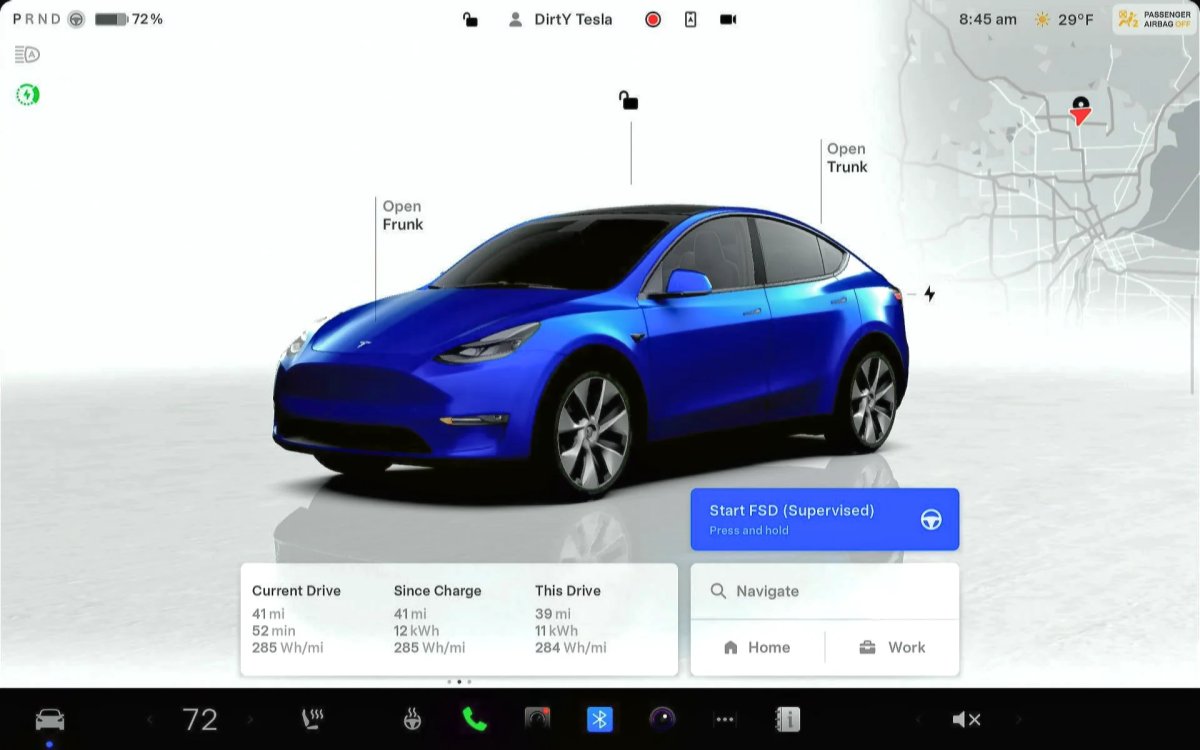
Tesla’s futuristic ‘Start FSD from Park’ feature, which allows the vehicle to shift out of park and start driving with the driver’s supervision, is now available for more users. It wasn’t previously available if you used PIN to Drive.
Tesla’s PIN to Drive feature, which forces the driver to enter a PIN before the vehicle can be driven, unfortunately, directly prevented users from using Start FSD from Park. If you had PIN to Drive enabled, then the Start FSD button wouldn’t even show up.
However, with this update, Tesla now supports both features concurrently. For anyone who has PIN to Drive enabled, you’ll simply have to enter the PIN after tapping the Start FSD from park button.
Drowsiness Detected

Newer Tesla vehicles have been detecting when a driver gets drowsy for a while now. However, with this update, Tesla is now recommending activating FSD, instead of taking a break, if it detects the driver getting drowsy.
Improved Visualizations

Tesla has improved visualizations while in reverse on Intel-based vehicles. Previously, while a vehicle was in reverse, it would display the more basic Autopilot visualizations. With this update, Tesla is now rendering FSD visualizations while the vehicle is in reverse, letting drivers see more detailed surroundings, such as curbs and other obstacles.
Bluetooth Audio

There’s often an audio delay while streaming content over Bluetooth. While this delay often goes unnoticed when playing audio files, it causes an audio sync issue when playing video on a mobile device.
This update greatly reduces the audio delay on newer vehicles that include AMD-based infotainment units. This results in more responsive buttons when pausing or playing audio content, as well as video content that is better synced to the audio.
Service Mode Improvements
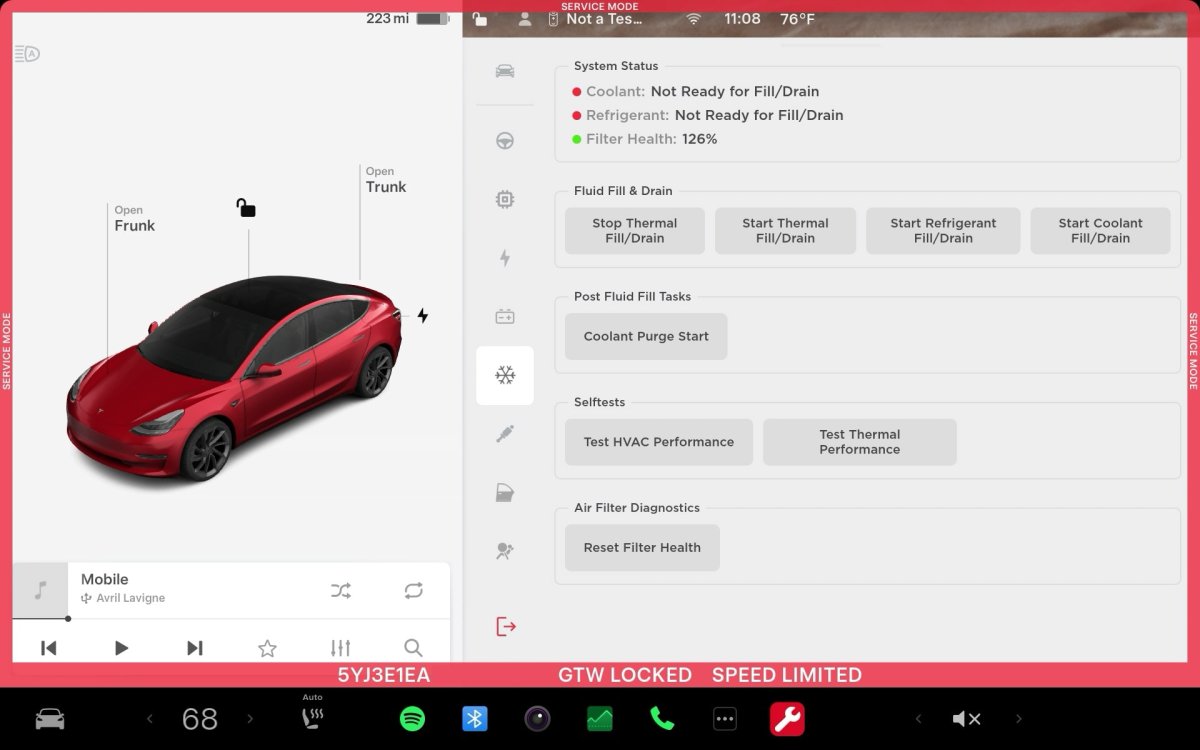
Software Reinstall while on External Power Supply
The Software Reinstall button will be unavailable if a Low Voltage (LV) external power source is used to support the vehicle. A Mid-Voltage (MV) power source must be used instead.
Models: Cybertruck
Chinese Translations for Some ODIN Routines are Available
Chinese translations are now available for some ODIN routines in Service Mode. The translated fields include the Title, Description, User Facing Impact, and Inputs. If a Chinese translation is available for the routine, it will be displayed automatically if the locale is set to zh-CN. To view the text in English, touch the 'Show English' button.
Models: All Vehicles
Note: This is included in update 2025.32.3 and later.

