












![Tesla Driver in Mexico Makes His Model Y Fly [VIDEO]](/img/containers/article_images/2026/model-y-flying-accident-mexico.webp/c6f78372a6ed7ca93d8a0c61a905cd6b/model-y-flying-accident-mexico.jpg)



FSD(수퍼바이즈드) v14.1.1

풀 셀프-드라이빙(수퍼바이즈드) v14.1.1 포함 기능:
- FSD 이 주차할 위치를 선택할 수 있는 도착 옵션이 추가됨(예: 주차장, 도로변, 진입로, 주차 건물 또는 길가).
- 응급 차량(예: 경찰차, 소방차, 구급차)을 위해 길가에 정차하거나 양보하는 기능 추가됨.
- 차단된 도로 및 우회로를 실시간으로 처리하기 위해 비전 기반 신경망에 내비게이션 및 경로 설정을 추가함.
- 운전 스타일 선호도를 추가로 맞춤 설정할 수 있는 속도 프로필이 추가됨.
- 정적 및 동적 게이트 처리를 개선.
- 도로상의 파편(예: 타이어, 나뭇가지, 상자)에 대한 회피를 개선.
- 비보호 좌회전, 차선변경, 차량 끼어들기, 스쿨버스 등 여러 시나리오 처리 능력이 개선됨.
- 신뢰성 향상을 위해 시스템 오류 관리 및 성능 저하 상태에서의 원활한 복구 등 FSD 의 능력이 개선됨.
- 전면 카메라 시야에 영향을 줄 수 있는 실내 윈드실드의 잔류물 축적 알림 기능이 추가됨. 영향을 받는 경우 세척을 위해 서비스 센터를 방문하세요!
향후 개선 사항:
- 전반적인 부드러움과 감성
- 주차 공간 선택 및 주차 품질
도착 옵션

- 로보택시 하차를 위해 주차장, 도로변, 진입로, 주차 건물, 길가와 같은 도착 옵션을 선택할 수 있음.
- 각 목적지에 대한 도착 옵션 및 선호 주차 위치 설정이 저장됨.
- 추론 모델이 목적지에 적합한 옵션을 평가하고 직관적인 기본값을 선택.
속도 프로필

FSD(수퍼바이즈드)은 이제 운전자 프로필, 속도 제한, 주변 교통 상황을 종합적으로 판단하여 적절한 속도를 결정합니다.
- 컴포트보다 낮은 속도와 보수적인 차선 선택을 제공하는 새로운 속도 프로필인 나무늘보가 도입됨.
- 운전자 프로필이 이제 주행 동작에 더 강한 영향을 미침. 프로필이 공격적일수록 최대 속도가 높아짐.
- 이제 오른쪽 스크롤 휠을 위/아래로 이동하여 mph/kph 단위의 정확한 최대 속도 오프셋 선택이 아닌 속도 프로필 설정을 조정할 수 있음.
UI 개선 사항

- 주차 모드에서 또는 주행 중 언제든지 터치스크린을 탭하여 자율주행 시작 가능.
- 중앙 디스플레이의 오토파일럿 시각화 화면에서 직접 속도 프로필 및 도착 옵션 같은 설정의 조정 가능.
브레이크 확인

자율주행 시작하기 버튼의 브레이크 확인 기능이 이제 기본적으로 꺼져 있습니다. 비활성화 시, 자율주행 시작 시 작동 확인을 위해 브레이크를 눌렀다 뗄 필요가 없습니다.
오토파일럿 > 브레이크 확인에서 브레이크 확인 기능을 활성화할 수 있습니다.
풀 셀프-드라이빙(수퍼바이즈드)

운전자의 감독 하에 풀 셀프 드라이빙 구현 기능(수퍼바이즈드)으로 Tesla를 거의 모든 곳에서 운전할 수 있습니다. 주차된 위치에서 출발하여 차선변경, 내비게이션 경로상의 분기 선택, 다른 차량 및 장애물 주변 운행, 좌우회전 및 목적지 주차 등 작업을 수행합니다. 사용자와 사용자가 허가한 모든 사람은 주의 깊은 관찰과 함께 추가적인 주의를 기울여 사용해야 합니다. 이 기능으로 차량이 자율주행 차량이 되는 것은 아닙니다. 방심하지 마세요.
풀 셀프 드라이빙 구현 기능(수퍼바이즈드)이 차량에서 활성화되었습니다. 이 기능을 사용하려면 UI의 자율주행 시작하기 버튼을 누르거나 오른쪽 스크롤 휠 버튼을 한 번 누르세요. 오토파일럿 설정에서 풀 셀프 드라이빙 구현 기능(수퍼바이즈드)을 비활성화할 수 있습니다.
어린이 방치 감지 기능

홀로 남겨진 어린이가 감지되면 차량이 외부 표시등을 점멸하고 경고음을 재생하며 Tesla 앱으로 알림을 전송합니다. 이 작업은 차량으로 돌아갈 때까지 일정한 간격으로 반복됩니다. 실내 데이터는 차량 로컬에서 처리되며 Tesla로 전송되지 않습니다.
이 기능은 기본적으로 활성화되어 있습니다. 비활성화하려면 컨트롤 > 안전 > 어린이 단독 탑승 감지 기능으로 이동하세요.
레이브 케이브

이제 Rave 케이브가 설정을 저장합니다. 이 옵션을 켜면 주차(P)로 변속 시 자동으로 바이브(vibration) 볼륨을 높입니다.
앱 런처 > 토이박스 > 라이트 동기화로 이동하세요.
향상된 정면 에어백 시스템

이 업그레이드는 정면 충돌 상황에서 최첨단 에어백 성능을 제공하도록 Tesla Vision을 사용하여 제공합니다. 규제 및 업계의 충돌 테스트를 기반으로, 이번 릴리스는 전면 에어백이 팽창을 시작하고 Tesla의 통합 시스템만이 할 수 있는 방식으로 탑승자를 더 빨리 제지할 수 있게 하므로, 시간이 지날수록 차량을 더 안전하게 만들 수 있습니다.
저전력 모드

저전력 모드는 차량이 주차된 상태에서, 전력이 소모되는 기능을 비활성화하여 에너지 절감을 지원합니다. 기본적으로, 배터리 잔량이 20% 미만일 때 자동으로 활성화됩니다. 이 임곗값은 10%까지 조정 가능합니다.
컨트롤 > 충전 > 저전력 모드로 이동합니다.
보안 개선 사항

이 업데이트에는 중요한 보안 향상 및 개선 사항이 포함되어 있습니다.
사소한 업데이트

- 애견 모드의 최소 온도를 18°C(64°F)로 설정할 수 있습니다.
- 예상 주행 가능 거리에 배터리 노화 관련 특성이 추가로 반영됩니다.
- 이 업데이트에는 중요한 보안 향상 및 개선 사항이 포함되어 있습니다.
- 간단한 수정과 성능 개선이 적용되었습니다.
FSD Strikes
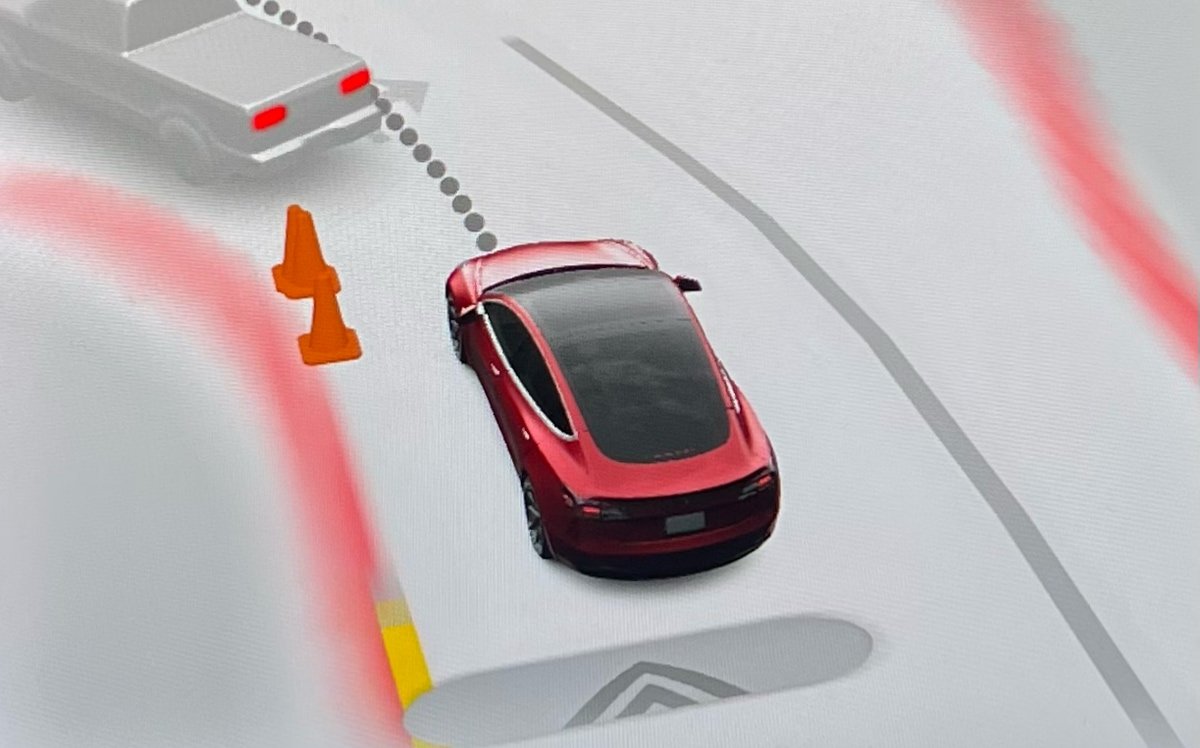
Tesla has reduced the “strike forgiveness” period for FSD from seven days to 3.5 days. Strikes are given when drivers fail to stay attentive while using FSD or Autopilot.
One strike is now forgiven every 3.5 days the driver goes without getting an additional strike. This counts days when FSD is not used as well. Hitting the limit—five strikes on a vehicle with a cabin camera or three without—temporarily suspends FSD access.
The change comes ahead of FSD v14, which is expected to ease driver monitoring. Despite the adjustment, Tesla stresses drivers must remain alert.
Summon Standby

Summon Standby energy consumption is lowered in this update by disabling it during periods of low usage. Summon Standby will be automatically disabled between the hours of midnight and 6 am.
In addition, if your vehicle has been parked for more than 24 hours, Summon Standby will also be disabled.
Summon Standby allows the vehicle to remain awake and processing data so that Summon can be used immediately after opening the Tesla app. The feature can be disabled completely under Controls > Autopilot.
Grok Reminder

For vehicles with Grok, which was introduced in update 2025.26, Tesla now distinguishes a difference between holding down the microphone button (or right scroll wheel on older vehicles) and just tapping it.
A long press of the button will activate Grok, while a tap will activate the older voice command system.
With this update, Tesla is now reminding users that they’ll need to hold down the mic button to activate Grok, whenever they activate voice commands.
PIN to Drive Supports Start FSD From Park
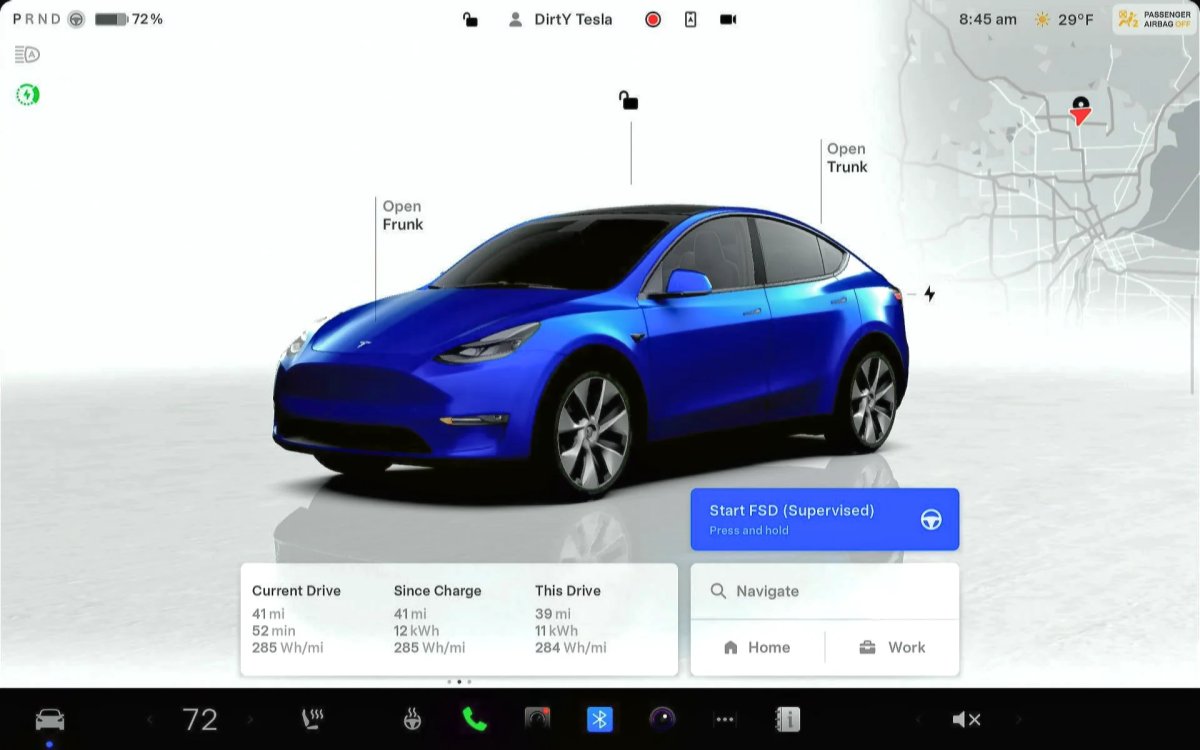
Tesla’s futuristic ‘Start FSD from Park’ feature, which allows the vehicle to shift out of park and start driving with the driver’s supervision, is now available for more users. It wasn’t previously available if you used PIN to Drive.
Tesla’s PIN to Drive feature, which forces the driver to enter a PIN before the vehicle can be driven, unfortunately, directly prevented users from using Start FSD from Park. If you had PIN to Drive enabled, then the Start FSD button wouldn’t even show up.
However, with this update, Tesla now supports both features concurrently. For anyone who has PIN to Drive enabled, you’ll simply have to enter the PIN after tapping the Start FSD from park button.
Drowsiness Detected

Newer Tesla vehicles have been detecting when a driver gets drowsy for a while now. However, with this update, Tesla is now recommending activating FSD, instead of taking a break, if it detects the driver getting drowsy.
Improved Visualizations

Tesla has improved visualizations while in reverse on Intel-based vehicles. Previously, while a vehicle was in reverse, it would display the more basic Autopilot visualizations. With this update, Tesla is now rendering FSD visualizations while the vehicle is in reverse, letting drivers see more detailed surroundings, such as curbs and other obstacles.
Bluetooth Audio

There’s often an audio delay while streaming content over Bluetooth. While this delay often goes unnoticed when playing audio files, it causes an audio sync issue when playing video on a mobile device.
This update greatly reduces the audio delay on newer vehicles that include AMD-based infotainment units. This results in more responsive buttons when pausing or playing audio content, as well as video content that is better synced to the audio.
Service Mode Improvements
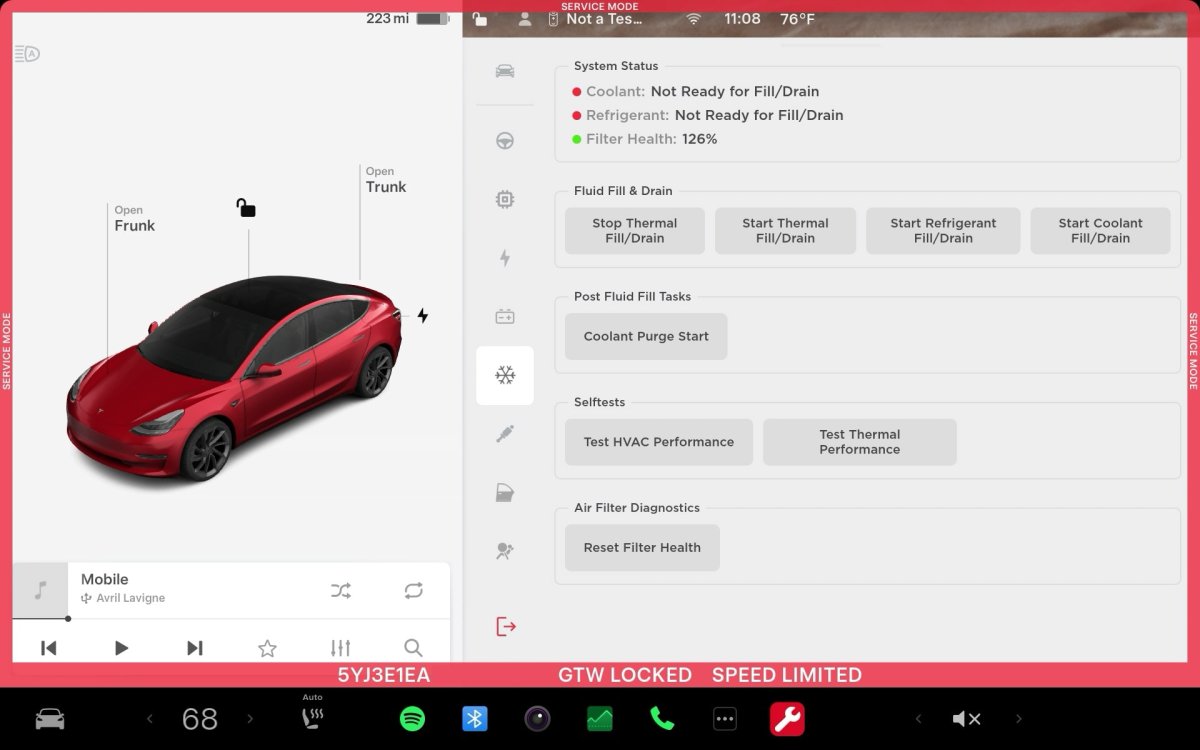
Software Reinstall while on External Power Supply
The Software Reinstall button will be unavailable if a Low Voltage (LV) external power source is used to support the vehicle. A Mid-Voltage (MV) power source must be used instead.
Models: Cybertruck
Chinese Translations for Some ODIN Routines are Available
Chinese translations are now available for some ODIN routines in Service Mode. The translated fields include the Title, Description, User Facing Impact, and Inputs. If a Chinese translation is available for the routine, it will be displayed automatically if the locale is set to zh-CN. To view the text in English, touch the 'Show English' button.
Models: All Vehicles
Note: This is included in update 2025.32.3 and later.

