












![Tesla Driver in Mexico Makes His Model Y Fly [VIDEO]](/img/containers/article_images/2026/model-y-flying-accident-mexico.webp/c6f78372a6ed7ca93d8a0c61a905cd6b/model-y-flying-accident-mexico.jpg)



FSD (Supervised) v14.1

Full Self-Driving (Supervised) v14.1 includes:
- Added Arrival Options for you to select where FSD should park: in a Parking Lot, on the Street, in a Driveway, in a Parking Garage, or at the Curbside.
- Added handling to pull over or yield for emergency vehicles (e.g. police cars, fire trucks, ambulances).
- Added navigation and routing into the vision-based neural network for real-time handling of blocked roads and detours.
- Added additional Speed Profile to further customize driving style preference.
- Improved handling for static and dynamic gates.
- Improved offsetting for road debris (e.g. tires, tree branches, boxes).
- Improve handling of several scenarios including: unprotected turns, lane changes, vehicle cut-ins, and school busses.
- Improved FSD's ability to manage system faults and recover smoothly from degraded operation for enhanced reliability.
- Added alerting for residue build-up on interior windshield that may impact front camera visibility. If affected, visit Service for cleaning!
Upcoming Improvements:
- Overall smoothness and sentience
- Parking spot selection and parking quality
Arrival Options

- You can now select an arrival option such as Parking Lot, Street, Driveway, Parking Garage and Curbside for Robotaxi-style drop offs.
- Your preferences for arrival options and preferred parking positions are persisted for each destination.
- Our reasoning model will assess the suitable options for your destination and pick an intuitive default.
Speed Profiles

FSD (Supervised) will now determine the appropriate speed based on a mix of driver profile, speed limit, and surrounding traffic.
- Introduced new Speed Profile SLOTH, which comes with lower speeds & more conservative lane selection than CHILL.
- Driver profile now has a stronger impact on behavior. The more assertive the profile, the higher the max speed.
- Right scroll-wheel up/down now adjusts Speed Profile setting rather than your precise max speed offset selection in mph/kph.
UI Improvements

- Start Self-Driving with a tap of the touchscreen from Park, or any time during your drive.
- Adjust settings like the Speed Profile and Arrival Options directly from the Autopilot visualization on the center display.
Brake Confirm

Brake Confirm for the Start Self-Driving button is now defaulted off. When disabled, Start Self-Driving will not require you to press and release the brake to confirm engagement.
You can enable Brake Confirm in Autopilot > Brake Confirm.
Full Self-Driving (Supervised)

Under your supervision, Full Self-Driving (Supervised) can drive your Tesla almost anywhere. It will start from a parked position, make lane changes, select forks to follow your navigation route, navigate around other vehicles and objects, make left and right turns and park at your destination. You and anyone you authorize must use additional caution and remain attentive. It does not make your vehicle autonomous. Do not become complacent.
Full Self-Driving (Supervised) is enabled on your vehicle. To use the feature, press the Start Self-Driving button on the UI, or press the right scroll wheel button once. You can disable Full Self-Driving (Supervised) in Autopilot Settings.
Child Left Alone Detection

If an unattended child is detected, the vehicle will flash the exterior indicator lights, play an alert tone, and send a notification to your Tesla app. This will repeat at regular intervals until you return to your vehicle. Cabin data is processed locally and is not transmitted to Tesla.
This feature is enabled by default. To disable, go to Controls > Safety > Child Left Alone Detection.
Rave Cave

Rave Cave now remembers your setting. If enabled, it will turn up the vibes automatically upon shifting into Park.
Go to App Launcher > Toybox > Light Sync.
Frontal Airbag System Enhancement

This upgrade builds upon your vehicle’s superior crash protection by now using Tesla Vision to help offer some of the most cutting-edge airbag performance in the event of a frontal crash. Building on top of regulatory and industry crash testing, this release enables front airbags to begin to inflate and restrain occupants earlier, in a way that only Tesla’s integrated systems are capable of doing, making your car safer over time.
Low Power Mode

Low Power Mode conserves energy while your vehicle is parked by disabling features that draw power. You can turn it on manually anytime for extended parking or configure the battery percentage for automatic activation.
Go to Controls > Charging > Low Power Mode.
Security Improvements

This update includes important security fixes and improvements.
Minor Updates

- You can now set Dog Mode to a minimum temperature of 64°F (18°C).
- Estimated battery range now incorporates additional characteristics related to battery aging.
- This update includes important security fixes and improvements.
- Minor fixes and performance enhancements have been applied.
FSD Strikes
Tesla has reduced the “strike forgiveness” period for FSD from seven days to 3.5 days. Strikes are given when drivers fail to stay attentive while using FSD or Autopilot.
One strike is now forgiven every 3.5 days the driver goes without getting an additional strike. This counts days when FSD is not used as well. Hitting the limit—five strikes on a vehicle with a cabin camera or three without—temporarily suspends FSD access.
The change comes ahead of FSD v14, which is expected to ease driver monitoring. Despite the adjustment, Tesla stresses drivers must remain alert.
Summon Standby

Summon Standby energy consumption is lowered in this update by disabling it during periods of low usage. Summon Standby will be automatically disabled between the hours of midnight and 6 am.
In addition, if your vehicle has been parked for more than 24 hours, Summon Standby will also be disabled.
Summon Standby allows the vehicle to remain awake and processing data so that Summon can be used immediately after opening the Tesla app. The feature can be disabled completely under Controls > Autopilot.
Grok Reminder

For vehicles with Grok, which was introduced in update 2025.26, Tesla now distinguishes a difference between holding down the microphone button (or right scroll wheel on older vehicles) and just tapping it.
A long press of the button will activate Grok, while a tap will activate the older voice command system.
With this update, Tesla is now reminding users that they’ll need to hold down the mic button to activate Grok, whenever they activate voice commands.
PIN to Drive Supports Start FSD From Park
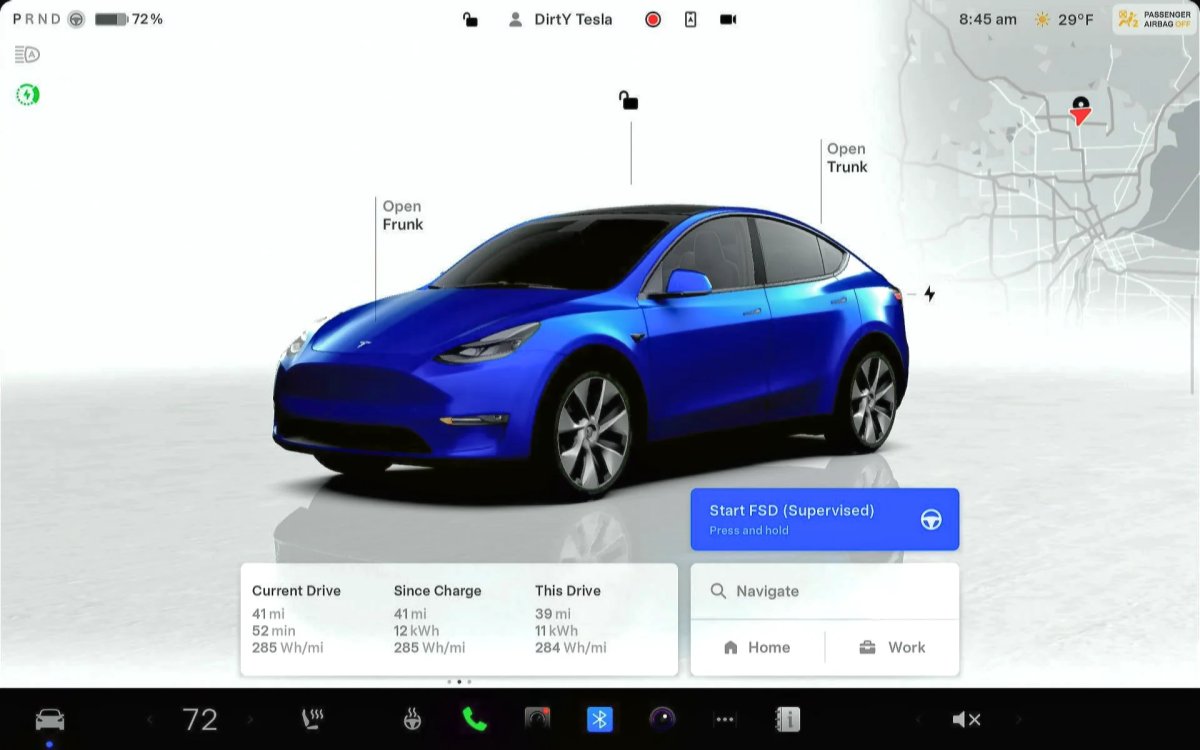
Tesla’s futuristic ‘Start FSD from Park’ feature, which allows the vehicle to shift out of park and start driving with the driver’s supervision, is now available for more users. It wasn’t previously available if you used PIN to Drive.
Tesla’s PIN to Drive feature, which forces the driver to enter a PIN before the vehicle can be driven, unfortunately, directly prevented users from using Start FSD from Park. If you had PIN to Drive enabled, then the Start FSD button wouldn’t even show up.
However, with this update, Tesla now supports both features concurrently. For anyone who has PIN to Drive enabled, you’ll simply have to enter the PIN after tapping the Start FSD from park button.
Drowsiness Detected

Newer Tesla vehicles have been detecting when a driver gets drowsy for a while now. However, with this update, Tesla is now recommending activating FSD, instead of taking a break, if it detects the driver getting drowsy.
Improved Visualizations

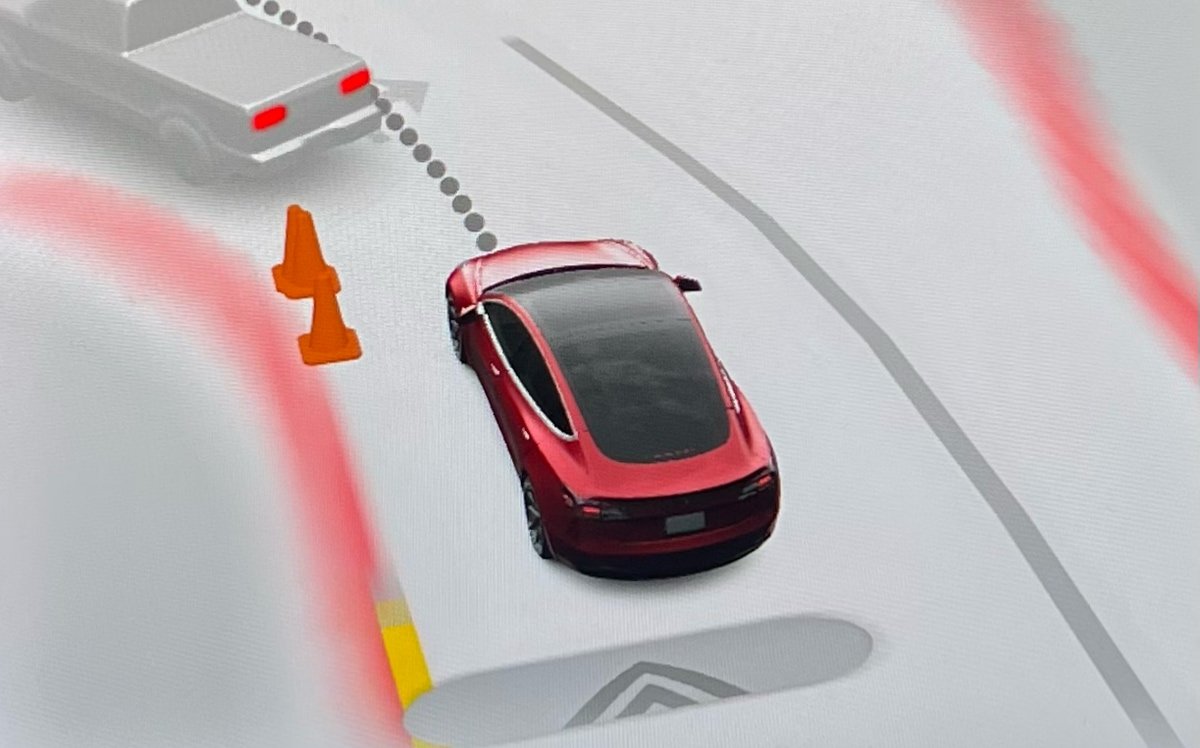
Tesla has improved visualizations while in reverse on Intel-based vehicles. Previously, while a vehicle was in reverse, it would display the more basic Autopilot visualizations. With this update, Tesla is now rendering FSD visualizations while the vehicle is in reverse, letting drivers see more detailed surroundings, such as curbs and other obstacles.
Bluetooth Audio

There’s often an audio delay while streaming content over Bluetooth. While this delay often goes unnoticed when playing audio files, it causes an audio sync issue when playing video on a mobile device.
This update greatly reduces the audio delay on newer vehicles that include AMD-based infotainment units. This results in more responsive buttons when pausing or playing audio content, as well as video content that is better synced to the audio.
Service Mode Improvements
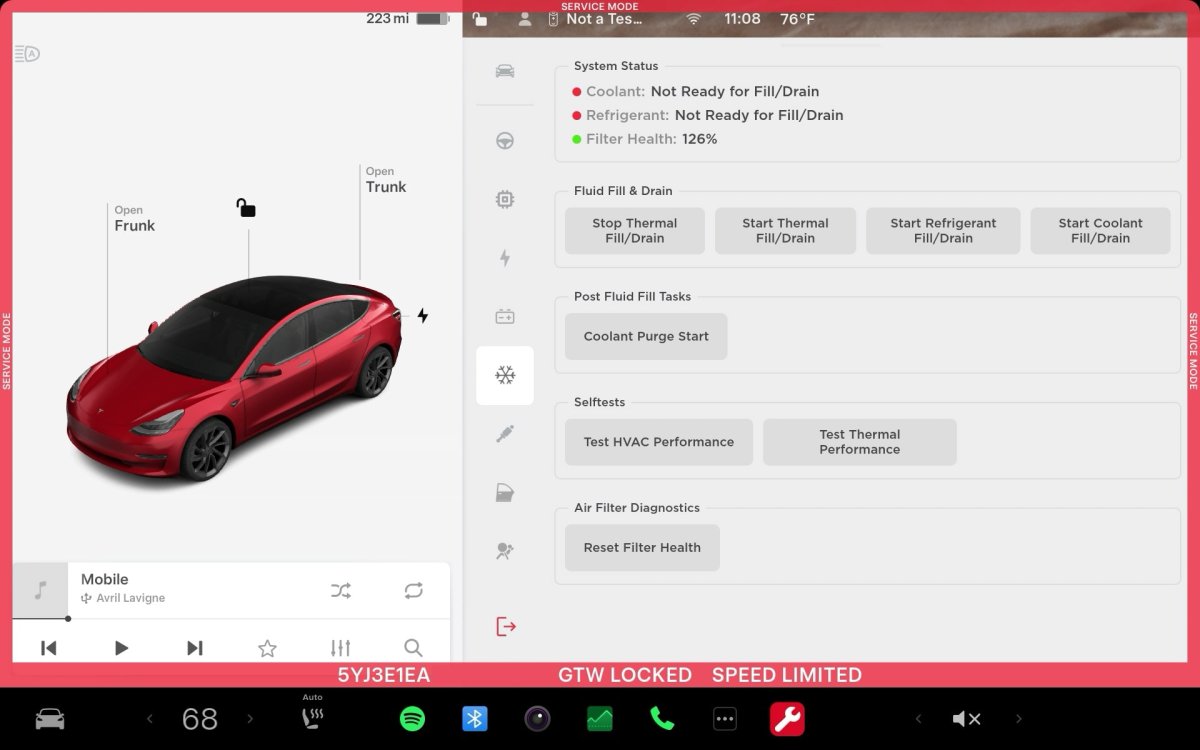
Software Reinstall while on External Power Supply
The Software Reinstall button will be unavailable if a Low Voltage (LV) external power source is used to support the vehicle. A Mid-Voltage (MV) power source must be used instead.
Models: Cybertruck
Chinese Translations for Some ODIN Routines are Available
Chinese translations are now available for some ODIN routines in Service Mode. The translated fields include the Title, Description, User Facing Impact, and Inputs. If a Chinese translation is available for the routine, it will be displayed automatically if the locale is set to zh-CN. To view the text in English, touch the 'Show English' button.
Models: All Vehicles
Note: This is included in update 2025.32.3 and later.

