Tesla App 4.48.1 Release Notes

Phone Key Fixed

Tesla Phone Key Fixed feature in update 4.48.1
Available Worldwide
Undocumented
Models:
S
3
X
Y
CT
Undocumented

This app update, which Tesla rolled out shortly after update 4.48.0, fixes the vehicle’s phone key. With the initial update, most users, but not all, noticed that their phone key had been deleted, requiring it to be set up again, which usually requires a key card.

Tesla App 4.48.0 Release Notes

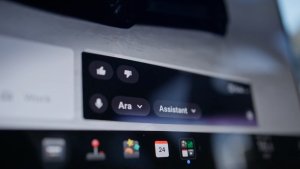
B-Pillar Dashcam Viewer Support

Tesla B-Pillar Dashcam Viewer Support feature in update 4.48.0
Credit RonnyGolisch
HW4
Models:
S
3
X
Y
HW4

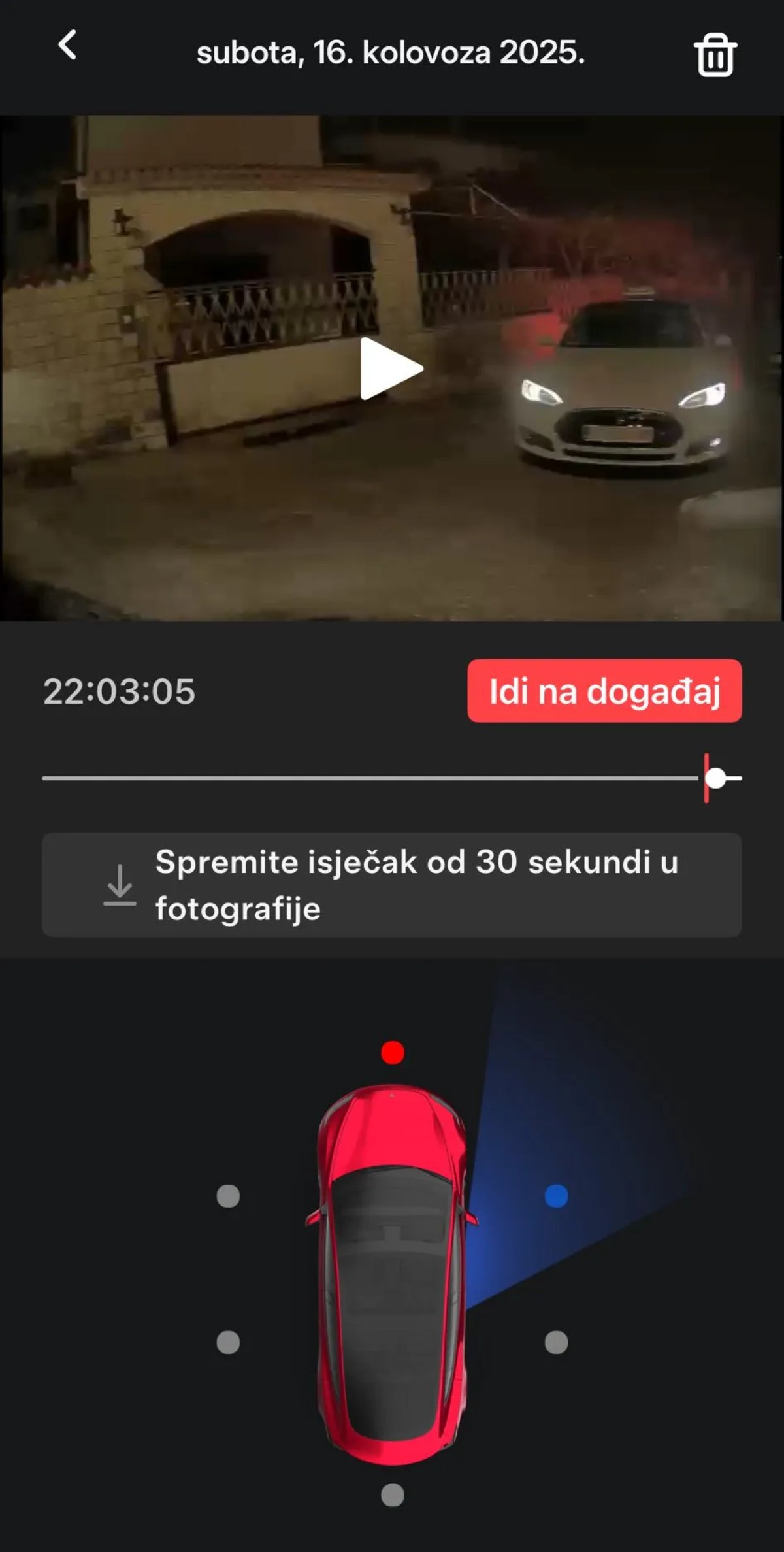
View B-pillar side cameras with Mobile Dashcam Viewer (if supported).

Note: The Tesla app now supports viewing footage recorded from the vehicle’s B-pillars.

B-pillar camera recording was added to HW4 vehicles in the 2025.14 update, but the additional view were only available within the vehicle. Now, you’ll be able to access them in the app as well, and it’ll soon be available on the Cybertruck.

Search Tesla Messages

Tesla Search Tesla Messages feature in update 4.48.0
Undocumented
Undocumented

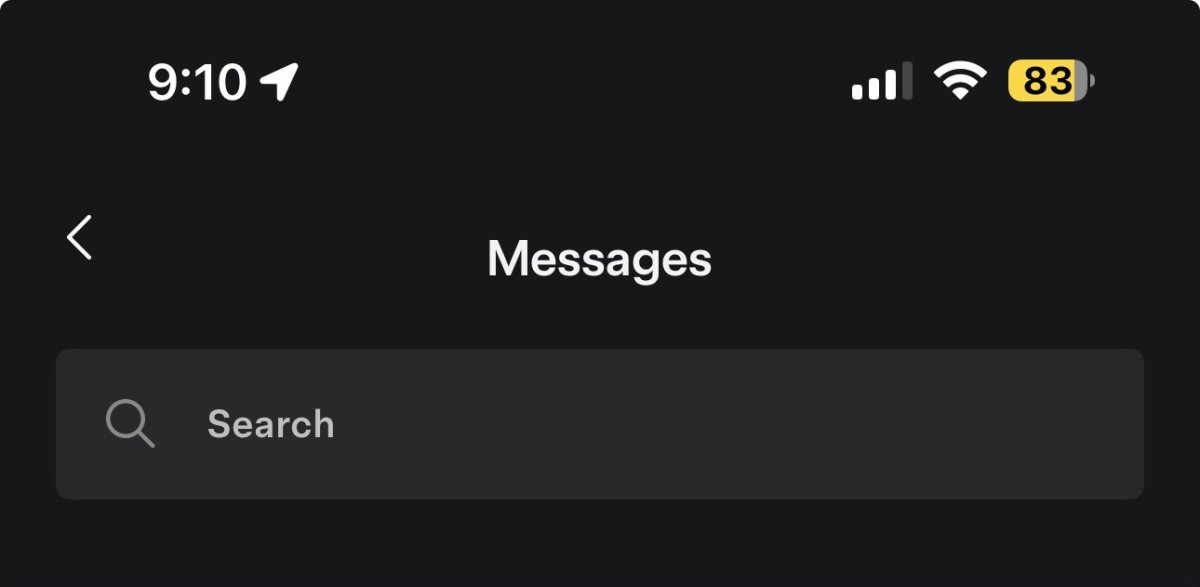
Tesla conveys important information through messages in the Tesla app, such as new vehicle delivery information.

Tesla is now laying the groundwork to be able to search through these messages in a future app update.

Vehicle Low Power Mode

Tesla Vehicle Low Power Mode feature in update 4.48.0
Undocumented
Undocumented

This app update hints at a new vehicle feature coming in a future app and vehicle update.

The upcoming feature will let users put their vehicles into a low power mode, effectively turning off all features that keep the vehicle awake and consume energy when it’s not being used.

This will be similar to how Car Wash Mode helps the user by turning off a variety of features at once, instead of having to remember to turn off each feature individually. This will be ideal when you’re leaving your vehicle for an extended period, such as when going on vacation.

Low Power Mode is on and enabling Camp Mode will consume energy. Continue?
Low Power Mode is on and enabling Dog Mode will consume energy. Continue?
Low Power Mode is on and enabling climate control will consume energy. Continue
command_error_CLIMATE_ON_low_power_mode
command_error_SETOUTLETSONOFFACTION_low_power_mode
command_error_SET_CLIMATE_KEEPER_MODE_low_power_mode
command_error_SET_SENTRY_MODE_low_power_mode
command_name_SETLOWPOWERMODEACTION

Note: Image above comes from iOS’s low power mode, which is automatically activated when a device gets to 20% battery life. Tesla could potentially add something similar, where the vehicle is automatically put into a low power mode when it gets to 20%. Tesla already disables certain features, such as Sentry Mode, automatically when the vehicle gets to 20%.

Roadside Flat Tire Update

Tesla Roadside Flat Tire Update feature in update 4.48.0
Undocumented
Undocumented

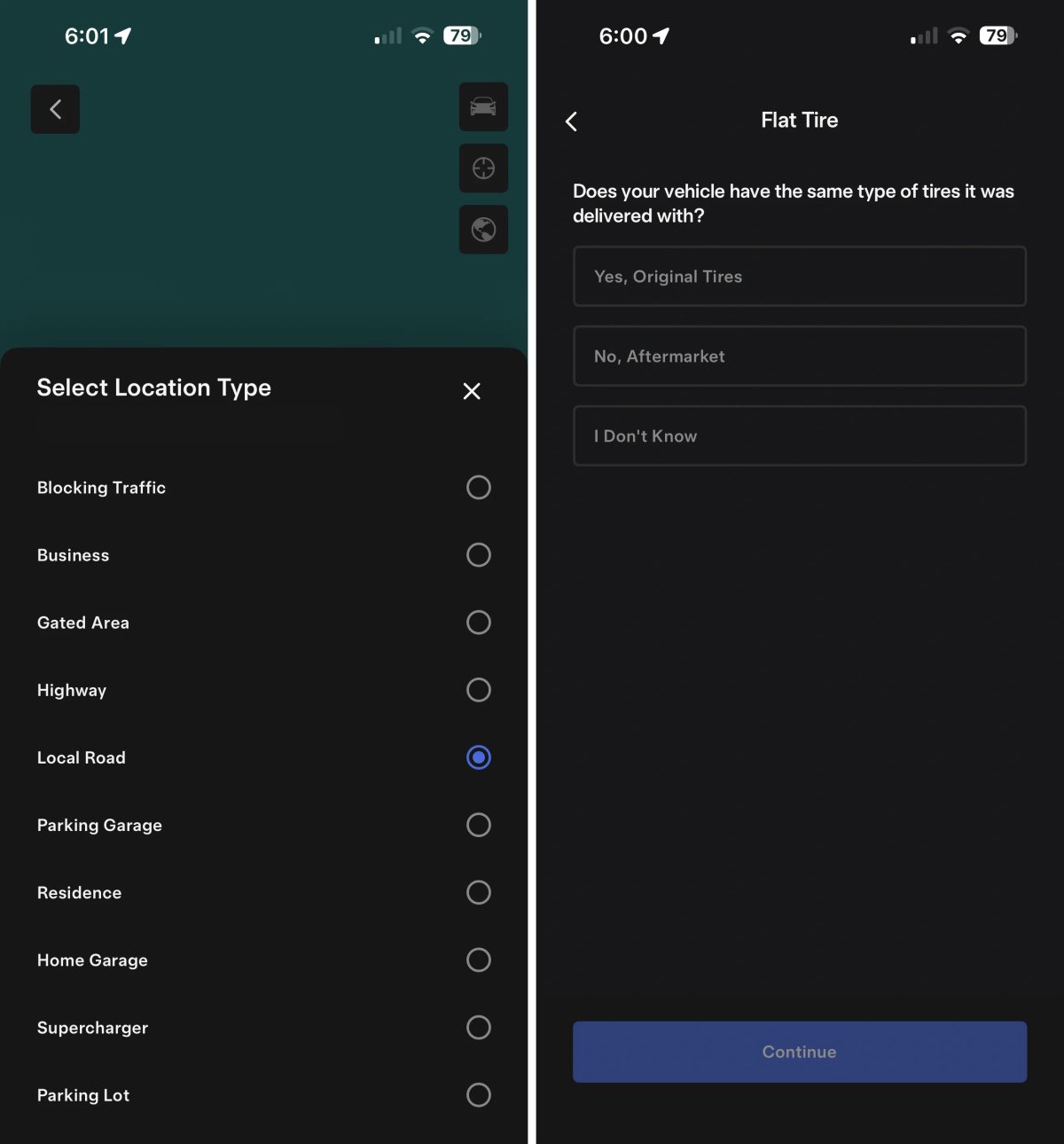
Tesla improved the flow when experiencing a flat tire and going through the Roadside assistance feature in the app. The user can now select from a much wider variety of locations where the vehicle is located, such as a gated area, parking lot, or Supercharger.

The flow for adding user information has been updated, and the user can now select “I Don’t Know” when answering whether the vehicle has its original or aftermarket tires.

These are some of the new phrases in the app update related to roadside assistance:

ROADSIDE_GET_MOBILE_TIRE_SLOTS
tirePriceInfo
IsMobileTireFlow
ROADSIDE_NO_SLOTS_EXIT_MOBILE_TIRE_SCHEDULING
ROADSIDE_EXIT_MOBILE_TIRE_SCHEDULING
ROADSIDE_GET_TIRE_CONCERNS
Not Sure of Tire Type
roadside_decline_tire_quote_and_proceed_with_tow
roadside_tire_details_questions_screen
mobile-app/roadside/mobile-tire/estimate
mobile-app/roadside/mobile-tire/create
No Mobile Tire Appointments Found
Original Wheels and Tyres: Yes
Replacement: ##replacementTire##

Phone Key Deleted

Tesla Phone Key Deleted feature in update 4.48.0
Available Worldwide
Undocumented
Models:
S
3
X
Y
CT
Undocumented

There’s currently an issue with this app update that’s causing pre-configured phone keys to be removed.

While setting up the phone key again just requires tapping the Set Up button in the app, it does require you to have a card key with you.

If you don’t have a card key with you, you can still drive the vehicle, but you’ll need to unlock the vehicle in the app manually and then go to Controls and tap Start to drive the vehicle.

Update: Tesla has now fixed this issue in app update 4.48.1, and it’s now safe to update to the newest Tesla app.

Tesla App 4.47.5 Release Notes

Loyalty Benefits

Tesla Loyalty Benefits feature in update 4.47.5
Undocumented
Models:
S
3
X
Y
CT
Undocumented

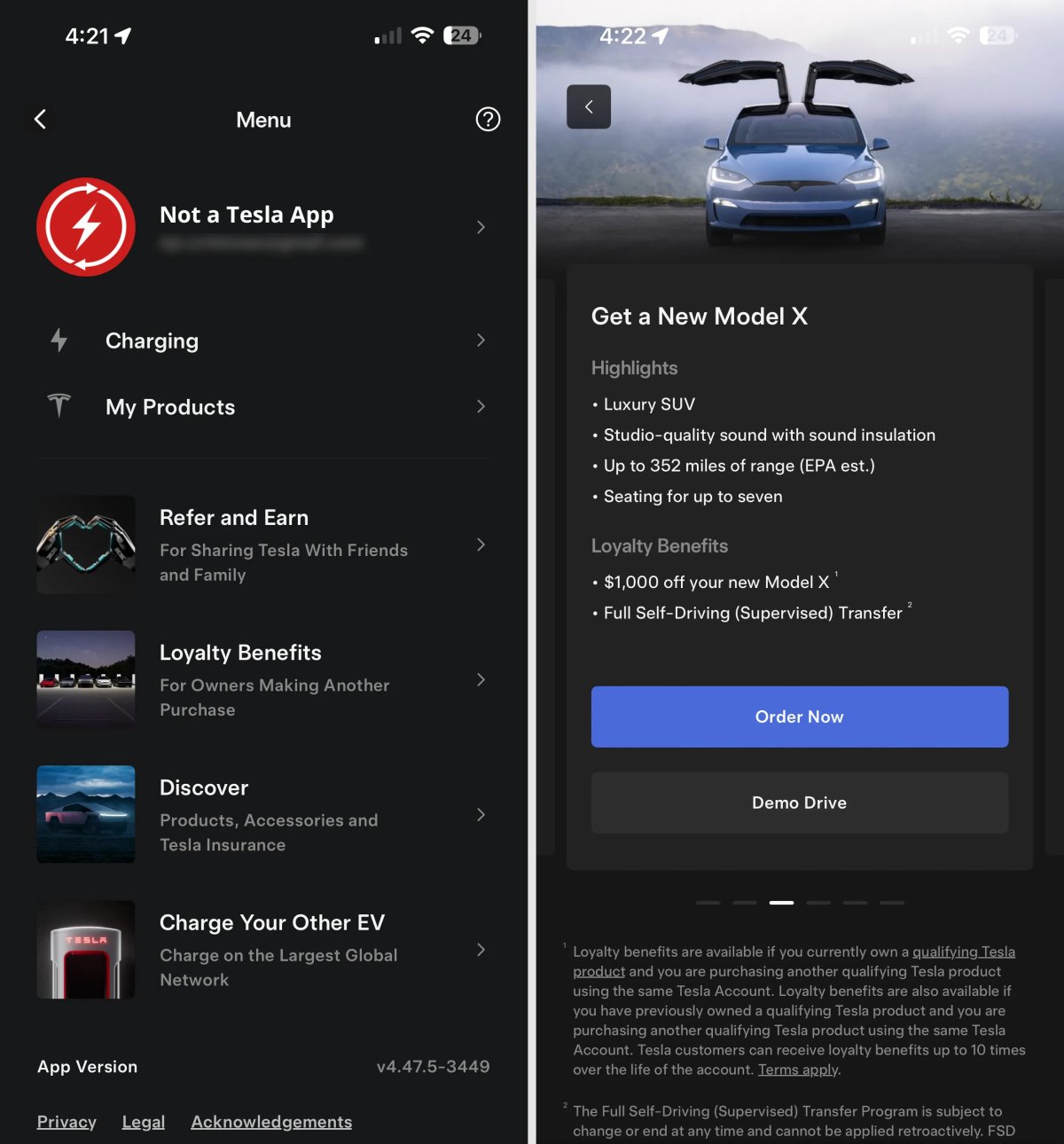
Tesla has added a new section to the Tesla app called Loyal Benefits. This section lists the loyalty benefits available to current and past Tesla customers. Tesla lists each model with key features and the benefits owners receive.

Existing owners get $500 off a Model 3 or Model Y, or $1,000 off the Model S, X or Cybertruck.

This feature was first seen in Tesla app 4.47.0, but it wasn’t exposed to customers until today.

Tesla Shop Menu Button

Tesla Tesla Shop Menu Button feature in update 4.47.5
Undocumented
Undocumented

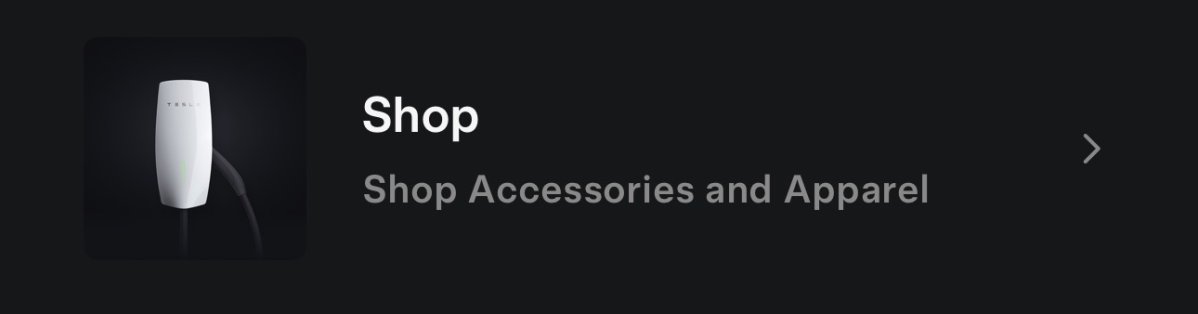
Tesla has added code for a new shop button in the side menu of the app. Currently, to access the Tesla Shop from the app, the user must first tap “Discover” from the side menu and then the “Browse” button under “Tesla Shop.”

This change should eventually add a Shop button directly to the menu in the app, next to Refer and Earn and Discover.

Tesla has recently been focusing on adding upgrades to the Tesla Shop, such as lumbar pillows, a carbon fiber dash trim, and an Alcantara dash trim.

Sunrun Integration

Tesla Sunrun Integration feature in update 4.47.5
Undocumented
Undocumented

Tesla is working on integrating Sunrun into the Tesla app, potentially offering Sunrun customers even more features directly through the Tesla app. Sunrun is one of the U.S.’s leading residential solar and battery installers.

Tesla currently has a partnership with Sunrun via the Tesla Electric + Sunrun Flex Plan that allows owners in Texas to pay a low fixed rate while benefiting from home backup and better sellback rates.

You can find out more about the Tesla Electric + Sunrun Flex Plan here.

Wall Connector OCPP Support

Tesla Wall Connector OCPP Support feature in update 4.47.5
Credit default
Undocumented
Undocumented

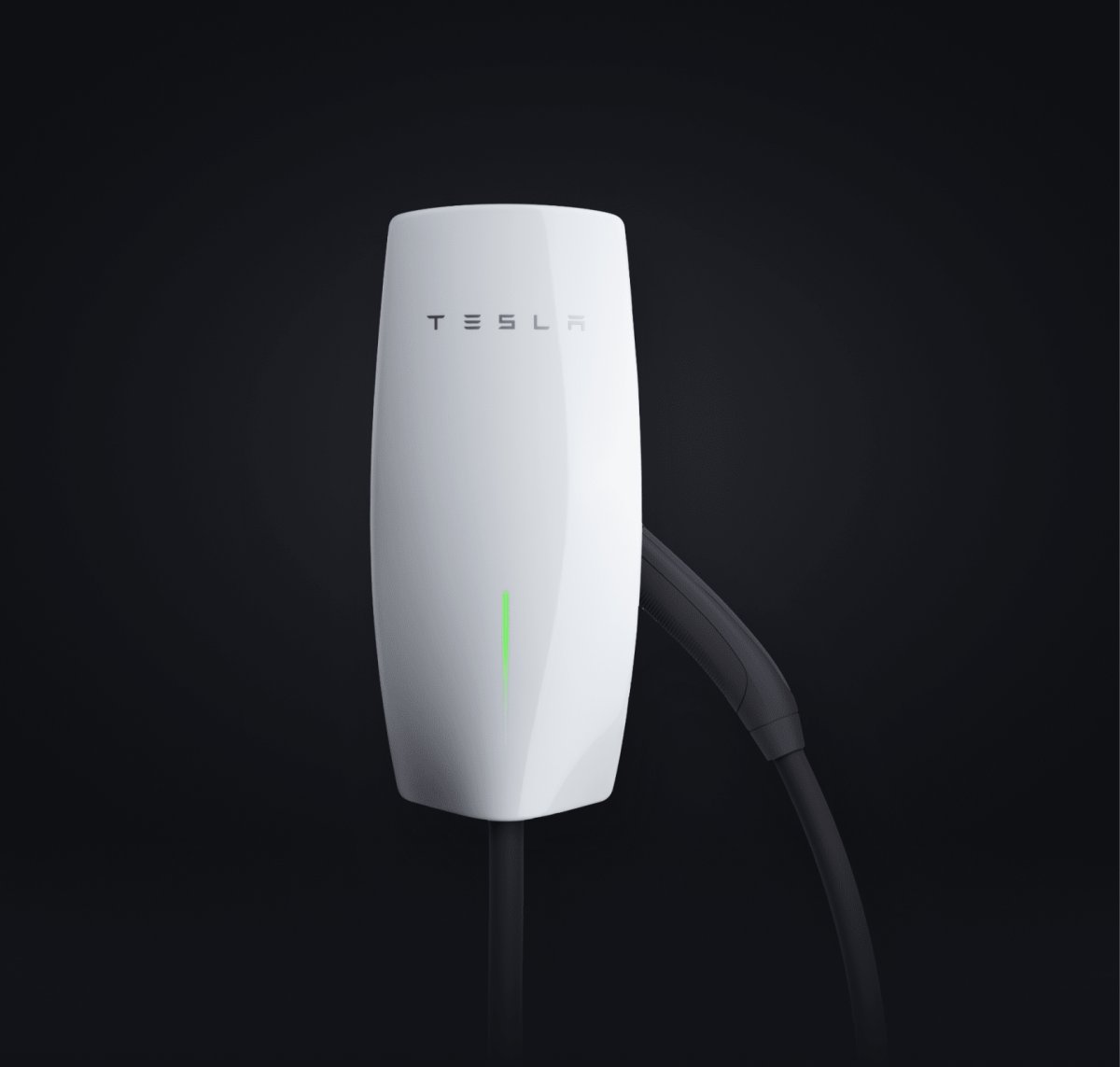
Tesla seems to be working on adding the Open Charge Point Protocol (OCPP) to Wall Connectors. This would potentially allow third-party apps and services to control and receive data from the Wall Connector.

Here are some of the phrases related to the OCPP Wall Connector:

  • Access Wall Connector Charging Data

  • Control Your Wall Connector

  • This is a supported Open Charge Point Protocol (OCPP) program.

  • Remove access at any time in Vehicle Charging settings.

  • Share Charging Data for Reimbursement


Actually Smart Summon Reminder

Tesla Actually Smart Summon Reminder feature in update 4.47.5
Credit nathanhome
Undocumented
Undocumented

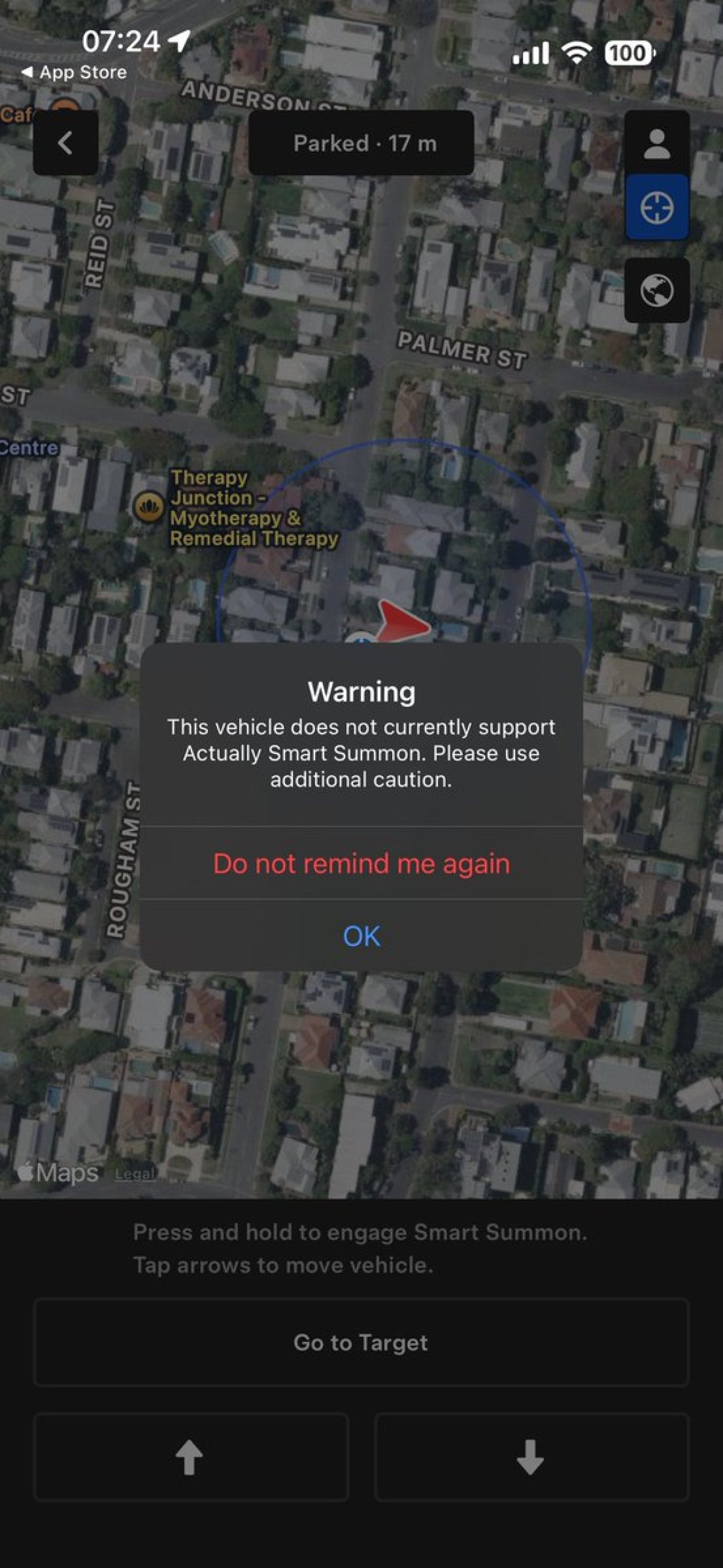
Tesla has added some new strings related to Actually Smart Summon. Vehicles that don’t support Actually Smart Summon receive a warning when going into the Summon menu.

This new update lets users suppress that warning so that they’re not continuously reminded about A.S.S. not being supported whenever they go into the Summon menu.

Here are the related strings:

  • autopark_summon_ass_do_not_remind_again_message: "Do not remind me again"

  • shouldSilenceAssNotSupportedPrompt

FSD Trial

Tesla FSD Trial feature in update 4.47.5
Undocumented
Undocumented

This update includes multiple references to an FSD Trial and new FSD terms during the delivery acceptance part of the app. This implies the app will, at some point, offer an FSD trial upon acceptance of a new vehicle delivery.

Details

Release Date

August 2, 2025