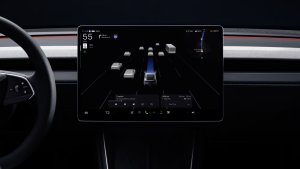
Our decompile of the latest Tesla app has revealed that Tesla is developing a new Low Power Mode for its vehicles, another highly requested feature similar to the one you’d normally find on a smartphone.
This new mode is designed to give owners more control over their vehicle’s standby energy consumption, providing a direct solution to the long-standing issue of vampire drain when the car is parked for extended periods.
The discovery comes from new text strings and command names found within the update’s code, which lay out a blueprint for how we expect the feature to work.
What is Low Power Mode?
The core function of the new mode is to significantly reduce your Tesla’s standby energy use. However, it will not completely shut down the vehicle, making sure you can still wake it up and access it from the Tesla app.
According to text phrases found in the app, Tesla notes that even in Low Power Mode, your vehicle will continue to use energy for standby functions, screen activity, and Tesla app interactions. Over the years, Tesla has added new features to its vehicles, while most of those features only use energy when the vehicle is on and awake, there are several that use energy even when you’re not using the vehicle.
Some of these features include Summon Standby, Sentry Mode, Cabin Overheat Protection, Scheduled Preconditioning, the newer Keep Accessory Power On, and others.
It sounds like this feature will operate similarly to Tesla’s Car Wash Mode feature, where it disables a variety of features in certain situations, such as when you’re going on vacation. When leaving your vehicle for an extended period, you’ll only need to remember to activate “Low Power Mode,” which will then disable Sentry Mode, Summon Standby, and any cabin preconditioning schedules you have set.
With the wide variety of features available that consume energy while your vehicle is parked, it’s easy to miss turning some of them off at the last minute when you’re parking at the airport or getting ready to leave on a trip.
Sometimes owners are left checking their app, wondering why their vehicle is consuming so much energy, and then realize that the vehicle is being exposed to the sun all day in a hot airport parking lot. While some of these features can be turned off through the Tesla app, others, like Summon Standby and Keep Accessory Power On, can not.
Low Power Mode will give owners a simple, one-button access to turn off all features, which, according to phrases found in the Tesla app, will include Keep Climate, Dog Mode, Camp Mode, Sentry Mode, Keep Accessory Power On, and potentially others.
Customizing Low Power Mode
If Low Power Mode is enabled, Tesla will also warn you if you try to turn on certain features from the app, such as seat heaters, steering wheel heater, Sentry Mode, or one of the climate keep modes.
Low Power Mode will force these features to remain off, but it’ll turn them off for you initially. For example, if you want to turn them all off except for Cabin Overheat Protection or Sentry Mode, it sounds like you’ll be able to turn on Low Power Mode, then enable Sentry Mode or whichever feature you’d like to remain on. Tesla will simply ask you to confirm that you want this feature enabled while in Low Power Mode.
You will be able to toggle Low Power Mode on or off from the Tesla app, which means there will likely also be an in-vehicle toggle to enable or disable it.
There’s a phrase called command_name_SETDISCHARGELIMITACTION that sounds like it could let owners choose at what battery percentage they’d like Low Power Mode to be enabled automatically. This could be a really nice addition, as it’ll let you leave the vehicle as you usually do, but also make sure you have enough charge to get to your destination when you get back.
Now that Teslas have so many features that could cause additional drain when the vehicle is parked, Low Power Mode is a very welcome addition.
Given that code for Low Power Mode is already in the Tesla app, it may be one of the new features coming in Tesla’s 2025.32 update, which is currently being tested by employees.
Follow Us on Google
Add Not a Tesla App as a preferred source on Google to see more of our stories in Top Stories.
Add to Preferred SourcesOrdering a New Tesla?
Get FSD free for 3 months by using our referral code.