








![Tesla Driver in Mexico Makes His Model Y Fly [VIDEO]](/img/containers/article_images/2026/model-y-flying-accident-mexico.webp/c6f78372a6ed7ca93d8a0c61a905cd6b/model-y-flying-accident-mexico.jpg)







Detektering av kvarlämnat barn

Om ett obevakat barn upptäcks kommer bilen att blinka med de utvändiga indikeringslamporna, avge en varningston och ett meddelande skickas till Tesla-appen. Detta kommer att upprepas med jämna mellanrum tills du återvänder till fordonet. Data från kupén behandlas lokalt och överförs inte till Tesla.
Denna inställning är aktiverad som förval. För att inaktivera går du till Reglage > Säkerhet > Detektering av kvarlämnat barn.
Säkerhetsförbättringar

Den här uppdateringen innehåller viktiga säkerhetskorrigeringar och förbättringar.
Rave Cave

Rave Cave kommer nu ihåg dina inställningar. Om funktionen är aktiverad kommer den att öka vibrationerna automatiskt när du växlar till parkeringsläget.
Gå till Applikationsstartaren > Leklåda > Ljussynkronisering.
Förbättring av det främre krockkuddesystemet

Denna uppgradering bygger vidare på ditt fordons överlägsna krockskydd genom att nu använda Tesla Vision för att erbjuda en av de mest banbrytande krockkuddeprestandan vid en frontalkrock. Denna version bygger vidare på myndigheternas och branschens krocktester och gör det möjligt för framkrockkuddarna att börja blåsas upp och spänna fast passagerarna tidigare, på ett sätt som bara Teslas integrerade system kan göra, vilket gör din bil säkrare med tiden.
Lågenergiläge

Lågenergiläge hjälper till att spara energi medan fordonet är parkerat genom att inaktivera funktioner som drar ström. Som standard aktiveras när batterinivån går under 20 %, men du kan justera detta tröskelvärde ner till 10 %.
Gå till Reglage > Laddning > Lågenergiläge.
Mindre uppdateringar

- Du kan nu ställa in Dog Mode på en lägsta temperatur på 18 °C (64 °F).
- Den uppskattade batteriräckvidden tar nu hänsyn till ytterligare egenskaper som är relaterade till hur batteriet åldras.
- Den här uppdateringen innehåller viktiga säkerhetskorrigeringar och förbättringar.
- Mindre korrigeringar och prestandaförbättringar har tillämpats.
FSD Strikes
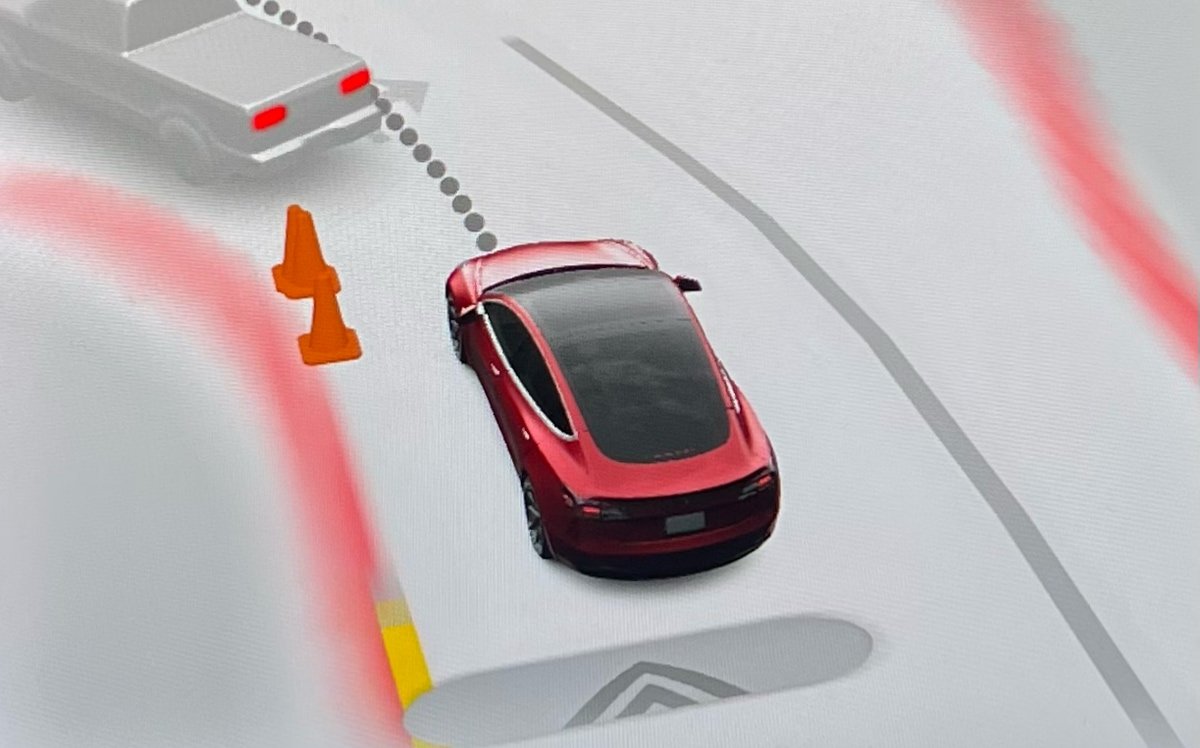
Tesla has reduced the “strike forgiveness” period for FSD from seven days to 3.5 days. Strikes are given when drivers fail to stay attentive while using FSD or Autopilot.
One strike is now forgiven every 3.5 days the driver goes without getting an additional strike. This counts days when FSD is not used as well. Hitting the limit—five strikes on a vehicle with a cabin camera or three without—temporarily suspends FSD access.
The change comes ahead of FSD v14, which is expected to ease driver monitoring. Despite the adjustment, Tesla stresses drivers must remain alert.
Summon Standby

Summon Standby energy consumption is lowered in this update by disabling it during periods of low usage. Summon Standby will be automatically disabled between the hours of midnight and 6 am.
In addition, if your vehicle has been parked for more than 24 hours, Summon Standby will also be disabled.
Summon Standby allows the vehicle to remain awake and processing data so that Summon can be used immediately after opening the Tesla app. The feature can be disabled completely under Controls > Autopilot.
Grok Reminder

For vehicles with Grok, which was introduced in update 2025.26, Tesla now distinguishes a difference between holding down the microphone button (or right scroll wheel on older vehicles) and just tapping it.
A long press of the button will activate Grok, while a tap will activate the older voice command system.
With this update, Tesla is now reminding users that they’ll need to hold down the mic button to activate Grok, whenever they activate voice commands.
PIN to Drive Supports Start FSD From Park
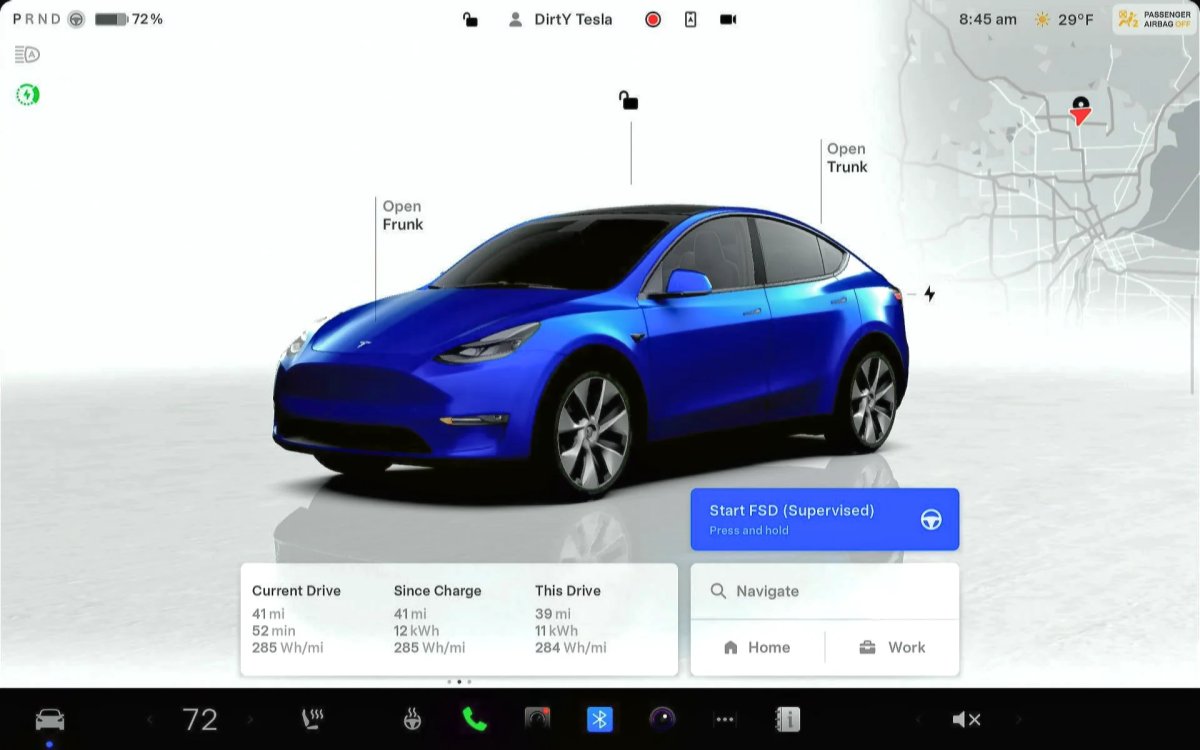
Tesla’s futuristic ‘Start FSD from Park’ feature, which allows the vehicle to shift out of park and start driving with the driver’s supervision, is now available for more users. It wasn’t previously available if you used PIN to Drive.
Tesla’s PIN to Drive feature, which forces the driver to enter a PIN before the vehicle can be driven, unfortunately, directly prevented users from using Start FSD from Park. If you had PIN to Drive enabled, then the Start FSD button wouldn’t even show up.
However, with this update, Tesla now supports both features concurrently. For anyone who has PIN to Drive enabled, you’ll simply have to enter the PIN after tapping the Start FSD from park button.
Drowsiness Detected

Newer Tesla vehicles have been detecting when a driver gets drowsy for a while now. However, with this update, Tesla is now recommending activating FSD, instead of taking a break, if it detects the driver getting drowsy.
Improved Visualizations

Tesla has improved visualizations while in reverse on Intel-based vehicles. Previously, while a vehicle was in reverse, it would display the more basic Autopilot visualizations. With this update, Tesla is now rendering FSD visualizations while the vehicle is in reverse, letting drivers see more detailed surroundings, such as curbs and other obstacles.
Bluetooth Audio

There’s often an audio delay while streaming content over Bluetooth. While this delay often goes unnoticed when playing audio files, it causes an audio sync issue when playing video on a mobile device.
This update greatly reduces the audio delay on newer vehicles that include AMD-based infotainment units. This results in more responsive buttons when pausing or playing audio content, as well as video content that is better synced to the audio.
Service Mode Improvements
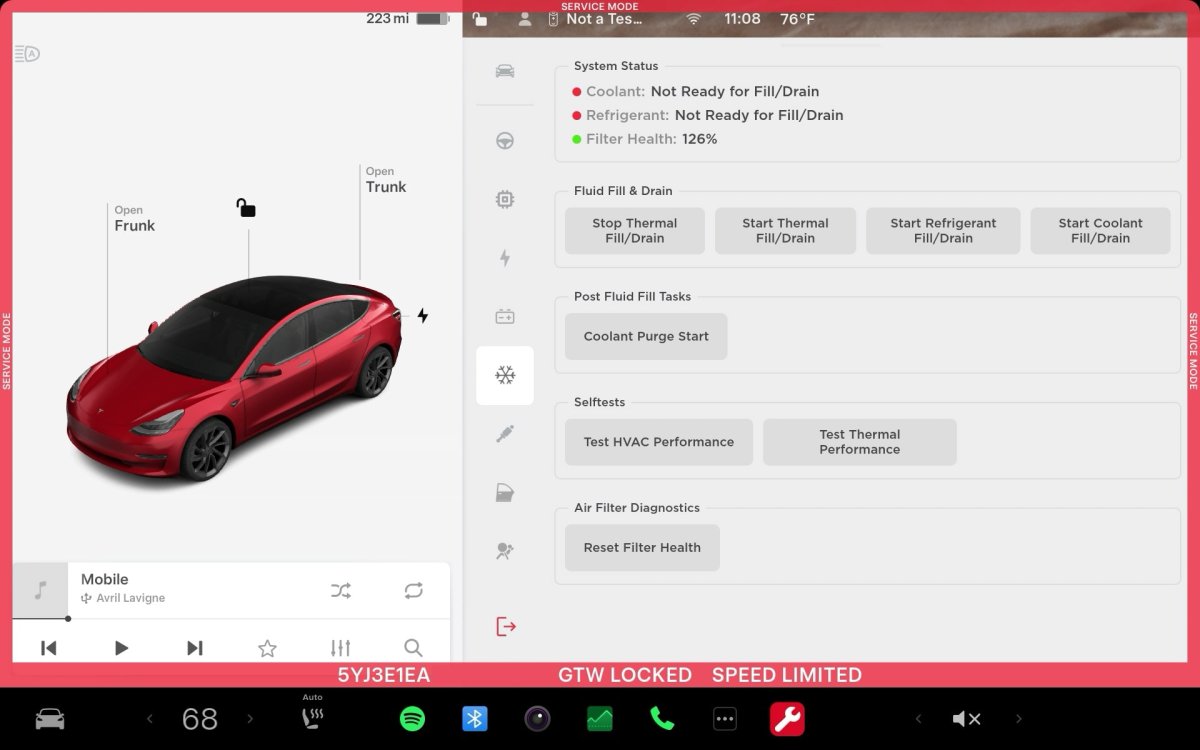
Software Reinstall while on External Power Supply
The Software Reinstall button will be unavailable if a Low Voltage (LV) external power source is used to support the vehicle. A Mid-Voltage (MV) power source must be used instead.
Models: Cybertruck
Chinese Translations for Some ODIN Routines are Available
Chinese translations are now available for some ODIN routines in Service Mode. The translated fields include the Title, Description, User Facing Impact, and Inputs. If a Chinese translation is available for the routine, it will be displayed automatically if the locale is set to zh-CN. To view the text in English, touch the 'Show English' button.
Models: All Vehicles
Note: This is included in update 2025.32.3 and later.

