













FSD (sorvegliato) v14.1.5

Guida autonoma al massimo potenziale (sorvegliata) v14.1.5 include:
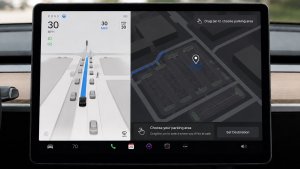
- Sono state aggiunte le opzioni di arrivo per selezionare il punto in cui FSD effettua il parcheggio: in un parcheggio, in strada, in un vialetto, in un garage o sul marciapiede.
- Aggiunta la manovrabilità per accostare o cedere la precedenza ai veicoli di emergenza (ad es. auto della polizia, autopompe, ambulanze).
- Aggiunta la navigazione e l'instradamento nella rete neurale basata sulla visione per la gestione in tempo reale di strade bloccate e deviazioni.
- Aggiunto Profilo velocità aggiuntivo per personalizzare ulteriormente le preferenze dello stile di guida.
- Migliore manovrabilità per varchi statici e dinamici.
- Compensazione migliorata per detriti stradali (ad es. pneumatici, rami di alberi, scatole).
- Migliora la gestione di diversi scenari, tra cui: svolte non protette, cambi di corsia, veicoli che si inseriscono e scuolabus.
- Migliorata la capacità di FSD di gestire i guasti di sistema e di ripristinare il funzionamento in modo fluido in seguito a un degrado operativo, per una maggiore affidabilità.
- Aggiunto avviso per l'accumulo di residui sul parabrezza che potrebbe influire sulla visibilità della telecamera anteriore. In tal caso, visitare l'assistenza per la pulizia.
Prossime migliorie:
- Fluidità e sensibilità complessive
- Selezione del parcheggio e qualità del parcheggio
Opzioni di arrivo

- Ora puoi selezionare un'opzione di arrivo come parcheggio, strada, vialetto, garage e lato marciapiede per le consegne in stile Robotaxi.
- Le tue preferenze per le opzioni di arrivo e le posizioni di parcheggio preferite vengono mantenute per ciascuna destinazione.
- Il nostro modello di ragionamento valuterà le opzioni adatte alla tua destinazione e sceglierà un'impostazione predefinita intuitiva.
Profili di velocità

La funzione FSD (sorvegliata) determinerà ora la velocità appropriata in base a un mix di profilo del conducente, limite di velocità e traffico circostante.
- Introdotto il nuovo profilo di velocità BRADIPO, che offre velocità più basse e una selezione della corsia più prudente rispetto a SOFT.
- Introdotto il nuovo profilo di velocità MAD MAX, che offre velocità più alte e cambi di corsia più frequenti rispetto a SBRIGATI.
- Il profilo del conducente ora ha un impatto maggiore sul comportamento. Più il profilo è deciso, maggiore è la velocità massima.
- Il movimento verso l'alto/il basso della rotellina destra ora consente di regolare l'impostazione del profilo di velocità al posto della selezione precisa dell'offset della velocità massima in mph/kph.
Miglioramenti dell'interfaccia utente

- Avvia la Guida autonoma toccando il touchscreen da Park o in qualsiasi momento durante la guida.
- Regola impostazioni come Profilo velocità e Opzioni arrivo direttamente dalla visualizzazione Autopilot sul display centrale.
Conferma freno

Il pulsante Conferma freno per avvio guida autonoma è ora disattivato per impostazione predefinita. Se disattivato, Avvia guida autonoma non richiede la pressione e rilascio del freno per confermare l'inserimento.
È possibile abilitare Conferma freno in Autopilot > Conferma freno.
Guida autonoma al massimo potenziale (sorvegliata)

Sotto la tua supervisione, la guida autonoma al massimo potenziale (sorvegliata) può guidare la tua Tesla quasi ovunque. Partirà da una posizione parcheggiata, cambierà corsia, sceglierà la direzione corretta agli incroci per seguire il percorso di navigazione, sorpasserà altri veicoli e ostacoli e svolterà a destra e a sinistra e parcheggerà alla destinazione. Tu e qualunque altra persona che autorizzerai dovrete prestare ancora più attenzione e restare vigili. Non rende il veicolo autonomo. Non perdere la concentrazione.
La guida autonoma al massimo potenziale (sorvegliata) è abilitata sul veicolo. Per utilizzare la funzione, premere il pulsante Avvia Guida autonoma sull'interfaccia utente o premere una volta la rotellina destra. È possibile disattivare la Guida autonoma al massimo potenziale (sorvegliata) in basso nelle impostazioni Autopilot.
Santa Mode

Tesla has added Santa Mode to 2026 Model S and Model X vehicles. These cars use the Unreal Engine and did not include Santa Mode until this update. Santa Mode was noticeably absent from the Toybox, and when users tried to enable the feature through voice commands, the system would say that Santa Mode is not available and will be enabled in a future update.
New FSD Guide

When a user activates FSD from the Controls > Autopilot menu, Tesla will now present a one-screen guide that introduces the user to FSD.
The guide includes the same disclaimer as previous updates and now also includes an image of the steering wheel controls for FSD, letting the user know how to switch FSD Profiles and set the maximum speed (for FSD V13 and below).
The image used is specific to the vehicle and will either include steering wheel buttons or stalks, depending on the model.
More Charging Information

While a vehicle is charging, Tesla now includes a link for ‘Additional Charging Information’ in the Controls > Charging section. If the vehicle is charging, the link will appear in blue in the top-right corner.
Tapping the link displays a pop-up containing additional information, such as the maximum and current battery input power.
Maximum Battery Input Power is the total power the charger can deliver.
Battery Input Power is the amount of energy that is being actively put into the vehicle’s battery. The battery input power may be less than the maximum charger capability for several reasons, including a high vehicle charge level. The vehicle will also draw power directly from the charger rather than draining the battery if it needs to run the HVAC system, screen, or other components. This reduces battery wear by using energy from the battery, only to have to re-add it.
Keep Accessory Power On App Control
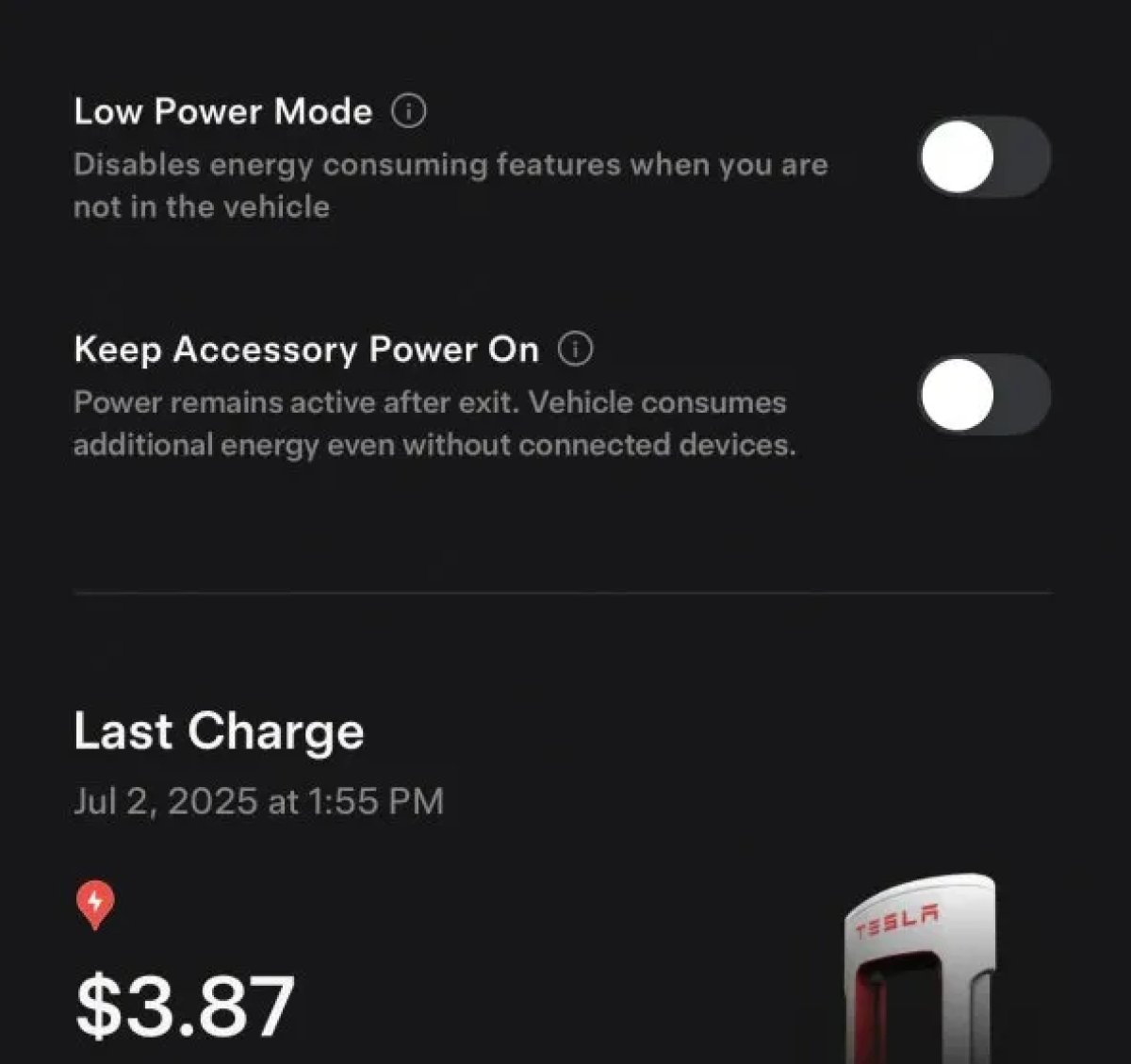
The 2025.38 vehicle update adds support for the ‘Keep Accessory Power On’ option in the latest Tesla app. This option is part of the latest Tesla app update, which adds the new Charging menu that consolidates most charging options under a single menu.
It also adds a button for Low Power Mode, instead of just being under Quick Actions.
Buy Parts

Tesla has added a Buy Parts button to Tesla’s Service Mode. Tapping the button displays a QR code that takes users to Tesla’s service site, where owners can buy parts directly from Tesla.
Parts can be shipped directly to the customer or to the nearest service center.
Charger Visualization

Tesla has added a visualization of a charger when the vehicle is parked and plugged in. In this photo, the owner is using a non-Tesla charger, so a generic charger is displayed. Tesla will presumably display a mobile charger, Wall Connector, or Supercharger if those are plugged into the vehicle.
Service Mode Improvements

New Trunk Panel
A new Trunk panel with an overview of the liftgate status, latch status, and calibration status for the trunk is now available. The panel also provides additional information, such as the request source, set liftgate height, and hands-free settings.
Models: ModelS (2021+), Model 3, Model X (2021+), Model Y
New Front Trunk Panel
A new Front Trunk (or frunk) panel with an overview of the liftgate status, latch status, and calibration status for the front trunk is now available. The panel also provides additional information, such as the request source, set liftgate height, and hands-free settings.
Models: Cybertruck
Cameras Panel Update - Mismatched Firmware Detection
In the Cameras panel, detection for when Driver Assistance System (DAS) Hardware 4 (HW4) cameras have mismatched firmware versions has been added.
If a DAS HW4 camera with mismatched firmware is detected, touch the Update Camera button to initiate a camera firmware update.
Models: ModelS (2021+), Model 3, Model X (2021+), Model Y, Cybertruck
Brakes Panel Update - ESP Stiffness Test Routine Changes
In the Electronic Stability Program (ESP) replacement panel, the routine TEST-BRAKE_CORNER_STIFFNESS-TEST has been replaced with TEST_BRAKE_X_STIFFNESS-TEST-SERVICE.
Models: Model 3(2017-2023), Model Y (2020-2024)

