



Tesla Robotaxi App 25.8.10 Release Notes

Learn More

Tesla Learn More feature in update 25.8.10
Undocumented
Undocumented

When you load the Robotaxi app outside of the service area, you’re now presented with a different view from when you are within the geofence.

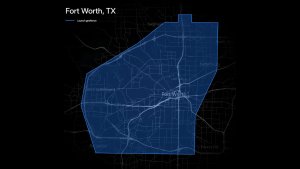
Gone is the map, and instead you’ll see tiles that let you learn more about the service. There’s a “Where we are available” section that shows a map view of the Austin and Bay Area geofences and a Learn More section that has various tips about using the Robotaxi, such as using the rear screen, enabling Bluetooth to unlock the vehicle, and how to use the trunk.

Intro Screen

Tesla Intro Screen feature in update 25.8.10
Undocumented
Undocumented

Tesla has added an intro screen to the Robotaxi app. When you’re loading the app for the first time, you’ll now see a screen that says “Activating your service,” with text that reads “Welcome [your name], get to book a ride!".

Submit Feedback and Suggest Features

Tesla Submit Feedback and Suggest Features feature in update 25.8.10

Submit feedback at any time from the Support screen

Editorial Note: There’s a new feedback section under Menu > Support that lets users share feedback with Tesla. You can pick from a variety of categories and subcategories, which include feedback on the app or vehicle. It could be anything from the app’s user interface to the vehicle’s routing to your destination. Tesla is also letting users suggest new features.

Add Stop at End of Ride

Tesla Add Stop at End of Ride feature in update 25.8.10

Add a new stop at the end of your ride.

Editorial Note: This addition to the Robotaxi app allows you to add a new destination after ending your trip, in case you change your mind about your destination.

Tesla Robotaxi App Adds Apple Pay, Infotainment Reset, Improved Visuals and More in 26.3.0

Improved Visuals

Tesla Improved Visuals feature in update 26.3.0
Undocumented
Undocumented

Tesla has updated some of the vehicle images in the Robotaxi app. They now show the vehicle with its brake lights on and indicate that the vehicle is parked with a round P icon.

Tesla appears to also be redoing the buttons in the app with animations. There’s a new Start Ride button with 15 animation states.

"StartRideButtonAnimatedTsx15"

Apple Pay Support

Tesla Apple Pay Support feature in update 26.3.0

Tesla now offers Apple Pay as a payment option. Apple Pay will show up as a payment option automatically under payments.

While Apple Pay isn’t the default payment option, you can set it as such by tapping on Apple Pay. While the regular Tesla app also supports Apple Pay, it only shows up as an option during checkout and it doesn’t appear in the regular Payment/Wallet menu.

New Commands

Tesla New Commands feature in update 26.3.0
Credit DavidMoss / X
Undocumented
Undocumented

In this update, Tesla is creating a new set of commands. While some of these commands, like Pull Over, already exist, Tesla is introducing a few new ones, like Disengage Driverless and Recovery Mode. However, it’s not exactly clear what they mean yet.

Some of these commands, like Reset Infotainment, could be tied to the new icons we’re seeing on the Robotaxi.

proto.VCSEC.AutonomyCommand.DisengageDriverless
proto.VCSEC.AutonomyCommand.EnableRecoveryMode
proto.VCSEC.AutonomyCommand.PullOverCommand
proto.VCSEC.AutonomyCommand.ResetInfotainment

Edit Destination Notification

Tesla Edit Destination Notification feature in update 26.3.0
Credit @iamjesserichard / X
Undocumented
Undocumented

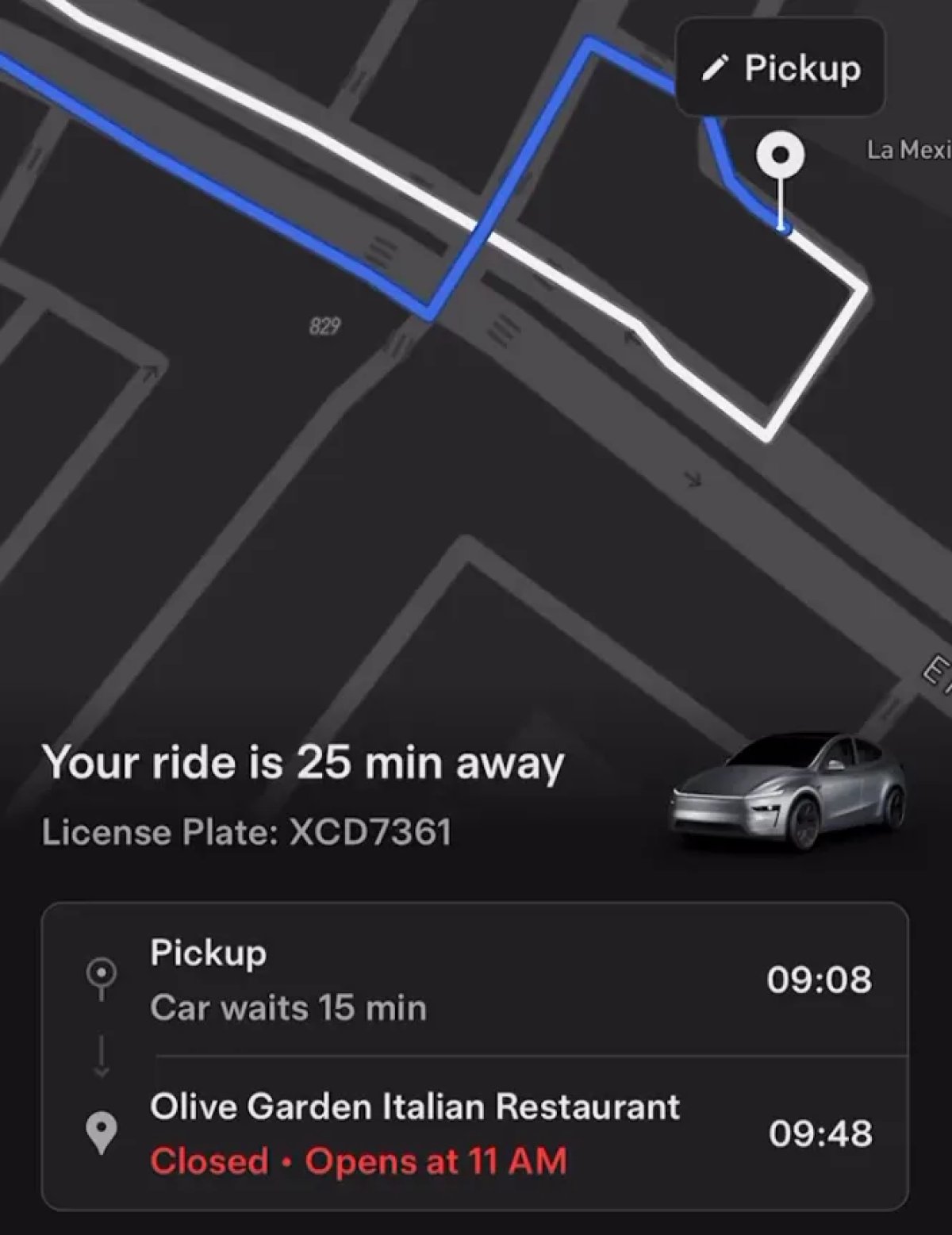
Tesla Robotaxis recently added a “Edit Destination” button to the screen. However, tapping it just told you to use the Robotaxi app to edit the destination.

With this update, tapping the button will now send the user a notification that lets them easily edit the destination.

Tesla Updates Robotaxi App to 26.2: Android App, Setting Destination Improvements

Android App

Tesla Android App feature in update 26.2.0
Undocumented
Undocumented

Tesla has added code to the Robotaxi app that suggests they’re getting closer to releasing an Android version.

New phrases include:

'android_native_alicorn_arrival_text': '{{duration}} min away • {{arrivalTime}} arrival',

'android_native_alicorn_destination_arriving': 'Arriving at Destination',

'android_native_alicorn_eta_text': '{{duration}} min away',

'android_native_alicorn_wait_for_vehicle_to_stop': 'Wait for the vehicle to stop',

Address Improvements

Tesla Address Improvements feature in update 26.2.0
Credit JoeTegtmeyer
Undocumented
Undocumented

Tesla has added Home and Work addresses, along with address verification, to the Robotaxi app.

The Home and Work addresses will likely be automatically available and retrieved from your Tesla account. It’d use the same Home and Work addresses that are available in your vehicle and be available to the Robotaxi app, thanks to Tesla’s cloud profiles.

'personal_info_add_home': 'Add Home', 'personal_info_add_work': 'Add Work',

'personal_info_home_address': 'Home Address',

'personal_info_work_address': 'Work Address',

In addition, Tesla now appears to be verifying addresses after they’re saved, according to new phrases found in the app:

'save_address': 'Save {{address_type}}',

'save_address_success': '{{address_type}} Added',

'save_unreachable_address': 'Save Anyway',

Details

Release Date

March 18, 2026