












![Tesla Driver in Mexico Makes His Model Y Fly [VIDEO]](/img/containers/article_images/2026/model-y-flying-accident-mexico.webp/c6f78372a6ed7ca93d8a0c61a905cd6b/model-y-flying-accident-mexico.jpg)



FSD (Supervisionada) v14.1.5

Condução Autónoma Total (supervisionada) v14.1.5 inclui:
- Opções de Chegada adicionadas para selecionar onde a FSD deve estacionar: num parque de estacionamento, na rua, numa entrada para automóveis, numa garagem ou na berma.
- Manobrabilidade adicionada para parar ou dar lugar a veículos de emergência (p. ex. carros de polícia, carros de bombeiros, ambulâncias).
- Navegação e rotas adicionadas na rede neuronal com base na visão para tratamento em tempo real de estradas bloqueadas e desvios.
- Perfil de Velocidade adicional adicionado para personalizar ainda mais as preferências de estilo de condução.
- Manuseamento melhorado para portões estáticos e dinâmicos.
- Compensação melhorada para detritos da estrada (por exemplo, pneus, ramos de árvores, caixas).
- Melhor tratamento de vários cenários, incluindo: curvas desprotegidas, mudanças de faixa, cortes de veículos e transporte escolar.
- Capacidade da FSD melhorada gerir falhas do sistema e recuperar sem problemas de um funcionamento degradado para maior fiabilidade.
- Alerta adicionado para a acumulação de resíduos no para-brisas interior que pode afetar a visibilidade da câmara dianteira. Se afetado, visite a assistência para limpeza!
Próximas melhorias:
- Suavidade e sensibilidade em geral
- Seleção do lugar de estacionamento e qualidade do estacionamento
Opções de Chegada

- Agora pode selecionar uma opção de chegada, como parque de estacionamento, rua, entrada para automóveis, parque de estacionamento fechado e berma para entregas ao estilo Robotaxi.
- As suas preferências para as opções de chegada e posições de estacionamento preferidas mantêm-se para cada destino.
- O nosso modelo de pensamento irá avaliar as opções adequadas para o seu destino e escolher uma predefinição intuitiva.
Perfis de Velocidade

Agora, a FSD (supervisionada) determinará a velocidade adequada com base no perfil de condutor, no limite de velocidade e no trânsito circundante.
- Introdução do novo Perfil de Velocidade PREGUIÇA, que dispõe de velocidades mais baixas e uma seleção de faixa mais conservadora do que a RELAXADO.
- Introdução do novo perfil de velocidade MAD MAX, que vem equipado com velocidades mais elevadas e uma seleção de mudanças de faixa mais frequente do que a HURRY.
- Agora, o perfil de condutor tem um impacto mais forte no comportamento. Quanto mais assertivo for o perfil, maior será a velocidade máxima.
- Agora, a roda de deslocação direita para cima/para baixo ajusta a definição do Perfil de Velocidade em vez da seleção de margem de velocidade máxima precisa em mph/km/h.
Melhorias da interface do utilizador

- Inicie a Condução Autónoma com um toque no ecrã tátil a partir de Estacionamento ou a qualquer momento durante a condução.
- Ajuste definições como o Perfil de Velocidade e as Opções de Chegada diretamente a partir da visualização do Autopilot no ecrã central.
Confirmação de travagem

Agora, a predefinição do botão de Confirmação de Travão para Iniciar a Condução Autónoma está desativada. Quando desativada, a opção Iniciar Condução Autónoma não exige que prima e solte o travão para confirmar a ativação.
Pode ativar a Confirmação de Travagem em Autopilot > Confirmação de Travagem.
Condução Autónoma Total (supervisionada)

Sob a sua supervisão, a Condução Autónoma Total (supervisionada) pode conduzir o seu Tesla para praticamente qualquer local. Inicia a partir de uma posição de estacionamento, efetua mudanças de faixa, seleciona forquilhas para seguir a sua rota de navegação, navega em torno de outros veículos e objetos, efetua curvas para a esquerda e direita e estaciona no seu destino. Você e qualquer pessoa que autorize devem ter cuidado adicional e permanecer atentos. Não torna o seu veículo autónomo. Não se acomode.
A Condução Autónoma Total (supervisionada) está ativada no seu veículo. Para utilizar a funcionalidade, prima o botão para Iniciar a Condução Autónoma na interface do utilizador ou prima o botão da roda de deslocação direita uma vez. Pode desativar a Condução Autónoma Total (Supervisionada) nas Definições do Autopilot.
Santa Mode

Tesla has added Santa Mode to 2026 Model S and Model X vehicles. These cars use the Unreal Engine and did not include Santa Mode until this update. Santa Mode was noticeably absent from the Toybox, and when users tried to enable the feature through voice commands, the system would say that Santa Mode is not available and will be enabled in a future update.
New FSD Guide

When a user activates FSD from the Controls > Autopilot menu, Tesla will now present a one-screen guide that introduces the user to FSD.
The guide includes the same disclaimer as previous updates and now also includes an image of the steering wheel controls for FSD, letting the user know how to switch FSD Profiles and set the maximum speed (for FSD V13 and below).
The image used is specific to the vehicle and will either include steering wheel buttons or stalks, depending on the model.
More Charging Information

While a vehicle is charging, Tesla now includes a link for ‘Additional Charging Information’ in the Controls > Charging section. If the vehicle is charging, the link will appear in blue in the top-right corner.
Tapping the link displays a pop-up containing additional information, such as the maximum and current battery input power.
Maximum Battery Input Power is the total power the charger can deliver.
Battery Input Power is the amount of energy that is being actively put into the vehicle’s battery. The battery input power may be less than the maximum charger capability for several reasons, including a high vehicle charge level. The vehicle will also draw power directly from the charger rather than draining the battery if it needs to run the HVAC system, screen, or other components. This reduces battery wear by using energy from the battery, only to have to re-add it.
Keep Accessory Power On App Control
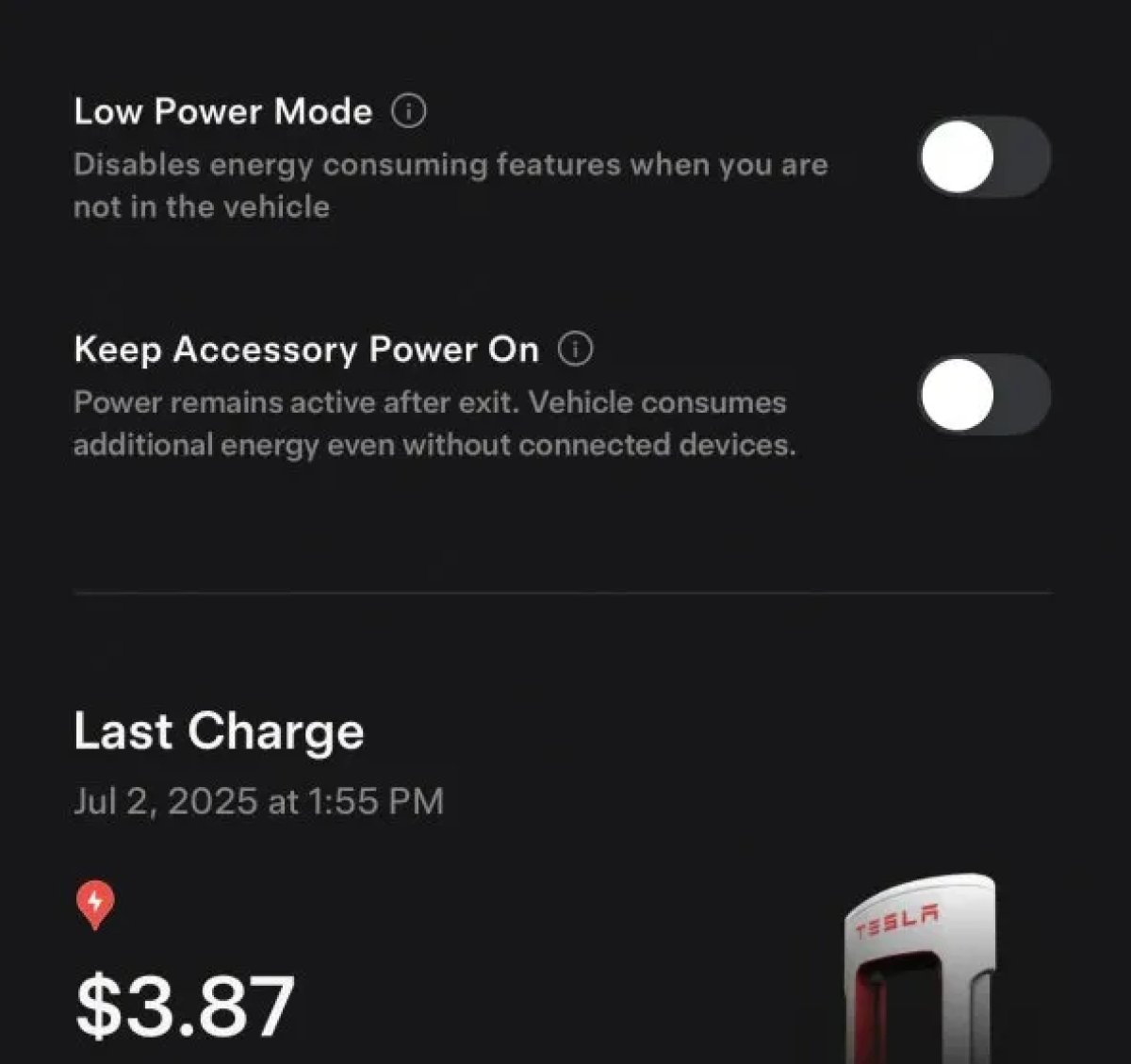
The 2025.38 vehicle update adds support for the ‘Keep Accessory Power On’ option in the latest Tesla app. This option is part of the latest Tesla app update, which adds the new Charging menu that consolidates most charging options under a single menu.
It also adds a button for Low Power Mode, instead of just being under Quick Actions.
Buy Parts

Tesla has added a Buy Parts button to Tesla’s Service Mode. Tapping the button displays a QR code that takes users to Tesla’s service site, where owners can buy parts directly from Tesla.
Parts can be shipped directly to the customer or to the nearest service center.
Charger Visualization

Tesla has added a visualization of a charger when the vehicle is parked and plugged in. In this photo, the owner is using a non-Tesla charger, so a generic charger is displayed. Tesla will presumably display a mobile charger, Wall Connector, or Supercharger if those are plugged into the vehicle.
Service Mode Improvements

New Trunk Panel
A new Trunk panel with an overview of the liftgate status, latch status, and calibration status for the trunk is now available. The panel also provides additional information, such as the request source, set liftgate height, and hands-free settings.
Models: ModelS (2021+), Model 3, Model X (2021+), Model Y
New Front Trunk Panel
A new Front Trunk (or frunk) panel with an overview of the liftgate status, latch status, and calibration status for the front trunk is now available. The panel also provides additional information, such as the request source, set liftgate height, and hands-free settings.
Models: Cybertruck
Cameras Panel Update - Mismatched Firmware Detection
In the Cameras panel, detection for when Driver Assistance System (DAS) Hardware 4 (HW4) cameras have mismatched firmware versions has been added.
If a DAS HW4 camera with mismatched firmware is detected, touch the Update Camera button to initiate a camera firmware update.
Models: ModelS (2021+), Model 3, Model X (2021+), Model Y, Cybertruck
Brakes Panel Update - ESP Stiffness Test Routine Changes
In the Electronic Stability Program (ESP) replacement panel, the routine TEST-BRAKE_CORNER_STIFFNESS-TEST has been replaced with TEST_BRAKE_X_STIFFNESS-TEST-SERVICE.
Models: Model 3(2017-2023), Model Y (2020-2024)

