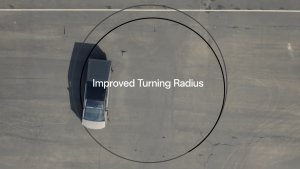
Parking has been one of FSD’s weakest spots, and it’s one of the biggest areas of improvement in FSD v15. You now get more control over where FSD parks at your destination, see exactly where FSD is headed, and can even have it pull into your garage.
Here’s how the new parking features work.
Choose a Parking Lot or the Street
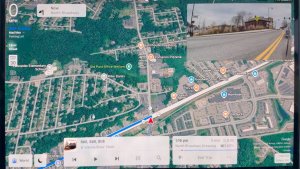
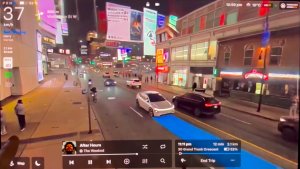
As you get close to your destination, FSD v15 highlights the parking options it finds on the map. Parking lots are shaded in blue, and street parking gets its own label. Just tap the one you want. @BLKMDL3, an early FSD v15 recipient, said it lets you “pick between street parking and parking lots super easily.”
I love how in FSD v15 you can pick between street parking and parking lots super easily pic.twitter.com/LCOHN05ONn
— Zack (@BLKMDL3) November 23, 2026
If your destination has more than one lot, FSD v15 shows each of them, so you can pick the one you prefer. FSD v15 draws around where it thinks the parking area is, and that outline even shows up in satellite view.

FSD Shows You Where It’s Going
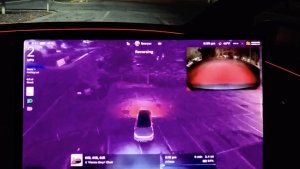
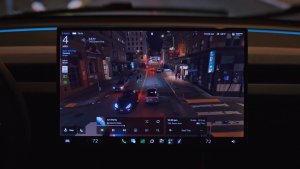
Once you pick a lot or street parking, FSD v15 finds an open space and parks there. Reality View drops a pointer on the spot it’s heading to, so you know where it plans to park before it gets there (via @SawyerMerritt). If it’s backing in, Reality View switches to a top-down view.
FSD V15 points to the parking spot it’s going to, and will sometimes choose a different spot on its own. pic.twitter.com/IhxTark7EA
— Sawyer Merritt (@SawyerMerritt) November 22, 2026
Unfortunately, you can’t pick a specific parking space in the lot just yet. @DirtyTesLa noted that the whole lot gets highlighted, but he “can’t seem to really customize where or how I park.” Choosing the exact spot would be a welcome addition in a future v15 update.

Pick Your Own Spot While Driving Manually
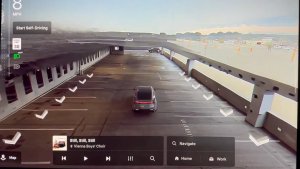
There is one way to choose exactly which spot your Tesla parks in. If you’re driving manually when you pull into a parking lot, Reality View places arrows over each open spot. Tap the one you want, and FSD v15 takes over and parks the car there.
As Sawyer pointed out, this seems to work only when you’re driving yourself.
ON MY GOD @Tesla FSD V15 lets you select any parking spot of your choice!
— Sawyer Merritt (@SawyerMerritt) November 22, 2026
Lots of arrows pop up and you just select your spot. pic.twitter.com/kNtet6scMq
Garage Parking Is Finally Here
FSD v15 can now pull into your home garage, something it couldn’t do before. Sawyer said FSD v15 pulled straight into his garage “for the first time ever,” and Reality View even recreates the inside of your garage, right down to the mess on the floor.
We covered a few more examples of new parking behaviors in our roundup of the most impressive FSD v15 visualizations, including drive-throughs and backing out of tight spots.
More to Come
If you’d rather skip Reality View while parking, FSD v15 also lets you switch to a full-screen map or Calm Mode. Tesla is also working on lower latency for Reality View and other FSD v15 fixes, and FSD v15 should reach more owners with the Holiday Update next month. Being able to pick a specific parking spot while FSD is driving would be an excellent next addition.
Follow Us on Google
Add Not a Tesla App as a preferred source on Google to see more of our stories in Top Stories.
Add to Preferred Sources