Tesla’s Wall Connector is getting smarter. Software update 26.34 for both Powerwall and the Gen 3 Wall Connector adds new smart charging features. Tesla owner @EVStraya shared the update on X, noting that the “Wall connector can now utilise charge on solar for smart charging.”
We first spotted these features in the Tesla mobile app back in May, when strings referenced a new Low-Cost Charging mode for Wall Connectors along with an improved Charge on Solar option for Powerwall owners. Now they’re officially rolling out, and they work with older Powerwall 2 systems too. @EVStraya’s setup pairs three Powerwall 2 units with a Gen 3 Wall Connector.

How Wall Connector Smart Charging Works
Smart charging connects your Wall Connector to your Powerwall, with the charging behavior following whichever operational mode your Powerwall is set to.
In Savings mode, Low-Cost Charging uses your utility rate plan and solar production to charge your car when energy is cheapest. That’s useful if you’re on a time-of-use plan with cheaper overnight rates.

In Self-Powered mode, Charge on Solar uses excess solar to charge your vehicle, so more of the power your panels make stays in your home. It still aims to hit your configured charging target, but Tesla warns this “may change how much your car charges daily.”
If your setup is already in Self-Powered mode, the update automatically switches your Wall Connector’s smart charging to Charge on Solar. If you’d rather charge only from the lowest-cost energy, Tesla suggests switching to Savings mode and making sure your rate plan is up to date.
How to Set Up Smart Charging
To turn it on, open the Tesla app and go to Settings > Vehicle Charging > your Wall Connector > Set Charging Configuration. There are a few requirements: your Wall Connector must be on the same Wi-Fi network as your Powerwall, and smart charging can only be configured for one Wall Connector at a time.

Tesla also recommends plugging in often and setting “a low minimum charging target and departure time that matches your daily driving needs.” That gives the system more room to wait for cheap energy or sunshine without leaving you short on range.
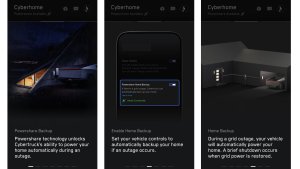
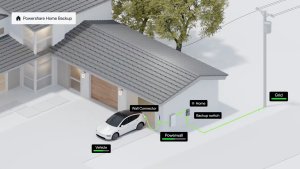
These features build on what the Wall Connector could already do, like VIN-based access control and its own charging schedules. On the home energy side, Tesla also just introduced Powershare Home Backup for the Model 3 and Model Y, which lets those cars power your home during an outage, just like Cybertruck. As firmware 26.34 reaches more Powerwall owners, smart charging should become a standard part of how Tesla homes manage their energy.
Follow Us on Google
Add Not a Tesla App as a preferred source on Google to see more of our stories in Top Stories.
Add to Preferred SourcesOrdering a New Tesla?
Get FSD free for 3 months by using our referral code.