












עדכון שמות ב-Autopilot

שינוי זה מעדכן רק שמות של תכונות וטקסט מסוימים ברכב ולא חל אף שינוי באופן שבו התכונות פועלות.
- שם התכונה 'ניווט עם Autopilot' השתנה ל'ניווט עם Autosteer'
- שם התכונה 'מחשב FSD' השתנה ל'מחשב AI'.
אזהרת שטח מת כשהרכב בחנייה

אם תנסו לפתוח את אחת הדלתות כאשר זוהה עצם מתקרב בשטח מת (לדוגמה, רוכב אופניים מתקרב מאחור), נורית חיווי השטח המת תהבהב, יישמעו צלילים והדלת לא תיפתח עד לחיצה ראשונית על הלחצן. יש להמתין לזמן מה וללחוץ על הלחצן פעם נוספת כדי לבטל את האזהרה.
בלימת נוחות

ה-Tesla שלך מספקת כעת תחושה חלקה יותר בהגעה לעצירה מוחלטת במהלך בלימה שגרתית.
עדכונים קלים

- Spotify: הקש על החץ החדש למטה כדי לדלג לסוף של רשימות השמעה ארוכות ורשימות פרקים של פודקאסטים.
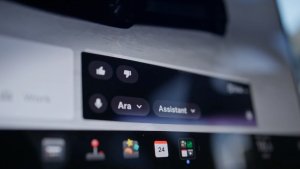
- הגדר את הקול של Grok להיות Leo לקבלת מבטא בריטי.
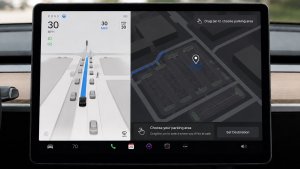
- הסתר הצעות ליעדים ב'ניווט'. עבור אל 'פקדים' > 'ניווט' > 'הצעות ליעדים'.
שיפורי אבטחה

עדכון זה כולל תיקונים ושיפורי אבטחה חשובים.
תיקונים קלים
מהדורה זאת כוללת תיקונים ושיפורים קלים.
Dashcam Viewer Improvements

Tesla will now show recent Dashcam video at the top of the Dashcam Viewer. This makes it easier to see recent footage that was not saved.
As Tesla points out, this footage is continuously updated and overwritten with the vehicle only keeping the last hour of unsaved footage.
In a future update, Tesla is increasing the number of hours of unsaved footage to (up to) 24 hours.
Driver Profile

The Tesla app will now show you which Tesla driver profile is selected in the vehicle under Security & Drivers.
While drivers can use any driver profile they’d like, unless it’s protected by a PIN, this gives you a good idea of who is currently driving the vehicle.
The profile name also appears even when the vehicle isn’t being driven. In those cases, it’ll show the last used profile.
In addition to the profile name, a Bluetooth icon may also be displayed, which shows whether the current device is being used as a phone key for the vehicle.
This feature requires vehicle update 2026.8 and a recent app update.
Slovak Language Support

This update adds additional language support. The vehicle menus and settings have now been localized to Slovak.
Service Mode Improvements

Speakers Panel Update - Check Speakers Action
The Check Speakers action was added to the speakers panel to support diagnosis of speaker circuitry and allow users to confirm speaker circuit functionality.
Models: Model 3 and Model Y with AMD Ryzen infotainment processor, Model S (2021+), Model X (2021+), Cybertruck
Mid Voltage Panel Update - Jump Posts and Front Trunk Access
The Mid Voltage (MV) Power Distribution panel was updated to show the jump post state, voltage measurement, current measurement, and tronttrunk access connectors. This allows for more visibility and usage of jump posts on the User Intenace (UI)
Models: Cybertruck
Panel Updates - DTC Component Mapping
Diagnostic Trouble Codes (DTs) are now mapped to affected components in the Drive Unit, HV Battery, Thermal, and Charging panels. When a confirmed DTC appears in the Alerts & DTCs panel, users can also see which specific component is affected within these panels.
Models: Model 3 and Model Y with AMD Ryzen infotainment processor, Model S (2021+), Model X (2021+)

