





Actualización de nomenclatura de Piloto automático

Este cambio solo actualiza el nombre de ciertas funciones y textos en el vehículo, y no cambia el comportamiento de las funciones.
- Navegar en piloto automático ha pasado a denominarse Navegar con Autogiro
- Ordenador FSD ahora ha pasado a denominarse Computadora de IA.
Alerta de punto ciego mientras esté estacionado

Si intenta abrir una puerta mientras se detecta un objeto acercándose por su punto ciego o ángulo muerto (por ejemplo, un ciclista se aproxima por detrás), la luz indicadora de punto ciego parpadea, suena un aviso acústico y la puerta no se abrirá al pulsar el botón una primera vez. Espere unos instantes y pulse el botón por segunda vez para anular la advertencia.
Frenado de confort

Su Tesla ahora ofrece una sensación más suave durante las frenadas cotidianas.
Actualizaciones menores

- Spotify: toque la nueva flecha hacia abajo para ir al final de las listas de reproducción largas y de episodios de pódcast.
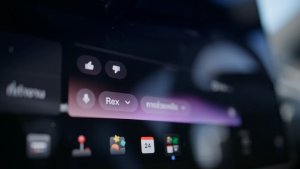
- Seleccione la voz de Leo en Grok para escuchar acento británico.
- Ocultar destinos sugeridos en Navegación. Vaya a Controles > Navegación > Sugerencias de destinos.
Correcciones menores
Esta versión contiene pequeñas correcciones y mejoras.
Dashcam Viewer Improvements

Tesla will now show recent Dashcam video at the top of the Dashcam Viewer. This makes it easier to see recent footage that was not saved.
As Tesla points out, this footage is continuously updated and overwritten with the vehicle only keeping the last hour of unsaved footage.
In a future update, Tesla is increasing the number of hours of unsaved footage to (up to) 24 hours.
Driver Profile

The Tesla app will now show you which Tesla driver profile is selected in the vehicle under Security & Drivers.
While drivers can use any driver profile they’d like, unless it’s protected by a PIN, this gives you a good idea of who is currently driving the vehicle.
The profile name also appears even when the vehicle isn’t being driven. In those cases, it’ll show the last used profile.
In addition to the profile name, a Bluetooth icon may also be displayed, which shows whether the current device is being used as a phone key for the vehicle.
This feature requires vehicle update 2026.8 and a recent app update.
Slovak Language Support

This update adds additional language support. The vehicle menus and settings have now been localized to Slovak.
Service Mode Improvements

Speakers Panel Update - Check Speakers Action
The Check Speakers action was added to the speakers panel to support diagnosis of speaker circuitry and allow users to confirm speaker circuit functionality.
Models: Model 3 and Model Y with AMD Ryzen infotainment processor, Model S (2021+), Model X (2021+), Cybertruck
Mid Voltage Panel Update - Jump Posts and Front Trunk Access
The Mid Voltage (MV) Power Distribution panel was updated to show the jump post state, voltage measurement, current measurement, and tronttrunk access connectors. This allows for more visibility and usage of jump posts on the User Intenace (UI)
Models: Cybertruck
Panel Updates - DTC Component Mapping
Diagnostic Trouble Codes (DTs) are now mapped to affected components in the Drive Unit, HV Battery, Thermal, and Charging panels. When a confirmed DTC appears in the Alerts & DTCs panel, users can also see which specific component is affected within these panels.
Models: Model 3 and Model Y with AMD Ryzen infotainment processor, Model S (2021+), Model X (2021+)











