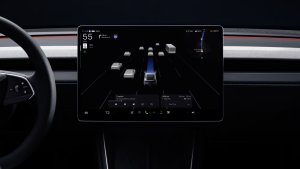
Getting into your Tesla and having the navigation system anticipate where you want to go is one of those small touches that makes the car feel almost sentient. While Tesla first started displaying suggested destinations years ago, the logic powering those predictions was relatively basic. For a long time, the car relied almost entirely on linked calendar events and rigid, hard-coded schedules.
That experience is getting a noticeable boost with the arrival of Tesla’s 2026.26 Summer Update. While the release introduces headline additions like Grok voice controls for vehicle features and settings like climate control, in-browser video calls, a refreshed Caraoke app, and more, Tesla quietly made major improvements to its Automatic Navigation system under the hood.
Out With Rigid Schedules, In With Driving Habits
A look at Tesla’s updated Owner’s Manual reveals how much the prediction logic has evolved. In previous software versions, Automatic Navigation combined rigid time windows with geolocation. If you left home on a weekday between 5:00 AM and 11:00 AM, the car assumed you were heading to work. Heading out from the office between 3:00 PM and 11:00 PM triggered a route back home. If your commute fell outside those exact blocks, or if you had an irregular routine, the system wasn’t nearly as helpful.
According to the manual, Automatic Navigation now drops those fixed weekday hours entirely. Instead, Tesla says that if the system sees you departing at a time when you typically navigate to work or home, the vehicle will automatically suggest that route.
Even better, the intelligence expands beyond the daily office commute. Automatic Navigation now monitors frequent drives and can suggest routes based on the time of day, day of the week, and your current location. If you always make a run to your favorite coffee shop on Saturday mornings or head to the gym on Tuesday evenings, the car learns those patterns and offers them up without needing a calendar entry.
Confidence-Based Routing and Alternate Suggestions
Tesla has also tweaked how the car executes these predictions. When the software calculates high confidence in a learned habit based on the current time and starting point, it automatically maps a route to that destination the moment you sit down, eliminating the need to tap anything on screen.
To make sure drivers don’t feel trapped by automatic choices, the interface also received a facelift. For reference, here’s what Automatic Navigation suggestions looked like at launch back in 2023:

The interface went through some changes after launch, and before update 2026.26, suggested destinations showed up directly inside the navigation search box near the standard Home and Work shortcut icons. Here’s what that looked like:

Update 2026.26 separates these elements cleanly. When the system initiates automatic navigation for a high-confidence trip, a brand-new Alternate Suggestions module appears neatly underneath the primary navigation card. This lets you quickly glance at other frequent spots or calendar destinations and switch paths with a single tap if Automatic Navigation got it wrong.
These Automatic Navigation improvements show Tesla is focusing on increasing intelligence across its entire software stack, not just FSD. By going from rigid rules to understanding habits, your car is finally learning how you actually drive.
Follow Us on Google
Add Not a Tesla App as a preferred source on Google to see more of our stories in Top Stories.
Add to Preferred SourcesOrdering a New Tesla?
Get FSD free for 3 months by using our referral code.