




แอปการช่วยเหลือการขับอัตโนมัติ

แอปการช่วยเหลือการขับอัตโนมัติใหม่นี้ให้คุณสมัครสมาชิกได้ เพียงแตะแค่ครั้งเดียว รวมถึงเรียนรู้วิธีเปิดใช้งานและใช้ฟีเจอร์ และดูสถิติอย่างต่อเนื่อง
เปิดแอปเลย ไปที่ตัวเปิดใช้งานแอป > การช่วยเหลือการขับอัตโนมัติ
ค่าผ่านทางโดยประมาณ

ตอนนี้การนำทางจะแสดงค่าผ่านทางโดยประมาณสำหรับแต่ละเส้นทาง รวมถึงอัตราส่วนลดสำหรับรถยนต์ไฟฟ้าด้วย (หากมี) ฟีเจอร์นี้ต้องใช้การกำหนดเส้นทางออนไลน์ เปิดใช้งานโดยไปที่การควบคุม > การนำทาง > การกำหนดเส้นทางออนไลน์
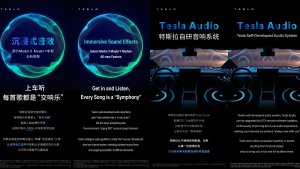
การอัปเกรดระบบเสียงสมจริง

เสียงสมจริงแบบพรีเมียมใช้การแยกเสียงขั้นสูงที่ทำให้ผู้ฟังรู้สึกเหมือนอยู่หน้าเวทีเสียงคมชัดภายในพื้นที่สมจริง การปรับปรุงนี้ทำงานร่วมกับแหล่งที่มาของการสตรีมทั้งหมด
ไปที่การตั้งค่า > เสียง > โทน > เสียงสมจริง เพื่อปรับ
จอแสดงผลด้านหลัง

ผู้โดยสารที่เบาะที่นั่งด้านหลังสามารถดูและโต้ตอบกับแผนที่บนจอแสดงผลด้านหลังได้แล้ว ขณะที่ Tesla ของคุณกำลังนำทาง แตะไอคอนแผนที่จากจอแสดงผลด้านหลังเพื่อติดตามเส้นทาง
"Hey Grok"

พูดว่า "Hey Grok" เพื่อเปิดใช้ Grok ไปที่ Grok > การตั้งค่า เพื่อเปิดใช้งาน คุณสามารถตั้งค่าการแจ้งเตือนตามตำแหน่งที่ตั้งได้เช่นกัน เช่น "เตือนให้ฉันไปรับนมตอนใกล้ถึงบ้านแล้ว" พูดว่า "goodbye" เพื่อยกเลิก
โหมดสัตว์เลี้ยง

เลือกและตั้งชื่อสัตว์เลี้ยงของคุณโดยไปที่การควบคุม > จอแสดงผล > ปรับแต่งโหมดสัตว์เลี้ยง
ร้านสี

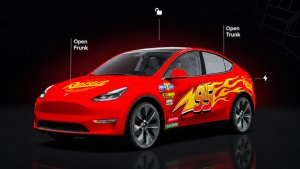
ปรับแต่งรูปอวาตาร์ Tesla ของคุณด้วยสีหน้าต่าง แรปรอบคันแบบกำหนดเอง และแผ่นป้ายทะเบียน ใช้หนึ่งในการออกแบบที่โหลดไว้ล่วงหน้ามากมาย หรือสร้างและอัปโหลดการออกแบบของคุณเองได้โดยใช้แฟลชไดรฟ์ USB เพื่อทำให้รถของคุณโดดเด่น ไปที่ตัวเปิดใช้งานแอป > Toybox > ร้านสี หรือแตะปุ่มสีหรือป้ายทะเบียนในการควบคุม > ซอฟต์แวร์
การอัปเดตเกี่ยวกับภาพ

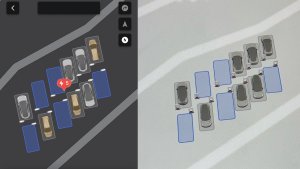
ตอนนี้จอแสดงผลกลางแสดงภาพ Tesla ของคุณที่มีคุณภาพสูงขึ้น และสภาพแวดล้อมฉากจอดรถที่ดียิ่งขึ้น
การเดินทาง

ขณะนี้การเดินทางอยู่ในแอปพลังงาน ซึ่งคุณสามารถสร้างและจัดการการเดินทางหลายรายการเพื่อติดตามการใช้พลังงานจากการขับขี่ เส้นทาง หรือสภาวะต่างๆ ได้ ไปที่ตัวเปิดใช้งานแอป > พลังงาน > การเดินทาง หากต้องการเข้าถึงบัตรเดินทางอย่างรวดเร็ว ให้ปัดไปทางซ้ายบนการ์ดมีเดีย
SketchPad

ปลดปล่อยความเป็นศิลปินในตัวคุณด้วย Sketchpad ที่ปรับปรุงใหม่ให้รองรับสติกเกอร์และอีโมจิแล้ว บันทึกภาพร่างสำหรับดูและแชร์ในแอปมือถือ ต้องใช้แอปมือถือเวอร์ชัน 4.55.6 ขึ้นไป
ไฟบรรยากาศเตือนจุดอับสายตา

ไฟบรรยากาศจะเปลี่ยนเป็นสีแดงเมื่อมีวัตถุอยู่ในจุดอับสายตาของคุณและคุณเปิดไฟเลี้ยวอยู่ หรือเมื่อตรวจพบวัตถุที่กำลังเข้ามาใกล้ขณะจอดรถอยู่ หากต้องการปิดใช้งาน ให้ไปที่การควบคุม > ไฟรถ > ไฟบรรยากาศเตือนจุดอับสายตา
ส่งเสียงเตือนเมื่อไฟเขียว

เสียงเตือนจะดังขึ้นเมื่อไฟจราจรที่คุณกำลังจอดติดอยู่เปลี่ยนเป็นสีเขียว หากคุณกำลังจอดรอหลังรถคันอื่น คุณจะได้ยินเสียงเตือนเมื่อรถดังกล่าวขยับไปข้างหน้า เว้นแต่ว่าจะเปิดครูสคอนโทรลแบบปรับตามสภาพจราจรหรือ Autosteer เอาไว้ เสียงเตือนนี้เป็นเพียงการแจ้งเตือนเท่านั้น หากต้องการเปิดใช้งาน ให้ไปที่การควบคุม > การช่วยเหลือการขับอัตโนมัติ > เสียงเตือนไฟเขียว
มุมมองภาพสด

ตอนนี้คุณสามารถตรวจสอบภายในรถ Tesla ขณะที่คุณไม่อยู่ได้แล้ว หากต้องการเปิดใช้งาน ให้ไปที่การควบคุม > ระบบความปลอดภัย > ดูกล้องสดผ่านแอปมือถือ กล้องสดได้รับการเข้ารหัสจากต้นทางถึงปลายทาง และ Tesla ไม่สามารถเข้าถึงได้ ฟีเจอร์นี้ต้องใช้การเชื่อมต่อแบบพรีเมียมและแอป Tesla บนมือถือเวอร์ชัน 4.55.6 ขึ้นไป
การจัดคิวในแอปเพลง

ปัดไปทางขวาบนแทร็กต่างๆ ใน Apple Music หรือ Spotify เพื่อเพิ่มลงในคิว ใน Apple Music ให้แตะที่แทร็กค้างไว้เพื่อเพิ่มหรือลบออกจากรายการโปรด ใน Spotify ให้ปัดไปทางซ้ายเพื่อเพิ่มหรือนำออกจากเพลงที่ชอบ
การอัปเดตซอฟต์แวร์อัตโนมัติ

Tesla ของคุณสามารถติดตั้งการอัปเดตซอฟต์แวร์ที่ดาวน์โหลดแล้วโดยอัตโนมัติตอนกลางคืนได้แล้ว เมื่อเปิดใช้งาน การอัปเดตจะติดตั้งในขณะที่ Tesla ของคุณจอดอยู่และไม่ได้ใช้งาน เพื่อให้คุณได้รับฟีเจอร์และการปรับปรุงใหม่ล่าสุดอยู่เสมอ
หากต้องการเปิดใช้งาน ให้ไปที่การควบคุม > ซอฟต์แวร์ > ติดตั้งการอัปเดตโดยอัตโนมัติ
อัปเดตโปรแกรมดูกล้องหน้ารถ

ตอนนี้คลิปล่าสุดจากกล้องหน้ารถสามารถขยายเวลาได้นานสูงสุด 24 ชั่วโมง และคุณสามารถบันทึกคลิปใดก็ได้เพื่อจัดเก็บไว้ถาวรบนรถ Tesla หรือบนโทรศัพท์ โดยไปที่ ตัวเปิดใช้แอป > โปรแกรมดูกล้องหน้ารถ หากต้องการเปิดใช้งานการดูบนโทรศัพท์ ให้ไปที่การควบคุม > ระบบความปลอดภัย แล้วเปิดการดูกล้องผ่านแอปมือถือ คลิปจะถูกจัดเก็บไว้ในรถและจะไม่มีการแชร์ให้กับ Tesla
คลิปที่ดาวน์โหลดลงในโทรศัพท์จะมีรายละเอียดต่าง ๆ เช่น ความเร็ว องศาพวงมาลัย และสถานะการช่วยเหลือการขับอัตโนมัติ การดาวน์โหลดต้องใช้การเชื่อมต่อแบบพรีเมียมและแอปมือถือเวอร์ชัน 4.55.6 ขึ้นไป
อัปเดตโปรแกรมดูกล้องหน้ารถ
คุณสามารถบันทึกคลิปใดก็ได้จากฟุตเทจกล้องหน้ารถล่าสุดเพื่อจัดเก็บไว้ถาวรบนรถ Tesla หรือบนโทรศัพท์ของคุณ โดยไปที่ ตัวเปิดใช้แอป > โปรแกรมดูกล้องหน้ารถ หากต้องการเปิดใช้งานการดูบนโทรศัพท์ ให้ไปที่การควบคุม > ระบบความปลอดภัย แล้วเปิดการดูกล้องผ่านแอปมือถือ คลิปจะถูกจัดเก็บไว้ในรถและจะไม่มีการแชร์ให้กับ Tesla
คลิปที่ดาวน์โหลดลงในโทรศัพท์จะมีรายละเอียดต่าง ๆ เช่น ความเร็ว องศาพวงมาลัย และสถานะการช่วยเหลือการขับอัตโนมัติ การดาวน์โหลดต้องใช้การเชื่อมต่อแบบพรีเมียมและแอปมือถือเวอร์ชัน 4.55.6 ขึ้นไป
การปรับปรุงแผนที่สภาพอากาศ

ตอนนี้แผนที่สภาพอากาศแสดงหิมะและฝนด้วยสีสันที่ปรับปรุงใหม่ ซึ่งช่วยให้แยกแยะได้ง่ายขึ้น คุณสามารถดูข้อมูลสภาพอากาศของชั่วโมงที่ผ่านมาเพื่อดูว่าสภาพการณ์เปลี่ยนแปลงไปอย่างไรตามเส้นทางของคุณได้ด้วย ฟีเจอร์นี้ต้องใช้การเชื่อมต่อแบบพรีเมียม หากต้องการดู ให้แตะไอคอนสภาพอากาศบนแผนที่
ตัวกรองราคา Supercharger

ปัจจุบันคุณสามารถเลือกกำหนดเส้นทางไปยังเฉพาะ Supercharger ที่มีราคาของ Tesla เท่านั้นได้แล้ว เมื่อเปิดใช้งาน ระบบวางแผนทริปเดินทางจะหลีกเลี่ยงตำแหน่งที่ Tesla ไม่ได้กำหนดราคาการชาร์จหรือยอมรับเครดิตซูเปอร์ชาร์จฟรี การตั้งค่านี้จำเป็นต้องมีการเชื่อมต่อ พร้อมเปิดใช้งานการกำหนดเส้นทางออนไลน์
หากต้องการเปิดใช้งาน ไปที่การควบคุม > การนำทาง > การตั้งค่าระบบวางแผนทริปเดินทาง
คีย์บอร์ด

ภาษาของคีย์บอร์ดที่คุณเลือกจะกำหนดภาษาที่ใช้สำหรับการพิมพ์ตามคำบอกด้วย แตะปุ่มภาษาต่างประเทศบนคีย์บอร์ดเพื่อเปลี่ยนภาษาของคีย์บอร์ดและภาษาสำหรับพิมพ์ตามคำพูด โดยไม่เปลี่ยนภาษาของคำสั่งเสียง แตะไอคอนไมโครโฟนในคีย์บอร์ดเพื่อพิมพ์ตามคำพูด
การปรับปรุงการรักษาความปลอดภัย

การอัปเดตนี้ประกอบด้วยการแก้ไขและการปรับปรุงการรักษาความปลอดภัยที่สำคัญ
Cloud Profiles

Tesla cloud profiles now feature a new cloud icon to indicate they’re cloud profiles rather than local profiles stored only on the vehicle.
Amber Brake Lights

This update properly visualizes vehicles with amber brake lights. Some regions require turn signals to be orange/amber. Up until now, the visualization has only displayed turn signals in red, but with this update, Tesla now properly displays amber turn signals for the appropriate vehicles.
The Unreal Engine brings drastic improvements to lighting in the visualization, making the brake lights much more noticeable as they reflect on the ground.
Parental Controls Improvement
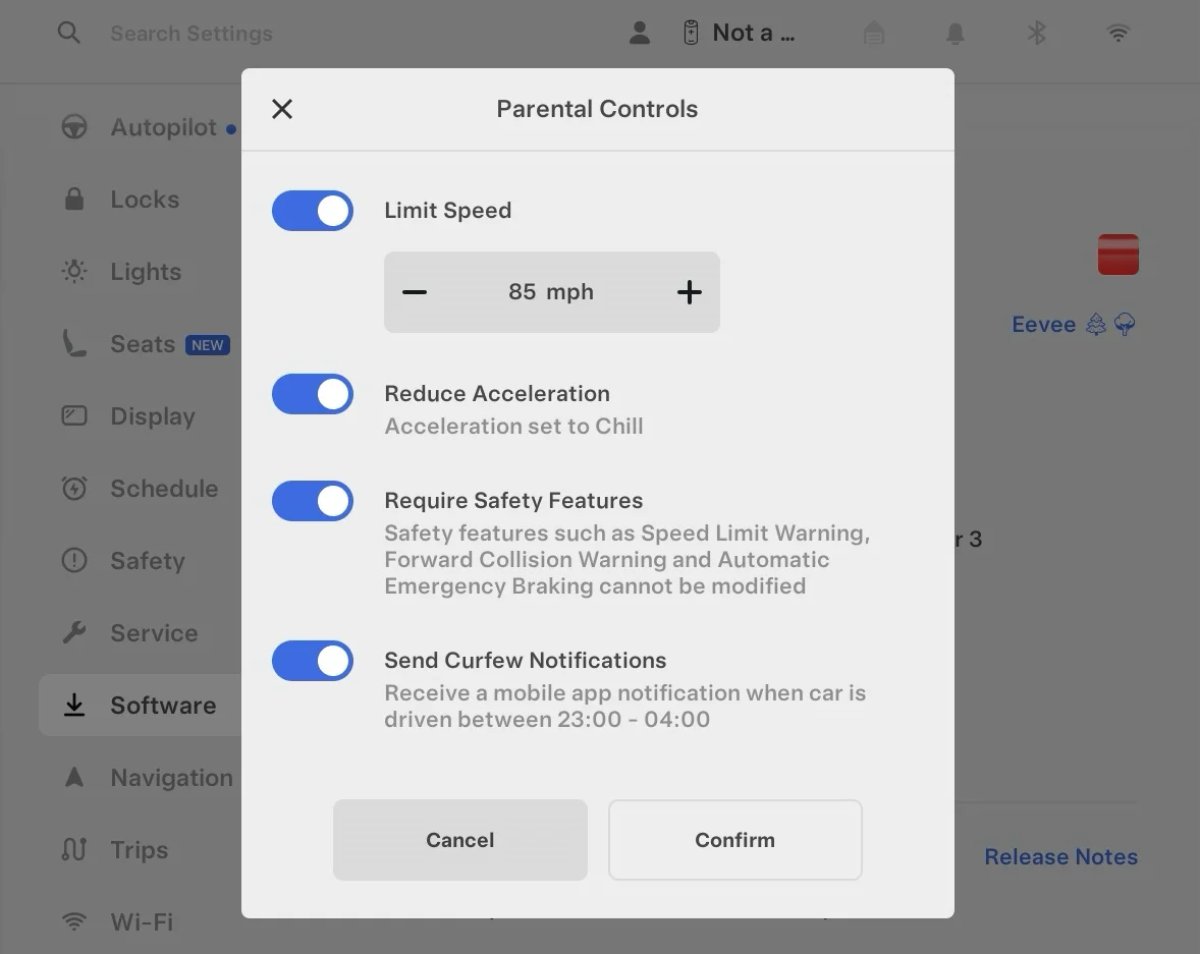
Tesla’s parental controls are designed to keep new drivers safe by limiting access to certain features. Parents can reduce the vehicle’s acceleration, limit the top speed, and prevent safety features from being turned off.
With this update, Tesla is adding another improvement to Parental Controls for Performance vehicles. Track Mode is now restricted when you enable Require Safety Features, preventing teens from manipulating the vehicle's handling, braking, and more.
Require Safety Features prevents these features from being turned off:
Automatic Emergency Braking
Obstacle-Aware Acceleration
Automatic Blind Spot Camera
Blind Spot Collision Warning Chime
Automatic 911 Call (US only)
Allow Mobile Access
Park Assist Chimes
It also prevents these settings from being changed:
Track Mode is disabled
Lane Departure Avoidance is set to Assist
Speed Limit Warning set to Chime
Speed Limit set to relative
Offset set to +5 mph (8 km/h)
Forward Collision Warning set to Early
Increased Attention Monitoring Alert

Tesla has added a new camera visibility alert with this update. What’s most interesting about this alert is that Tesla states that the poor camera visibility is resulting in increased attention monitoring.
Grok Turns Off After Inactivity

With the introduction of the "Hey Grok" wake word, Tesla has changed the way Grok behaves. Previously, once Grok was triggered, it would remain active indefinitely, staying in a constant listening state.
Now, in order to turn off accidental activations and minimize background processing, Grok will automatically dismiss itself after approximately 15 seconds of inactivity.
This behavior applies regardless of whether you triggered the assistant using the new voice wake word or the physical steering wheel button. For those who prefer to close the interface manually, you can still use natural language dismissal commands; simply saying "goodbye" or "talk to you later" will instantly close Grok.
h/t: @Deandawiz
Grok Favorites

The integrated Grok assistant now has access to your vehicle’s saved favorites. Grok can now "see" and interpret the custom labels you have assigned to your saved locations.
For example, if you have an address saved as "Kim’s parents," you can simply say, "Hey Grok, navigate to “Kim’s parents," and the system will immediately pull the correct address from your list of favorites.
h/t: @NickScheber
Advanced Software Updates

Tesla has updated the Software Update Preference setting under the Software menu.
Previously, the software update preference was a toggle between "Standard" and "Advanced." This has now changed into a simpler on/off toggle for "Advanced" updates.
By switching this to "On," you are opting in to receive the latest software releases as soon as they become available for your specific vehicle configuration and region. This could result in receiving updates with minor bugs or receiving updates more often.
If left "Off," your vehicle will wait for a wider release before installing updates.
Re-Order Trip Meters

You can reorder the new trip meters however you’d like. Simply tap and hold one to get it to jiggle, and then move it to a new location.
Additionally, you can also tap on the energy graph in the top-right corner to view a larger, more detailed version of it.
Chromium Browser Updated

Tesla has upgraded the browser in the vehicle. Tesla’s browser is based on the open-source Chromium browser, the same browser that powers Google’s Chrome browser.
The browser was updated to version 140, up from version 136.
This update to Chromium increases compatibility with modern web standards, improves WebGPU performance, and resolves known issues.
Save Recent Dashcam Videos

Tesla continues to make it easier to browse and save recent Dashcam clips. In the last update, Tesla made it easier to browse recent, non-saved Dashcam clips by listing them at the top of the Dashcam Viewer.
With this update, they’re now letting you save recent clips that are still on the USB drive, but not saved from being deleted.
Volume Icons
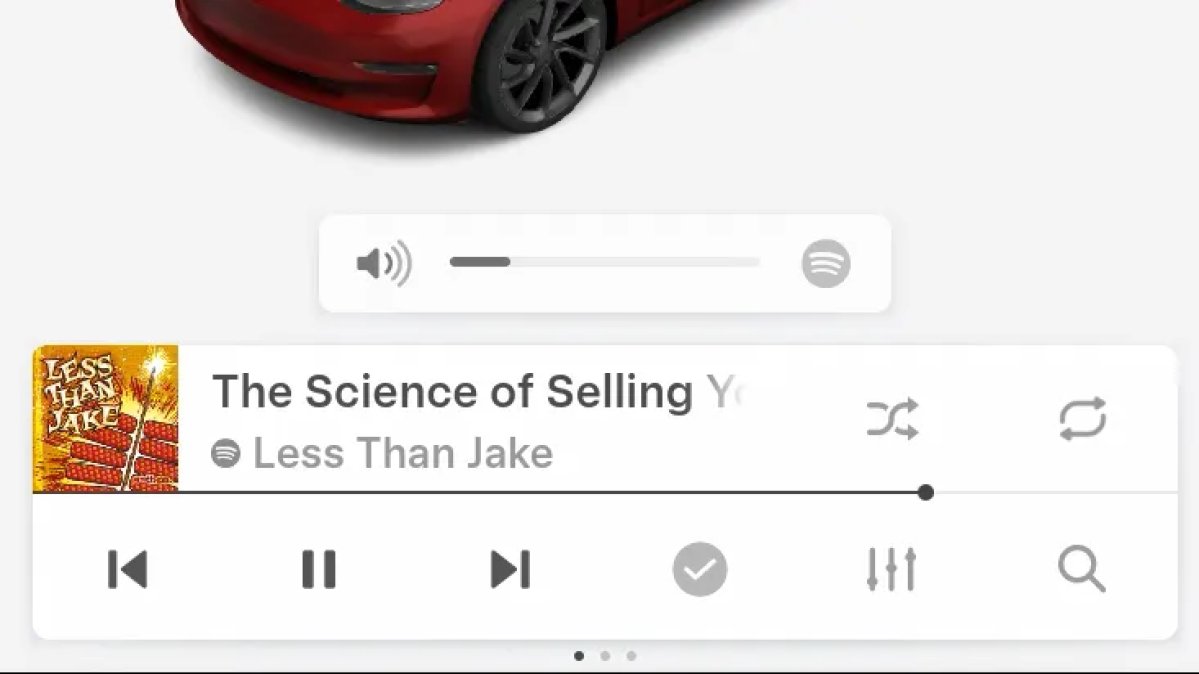
When adjusting the volume of an app, such as Spotify, the volume icon will now display the app's icon. While the navigation volume has always had its own icon and an independent volume setting, this change does not add app-dependent volume settings.
The same volume that’s used for Spotify will be used for YouTube and other apps. This icon simply makes it more obvious which volume is being changed.
Driver Profiles

Driver profiles are now also available in vehicle settings, rather than only in the Profiles icon in the status bar.
Users can navigate to Controls > Profiles to see the settings for all driver profiles.
Grok Settings

Grok settings are now also shown in the Audio section under Controls. These are the same settings available in the Grok app, but Tesla appears to be duplicating most of them under controls to make them easier to find.
Euro Semi Visualization

A new Autopilot/FSD visualization has been found in this update. The cab-over-engine style semi trucks often seen in Europe are now appearing in Autopilot visualizations with this update.
New 'All Apps' Icon

Tesla has updated the ‘All Apps’ icon displayed in the dock. Instead of an ellipsis inside of a rectangle, Tesla has now created a design that resembles iOS folders. The new design shows four apps inside the folder, but it’s not a static image.
The apps shown in the folder will change, presumably to show your most recent or most popular apps that aren't displayed in the dock.
Larger Dock Icons

To go along with the new ‘App Apps’ icon, Tesla has also increased the size of all icons in the dock. While the dock appears to remain the same size, the icons are now larger.
Animated Badges

Tesla models that have special badges, such as the Ludicrous badge on the Performance Model 3, are now animated in Software screen.
Upon navigating to the Software menu, the badge will play a short animation. You can also tap the badge to replay the animation.
New Creations Section

With the introduction of Photobooth, Tesla added a Photobooth section to the top level of the app that lets you view your saved photo sessions.
With the Spring Update and the update to the Sketchpad app for AMD Ryzen vehicles, Tesla is rebranding the Photobooth section to Creations, and it’ll now house Photobooth photos and sketches created in Sketchpad.
When you go into Creations, you’ll now have two tabs, one for Photobooth and one for Sketchpad, however, the features are similar. You’ll be able to view your saved creations and share them with others.
These creations are saved on your vehicle, not on Tesla’s servers, so when you open this section of the app, your vehicle will wake up and send the requested images.
Note: You’ll need vehicle update 2026.14 and an AMD Ryzen vehicle in order to see this new Creations section in the app.
Service Mode Improvements

New Service Mode Plus Authentication QR Code for Independent
Independent repairers can now quickly authenticate for Service Mode Plus by scanning a QR code displayed on the vehicle with a mobile device and logging in with their Toolbox credentials.
Models: All vehicles
Blinking DTC indicator added to the bottom banner
A Diagnostic Trouble Code (DTC) indicator has been added next to the Vehicle Identification Number (VIN) on the bottom Service Mode banner. The indicator is visible when DCs are present on the vehicle.
Models: All vehicles
Noise Recording Panel Updates (Service Mode Plus)
The Noise Recording panel now supports Active Noise Cancellation (ANC microphone recording. When ANC mode is enabled, the panel displays ANC microphone locations and extends the recording duration to 3 minutes.
Models: Model S (2021+), Model X (2021+), Cybertruck
Vehicle Functions Panel Added to Service Mode
The Vehicle Functions panel is now available on Service Mode. It shows an overview of degraded vehicle functions and their associated set alerts. Full functionality including more detailed functions, historical view and advanced controls are still only available on Service Mode Plus.
Models: Model 3, Model Y
New Bluetooth Panel
A new Bluetooth panel is available under Infotainment to support Bluetooth system diagnosis. The panel displays the status of both the main and rear Bluetooth modules (if rear Bluetooth is available on the vehicle), including connection states, signal strength with health indicators, and connected device information.
Models: Model S (2021+), Model 3, Model X (2021+), Model Y, Cybertruck











