

This update adds the Spring Update features to vehicles on FSD v14.3. It also increments the FSD version to 14.3.3 and adds several improvements.
Tesla Videos
Details
FSD Version
Release Date
FSD Beta Updates
Recent News
FSD (Supervised) v14.3.3
Full Self-Driving (Supervised) v14.3.3 includes:
- Upgraded the Reinforcement Learning (RL) stage of training the FSD neural network, resulting in improvements in a wide variety of driving scenarios.
- Upgraded the neural network vision encoder, improving understanding in rare and low-visibility scenarios, strengthening 3D geometry understanding, and expanding traffic sign understanding.
- Rewrote the AI compiler and runtime from the ground up with MLIR, resulting in 20% faster reaction time and improving model iteration speed.
- Mitigated unnecessary lane biasing and minor tailgating behaviors.
- Increased decisiveness of parking spot selection and maneuvering.
- Improved parking location pin prediction, now shown on a map with a P icon.
- Enhanced response to emergency vehicles, school buses, right-of-way violators, and other rare vehicles.
- Improved handling of small animals by focusing RL training on harder examples and adding rewards for better proactive safety.
- Improved traffic light handling at complex intersections with compound lights, curved roads, and yellow light stopping — driven by training on hard RL examples sourced from the Tesla fleet.
- Improved handling for rare and unusual objects extending, hanging, or leaning into the vehicle path by sourcing infrequent events from the fleet.
- Improved handling of temporary system degradations by maintaining control and automatically recovering without driver intervention, reducing unnecessary disengagements.
- Help Tesla improve Self-Driving by selecting an intervention reason on the main screen after taking over.
- You can now see distance traveled in FSD (Supervised) without an intervention. The Self-Driving App will also show your longest intervention-free streak.
Upcoming Improvements:
- Expand reasoning to all behaviors beyond destination handling.
- Add pothole avoidance.
- Improve driver monitoring system sensitivity with better eye gaze tracking, eye wear handling, and higher accuracy in variable lighting conditions.
App för självkörning
Med den nya appen för självkörning kan du prenumerera med ett enda tryck, få vägledning om hur du aktiverar och använder funktionen och ta del av löpande statistik.
Gå till Applikationsstartaren > Självkörning för att öppna appen.
Uppskattade vägtullsavgifter
Navigeringen visar nu uppskattade vägtullsavgifter för varje rutt, inklusive rabatterade elbilstaxor där sådana finns. Den här funktionen kräver Undvik trafik. Gå till Reglage > Navigering > Undvik trafik för att aktivera.
Uppgradering av Immersive Sound
Premium Immersive Sound använder avancerad ljudextrahering för att placera lyssnaren framför en detaljerad ljudbild i ett Immersive-utrymme. Denna förbättring fungerar med alla streamingkällor.
Gå till Inställningar > Ljud > Ton > Immersive Sound för att justera ljudinställningarna.
Total självkörning (under uppsyn)
Under din övervakning kan total självkörningsförmåga (under uppsyn) köra din Tesla nästan var som helst. Den utgår från en parkerad position, gör filbyten, väljer förgreningar för att följa din navigeringsrutt, navigerar runt andra fordon och föremål, gör vänster- och högersvängar och parkerar vid din destination. Du, och alla du ger tillåtelse, måste vara extra uppmärksamma och försiktiga. Det gör inte ditt fordon autonomt. Behåll uppmärksamheten.
Total Självkörningsförmåga (under uppsyn) är aktiverad på ditt fordon. Använd funktionen genom att trycka på knappen Starta Självkörning i gränssnittet eller trycka en gång på höger rullningsknapp. Du kan inaktivera Total självkörningsförmåga (under uppsyn) i autopilotinställningarna.
Bakre display
Passagerare i baksätet kan nu se och interagera med kartor på den bakre displayen medan din Tesla navigerar längs en rutt. Tryck på kartikonen på den bakre displayen för att följa rutten.
"Hey Grok"
Starta Grok genom att säga "Hey Grok". Gå till Grok > Inställningar för att aktivera. Det går även att ställa in platsbaserade påminnelser som "påminn mig att köpa mjölk när jag är nära hemmet." Säg "goodbye" för att avvisa.
Pet Mode
Välj och namnge ditt husdjur genom att gå till Reglage > Skärm > Anpassa husdjursläge.
Lackverkstad
Anpassa din Tesla-avatar med fönstertoner, anpassade folier och registreringsskyltar. Använd en av många förinstallerade designer eller skapa och ladda upp din egen med ett usb-minne för att göra ditt fordon unikt. Gå till Applikationsstartaren > Leklåda > Lackverkstad eller tryck på knappen för färg- eller registreringsskylt under Reglage > Programvara.
Visuella uppdateringar
Mittskärmen har nu bilder av din Tesla i högre kvalitet och en förbättrad parkeringsmiljö.
Resor
Resor finns nu i energiappen där du kan skapa och hantera flera resor för att spåra energiförbrukning för olika körningar, rutter eller förhållanden. Gå till Applikationsstartaren > Energi > Resor. Svep vänster på mediekortet för snabb åtkomst till resekortet.
Blind Spot Warning While Parked
If you attempt to open a door while an approaching object is detected in your blind spot (for example, a bicyclist approaching from behind) the blind spot indicator light flashes, a chime sounds, and your door will not open upon initial button press. Wait a short time and press the button a second time to override the warning.
Skissblock
Släpp lös din inre konstnär med det förbättrade Skissblocket, nu med stöd för klistermärken och emojis. Spara dina skisser för att komma åt och dela dem i mobilappen. Kräver mobilappen version 4.55.6 eller senare.
Accentbelysning för döda vinkeln-varnare
Accentbelysningen lyser nu rött när ett objekt befinner sig i din döda vinkel och du har aktiverat körriktningsvisaren, eller när ett objekt närmar sig medan bilen är parkerad. Gå till Reglage > Belysning > Accentbelysning för döda vinkeln-varnare för att inaktivera funktionen.
Ljudsignal vid grönt ljus
En signal hörs när trafikljuset du väntar på ändras till grönt. Om du väntar bakom ett annat fordon hörs en ljudsignal när fordonet framför börjar köra, om inte adaptiv farthållare eller autostyrning är aktiverade. Ljudsignalen är endast en avisering. Gå till Reglage > Självkörning > Ljudsignal för grönt ljus för att aktivera funktionen.
Livekameravy
Du kan nu kontrollera interiören i din Tesla även när du är borta. Gå till Reglage > Säkerhet > Visa livekamera via mobilapp för att aktivera funktionen. Livekameran är krypterad från slutpunkt till slutpunkt och Tesla har inte åtkomst till den. Den här funktionen kräver Premium Connectivity och Teslas mobilapp version 4.55.6 eller senare.
Köhantering i musikappen
Svep höger på låtar i Apple Music eller Spotify för att lägga till dem i kön. I Apple Music: tryck och håll ned en låt för att lägga till den i eller ta bort den från Favoriter. I Spotify: svep vänster för att lägga till eller ta bort en låt från Gillade låtar.
Automatiska programvaruuppdateringar
Din Tesla kan nu automatiskt installera nedladdade programvaruuppdateringar under natten. När funktionen är aktiverad installeras uppdateringar medan din Tesla är parkerad och inte används, så att du alltid har tillgång till de senaste funktionerna och förbättringarna.
Du kan aktivera funktionen i Reglage > Programvara > Installera uppdateringar automatiskt.
Uppdateringar av bilkameraspelaren
Nya bilkamerainspelningar kan nu vara upp till 24 timmar långa, och du kan spara valfria klipp permanent i din Tesla eller på din telefon genom att gå till Applikationsstartaren > Bilkameraspelare. Du kan aktivera visning i din telefon genom att gå till Reglage > Säkerhet och aktivera Visa kamera via mobilapp. Klippen lagras i fordonet och delas aldrig med Tesla.
Nedladdade klipp på din telefon innehåller nu detaljer som hastighet, rattvinkel och självkörningsläge. Nedladdningar kräver Premium Connectivity och mobilappen version 4.55.6 eller senare.
Uppdateringar av bilkameraspelaren
Du kan spara valfria klipp från de senaste bilkamerainspelningarna för permanent lagring i din Tesla eller på din telefon genom att gå till Applikationsstartaren > Bilkameraspelare. Du kan aktivera visning i din telefon genom att gå till Reglage > Säkerhet och aktivera Visa kamera via mobilapp. Klippen lagras i fordonet och delas aldrig med Tesla.
Nedladdade klipp på din telefon innehåller nu detaljer som hastighet, rattvinkel och självkörningsläge. Nedladdningar kräver Premium Connectivity och mobilappen version 4.55.6 eller senare.
Förbättringar av väderkartor
Väderkartor visar nu snö och regn med förbättrade färger som gör det lättare att skilja mellan olika typer av nederbörd. Du kan även se väderdata för den senaste timmen för att följa hur förhållandena har förändrats längs din rutt. Denna funktion kräver Premium Connectivity. Tryck på väderikonen på kartan för att visa väderkartan.
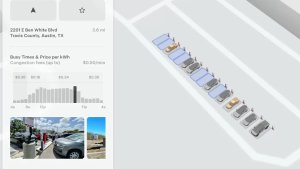
Supercharger-prissättningsfilter
Du kan nu välja att endast navigera till Superchargers med Tesla-prissättning. När funktionen är aktiverad undviker Reseplaneraren platser där Tesla inte anger Laddningspriser eller accepterar gratis Supercharging-krediter. Den här inställningen kräver en aktiv anslutning med Undvik trafik aktiverat.
Aktivera genom att gå till Reglage > Navigering > Inställningar för Reseplaneraren.
Tangentbord
Ditt valda tangentbordsspråk avgör också språket för diktering. Tryck på knappen för internationellt tangentbord för att ändra tangentbords- och dikteringsspråk utan att ändra språket för röstkommandon. Tryck på mikrofonikonen på tangentbordet för att diktera.
Säkerhetsförbättringar
Den här uppdateringen innehåller viktiga säkerhetskorrigeringar och förbättringar.
Updated Disengagement Menu
Tesla has updated the intervention menu to include new reasons for disengagement. Parking, possibly the most popular reason for disengaging behind navigation, has now been added as an option. Tesla has also brought back ‘Other.’ There are still only four reasons for intervening, so that means that ‘Preference’ and ‘Discomfort’ have been removed.
Cloud Profiles
Tesla cloud profiles now feature a new cloud icon to indicate they’re cloud profiles rather than local profiles stored only on the vehicle.
Amber Brake Lights
This update properly visualizes vehicles with amber brake lights. Some regions require turn signals to be orange/amber. Up until now, the visualization has only displayed turn signals in red, but with this update, Tesla now properly displays amber turn signals for the appropriate vehicles.
The Unreal Engine brings drastic improvements to lighting in the visualization, making the brake lights much more noticeable as they reflect on the ground.
Parental Controls Improvement
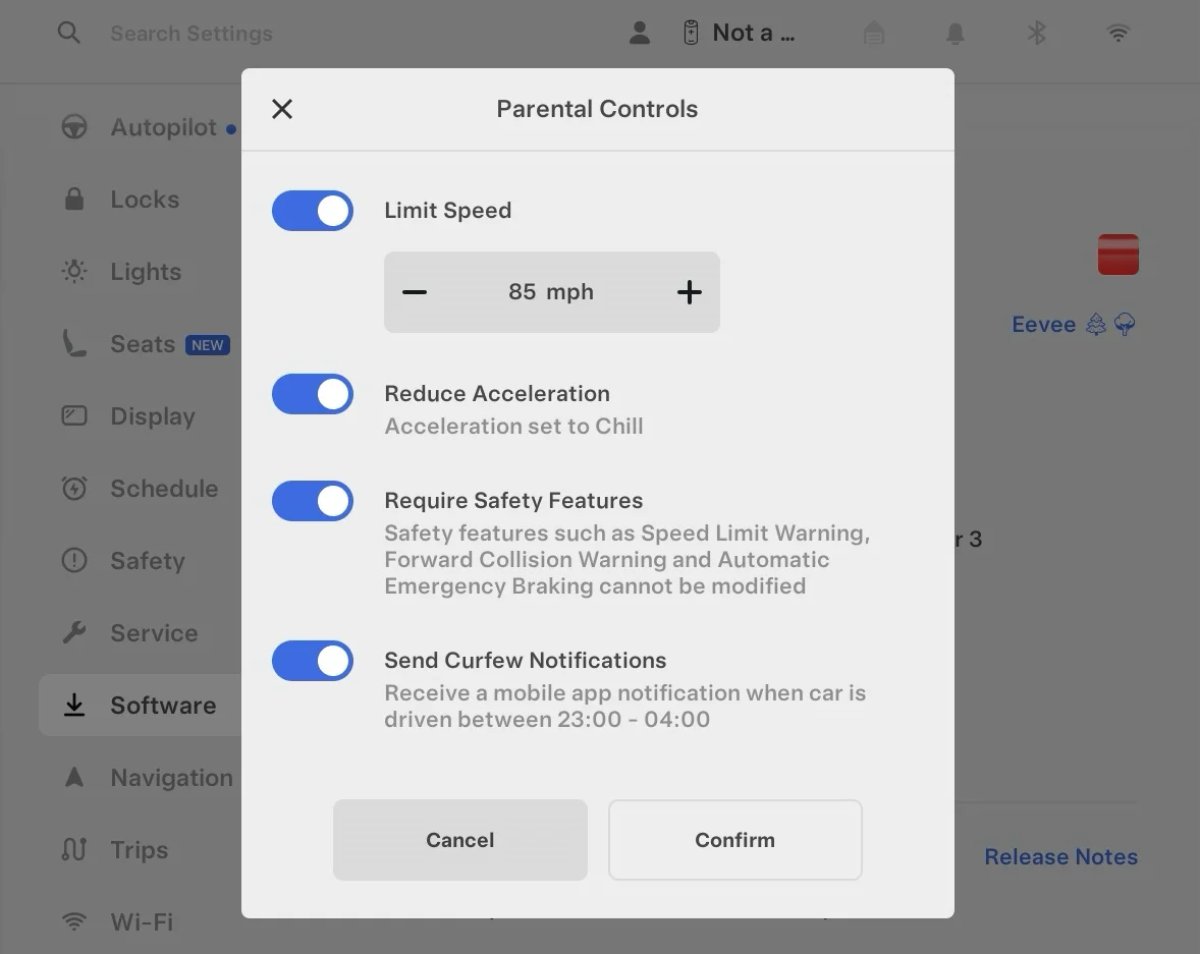
Tesla’s parental controls are designed to keep new drivers safe by limiting access to certain features. Parents can reduce the vehicle’s acceleration, limit the top speed, and prevent safety features from being turned off.
With this update, Tesla is adding another improvement to Parental Controls for Performance vehicles. Track Mode is now restricted when you enable Require Safety Features, preventing teens from manipulating the vehicle's handling, braking, and more.
Require Safety Features prevents these features from being turned off:
Automatic Emergency Braking
Obstacle-Aware Acceleration
Automatic Blind Spot Camera
Blind Spot Collision Warning Chime
Automatic 911 Call (US only)
Allow Mobile Access
Park Assist Chimes
It also prevents these settings from being changed:
Track Mode is disabled
Lane Departure Avoidance is set to Assist
Speed Limit Warning set to Chime
Speed Limit set to relative
Offset set to +5 mph (8 km/h)
Forward Collision Warning set to Early
Increased Attention Monitoring Alert
Tesla has added a new camera visibility alert with this update. What’s most interesting about this alert is that Tesla states that the poor camera visibility is resulting in increased attention monitoring.
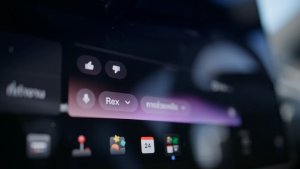
Grok Turns Off After Inactivity
With the introduction of the "Hey Grok" wake word, Tesla has changed the way Grok behaves. Previously, once Grok was triggered, it would remain active indefinitely, staying in a constant listening state.
Now, in order to turn off accidental activations and minimize background processing, Grok will automatically dismiss itself after approximately 15 seconds of inactivity.
This behavior applies regardless of whether you triggered the assistant using the new voice wake word or the physical steering wheel button. For those who prefer to close the interface manually, you can still use natural language dismissal commands; simply saying "goodbye" or "talk to you later" will instantly close Grok.
h/t: @Deandawiz
Grok Favorites
The integrated Grok assistant now has access to your vehicle’s saved favorites. Grok can now "see" and interpret the custom labels you have assigned to your saved locations.
For example, if you have an address saved as "Kim’s parents," you can simply say, "Hey Grok, navigate to “Kim’s parents," and the system will immediately pull the correct address from your list of favorites.
h/t: @NickScheber
Advanced Software Updates
Tesla has updated the Software Update Preference setting under the Software menu.
Previously, the software update preference was a toggle between "Standard" and "Advanced." This has now changed into a simpler on/off toggle for "Advanced" updates.
By switching this to "On," you are opting in to receive the latest software releases as soon as they become available for your specific vehicle configuration and region. This could result in receiving updates with minor bugs or receiving updates more often.
If left "Off," your vehicle will wait for a wider release before installing updates.
Re-Order Trip Meters
You can reorder the new trip meters however you’d like. Simply tap and hold one to get it to jiggle, and then move it to a new location.
Additionally, you can also tap on the energy graph in the top-right corner to view a larger, more detailed version of it.
Chromium Browser Updated
Tesla has upgraded the browser in the vehicle. Tesla’s browser is based on the open-source Chromium browser, the same browser that powers Google’s Chrome browser.
The browser was updated to version 140, up from version 136.
This update to Chromium increases compatibility with modern web standards, improves WebGPU performance, and resolves known issues.
Save Recent Dashcam Videos
Tesla continues to make it easier to browse and save recent Dashcam clips. In the last update, Tesla made it easier to browse recent, non-saved Dashcam clips by listing them at the top of the Dashcam Viewer.
With this update, they’re now letting you save recent clips that are still on the USB drive, but not saved from being deleted.
Volume Icons
When adjusting the volume of an app, such as Spotify, the volume icon will now display the app's icon. While the navigation volume has always had its own icon and an independent volume setting, this change does not add app-dependent volume settings.
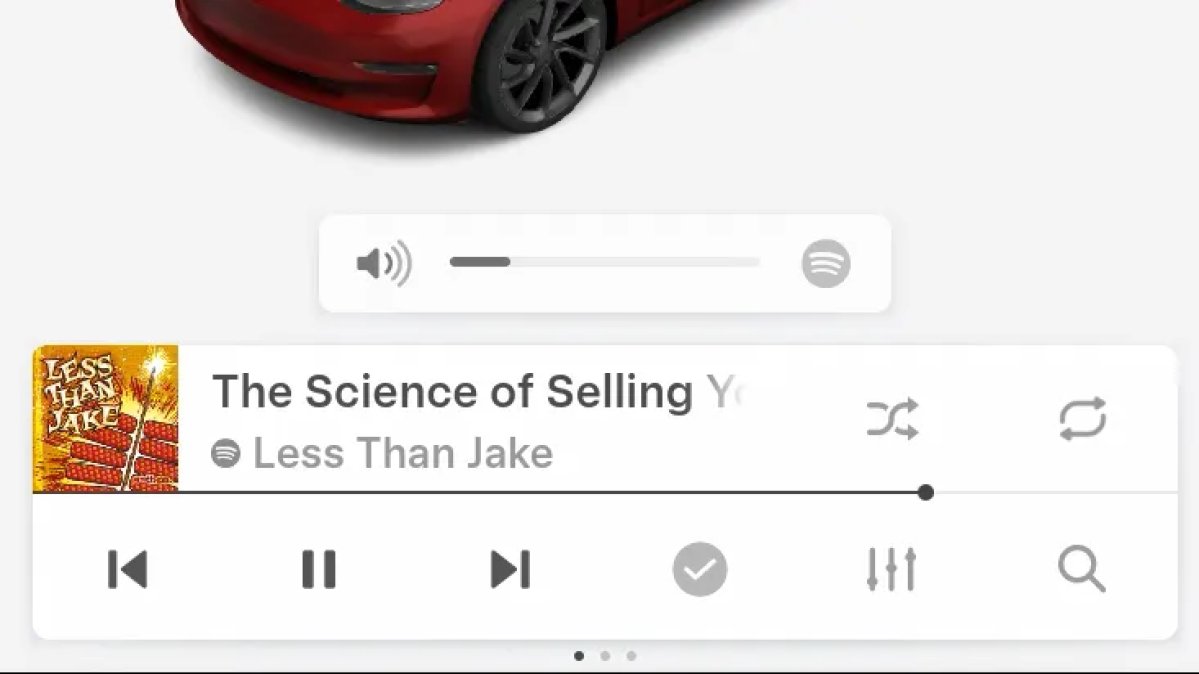
The same volume that’s used for Spotify will be used for YouTube and other apps. This icon simply makes it more obvious which volume is being changed.
Driver Profiles
Driver profiles are now also available in vehicle settings, rather than only in the Profiles icon in the status bar.
Users can navigate to Controls > Profiles to see the settings for all driver profiles.
Grok Settings
Grok settings are now also shown in the Audio section under Controls. These are the same settings available in the Grok app, but Tesla appears to be duplicating most of them under controls to make them easier to find.
Euro Semi Visualization
A new Autopilot/FSD visualization has been found in this update. The cab-over-engine style semi trucks often seen in Europe are now appearing in Autopilot visualizations with this update.
New 'All Apps' Icon
Tesla has updated the ‘All Apps’ icon displayed in the dock. Instead of an ellipsis inside of a rectangle, Tesla has now created a design that resembles iOS folders. The new design shows four apps inside the folder, but it’s not a static image.
The apps shown in the folder will change, presumably to show your most recent or most popular apps that aren't displayed in the dock.
Larger Dock Icons
To go along with the new ‘App Apps’ icon, Tesla has also increased the size of all icons in the dock. While the dock appears to remain the same size, the icons are now larger.
Animated Badges
Tesla models that have special badges, such as the Ludicrous badge on the Performance Model 3, are now animated in Software screen.
Upon navigating to the Software menu, the badge will play a short animation. You can also tap the badge to replay the animation.
New Creations Section
With the introduction of Photobooth, Tesla added a Photobooth section to the top level of the app that lets you view your saved photo sessions.
With the Spring Update and the update to the Sketchpad app for AMD Ryzen vehicles, Tesla is rebranding the Photobooth section to Creations, and it’ll now house Photobooth photos and sketches created in Sketchpad.
When you go into Creations, you’ll now have two tabs, one for Photobooth and one for Sketchpad, however, the features are similar. You’ll be able to view your saved creations and share them with others.
These creations are saved on your vehicle, not on Tesla’s servers, so when you open this section of the app, your vehicle will wake up and send the requested images.
Note: You’ll need vehicle update 2026.14 and an AMD Ryzen vehicle in order to see this new Creations section in the app.
Service Mode Improvements
New Service Mode Plus Authentication QR Code for Independent
Independent repairers can now quickly authenticate for Service Mode Plus by scanning a QR code displayed on the vehicle with a mobile device and logging in with their Toolbox credentials.
Models: All vehicles
Blinking DTC indicator added to the bottom banner
A Diagnostic Trouble Code (DTC) indicator has been added next to the Vehicle Identification Number (VIN) on the bottom Service Mode banner. The indicator is visible when DCs are present on the vehicle.
Models: All vehicles
Noise Recording Panel Updates (Service Mode Plus)
The Noise Recording panel now supports Active Noise Cancellation (ANC microphone recording. When ANC mode is enabled, the panel displays ANC microphone locations and extends the recording duration to 3 minutes.
Models: Model S (2021+), Model X (2021+), Cybertruck
Vehicle Functions Panel Added to Service Mode
The Vehicle Functions panel is now available on Service Mode. It shows an overview of degraded vehicle functions and their associated set alerts. Full functionality including more detailed functions, historical view and advanced controls are still only available on Service Mode Plus.
Models: Model 3, Model Y
New Bluetooth Panel
A new Bluetooth panel is available under Infotainment to support Bluetooth system diagnosis. The panel displays the status of both the main and rear Bluetooth modules (if rear Bluetooth is available on the vehicle), including connection states, signal strength with health indicators, and connected device information.
Models: Model S (2021+), Model 3, Model X (2021+), Model Y, Cybertruck