











Grok with Navigation Commands (Beta)

You can now talk to Grok, an intelligent assistant built by xAI. You can choose Grok's voice and personality, ranging from Storyteller to Unhinged.
Grok can add and edit navigation destinations, becoming your personal guide. You can ask Grok to navigate to the best Thai restaurant near you, find a Supercharger within walking distance of a coffee shop, or even plan a romantic sightseeing tour. Requires Premium Connectivity or a WiFi connection. Conversations are anonymous to Tesla and not associated with your vehicle.
To launch Grok, go to App Launcher > Grok, or long-press the voice button on your steering wheel after you have logged in to Grok. Set Grok's personality to Assistant to use Navigation Commands.
Note: Grok is currently in early Beta and does not support voice commands for car controls other than navigation. Existing voice commands remain unchanged.
Unlatching Charge Cable

Charging can now be stopped and the charge cable released by pulling and holding the rear left door handle for 3 seconds, provided the vehicle is unlocked or a recognized key is nearby. This is especially useful when the charge cable unlatch button does not work or a charging adapter is stuck in the charge port. You can still release the cable using the vehicle touchscreen or the Tesla app.
FSD (Supervised) v13.2.9 Down Under

FSD (Supervised) v13 Down Under upgrades every part of the end-to-end driving network.
Includes:
- 36 Hz, full-resolution AI4 video inputs
- Native AI4 inputs and neural network architectures
- 4.2x data scaling
- 5x training compute scaling (enabled by the Cortex cluster)
- Reduced photon-to-control latency by 2x
- Integrated unpark, reverse, and park capabilities
- Improved reward predictions for collision avoidance
- Improved camera cleaning
- Redesigned controller for smoother, more accurate tracking
- Dynamic routing around road closures, which displays them along an affected route when they are detected by the fleet
Upcoming Improvements:
- 3x model size scaling
- 3x model context length scaling
- Audio inputs for better handling of emergency vehicles
- Improved reward predictions for navigation
- Improvements to false braking and slower driving in parking lots
- Support for destination options including pulling over, parking in a spot, driveway, or garage
- Efficient representation of maps and navigation inputs
- Improved handling of camera occlusions
Full Self-Driving (Supervised) Down Under
Under your supervision, Full Self-Driving (Supervised) Down Under can drive your Tesla almost anywhere. It will make lane changes, select forks to follow your navigation route, navigate around other vehicles and objects, and make left and right turns. You and anyone you authorize must use additional caution and remain attentive. It does not make your vehicle autonomous. Do not become complacent.
Full Self-Driving (Supervised) Down Under is enabled on your vehicle. To use the feature, press the right scroll wheel button once. You can disable Full Self-Driving (Supervised) Down Under in Autopilot Settings.
Note: This is an early access build. You and anyone you authorize must use additional caution and remain attentive.
Vision-Based Attention Monitoring
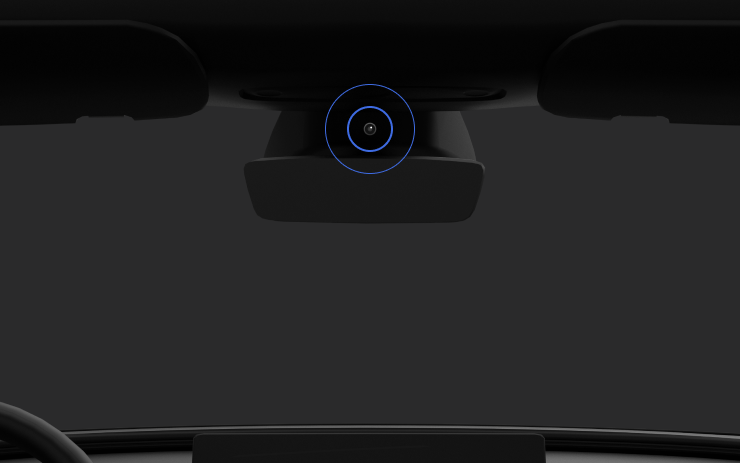
When Full Self-Driving (Supervised) is enabled, the driver monitoring system primarily relies on the cabin camera to determine driver attentiveness. Cabin camera must have clear visibility (e.g., camera is not occluded, eyes, arms, are visible, there is sufficient cabin illumination, and the driver is looking forward at the road without sunglasses, or other objects covering their eyes). In other circumstances, the driver monitoring system will primarily rely on torque-based (steering wheel) monitoring to detect driver attentiveness.
If the cabin camera detects inattentiveness, a warning will appear. The warning can be dismissed by the driver immediately reverting their attention back to the road ahead. Warnings will escalate depending on the nature and frequency of detected inattentiveness, with continuous inattention leading to a Strikeout.
Child Left Alone Detection

If an unattended child is detected, the vehicle will flash the exterior indicator lights, play an alert tone, and send a notification to your Tesla app. This will repeat at regular intervals until you return to your vehicle. Cabin data is processed locally and is not transmitted to Tesla.
This feature is enabled by default. To disable, go to Controls > Safety > Child Left Alone Detection.
Minor Fixes
This release contains minor fixes and improvements
Autopilot Name Changes

To go along with some of the naming changes, Tesla is replacing the term Autopilot with Self-Driving in most areas.
- Under Controls, the Autopilot tab has been renamed Self-Driving.
- Under the Autopilot menu, “Autopilot Features” has been renamed “Self-Driving Features.” This lets the user select between TACC, Autosteer, or Full Self-Driving.
Maps Version

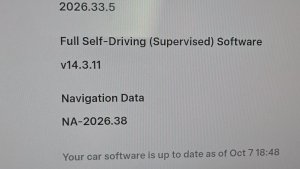
Tesla has changed the way the map version appears in the Software menu. Instead of listing the full map version, which includes the region, version, and build, Tesla will now include only the region and version, such as NA-2025.44.
Supercharger Site Maps Expanded

Tesla added 3D Supercharger Site maps in the 2025 Holiday Update. While the holiday update included 18 Supercharger sites in the United States, Tesla is now expanding this to Europe. We found at least two new Supercharger site maps in Belgium, located in Brugge and Heusden-Zolder.
These 3D representations of a Supercharger site include an accurate layout of the site, which is then coupled with live data.
The layout shows where each spot is, the location of the charger relative to the parking spot, handicap- and trailer-friendly stalls, and more.
The live data is even more interesting. Not only does it show which spots are occupied, but it also shows which Tesla model is charging at each location. It’ll identify and display a 3D model of the vehicle, and for non-Tesla EVs, it’ll display a generic vehicle model.
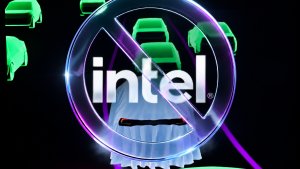
While these 3D models are limited to vehicles with AMD Ryzen infotainment units, anyone can view them by searching for the location in maps.
Service Mode Improvements
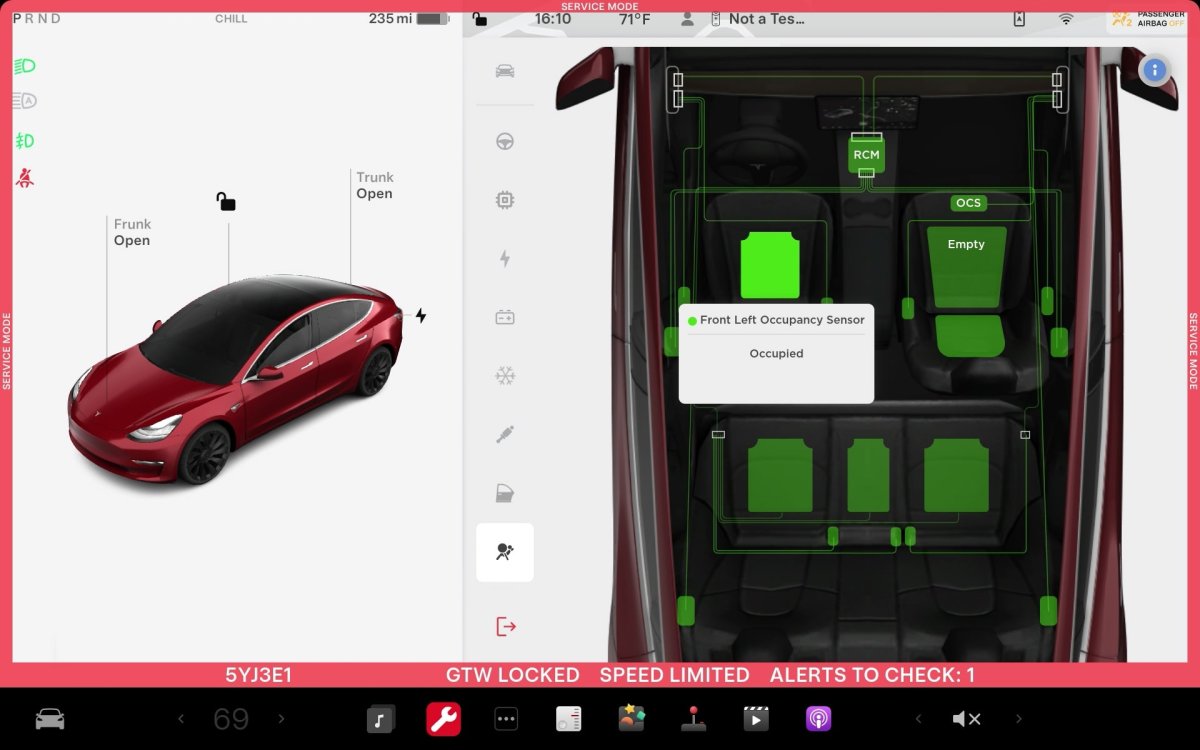
ECU Update Status Panel Updates - Non-CAN ECUs Added
The ECU Update Status panel now includes non-Controller Area Network (CAN) Electronic Control Units (ECUs), such as the Autopilot processors and Telematics Control Unit (TCU).
Models: Model S (2021+), Model 3, Model X (2021+), Model Y, Cybertruck

