




Aplikacija Samostojna vožnja

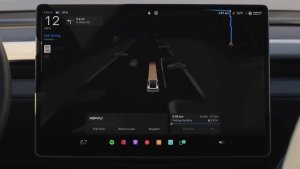
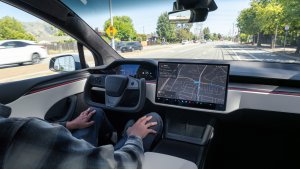
Z novo aplikacijo Samostojna vožnja se z enim dotikom naročite, naučite se, kako aktivirati in uporabljati funkcijo, in si oglejte tekočo statistiko.
Če želite odpreti, odprite Zaganjalnik aplikacij > Samostojna vožnja.
Predvidene cestnine

Navigacija zdaj prikazuje predvidene cestnine za vsako pot, vključno z znižanimi tarifami za EV, kjer so na voljo. Ta funkcija zahteva Spletno načrtovanje poti. Odprite Upravljalni\nelementi > Navigacija > Spletno načrtovanje poti, da omogočite.
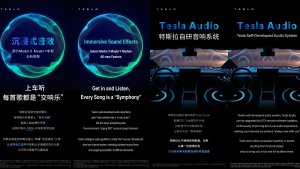
Nadgradnja možnosti Prostorski zvok

Premijski prostorski zvok uporablja napredno izločanje zvoka, da poslušalca postavi pred podrobno zvočno kuliso znotraj prostorskega območja.
Ta izboljšava deluje z vsemi viri pretočnih vsebin.
Odprite Nastavitve > Zvok > Ton > Prostorski zvok za prilagoditev.
Zadnji zaslon

Potniki na zadnjih sedežih si lahko zdaj na zadnjem zaslonu ogledajo in uporabljajo zemljevide, medtem ko vaše vozilo Tesla navigira po poti. Za sledenje tapnite ikono za zemljevide na zadnjem zaslonu.
»Hey Grok«

Izgovorite »Hey Grok«, da zaženete Groka. Odprite Grok > Nastavitve, da omogočite. Nastavite lahko tudi opomnike glede na lokacijo, na primer »opomni me, naj kupim mleko, ko bom blizu doma«. Za opustitev izgovorite »goodbye«.
Način za hišne ljubljenčke

Če želite izbrati in poimenovati svojega ljubljenčka, odprite Upravljalni\nelementi > Zaslon > Prilagodite način za hišne ljubljenčke.
Lakirnica

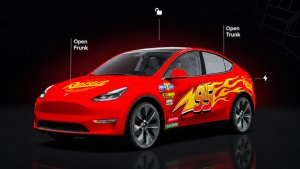
Prilagodite svojega avatarja Tesla s pomočjo zatemnitev stekel, folije po meri in registrskih številk. Uporabite eno od številnih prednaloženih oblik ali ustvarite in naložite lastne modele s pogonom USB, da bo vaše vozilo edinstveno. Odprite Zaganjalnik aplikacij > Igrače > Lakirnica ali tapnite gumb barve ali registrske številke v Upravljalni elementi > Programska oprema.
Vizualne posodobitve

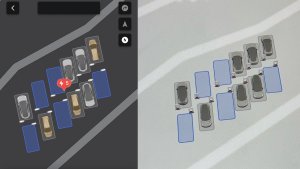
Osrednji zaslon zdaj prikazuje slike vašega Tesla vozila višje kakovosti in izboljšano okolje parkirne scene.
Potovanja

Vožnje so zdaj v aplikaciji Energija, kjer lahko ustvarite in upravljate več voženj za sledenje porabi energije pri različnih načinih vožnje, poteh ali pogojih. Odprite Zaganjalnik aplikacij > Energija > Potovanja. Za hiter dostop do kartice Potovanja, podrsajte v levo na možnosti Kartica predstavnosti.
Skicirka

Prebudite umetnika v sebi z izboljšano aplikacijo Skicirka, ki zdaj podpira nalepke in čustvene simbole. Shranite svoje skice, da jih odprete in delite v mobilni aplikaciji. Zahteva mobilno aplikacijo različice 4.55.6 ali novejšo.
Opozorilna poudarjena lučka za mrtvi kot

Poudarjene lučke zdaj zasvetijo rdeče, ko je v vašem mrtvem kotu predmet in imate vklopljen smernik, ali ko je zaznan približujoč se predmet, medtem ko ste parkirani. Za izklop odprite Upravljalni\nelementi > Luči > Opozorilna poudarjena lučka za mrtvi kot.
Zvok pri zeleni luči

Zvočni signal se predvaja, ko se na semaforju vklopi zelena luč. Če čakate za drugim vozilom, se zvočni signal predvaja, ko se vozilo začne premikati naprej, razen če je vklopljen aktivni tempomat s spremljanjem prometa ali samodejno krmiljenje. Ta zvočni signal je samo obvestilo. Če želite to omogočiti, odprite Upravljalni\nelementi > Samostojna vožnja > Zvočni signal za zeleno luč na semaforju.
Prikaz kamere v živo

Zdaj lahko preverite notranjost svojega vozila Tesla, medtem ko ste odsotni. Če želite to omogočiti, odprite Upravljalni\nelementi > Varnost > Prikaz kamere v živo prek mobilne aplikacije. Kamera v živo je zaščitena s celovitim šifriranjem in Tesla nima dostopa do nje. Ta funkcija zahteva Premium povezljivost in mobilno aplikacijo Tesla, različica 4.55.6 ali novejša.
Čakalna vrsta aplikacije Glasba

Potegnite v desno po skladbah v aplikaciji Apple Music ali Spotify, da jih dodate v čakalno vrsto. V aplikaciji Apple Music tapnite in zadržite skladbo, da jo dodate med priljubljene ali jo odstranite iz njih. V aplikaciji Spotify podrsajte v levo, da dodate ali odstranite s seznama Všečk. skladbe.
Samodejne posodobitve programske opreme

Vaše vozilo Tesla lahko zdaj samodejno namesti prenesene posodobitve programske opreme ponoči. Ko je omogočeno, se bodo posodobitve namestile, medtem ko je vaše vozilo Tesla parkirano in ni v uporabi, kar zagotavlja, da boste vedno imeli najnovejše funkcije in izboljšave.
To lahko omogočite v razdelku Upravljalni\nelementi > Programska\noprema > Samodejno namesti posodobitve.
Posodobitve pregledovalnika kamere na armaturni plošči

Nedavni posnetki iz kamere Dashcam lahko zdaj trajajo do 24 ur, posnetek pa lahko shranite za trajno shranjevanje v svojem vozilu Tesla ali telefonu tako, da odprete Zaganjalnik aplikacij > Pregledovalnik kamere na armaturni plošči. Če želite omogočiti ogled v telefonu, odprite Upravljalni elementi > Varnost in vklopite Prikaz kamere prek mobilne aplikacije. Posnetki ostanejo v vozilu in se nikoli ne delijo z družbo Tesla.
Posnetki, preneseni na vaš telefon, zdaj vključujejo podrobnosti, kot so hitrost, kot volana in stanje samostojne vožnje. Za prenose sta potrebni Premium povezljivost in mobilna aplikacija različice 4.55.6 ali novejša.
Posodobitve pregledovalnika kamere na armaturni plošči
Iz nedavnih posnetkov kamere Dashcam lahko shranite poljuben posnetek za trajno shranjevanje v svojem vozilu Tesla ali telefonu tako, da odprete Zaganjalnik aplikacij > Pregledovalnik kamere na armaturni plošči. Če želite omogočiti ogled v telefonu, odprite Upravljalni elementi > Varnost in vklopite Prikaz kamere prek mobilne aplikacije. Posnetki ostanejo v vozilu in se nikoli ne delijo z družbo Tesla.
Posnetki, preneseni na vaš telefon, zdaj vključujejo podrobnosti, kot so hitrost, kot volana in stanje samostojne vožnje. Za prenose sta potrebni Premium povezljivost in mobilna aplikacija različice 4.55.6 ali novejša.
Izboljšave vremenskih zemljevidov

Vremenski zemljevidi zdaj prikazujejo sneg in dež z izboljšanimi barvami, ki olajšajo razlikovanje med vrstami padavin. Ogledate si lahko tudi vremenske podatke za zadnjo uro, da vidite, kako so se razmere na vaši poti spreminjale. Ta funkcija zahteva storitev Premium povezljivost. Za ogled tapnite ikono vremenskega zemljevida.
Filter cen za polnilnike Supercharger

Zdaj lahko izberete načrtovanje poti samo do polnilnikov Supercharger s cenami družbe Tesla. Ko je funkcija omogočena, se bo Načrtovalnik poti izogibal lokacijam, kjer Tesla ne določa cen polnjenja ali ne sprejema dobroimetja za brezplačno super hitro polnjenje. Ta nastavitev zahteva povezljivost in omogočeno možnost Spletno načrtovanje poti.
Da omogočite odprite Upravljalni\nelementi > Navigacija > Nastavitve Načrtovalnik poti.
Tipkovnica

Vaš izbrani jezik tipkovnice bo določil tudi jezik za narekovanje. Tapnite gumb za mednarodno tipkovnico, da spremenite jezik tipkovnice in narekovanja, ne da bi spremenili jezik glasovnih ukazov. Za narekovanje tapnite ikono mikrofona na tipkovnici.
Varnostne izboljšave

Ta posodobitev vključuje pomembne varnostne popravke in izboljšave.
Cloud Profiles

Tesla cloud profiles now feature a new cloud icon to indicate they’re cloud profiles rather than local profiles stored only on the vehicle.
Amber Brake Lights

This update properly visualizes vehicles with amber brake lights. Some regions require turn signals to be orange/amber. Up until now, the visualization has only displayed turn signals in red, but with this update, Tesla now properly displays amber turn signals for the appropriate vehicles.
The Unreal Engine brings drastic improvements to lighting in the visualization, making the brake lights much more noticeable as they reflect on the ground.
Parental Controls Improvement
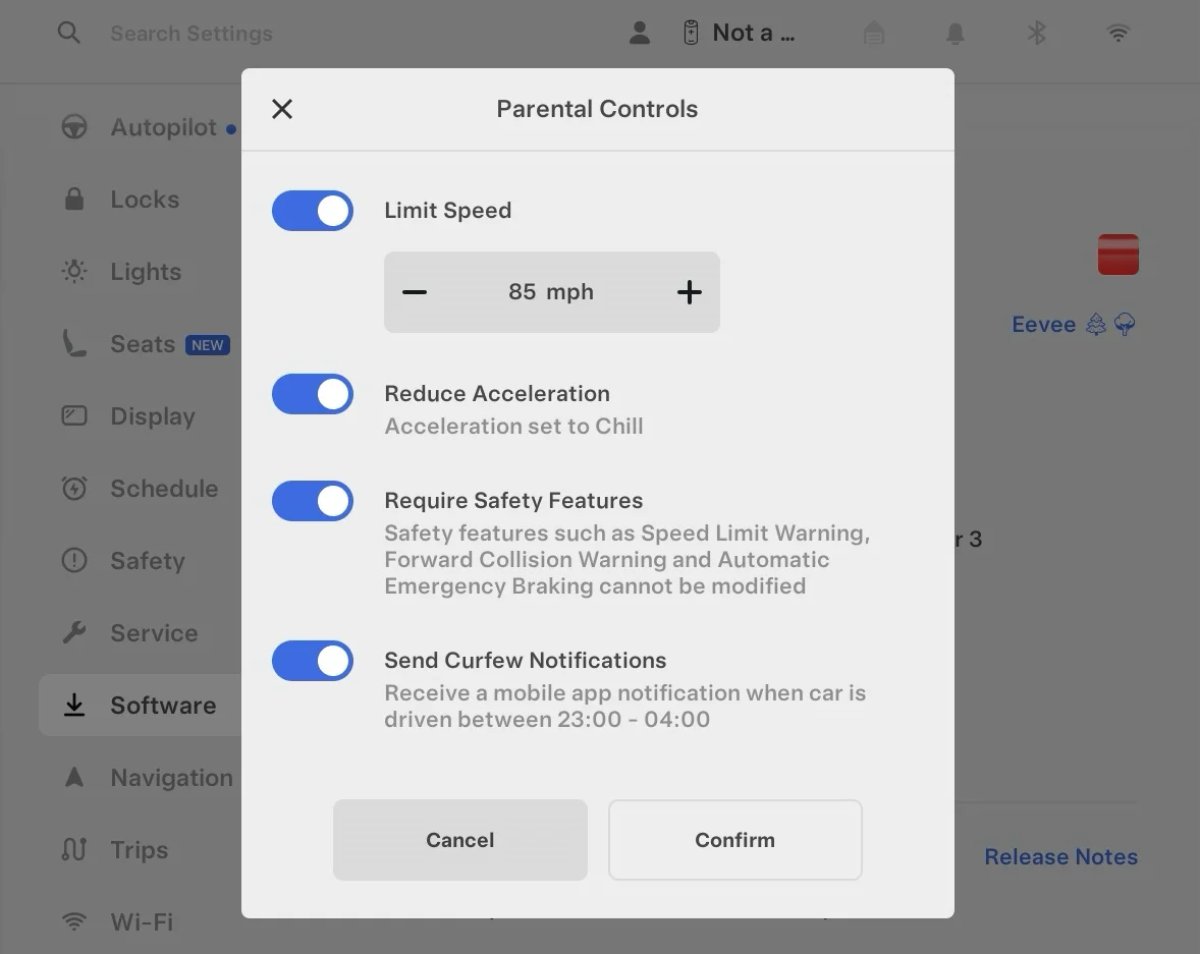
Tesla’s parental controls are designed to keep new drivers safe by limiting access to certain features. Parents can reduce the vehicle’s acceleration, limit the top speed, and prevent safety features from being turned off.
With this update, Tesla is adding another improvement to Parental Controls for Performance vehicles. Track Mode is now restricted when you enable Require Safety Features, preventing teens from manipulating the vehicle's handling, braking, and more.
Require Safety Features prevents these features from being turned off:
Automatic Emergency Braking
Obstacle-Aware Acceleration
Automatic Blind Spot Camera
Blind Spot Collision Warning Chime
Automatic 911 Call (US only)
Allow Mobile Access
Park Assist Chimes
It also prevents these settings from being changed:
Track Mode is disabled
Lane Departure Avoidance is set to Assist
Speed Limit Warning set to Chime
Speed Limit set to relative
Offset set to +5 mph (8 km/h)
Forward Collision Warning set to Early
Increased Attention Monitoring Alert

Tesla has added a new camera visibility alert with this update. What’s most interesting about this alert is that Tesla states that the poor camera visibility is resulting in increased attention monitoring.
Grok Turns Off After Inactivity

With the introduction of the "Hey Grok" wake word, Tesla has changed the way Grok behaves. Previously, once Grok was triggered, it would remain active indefinitely, staying in a constant listening state.
Now, in order to turn off accidental activations and minimize background processing, Grok will automatically dismiss itself after approximately 15 seconds of inactivity.
This behavior applies regardless of whether you triggered the assistant using the new voice wake word or the physical steering wheel button. For those who prefer to close the interface manually, you can still use natural language dismissal commands; simply saying "goodbye" or "talk to you later" will instantly close Grok.
h/t: @Deandawiz
Grok Favorites

The integrated Grok assistant now has access to your vehicle’s saved favorites. Grok can now "see" and interpret the custom labels you have assigned to your saved locations.
For example, if you have an address saved as "Kim’s parents," you can simply say, "Hey Grok, navigate to “Kim’s parents," and the system will immediately pull the correct address from your list of favorites.
h/t: @NickScheber
Advanced Software Updates

Tesla has updated the Software Update Preference setting under the Software menu.
Previously, the software update preference was a toggle between "Standard" and "Advanced." This has now changed into a simpler on/off toggle for "Advanced" updates.
By switching this to "On," you are opting in to receive the latest software releases as soon as they become available for your specific vehicle configuration and region. This could result in receiving updates with minor bugs or receiving updates more often.
If left "Off," your vehicle will wait for a wider release before installing updates.
Re-Order Trip Meters

You can reorder the new trip meters however you’d like. Simply tap and hold one to get it to jiggle, and then move it to a new location.
Additionally, you can also tap on the energy graph in the top-right corner to view a larger, more detailed version of it.
Chromium Browser Updated

Tesla has upgraded the browser in the vehicle. Tesla’s browser is based on the open-source Chromium browser, the same browser that powers Google’s Chrome browser.
The browser was updated to version 140, up from version 136.
This update to Chromium increases compatibility with modern web standards, improves WebGPU performance, and resolves known issues.
Save Recent Dashcam Videos

Tesla continues to make it easier to browse and save recent Dashcam clips. In the last update, Tesla made it easier to browse recent, non-saved Dashcam clips by listing them at the top of the Dashcam Viewer.
With this update, they’re now letting you save recent clips that are still on the USB drive, but not saved from being deleted.
Volume Icons
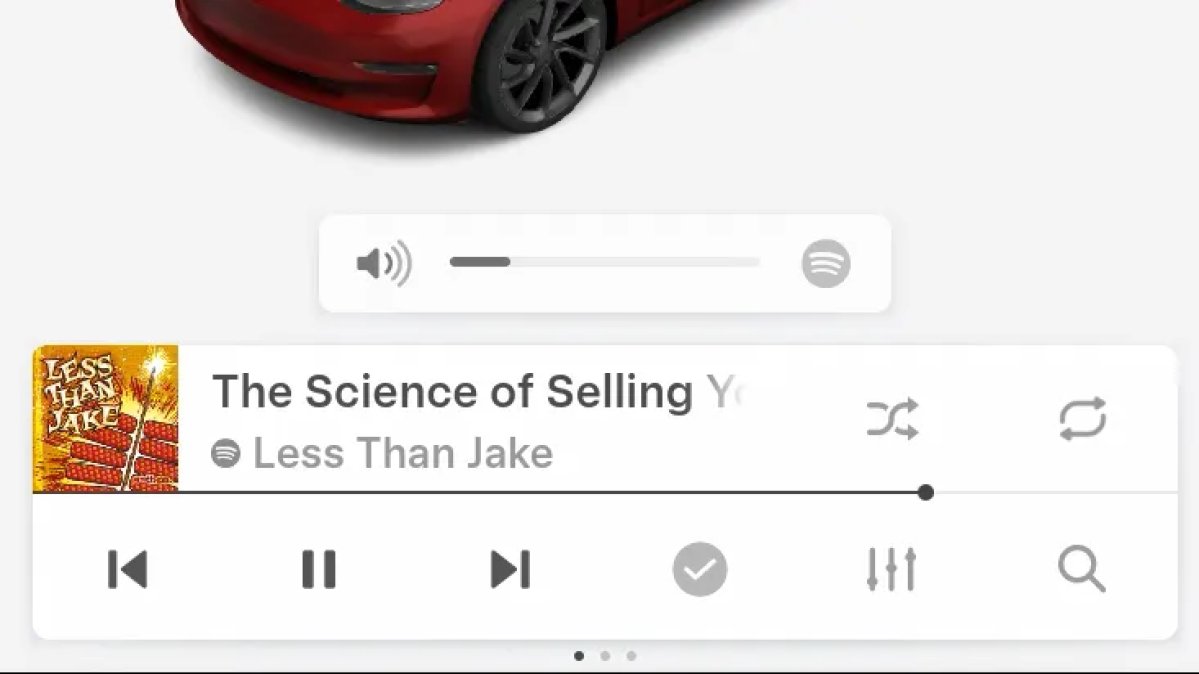
When adjusting the volume of an app, such as Spotify, the volume icon will now display the app's icon. While the navigation volume has always had its own icon and an independent volume setting, this change does not add app-dependent volume settings.
The same volume that’s used for Spotify will be used for YouTube and other apps. This icon simply makes it more obvious which volume is being changed.
Driver Profiles

Driver profiles are now also available in vehicle settings, rather than only in the Profiles icon in the status bar.
Users can navigate to Controls > Profiles to see the settings for all driver profiles.
Grok Settings

Grok settings are now also shown in the Audio section under Controls. These are the same settings available in the Grok app, but Tesla appears to be duplicating most of them under controls to make them easier to find.
Euro Semi Visualization

A new Autopilot/FSD visualization has been found in this update. The cab-over-engine style semi trucks often seen in Europe are now appearing in Autopilot visualizations with this update.
New 'All Apps' Icon

Tesla has updated the ‘All Apps’ icon displayed in the dock. Instead of an ellipsis inside of a rectangle, Tesla has now created a design that resembles iOS folders. The new design shows four apps inside the folder, but it’s not a static image.
The apps shown in the folder will change, presumably to show your most recent or most popular apps that aren't displayed in the dock.
Larger Dock Icons

To go along with the new ‘App Apps’ icon, Tesla has also increased the size of all icons in the dock. While the dock appears to remain the same size, the icons are now larger.
Animated Badges

Tesla models that have special badges, such as the Ludicrous badge on the Performance Model 3, are now animated in Software screen.
Upon navigating to the Software menu, the badge will play a short animation. You can also tap the badge to replay the animation.
New Creations Section

With the introduction of Photobooth, Tesla added a Photobooth section to the top level of the app that lets you view your saved photo sessions.
With the Spring Update and the update to the Sketchpad app for AMD Ryzen vehicles, Tesla is rebranding the Photobooth section to Creations, and it’ll now house Photobooth photos and sketches created in Sketchpad.
When you go into Creations, you’ll now have two tabs, one for Photobooth and one for Sketchpad, however, the features are similar. You’ll be able to view your saved creations and share them with others.
These creations are saved on your vehicle, not on Tesla’s servers, so when you open this section of the app, your vehicle will wake up and send the requested images.
Note: You’ll need vehicle update 2026.14 and an AMD Ryzen vehicle in order to see this new Creations section in the app.
Service Mode Improvements

New Service Mode Plus Authentication QR Code for Independent
Independent repairers can now quickly authenticate for Service Mode Plus by scanning a QR code displayed on the vehicle with a mobile device and logging in with their Toolbox credentials.
Models: All vehicles
Blinking DTC indicator added to the bottom banner
A Diagnostic Trouble Code (DTC) indicator has been added next to the Vehicle Identification Number (VIN) on the bottom Service Mode banner. The indicator is visible when DCs are present on the vehicle.
Models: All vehicles
Noise Recording Panel Updates (Service Mode Plus)
The Noise Recording panel now supports Active Noise Cancellation (ANC microphone recording. When ANC mode is enabled, the panel displays ANC microphone locations and extends the recording duration to 3 minutes.
Models: Model S (2021+), Model X (2021+), Cybertruck
Vehicle Functions Panel Added to Service Mode
The Vehicle Functions panel is now available on Service Mode. It shows an overview of degraded vehicle functions and their associated set alerts. Full functionality including more detailed functions, historical view and advanced controls are still only available on Service Mode Plus.
Models: Model 3, Model Y
New Bluetooth Panel
A new Bluetooth panel is available under Infotainment to support Bluetooth system diagnosis. The panel displays the status of both the main and rear Bluetooth modules (if rear Bluetooth is available on the vehicle), including connection states, signal strength with health indicators, and connected device information.
Models: Model S (2021+), Model 3, Model X (2021+), Model Y, Cybertruck











