While Tesla continues scaling its commercial Robotaxi operations in the U.S., a quiet showcase on the other side of the globe just gave us our clearest look yet at what it will be like to privately own Tesla’s first steering wheel-free EV. A Cybercab currently touring Australia has publicly revealed what appears to be consumer-facing software running on its massive 21-inch center display.
The interface was highlighted by @CARN0N on X after Australian automotive channel CarSauce shared hands-on footage of a Cybercab on display at Tesla’s Alexandria showroom in Sydney. While everyday riders hailing Cybercab robotaxis in Austin interact with a stripped-down rider UI centered mostly on trip ETAs, pick-up pins, cabin controls, and media playback, this display revealed a full-blown automotive operating system that looks virtually identical to what you find inside a Model 3 or Model Y.
Interestingly, this is the first time Tesla have publicly shown what could be the consumer-facing software for a privately owned Cybercab.
— Oli (@CARN0N) September 21, 2026
It basically looks just like the software in a Model 3 or Model Y.
The CarSauce YouTube channel got access to the Cybercab currently… pic.twitter.com/BPkiQtIdXO
Inside the Cybercab’s Consumer Dashboard
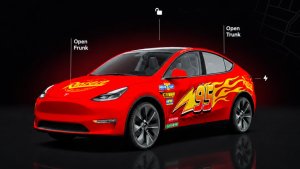
The footage confirms that Tesla is extending its familiar software foundation to the Cybercab. A large 3D avatar of the vehicle finished in matte gold dominates the left side of the screen, complete with tap-to-open buttons for the dramatic butterfly doors and rear trunk.
The layout offers a map on the right side of the screen (swiping to the left switches to a larger, pannable map), media source selection, and quick access to Tesla Theater apps like YouTube and Netflix. We caught an initial glimpse of this UI last month, showing a split-screen vehicle visualization and map view, and this latest sighting gives us a deeper look at the consumer menus.

One of the most notable elements is the seat adjustment menu. Because the Cybercab doesn’t feature physical adjustment switches on the seats themselves, occupants control positioning digitally. Tapping the seat menu pulls up familiar interactive curved sliders that let you slide the entire seat bench forward or recline the backrest into a near-flat lounge position, saving settings directly to individual driver profiles.
Robotaxi riders can already adjust their posture remotely since Tesla’s Robotaxi app includes seat controls, alongside other exclusive features — like airflow adjustment and the ability to change cabin accent lighting — that we hope will eventually make their way to the regular Tesla app as well. The Cybercab touchscreen also has seat adjustment buttons in “Robotaxi mode.” However, having dedicated on-screen seat controls in the owner UI is a lot more practical for when you’re riding around in your private Cybercab instead of lending it out on the Robotaxi network.
We recently also got a look at the on-screen joystick controls for manually steering the Cybercab. The joystick will likely find its way into the final version of the consumer Cybercab UI, allowing owners to manually nudge the vehicle into tight garages or parking spots when needed.

When Can You Actually Buy One?
Right now, Cybercab operations remain strictly commercial and geofenced to Austin, Texas. Tesla hasn’t opened standard retail order configurators, though you can register interest in purchasing Cybercabs for fleet deployments.
Even so, Elon Musk has repeatedly insisted that Tesla plans to deliver its first consumer-owned Cybercab for under $30,000 before the end of the year — even maintaining a public wager on that timeline with tech creator MKBHD.
Seeing a polished consumer-facing UI with driver profiles, media widgets, and deep customization menus running natively on a Cybercab instead of just Robotaxi software makes one thing obvious: Tesla isn’t just engineering a commercial driverless taxi but also actively prepping the software for customers to park one in their own driveways.