



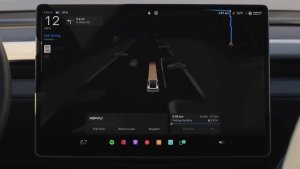

אפליקציית Self-Driving

עם אפליקציית Self-Driving החדשה, ניתן להירשם כמנוי בהקשה אחת, ללמוד כיצד להפעיל את התכונה ולהשתמש בה, ולצפות בסטטיסטיקות שוטפות.
לפתיחה, יש לעבור אל 'מפעיל האפליקציות' > 'Self-Driving'.
אגרות נסיעה משוערות

הניווט מציג כעת אגרות נסיעה משוערות לכל מסלול, כולל תעריפים מוזלים לרכב חשמלי (EV) היכן שישנם כאלה. עבור תכונה זאת נדרש ניווט מקוון. יש לעבור אל 'פקדים' > 'ניווט' > 'ניווט מקוון' כדי להפעיל.
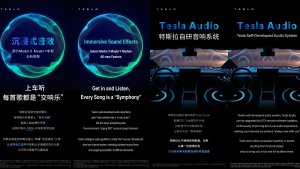
שדרוג צליל סוחף

עבור 'צליל סוחף פרימיום' נעשה שימוש בתהליך הפקת צליל מתקדמת כדי למקם את המאזין מול במת סאונד מלאת פרטים בתוך חלל סוחף. שיפור זה פועל עם כל מקורות הזרמת המדיה.
יש לעבור אל 'הגדרות' > 'שמע' > 'טון' > 'צליל סוחף' כדי לכוונן.
מסך אחורי

הנוסעים במושב האחורי יכולים כעת לצפות במפות ולבצע בהן פעולות במסך האחורי, בזמן שרכב ה-Tesla שלכם מנווט במסלול. יש להקיש על סמל המפות במסך האחורי ולפעול בהתאם להנחיות.
"Hey Grok"

Launch Grok by saying "Hey Grok." Go to Grok > Settings to enable. You can also set location based reminders, like "remind me to pick up milk when I'm near home." Say "goodbye" to dismiss.
מצב חיות מחמד

יש לבחור את חיית המחמד ולתת לה שם תחת 'פקדים' > 'תצוגה' > 'התאמה אישית של מצב חיות מחמד'.
חנות צבעים

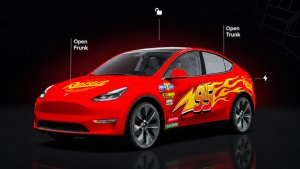
התאימו אישית את האווטאר שלכם ב-Tesla באמצעות צביעת חלונות, מעטפת ולוחיות רישוי בהתאמה אישית. השתמשו באחד ממגוון העיצובים המוכנים או צרו והעלו עיצובים משלכם באמצעות כונן התקן USB כדי להפוך את הרכב שלכם לייחודי. יש לעבור אל 'מפעיל האפליקציות' > 'קופסת צעצועים' > 'חנות צבעים' או להקיש על לחצן הצבעים או לוחית הרישוי תחת 'פקדים' > תוכנה.
עדכונים חזותיים

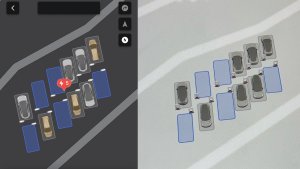
המסך המרכזי מציג כעת תמונות באיכות גבוהה יותר של רכב ה-Tesla שלכם וסביבת חניה משופרת.
נסיעות

הנסיעות נמצאות כעת באפליקציה 'אנרגיה', שבה ניתן ליצור ולנהל נסיעות מרובות כדי לעקוב אחר צריכת האנרגיה בסוגי נסיעה, מסלולים או תנאים שונים. יש לעבור אל 'מפעיל האפליקציות' > 'אנרגיה' > 'נסיעות'. לגישה מהירה אל כרטיס הנסיעות, יש להחליק שמאלה על כרטיס המדיה.
פנקס רישומים

תנו לאומן הפנימי שבכם להתעורר לחיים עם פנקס רישומים משופר, שתומך כעת במדבקות ובאימוג'י. ניתן לשמור את הרישומים כדי לגשת אליהם ולשתף אותם באפליקציה לנייד. נדרשת אפליקציה לנייד בגרסה 4.55.6 ואילך.
פסי תאורה לאזהרה בשטח מת

פסי התאורה נדלקים כעת באדום כאשר עצם נמצא בשטח המת שלכם ואיתות הפנייה מופעל או כאשר מזוהה עצם מתקרב כשהרכב במצב חניה. כדי להשבית, יש לעבור אל 'פקדים' > 'אורות' > 'פסי תאורה לאזהרה בשטח מת'.
צליל כשהרמזור ירוק

כשאור הרמזור שאתם ממתינים לו יתחלף לירוק יישמע צליל. בעת המתנה מאחורי רכב אחר, הצליל יופעל כשהרכב יתקדם, אלא אם בקרת שיוט מודעת לתנועה או Autosteer פועלים. צליל זה מהווה התראה בלבד. להפעלה, יש לעבור אל 'פקדים' > Self-Driving > 'צליל רמזור ירוק'.
תצוגת מצלמה בשידור חי

כעת ניתן לבדוק את פנים רכב ה-Tesla שלכם מרחוק. להפעלה, יש לעבור אל 'פקדים' > 'בטיחות' > 'צפייה במצלמה בשידור חי באפליקציה לנייד'. 'מצלמה בשידור חי' מוצפנת מקצה לקצה ול-Tesla אין גישה אליה. עבור תכונה זאת נדרש 'שירות קישוריות פרימיום' ואפליקציית Tesla לנייד בגרסה 4.55.6 ואילך.
ניהול רשימת השמעה באפליקציית המוזיקה

יש להחליק ימינה על רצועות ב-Apple Music או ב-Spotify כדי להוסיף אותן לרשימה. ב-Apple Music, יש להקיש ולהחזיק רצועה כדי להוסיף או להסיר אותה מהמועדפים. ב-Spotify, יש להחליק שמאלה כדי להוסיף שירים שאהבתם או להסיר אותם.
עדכוני תוכנה באופן אוטומטי

רכב ה-Tesla שלכם יכול כעת להתקין עדכוני תוכנה באופן אוטומטי במהלך הלילה. כאשר האפשרות מופעלת, עדכונים יותקנו בזמן שרכב ה-Tesla שלכם במצב חניה ואינו בשימוש, מה שמבטיח שתמיד יהיו לכם התכונות והשיפורים העדכניים ביותר.
להפעלה, יש לעבור אל 'פקדים' > 'תוכנה' > 'התקנת עדכונים באופן אוטומטי'.
עדכונים עבור מציג מצלמת הדרך

סרטוני מצלמת דרך האחרונים יכולים כעת להישמר עד 24 שעות, וניתן לשמור כל סרטון באחסון קבוע ברכב ה-Tesla או בטלפון שלכם דרך 'מפעיל האפליקציות' > 'מציג מצלמת הדרך'. להפעלת התצוגה בטלפון, יש לעבור אל 'פקדים' > 'בטיחות' ולהפעיל את 'צפייה במצלמה באפליקציה לנייד'. הסרטונים מאוחסנים ברכב ולעולם לא ישותפו עם Tesla.
סרטונים שהורדתם לטלפון כוללים כעת פרטים כגון מהירות, זווית ההגה ומצב Self-Driving. לצורך הורדות נדרש 'שירות קישוריות פרימיום' ואפליקציה לנייד בגרסה 4.55.6 ואילך.
עדכונים עבור מציג מצלמת הדרך
ניתן לשמור כל סרטון מסרטוני מצלמת הדרך האחרונים לאחסון קבוע ברכב ה-Tesla שלכם או בטלפון שלכם דרך 'מפעיל האפליקציות' > 'מציג מצלמת הדרך'. להפעלת התצוגה בטלפון, יש לעבור אל 'פקדים' > 'בטיחות' ולהפעיל את 'צפייה במצלמה באפליקציה לנייד'. הסרטונים מאוחסנים ברכב ולעולם לא ישותפו עם Tesla.
סרטונים שהורדתם לטלפון כוללים כעת פרטים כגון מהירות, זווית ההגה ומצב Self-Driving. לצורך הורדות נדרש 'שירות קישוריות פרימיום' ואפליקציה לנייד בגרסה 4.55.6 ואילך.
שיפורים במפות מזג האוויר

מפות מזג האוויר מציגות כעת שלג וגשם בצבעים משופרים, שמקלים על ההבחנה בין סוגי המשקעים. ניתן גם להציג את נתוני מזג האוויר מהשעה האחרונה כדי לראות כיצד התנאים השתנו לאורך המסלול שלכם. עבור תכונה זאת נדרש שירות קישוריות פרימיום. כדי להציג, יש להקיש על סמל מזג האוויר במפה.
מסנן תמחור עמדת Supercharger

כעת ניתן לבחור לנווט לעמדות Supercharger עם תמחור Tesla בלבד. כשהאפשרות מופעלת, מתכנן המסלול יימנע ממיקומים שבהם Tesla אינה קובעת את מחירי הטעינה או שאינם מכבדים נקודות לטעינת Supercharging בחינם. עבור הגדרה זאת נדרשת קישוריות עם ניווט מקוון מופעל.
להפעלה, יש לעבור אל 'פקדים' > 'ניווט' > 'הגדרות מתכנן המסלול'.
מקלדת

שפת המקלדת שנבחרה תקבע גם את השפה המשמשת להכתבה. יש להקיש על לחצן המקלדת הבינלאומית כדי לשנות את שפת המקלדת וההכתבה, מבלי לשנות את שפת הפקודות הקוליות. יש להקיש על סמל המיקרופון במקלדת כדי להכתיב.
שיפורי אבטחה

עדכון זה כולל תיקונים ושיפורי אבטחה חשובים.
Cloud Profiles

Tesla cloud profiles now feature a new cloud icon to indicate they’re cloud profiles rather than local profiles stored only on the vehicle.
Amber Brake Lights

This update properly visualizes vehicles with amber brake lights. Some regions require turn signals to be orange/amber. Up until now, the visualization has only displayed turn signals in red, but with this update, Tesla now properly displays amber turn signals for the appropriate vehicles.
The Unreal Engine brings drastic improvements to lighting in the visualization, making the brake lights much more noticeable as they reflect on the ground.
Parental Controls Improvement
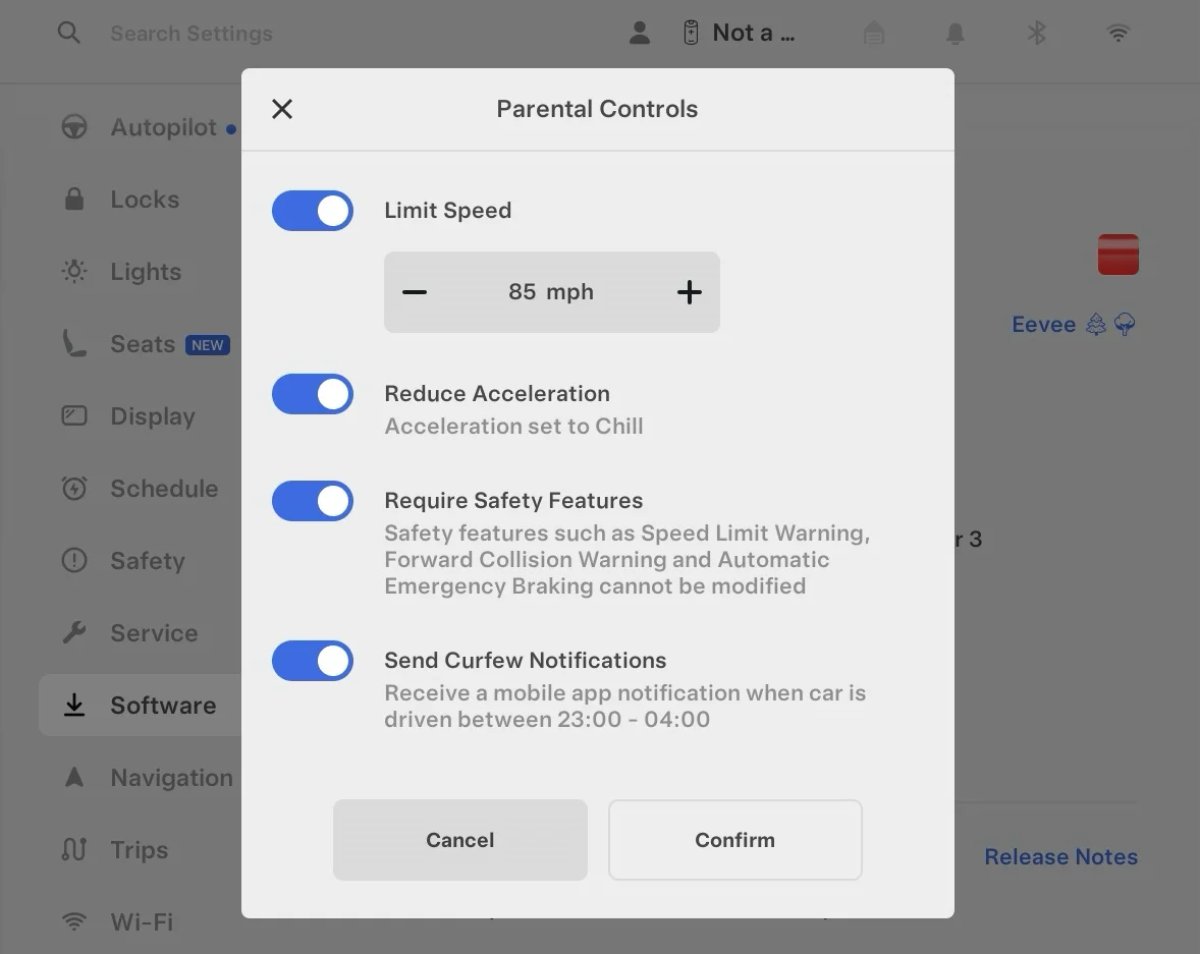
Tesla’s parental controls are designed to keep new drivers safe by limiting access to certain features. Parents can reduce the vehicle’s acceleration, limit the top speed, and prevent safety features from being turned off.
With this update, Tesla is adding another improvement to Parental Controls for Performance vehicles. Track Mode is now restricted when you enable Require Safety Features, preventing teens from manipulating the vehicle's handling, braking, and more.
Require Safety Features prevents these features from being turned off:
Automatic Emergency Braking
Obstacle-Aware Acceleration
Automatic Blind Spot Camera
Blind Spot Collision Warning Chime
Automatic 911 Call (US only)
Allow Mobile Access
Park Assist Chimes
It also prevents these settings from being changed:
Track Mode is disabled
Lane Departure Avoidance is set to Assist
Speed Limit Warning set to Chime
Speed Limit set to relative
Offset set to +5 mph (8 km/h)
Forward Collision Warning set to Early
Increased Attention Monitoring Alert

Tesla has added a new camera visibility alert with this update. What’s most interesting about this alert is that Tesla states that the poor camera visibility is resulting in increased attention monitoring.
Grok Turns Off After Inactivity

With the introduction of the "Hey Grok" wake word, Tesla has changed the way Grok behaves. Previously, once Grok was triggered, it would remain active indefinitely, staying in a constant listening state.
Now, in order to turn off accidental activations and minimize background processing, Grok will automatically dismiss itself after approximately 15 seconds of inactivity.
This behavior applies regardless of whether you triggered the assistant using the new voice wake word or the physical steering wheel button. For those who prefer to close the interface manually, you can still use natural language dismissal commands; simply saying "goodbye" or "talk to you later" will instantly close Grok.
h/t: @Deandawiz
Grok Favorites

The integrated Grok assistant now has access to your vehicle’s saved favorites. Grok can now "see" and interpret the custom labels you have assigned to your saved locations.
For example, if you have an address saved as "Kim’s parents," you can simply say, "Hey Grok, navigate to “Kim’s parents," and the system will immediately pull the correct address from your list of favorites.
h/t: @NickScheber
Advanced Software Updates

Tesla has updated the Software Update Preference setting under the Software menu.
Previously, the software update preference was a toggle between "Standard" and "Advanced." This has now changed into a simpler on/off toggle for "Advanced" updates.
By switching this to "On," you are opting in to receive the latest software releases as soon as they become available for your specific vehicle configuration and region. This could result in receiving updates with minor bugs or receiving updates more often.
If left "Off," your vehicle will wait for a wider release before installing updates.
Re-Order Trip Meters

You can reorder the new trip meters however you’d like. Simply tap and hold one to get it to jiggle, and then move it to a new location.
Additionally, you can also tap on the energy graph in the top-right corner to view a larger, more detailed version of it.
Chromium Browser Updated

Tesla has upgraded the browser in the vehicle. Tesla’s browser is based on the open-source Chromium browser, the same browser that powers Google’s Chrome browser.
The browser was updated to version 140, up from version 136.
This update to Chromium increases compatibility with modern web standards, improves WebGPU performance, and resolves known issues.
Save Recent Dashcam Videos

Tesla continues to make it easier to browse and save recent Dashcam clips. In the last update, Tesla made it easier to browse recent, non-saved Dashcam clips by listing them at the top of the Dashcam Viewer.
With this update, they’re now letting you save recent clips that are still on the USB drive, but not saved from being deleted.
Volume Icons
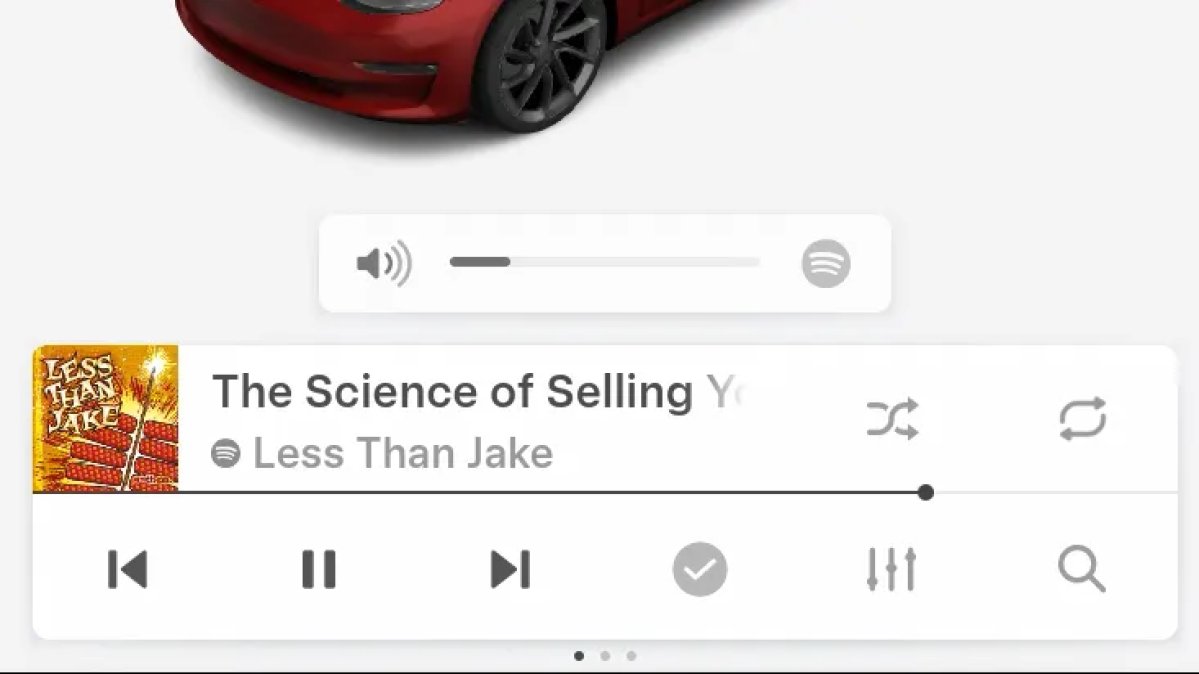
When adjusting the volume of an app, such as Spotify, the volume icon will now display the app's icon. While the navigation volume has always had its own icon and an independent volume setting, this change does not add app-dependent volume settings.
The same volume that’s used for Spotify will be used for YouTube and other apps. This icon simply makes it more obvious which volume is being changed.
Driver Profiles

Driver profiles are now also available in vehicle settings, rather than only in the Profiles icon in the status bar.
Users can navigate to Controls > Profiles to see the settings for all driver profiles.
Grok Settings

Grok settings are now also shown in the Audio section under Controls. These are the same settings available in the Grok app, but Tesla appears to be duplicating most of them under controls to make them easier to find.
Euro Semi Visualization

A new Autopilot/FSD visualization has been found in this update. The cab-over-engine style semi trucks often seen in Europe are now appearing in Autopilot visualizations with this update.
New 'All Apps' Icon

Tesla has updated the ‘All Apps’ icon displayed in the dock. Instead of an ellipsis inside of a rectangle, Tesla has now created a design that resembles iOS folders. The new design shows four apps inside the folder, but it’s not a static image.
The apps shown in the folder will change, presumably to show your most recent or most popular apps that aren't displayed in the dock.
Larger Dock Icons

To go along with the new ‘App Apps’ icon, Tesla has also increased the size of all icons in the dock. While the dock appears to remain the same size, the icons are now larger.
Animated Badges

Tesla models that have special badges, such as the Ludicrous badge on the Performance Model 3, are now animated in Software screen.
Upon navigating to the Software menu, the badge will play a short animation. You can also tap the badge to replay the animation.
New Creations Section

With the introduction of Photobooth, Tesla added a Photobooth section to the top level of the app that lets you view your saved photo sessions.
With the Spring Update and the update to the Sketchpad app for AMD Ryzen vehicles, Tesla is rebranding the Photobooth section to Creations, and it’ll now house Photobooth photos and sketches created in Sketchpad.
When you go into Creations, you’ll now have two tabs, one for Photobooth and one for Sketchpad, however, the features are similar. You’ll be able to view your saved creations and share them with others.
These creations are saved on your vehicle, not on Tesla’s servers, so when you open this section of the app, your vehicle will wake up and send the requested images.
Note: You’ll need vehicle update 2026.14 and an AMD Ryzen vehicle in order to see this new Creations section in the app.
Service Mode Improvements

New Service Mode Plus Authentication QR Code for Independent
Independent repairers can now quickly authenticate for Service Mode Plus by scanning a QR code displayed on the vehicle with a mobile device and logging in with their Toolbox credentials.
Models: All vehicles
Blinking DTC indicator added to the bottom banner
A Diagnostic Trouble Code (DTC) indicator has been added next to the Vehicle Identification Number (VIN) on the bottom Service Mode banner. The indicator is visible when DCs are present on the vehicle.
Models: All vehicles
Noise Recording Panel Updates (Service Mode Plus)
The Noise Recording panel now supports Active Noise Cancellation (ANC microphone recording. When ANC mode is enabled, the panel displays ANC microphone locations and extends the recording duration to 3 minutes.
Models: Model S (2021+), Model X (2021+), Cybertruck
Vehicle Functions Panel Added to Service Mode
The Vehicle Functions panel is now available on Service Mode. It shows an overview of degraded vehicle functions and their associated set alerts. Full functionality including more detailed functions, historical view and advanced controls are still only available on Service Mode Plus.
Models: Model 3, Model Y
New Bluetooth Panel
A new Bluetooth panel is available under Infotainment to support Bluetooth system diagnosis. The panel displays the status of both the main and rear Bluetooth modules (if rear Bluetooth is available on the vehicle), including connection states, signal strength with health indicators, and connected device information.
Models: Model S (2021+), Model 3, Model X (2021+), Model Y, Cybertruck











