




Εφαρμογή Self-Driving

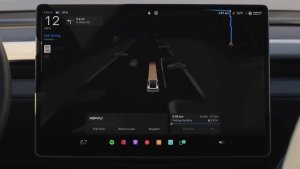
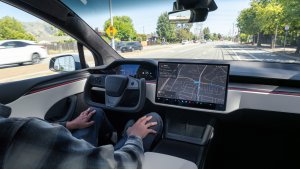
Με τη νέα εφαρμογή Self-Driving, εγγραφείτε με ένα μόνο πάτημα, μάθετε πώς να ενεργοποιήσετε και να χρησιμοποιήσετε τη δυνατότητα και δείτε τα τρέχοντα στατιστικά.
Για να ανοίξετε, μεταβείτε στην Εκκίνηση εφαρμογών > Self-driving.
Εκτιμώμενα τέλη διοδίων

Η Πλοήγηση εμφανίζει πλέον εκτιμώμενα τέλη διοδίων για κάθε διαδρομή, συμπεριλαμβανομένων των μειωμένων χρεώσεων για EV όπου διατίθενται. Αυτή η λειτουργία απαιτεί Αποφυγή κίνησης. Μεταβείτε στα Χειριστήρια > Πλοήγηση > Αποφυγή κίνησης για ενεργοποίηση.
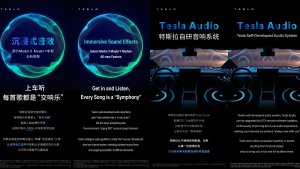
Αναβάθμιση καθηλωτικού ήχου

Ο Premium Καθηλωτικός ήχος χρησιμοποιεί προηγμένη εξαγωγή ήχου για να τοποθετήσει τον ακροατή μπροστά από ένα λεπτομερές σκηνικό ήχου σε έναν Καθηλωτικό χώρο. Αυτή η βελτίωση λειτουργεί με όλες τις πηγές ροής.
Μεταβείτε στις Ρυθμίσεις > Ήχος > Τόνος > Καθηλωτικός ήχος για προσαρμογή.
Πίσω οθόνη

Οι επιβάτες στα πίσω καθίσματα μπορούν πλέον να βλέπουν και να αλληλεπιδρούν με τους χάρτες στην πίσω οθόνη, ενώ το Tesla σας πλοηγείται σε μια διαδρομή. Πατήστε το εικονίδιο χαρτών από την πίσω οθόνη για παρακολούθηση.
«Hey Grok»

Εκκινήστε το Grok λέγοντας «Hey Grok». Μεταβείτε στο Grok > Ρυθμίσεις για ενεργοποίηση. Μπορείτε επίσης να ορίσετε υπενθυμίσεις βάσει τοποθεσίας, όπως «θύμισέ μου να πάρω γάλα όταν είμαι κοντά στο σπίτι». Πείτε «goodbye» για απόρριψη.
Pet Mode

Για να επιλέξετε και να ονομάσετε το κατοικίδιό σας, μεταβείτε στα Χειριστήρια > Οθόνη > Προσαρμογή Pet Mode.
Βαφείο

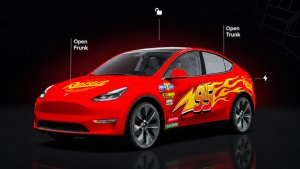
Εξατομικεύστε το avatar του Tesla σας με αποχρώσεις παραθύρων, προσαρμοσμένα περιβλήματα και πινακίδες κυκλοφορίας. Χρησιμοποιήστε ένα από τα πολλά προεγκατεστημένα σχέδια ή δημιουργήστε και μεταφορτώστε το δικό σας χρησιμοποιώντας μια μονάδα flash USB, για να κάνετε το όχημά σας μοναδικό. Μεταβείτε στην Εκκίνηση εφαρμογών > Toybox > Βαφείο ή πατήστε το κουμπί βαφής ή πινακίδας κυκλοφορίας στα Χειριστήρια > Λογισμικό.
Οπτικές ενημερώσεις

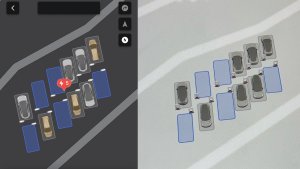
Η κεντρική οθόνη διαθέτει πλέον υψηλότερης ποιότητας εικόνες του Tesla σας και ένα βελτιωμένο περιβάλλον σκηνής στάθμευσης.
Διαδρομές

Οι διαδρομές βρίσκονται πλέον στην εφαρμογή Ενέργεια, όπου μπορείτε να δημιουργήσετε και να διαχειριστείτε πολλές διαδρομές για να παρακολουθείτε τη χρήση ενέργειας σε διαφορετικές μετακινήσεις, διαδρομές ή συνθήκες. Μεταβείτε στην Εκκίνηση εφαρμογών > Ενέργεια > Διαδρομές. Για γρήγορη πρόσβαση στην Κάρτα Διαδρομών, σαρώστε αριστερά στην Κάρτα Πολυμέσων.
Μπλοκ Σχεδίου

Απελευθερώστε τον καλλιτέχνη που κρύβετε μέσα σας με το αναβαθμισμένο Μπλοκ Σχεδίου, που πλέον υποστηρίζει αυτοκόλλητα και emoji. Αποθηκεύστε τα σχέδιά σας για να έχετε πρόσβαση σε αυτά στην Εφαρμογή για το κινητό και να τα μοιραστείτε. Απαιτεί την εφαρμογή για το κινητό έκδοσης 4.55.6 ή μεταγενέστερης.
Φώτα τονισμού προειδοποίησης τυφλού σημείου

Τα φώτα επισήμανσης ανάβουν πλέον με κόκκινο χρώμα όταν ένα αντικείμενο βρίσκεται στο τυφλό σας σημείο και το φλας σας είναι ενεργοποιημένο, ή όταν ανιχνευτεί ένα αντικείμενο που πλησιάζει ενώ το όχημα είναι σταθμευμένο. Για απενεργοποίηση, μεταβείτε στα Χειριστήρια > Φώτα > Φώτα τονισμού προειδοποίησης τυφλού σημείου.
Ήχος όταν ο σηματοδότης είναι πράσινος

Θα ακουστεί ήχος όταν ο φωτεινός σηματοδότης που περιμένετε γίνει πράσινος. Εάν περιμένετε πίσω από άλλο όχημα, θα ακούσετε τον ήχο όταν το όχημα προχωράει, εκτός εάν είναι ενεργοποιημένο το Σύστημα σταθεροποίησης ταχύτητας ανάλογα με την κίνηση ή το Autosteer. Αυτός ο ήχος είναι μόνο μια ειδοποίηση. Για ενεργοποίηση, μεταβείτε στα Χειριστήρια > Self-Driving > Ήχος πράσ. φωτ. σηματοδότη.
Προβολή ζωντανής κάμερας

Τώρα μπορείτε να ελέγξετε το εσωτερικό του Tesla σας ενώ λείπετε. Για ενεργοποίηση, μεταβείτε στη διαδρομή Χειριστήρια > Ασφάλεια > Προβολή ζωντανής κάμερας μέσω εφαρμογής για το κινητό. Η Ζωντανή κάμερα είναι πλήρως κρυπτογραφημένη και η Tesla δεν έχει πρόσβαση σε αυτήν. Αυτή η λειτουργία απαιτεί Premium συνδεσιμότητα και έκδοση του Tesla mobile app 4.55.6 ή μεταγενέστερη.
Ουρά εφαρμογής μουσικής

Σύρετε δεξιά τα κομμάτια στο Apple Music ή το Spotify για να τα προσθέσετε στην ουρά σας. Στο Apple Music, πατήστε παρατεταμένα σε ένα κομμάτι για να το προσθέσετε ή να το αφαιρέσετε από τα Αγαπημένα. Στο Spotify, σύρετε αριστερά για προσθήκη ή αφαίρεση από τα τραγούδια που σας αρέσουν.
Αυτόματες ενημερώσεις λογισμικού

Το Tesla σας μπορεί πλέον να εγκαταστήσει αυτόματα τις ληφθείσες ενημερώσεις λογισμικού τη νύχτα. Όταν είναι ενεργοποιημένο, οι ενημερώσεις θα εγκαθίστανται ενώ το Tesla σας είναι σταθμευμένο και δεν χρησιμοποιείται, διασφαλίζοντας ότι έχετε πάντα τις πιο πρόσφατες δυνατότητες και βελτιώσεις.
Για ενεργοποίηση, μεταβείτε στα Χειριστήρια > Λογισμικό > Αυτόματη εγκατάσταση ενημερώσεων.
Ενημερώσεις προγράμματος προβολής dashcam

Τα πρόσφατα πλάνα βίντεο Dashcam μπορούν πλέον να εκτείνονται έως και 24 ώρες και μπορείτε να αποθηκεύσετε οποιοδήποτε απόσπασμα για μόνιμη αποθήκευση στο Tesla σας ή στο τηλέφωνό σας μεταβαίνοντας στην επιλογή Εκκίνηση εφαρμογών > Πρόγ. προβολής Dashcam. Για να ενεργοποιήσετε την προβολή στο τηλέφωνό σας, μεταβείτε στα Χειριστήρια > Ασφάλεια και ενεργοποιήστε την Προβολή κάμερας μέσω εφαρμογής για το κινητό. Τα αποσπάσματα παραμένουν στο όχημα και δεν κοινοποιούνται ποτέ στην Tesla.
Τα αποσπάσματα που έχουν ληφθεί στο τηλέφωνό σας περιλαμβάνουν πλέον λεπτομέρειες, όπως η ταχύτητα, η γωνία του τιμονιού και η κατάσταση self-driving. Οι λήψεις απαιτούν Premium συνδεσιμότητα και έκδοση της εφαρμογής για το κινητό 4.55.6 ή μεταγενέστερη.
Ενημερώσεις προγράμματος προβολής dashcam
Μπορείτε να αποθηκεύσετε οποιοδήποτε απόσπασμα από τα πρόσφατα πλάνα βίντεο Dashcam για μόνιμη αποθήκευση στο Tesla σας ή στο τηλέφωνό σας μεταβαίνοντας στην επιλογή Εκκίνηση εφαρμογών > Πρόγ. προβολής Dashcam. Για να ενεργοποιήσετε την προβολή στο τηλέφωνό σας, μεταβείτε στα Χειριστήρια > Ασφάλεια και ενεργοποιήστε την Προβολή κάμερας μέσω εφαρμογής για το κινητό. Τα αποσπάσματα παραμένουν στο όχημα και δεν κοινοποιούνται ποτέ στην Tesla.
Τα αποσπάσματα που έχουν ληφθεί στο τηλέφωνό σας περιλαμβάνουν πλέον λεπτομέρειες, όπως η ταχύτητα, η γωνία του τιμονιού και η κατάσταση self-driving. Οι λήψεις απαιτούν Premium συνδεσιμότητα και έκδοση της εφαρμογής για το κινητό 4.55.6 ή μεταγενέστερη.
Βελτιώσεις χαρτών καιρού

Οι χάρτες καιρού δείχνουν πλέον χιόνι και βροχή με βελτιωμένα χρώματα που διευκολύνουν τη διάκριση μεταξύ των τύπων βροχόπτωσης. Μπορείτε επίσης να δείτε τα δεδομένα καιρού της τελευταίας ώρας για να δείτε πώς έχουν αλλάξει οι συνθήκες κατά μήκος της διαδρομής σας. Για αυτήν τη δυνατότητα απαιτείται Premium συνδεσιμότητα. Για προβολή, πατήστε το εικονίδιο καιρού στον χάρτη.
Φίλτρο τιμολόγησης Supercharger

Μπορείτε πλέον να επιλέξετε δρομολόγηση μόνο προς Supercharger με τιμολόγηση Tesla. Όταν είναι ενεργοποιημένο, το Trip Planner θα αποφεύγει τοποθεσίες όπου η Tesla δεν καθορίζει τιμές φόρτισης ή δεν αποδέχεται μονάδες δωρεάν Supercharging. Αυτή η ρύθμιση απαιτεί συνδεσιμότητα με ενεργοποιημένη την Αποφυγή κίνησης.
Για ενεργοποίηση, μεταβείτε στις Ρυθμίσεις > Πλοήγηση > Ρυθμίσεις Trip Planner.
Πληκτρολόγιο

Η επιλεγμένη γλώσσα πληκτρολογίου θα ορίζει επίσης τη γλώσσα για την υπαγόρευση. Πατήστε το κουμπί διεθνούς πληκτρολογίου για να αλλάξετε τη γλώσσα πληκτρολογίου και υπαγόρευσης, χωρίς να αλλάξετε τη γλώσσα φωνητικών εντολών. Πατήστε το εικονίδιο μικροφώνου στο πληκτρολόγιο για υπαγόρευση.
Βελτιώσεις ασφαλείας

Αυτή η ενημέρωση περιλαμβάνει σημαντικές διορθώσεις ασφαλείας και βελτιώσεις.
Cloud Profiles

Tesla cloud profiles now feature a new cloud icon to indicate they’re cloud profiles rather than local profiles stored only on the vehicle.
Amber Brake Lights

This update properly visualizes vehicles with amber brake lights. Some regions require turn signals to be orange/amber. Up until now, the visualization has only displayed turn signals in red, but with this update, Tesla now properly displays amber turn signals for the appropriate vehicles.
The Unreal Engine brings drastic improvements to lighting in the visualization, making the brake lights much more noticeable as they reflect on the ground.
Parental Controls Improvement
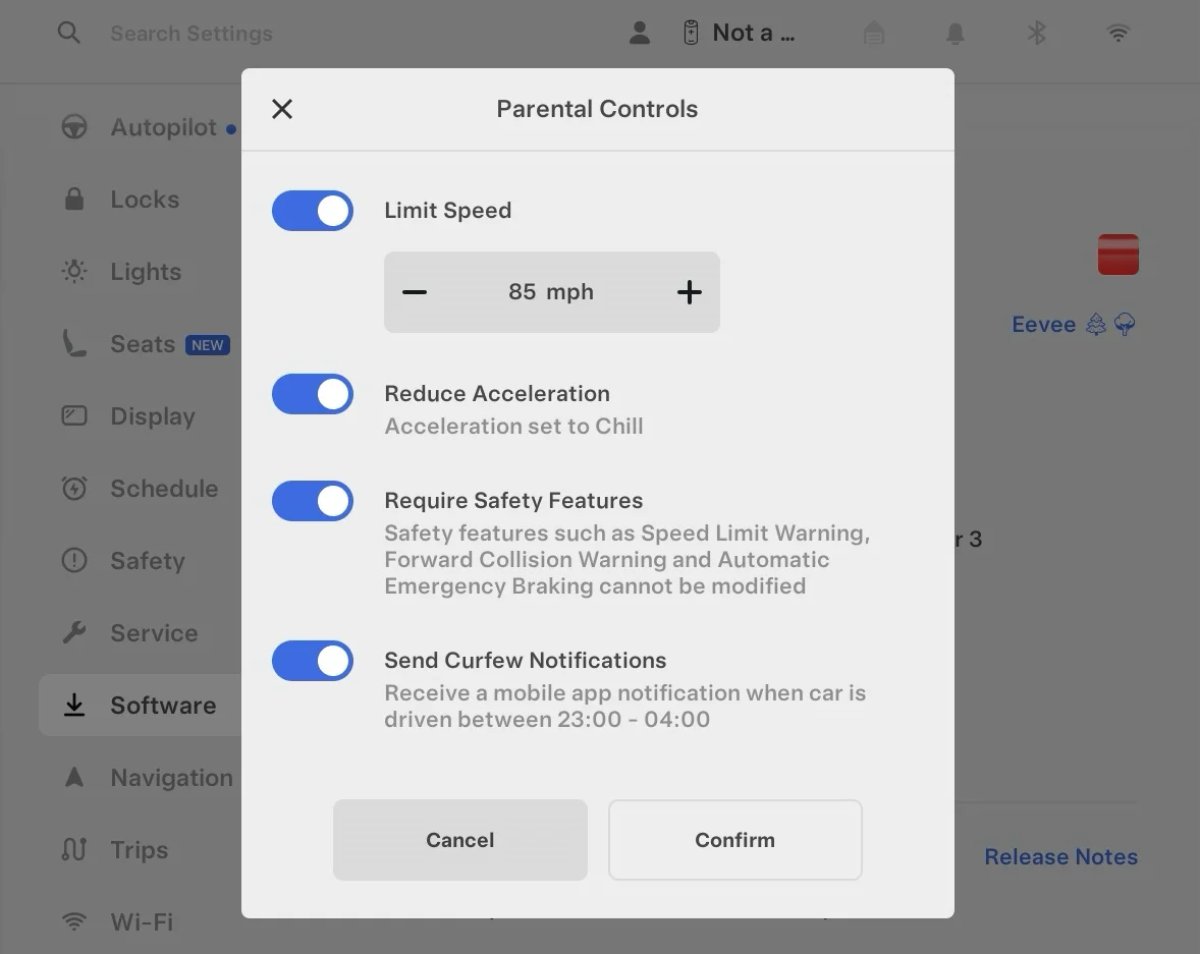
Tesla’s parental controls are designed to keep new drivers safe by limiting access to certain features. Parents can reduce the vehicle’s acceleration, limit the top speed, and prevent safety features from being turned off.
With this update, Tesla is adding another improvement to Parental Controls for Performance vehicles. Track Mode is now restricted when you enable Require Safety Features, preventing teens from manipulating the vehicle's handling, braking, and more.
Require Safety Features prevents these features from being turned off:
Automatic Emergency Braking
Obstacle-Aware Acceleration
Automatic Blind Spot Camera
Blind Spot Collision Warning Chime
Automatic 911 Call (US only)
Allow Mobile Access
Park Assist Chimes
It also prevents these settings from being changed:
Track Mode is disabled
Lane Departure Avoidance is set to Assist
Speed Limit Warning set to Chime
Speed Limit set to relative
Offset set to +5 mph (8 km/h)
Forward Collision Warning set to Early
Increased Attention Monitoring Alert

Tesla has added a new camera visibility alert with this update. What’s most interesting about this alert is that Tesla states that the poor camera visibility is resulting in increased attention monitoring.
Grok Turns Off After Inactivity

With the introduction of the "Hey Grok" wake word, Tesla has changed the way Grok behaves. Previously, once Grok was triggered, it would remain active indefinitely, staying in a constant listening state.
Now, in order to turn off accidental activations and minimize background processing, Grok will automatically dismiss itself after approximately 15 seconds of inactivity.
This behavior applies regardless of whether you triggered the assistant using the new voice wake word or the physical steering wheel button. For those who prefer to close the interface manually, you can still use natural language dismissal commands; simply saying "goodbye" or "talk to you later" will instantly close Grok.
h/t: @Deandawiz
Grok Favorites

The integrated Grok assistant now has access to your vehicle’s saved favorites. Grok can now "see" and interpret the custom labels you have assigned to your saved locations.
For example, if you have an address saved as "Kim’s parents," you can simply say, "Hey Grok, navigate to “Kim’s parents," and the system will immediately pull the correct address from your list of favorites.
h/t: @NickScheber
Advanced Software Updates

Tesla has updated the Software Update Preference setting under the Software menu.
Previously, the software update preference was a toggle between "Standard" and "Advanced." This has now changed into a simpler on/off toggle for "Advanced" updates.
By switching this to "On," you are opting in to receive the latest software releases as soon as they become available for your specific vehicle configuration and region. This could result in receiving updates with minor bugs or receiving updates more often.
If left "Off," your vehicle will wait for a wider release before installing updates.
Re-Order Trip Meters

You can reorder the new trip meters however you’d like. Simply tap and hold one to get it to jiggle, and then move it to a new location.
Additionally, you can also tap on the energy graph in the top-right corner to view a larger, more detailed version of it.
Chromium Browser Updated

Tesla has upgraded the browser in the vehicle. Tesla’s browser is based on the open-source Chromium browser, the same browser that powers Google’s Chrome browser.
The browser was updated to version 140, up from version 136.
This update to Chromium increases compatibility with modern web standards, improves WebGPU performance, and resolves known issues.
Save Recent Dashcam Videos

Tesla continues to make it easier to browse and save recent Dashcam clips. In the last update, Tesla made it easier to browse recent, non-saved Dashcam clips by listing them at the top of the Dashcam Viewer.
With this update, they’re now letting you save recent clips that are still on the USB drive, but not saved from being deleted.
Volume Icons
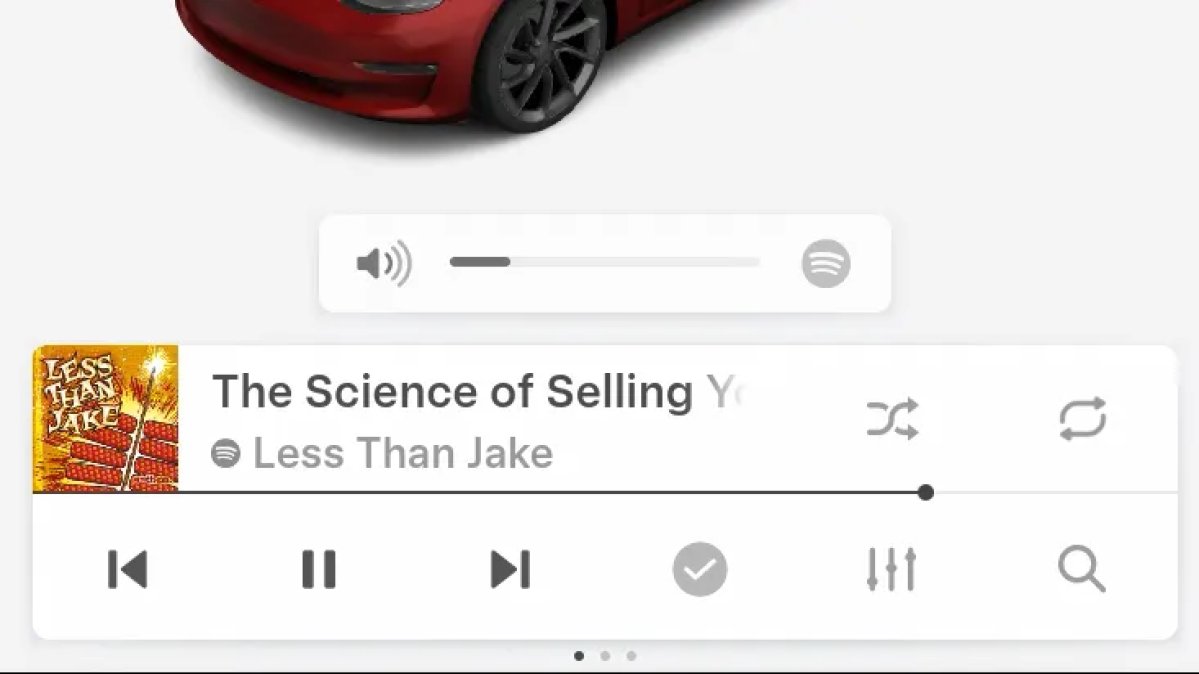
When adjusting the volume of an app, such as Spotify, the volume icon will now display the app's icon. While the navigation volume has always had its own icon and an independent volume setting, this change does not add app-dependent volume settings.
The same volume that’s used for Spotify will be used for YouTube and other apps. This icon simply makes it more obvious which volume is being changed.
Driver Profiles

Driver profiles are now also available in vehicle settings, rather than only in the Profiles icon in the status bar.
Users can navigate to Controls > Profiles to see the settings for all driver profiles.
Grok Settings

Grok settings are now also shown in the Audio section under Controls. These are the same settings available in the Grok app, but Tesla appears to be duplicating most of them under controls to make them easier to find.
Euro Semi Visualization

A new Autopilot/FSD visualization has been found in this update. The cab-over-engine style semi trucks often seen in Europe are now appearing in Autopilot visualizations with this update.
New 'All Apps' Icon

Tesla has updated the ‘All Apps’ icon displayed in the dock. Instead of an ellipsis inside of a rectangle, Tesla has now created a design that resembles iOS folders. The new design shows four apps inside the folder, but it’s not a static image.
The apps shown in the folder will change, presumably to show your most recent or most popular apps that aren't displayed in the dock.
Larger Dock Icons

To go along with the new ‘App Apps’ icon, Tesla has also increased the size of all icons in the dock. While the dock appears to remain the same size, the icons are now larger.
Animated Badges

Tesla models that have special badges, such as the Ludicrous badge on the Performance Model 3, are now animated in Software screen.
Upon navigating to the Software menu, the badge will play a short animation. You can also tap the badge to replay the animation.
New Creations Section

With the introduction of Photobooth, Tesla added a Photobooth section to the top level of the app that lets you view your saved photo sessions.
With the Spring Update and the update to the Sketchpad app for AMD Ryzen vehicles, Tesla is rebranding the Photobooth section to Creations, and it’ll now house Photobooth photos and sketches created in Sketchpad.
When you go into Creations, you’ll now have two tabs, one for Photobooth and one for Sketchpad, however, the features are similar. You’ll be able to view your saved creations and share them with others.
These creations are saved on your vehicle, not on Tesla’s servers, so when you open this section of the app, your vehicle will wake up and send the requested images.
Note: You’ll need vehicle update 2026.14 and an AMD Ryzen vehicle in order to see this new Creations section in the app.
Service Mode Improvements

New Service Mode Plus Authentication QR Code for Independent
Independent repairers can now quickly authenticate for Service Mode Plus by scanning a QR code displayed on the vehicle with a mobile device and logging in with their Toolbox credentials.
Models: All vehicles
Blinking DTC indicator added to the bottom banner
A Diagnostic Trouble Code (DTC) indicator has been added next to the Vehicle Identification Number (VIN) on the bottom Service Mode banner. The indicator is visible when DCs are present on the vehicle.
Models: All vehicles
Noise Recording Panel Updates (Service Mode Plus)
The Noise Recording panel now supports Active Noise Cancellation (ANC microphone recording. When ANC mode is enabled, the panel displays ANC microphone locations and extends the recording duration to 3 minutes.
Models: Model S (2021+), Model X (2021+), Cybertruck
Vehicle Functions Panel Added to Service Mode
The Vehicle Functions panel is now available on Service Mode. It shows an overview of degraded vehicle functions and their associated set alerts. Full functionality including more detailed functions, historical view and advanced controls are still only available on Service Mode Plus.
Models: Model 3, Model Y
New Bluetooth Panel
A new Bluetooth panel is available under Infotainment to support Bluetooth system diagnosis. The panel displays the status of both the main and rear Bluetooth modules (if rear Bluetooth is available on the vehicle), including connection states, signal strength with health indicators, and connected device information.
Models: Model S (2021+), Model 3, Model X (2021+), Model Y, Cybertruck











