


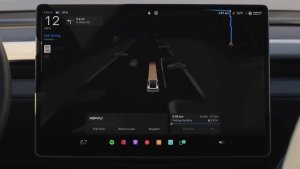


App für Selbstständiges Fahren

Mit der neuen App für Selbstständiges Fahren können Sie mit nur einem Tippen abonnieren, Informationen zum Aktivieren und Verwenden der Funktion erhalten sowie laufende Statistiken einsehen.
Zum Öffnen gehen Sie zu App Launcher > Selbstständiges Fahren.
Geschätzte Mautgebühren

Ihre Navigation zeigt Ihnen jetzt die geschätzten Mautgebühren für jede Route an, einschließlich reduzierter Tarife für Elektrofahrzeuge (sofern zutreffend). Diese Funktion erfordert Online Routenplanung. Gehen Sie zu „Fahrzeug“ > „Navigation“ > „Online Routenplanung“, um die Funktion zu aktivieren.
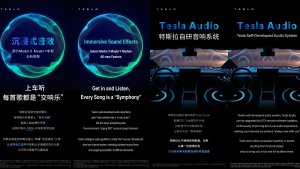
Authentisches Klangumfeld-Upgrade

Premium Authentisches Klangumfeld nutzt Klangextraktion für eine detaillierte Tonwiedergabe in einem authentischen Klangumfeld. Diese Verbesserung funktioniert mit allen Streaming-Quellen.
Gehen Sie zu Einstellungen > Audio > Klang > Authentisches Klangumfeld, um Anpassungen vorzunehmen.
Fond-Touchscreen

Passagiere auf den Rücksitzen können jetzt Karten auf dem Fond-Touchscreen ansehen und damit interagieren, während Ihr Tesla eine Route navigiert. Tippen Sie auf das Kartensymbol auf dem Fond-Touchscreen, um die Route mitzuverfolgen.
„Hey Grok“

Sagen Sie „Hey Grok“, um Grok zu starten. Gehen Sie zu Grok > Einstellungen, um die Funktion zu aktivieren. Sie können auch standortbasierte Erinnerungen einstellen, wie zum Beispiel: „Erinnere mich daran, Milch zu holen, wenn ich in der Nähe von zu Hause bin.“ Sagen Sie „goodbye“, um zu schließen.
Haustier-Modus

Um Ihr Haustier auszuwählen und ihm einen Namen zu geben, gehen Sie zu Fahrzeug > Display > Haustier-Modus anpassen.
Lackiererei

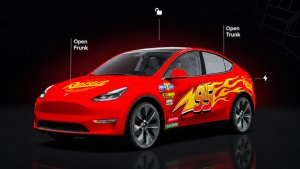
Personalisieren Sie Ihren Tesla-Avatar mit Scheibentönungen, benutzerdefinierten Folierungen und Kennzeichen. Verwenden Sie eine der vielen vorinstallierten Konfigurationen oder erstellen Sie eine eigene und laden Sie Ihre eigene Konfiguration über einen USB-Stick hoch, um Ihr Fahrzeug einzigartig zu machen. Gehen Sie zu App Launcher > Spielekiste > Lackiererei oder tippen Sie auf die Farben- oder Kennzeichen-Schaltfläche in Fahrzeug > Software.
Visuelle Updates

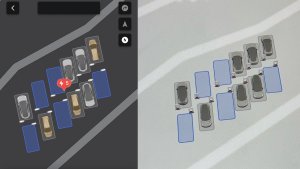
Das zentrale Display zeigt ab jetzt höherwertige Bilder Ihres Tesla sowie eine verbesserte Darstellung der Umgebung im Parkmodus.
Trips

Trips befinden sich jetzt in der Energie-App, wo Sie mehrere Trips erstellen und verwalten können, um den Energieverbrauch bei verschiedenen Fahrten, Routen oder Bedingungen zu protokollieren. Gehen Sie zu App Launcher > Energie > Trips. Für schnellen Zugriff auf die Trips-Karte wischen Sie auf der Medien-Karte nach links.
SketchPad

Lassen Sie Ihrem inneren Künstler mit dem verbesserten SketchPad freien Lauf, der jetzt Sticker und Emojis unterstützt. Speichern Sie Ihre Skizzen, um über die Mobile App darauf zuzugreifen und sie zu teilen. Benötigt Mobile App Version 4.55.6 oder neuer.
Totwinkelwarnung über Akzentbeleuchtung

Die Akzentbeleuchtung leuchtet jetzt rot auf, wenn sich ein Objekt in Ihrem toten Winkel befindet und Ihr Blinker eingeschaltet ist, oder wenn ein sich näherndes Objekt erkannt wird, während das Fahrzeug geparkt ist. Zum Deaktivieren gehen Sie zu Fahrzeug > Beleuchtung > Totwinkelwarnung über Akzentbeleuchtung.
Ton bei grüner Ampel

Ein Ton erklingt, wenn die Ampel, an der Sie warten, auf Grün schaltet. Falls Sie hinter einem anderen Fahrzeug warten, hören Sie einen Ton, sobald dieses Fahrzeug weiterfährt, außer wenn der Abstandsgeschwindigkeitsregler oder der Lenkassistent aktiv ist. Der Ton dient lediglich als Hinweis. Zur Aktivierung gehen Sie zu Fahrzeug > Selbstständiges Fahren > Akustischer Hinweis bei grüner Ampel.
Live-Kameraansicht

Sie können jetzt den Innenraum Ihres Tesla aus der Ferne einsehen. Zum Aktivieren gehen Sie zu Fahrzeug > Sicherheit > Live-Kamera über Mobile App anzeigen. Die Live-Kamera ist verschlüsselt und für Tesla nicht zugänglich. Die Funktion erfordert Premium-Konnektivität und die Tesla Mobile App Version 4.55.6 oder höher.
Warteschlangenfunktion der Musik-App

Wischen Sie bei Titeln in Apple Music oder Spotify nach rechts, um sie der Warteschlange hinzuzufügen. In Apple Music: tippen Sie auf einen Track und halten Sie ihn, um ihn zu den Favoriten hinzuzufügen oder daraus zu entfernen. In Spotify: wischen Sie nach links, um Titel zu den Lieblingssongs hinzuzufügen oder daraus zu entfernen.
Automatische Software-Updates

Ihr Tesla kann jetzt heruntergeladene Software-Updates automatisch über Nacht installieren. Wenn aktiviert, werden Updates installiert, während Ihr Tesla geparkt ist und nicht verwendet wird, damit Sie immer die neuesten Funktionen und Verbesserungen erhalten.
Zum Aktivieren gehen Sie zu Fahrzeug > Software > Updates automatisch installieren.
Updates der Dashcam-Anzeige

Die letzten Dashcam-Aufnahmen können sich jetzt auf bis zu 24 Stunden erstrecken, und Sie können jeden beliebigen Clip dauerhaft auf Ihrem Tesla oder auf Ihrem Telefon speichern, indem Sie zum App Launcher > Dashcam Viewer gehen. Um die Ansicht auf Ihrem Telefon zu aktivieren, gehen Sie zu Fahrzeug > Sicherheit und schalten Sie „Kamera in der Mobile App anzeigen“ ein. Clips bleiben im Fahrzeug und werden niemals an Tesla weitergegeben.
Auf Ihr Telefon heruntergeladene Videoclips enthalten nun Details wie Geschwindigkeit, Lenkwinkel und Status von Selbstständiges Fahren. Downloads erfordern Premium-Konnektivität und die Mobile App Version 4.55.6 oder höher.
Updates der Dashcam-Anzeige
Sie können jeden beliebigen Clip aus den letzten Dashcam-Aufnahmen dauerhaft auf Ihrem Tesla oder auf Ihrem Telefon speichern, indem Sie zum App Launcher > Dashcam Viewer gehen. Um die Ansicht auf Ihrem Telefon zu aktivieren, gehen Sie zu Fahrzeug > Sicherheit und schalten Sie „Kamera in der Mobile App anzeigen“ ein. Clips bleiben im Fahrzeug und werden niemals an Tesla weitergegeben.
Auf Ihr Telefon heruntergeladene Videoclips enthalten nun Details wie Geschwindigkeit, Lenkwinkel und Status von Selbstständiges Fahren. Downloads erfordern Premium-Konnektivität und die Mobile App Version 4.55.6 oder höher.
Verbesserungen der Wetterkarten

Wetterkarten stellen Schnee und Regen jetzt mit verbesserten Farben dar, was die Unterscheidung zwischen den Niederschlagsarten erleichtert. Sie können auch die Wetterdaten der letzten Stunde einsehen, um zu sehen, wie sich die Bedingungen entlang Ihrer Route geändert haben. Voraussetzung für diese Funktion ist Premium-Konnektivität. Zur Anzeige tippen Sie auf das Wetter-Symbol auf der Karte.
Supercharger-Preisfilter

Sie können nun auswählen, die Routenführung nur zu Superchargern mit Tesla-Preisen durchzuführen. Wenn aktiviert, vermeidet der Routenplaner Standorte, an denen Tesla keine Ladepreise festlegt oder keine Gutschriften für Gratis Supercharger-Nutzung akzeptiert. Diese Einstellung erfordert, dass Konnektivität verfügbar ist und die Online Routenplanung aktiviert ist.
Zum Aktivieren gehen Sie zu Fahrzeug > Navigation > Routenplaner-Einstellungen.
Tastatur

Ihre ausgewählte Tastatursprache legt auch die Sprache für die Diktierfunktion fest. Tippen Sie auf die Schaltfläche für die internationale Tastatur, um die Tastatur- und Diktatsprache zu ändern, ohne die Sprache der Sprachbefehlserkennung zu ändern. Tippen Sie auf das Mikrofonsymbol auf der Tastatur, um zu diktieren.
Sicherheit

Dieses Update enthält wichtige Sicherheitskorrekturen und Verbesserungen.
Cloud Profiles

Tesla cloud profiles now feature a new cloud icon to indicate they’re cloud profiles rather than local profiles stored only on the vehicle.
Amber Brake Lights

This update properly visualizes vehicles with amber brake lights. Some regions require turn signals to be orange/amber. Up until now, the visualization has only displayed turn signals in red, but with this update, Tesla now properly displays amber turn signals for the appropriate vehicles.
The Unreal Engine brings drastic improvements to lighting in the visualization, making the brake lights much more noticeable as they reflect on the ground.
Parental Controls Improvement
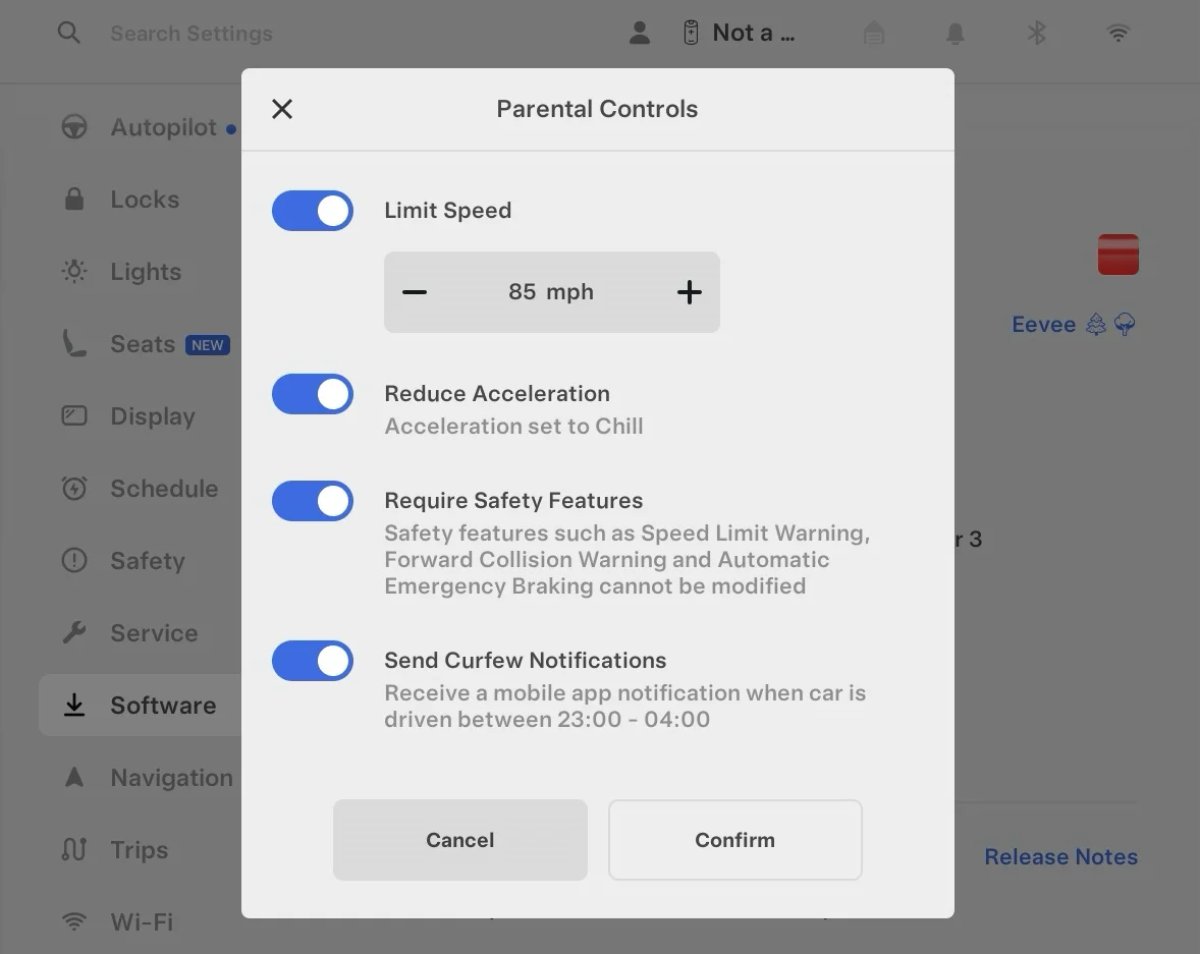
Tesla’s parental controls are designed to keep new drivers safe by limiting access to certain features. Parents can reduce the vehicle’s acceleration, limit the top speed, and prevent safety features from being turned off.
With this update, Tesla is adding another improvement to Parental Controls for Performance vehicles. Track Mode is now restricted when you enable Require Safety Features, preventing teens from manipulating the vehicle's handling, braking, and more.
Require Safety Features prevents these features from being turned off:
Automatic Emergency Braking
Obstacle-Aware Acceleration
Automatic Blind Spot Camera
Blind Spot Collision Warning Chime
Automatic 911 Call (US only)
Allow Mobile Access
Park Assist Chimes
It also prevents these settings from being changed:
Track Mode is disabled
Lane Departure Avoidance is set to Assist
Speed Limit Warning set to Chime
Speed Limit set to relative
Offset set to +5 mph (8 km/h)
Forward Collision Warning set to Early
Increased Attention Monitoring Alert

Tesla has added a new camera visibility alert with this update. What’s most interesting about this alert is that Tesla states that the poor camera visibility is resulting in increased attention monitoring.
Grok Turns Off After Inactivity

With the introduction of the "Hey Grok" wake word, Tesla has changed the way Grok behaves. Previously, once Grok was triggered, it would remain active indefinitely, staying in a constant listening state.
Now, in order to turn off accidental activations and minimize background processing, Grok will automatically dismiss itself after approximately 15 seconds of inactivity.
This behavior applies regardless of whether you triggered the assistant using the new voice wake word or the physical steering wheel button. For those who prefer to close the interface manually, you can still use natural language dismissal commands; simply saying "goodbye" or "talk to you later" will instantly close Grok.
h/t: @Deandawiz
Grok Favorites

The integrated Grok assistant now has access to your vehicle’s saved favorites. Grok can now "see" and interpret the custom labels you have assigned to your saved locations.
For example, if you have an address saved as "Kim’s parents," you can simply say, "Hey Grok, navigate to “Kim’s parents," and the system will immediately pull the correct address from your list of favorites.
h/t: @NickScheber
Advanced Software Updates

Tesla has updated the Software Update Preference setting under the Software menu.
Previously, the software update preference was a toggle between "Standard" and "Advanced." This has now changed into a simpler on/off toggle for "Advanced" updates.
By switching this to "On," you are opting in to receive the latest software releases as soon as they become available for your specific vehicle configuration and region. This could result in receiving updates with minor bugs or receiving updates more often.
If left "Off," your vehicle will wait for a wider release before installing updates.
Re-Order Trip Meters

You can reorder the new trip meters however you’d like. Simply tap and hold one to get it to jiggle, and then move it to a new location.
Additionally, you can also tap on the energy graph in the top-right corner to view a larger, more detailed version of it.
Chromium Browser Updated

Tesla has upgraded the browser in the vehicle. Tesla’s browser is based on the open-source Chromium browser, the same browser that powers Google’s Chrome browser.
The browser was updated to version 140, up from version 136.
This update to Chromium increases compatibility with modern web standards, improves WebGPU performance, and resolves known issues.
Save Recent Dashcam Videos

Tesla continues to make it easier to browse and save recent Dashcam clips. In the last update, Tesla made it easier to browse recent, non-saved Dashcam clips by listing them at the top of the Dashcam Viewer.
With this update, they’re now letting you save recent clips that are still on the USB drive, but not saved from being deleted.
Volume Icons
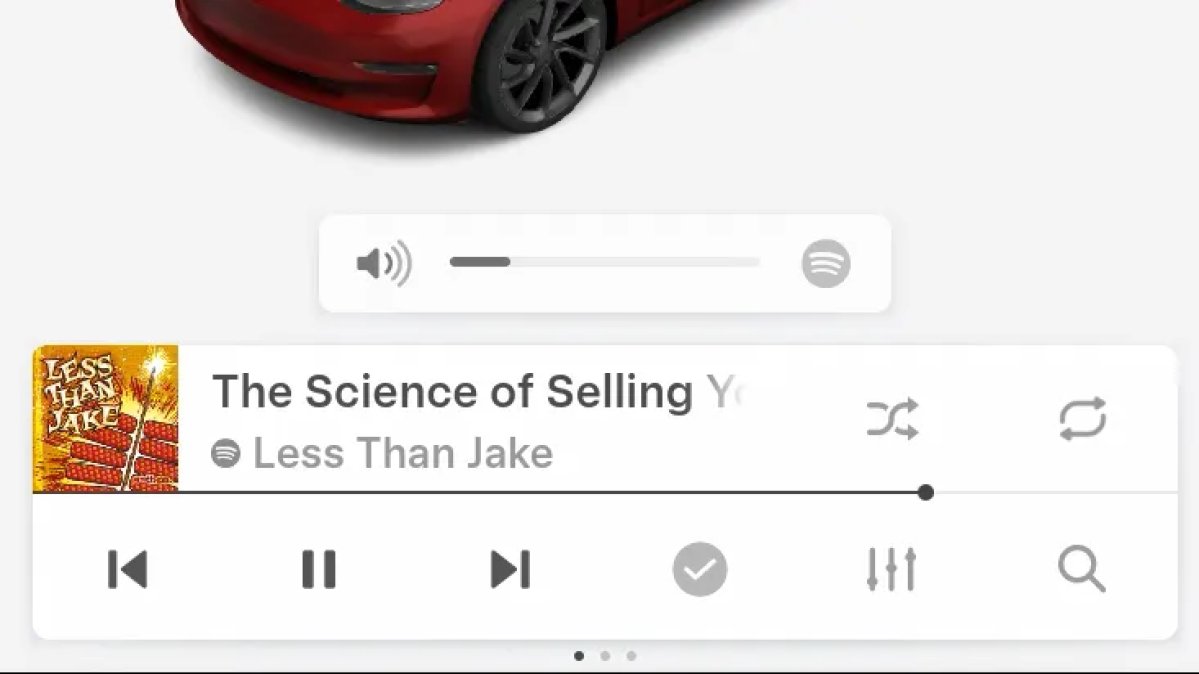
When adjusting the volume of an app, such as Spotify, the volume icon will now display the app's icon. While the navigation volume has always had its own icon and an independent volume setting, this change does not add app-dependent volume settings.
The same volume that’s used for Spotify will be used for YouTube and other apps. This icon simply makes it more obvious which volume is being changed.
Driver Profiles

Driver profiles are now also available in vehicle settings, rather than only in the Profiles icon in the status bar.
Users can navigate to Controls > Profiles to see the settings for all driver profiles.
Grok Settings

Grok settings are now also shown in the Audio section under Controls. These are the same settings available in the Grok app, but Tesla appears to be duplicating most of them under controls to make them easier to find.
Euro Semi Visualization

A new Autopilot/FSD visualization has been found in this update. The cab-over-engine style semi trucks often seen in Europe are now appearing in Autopilot visualizations with this update.
New 'All Apps' Icon

Tesla has updated the ‘All Apps’ icon displayed in the dock. Instead of an ellipsis inside of a rectangle, Tesla has now created a design that resembles iOS folders. The new design shows four apps inside the folder, but it’s not a static image.
The apps shown in the folder will change, presumably to show your most recent or most popular apps that aren't displayed in the dock.
Larger Dock Icons

To go along with the new ‘App Apps’ icon, Tesla has also increased the size of all icons in the dock. While the dock appears to remain the same size, the icons are now larger.
Animated Badges

Tesla models that have special badges, such as the Ludicrous badge on the Performance Model 3, are now animated in Software screen.
Upon navigating to the Software menu, the badge will play a short animation. You can also tap the badge to replay the animation.
New Creations Section

With the introduction of Photobooth, Tesla added a Photobooth section to the top level of the app that lets you view your saved photo sessions.
With the Spring Update and the update to the Sketchpad app for AMD Ryzen vehicles, Tesla is rebranding the Photobooth section to Creations, and it’ll now house Photobooth photos and sketches created in Sketchpad.
When you go into Creations, you’ll now have two tabs, one for Photobooth and one for Sketchpad, however, the features are similar. You’ll be able to view your saved creations and share them with others.
These creations are saved on your vehicle, not on Tesla’s servers, so when you open this section of the app, your vehicle will wake up and send the requested images.
Note: You’ll need vehicle update 2026.14 and an AMD Ryzen vehicle in order to see this new Creations section in the app.
Service Mode Improvements

New Service Mode Plus Authentication QR Code for Independent
Independent repairers can now quickly authenticate for Service Mode Plus by scanning a QR code displayed on the vehicle with a mobile device and logging in with their Toolbox credentials.
Models: All vehicles
Blinking DTC indicator added to the bottom banner
A Diagnostic Trouble Code (DTC) indicator has been added next to the Vehicle Identification Number (VIN) on the bottom Service Mode banner. The indicator is visible when DCs are present on the vehicle.
Models: All vehicles
Noise Recording Panel Updates (Service Mode Plus)
The Noise Recording panel now supports Active Noise Cancellation (ANC microphone recording. When ANC mode is enabled, the panel displays ANC microphone locations and extends the recording duration to 3 minutes.
Models: Model S (2021+), Model X (2021+), Cybertruck
Vehicle Functions Panel Added to Service Mode
The Vehicle Functions panel is now available on Service Mode. It shows an overview of degraded vehicle functions and their associated set alerts. Full functionality including more detailed functions, historical view and advanced controls are still only available on Service Mode Plus.
Models: Model 3, Model Y
New Bluetooth Panel
A new Bluetooth panel is available under Infotainment to support Bluetooth system diagnosis. The panel displays the status of both the main and rear Bluetooth modules (if rear Bluetooth is available on the vehicle), including connection states, signal strength with health indicators, and connected device information.
Models: Model S (2021+), Model 3, Model X (2021+), Model Y, Cybertruck











