
Update 2025.39.6 - Release Notes

Update Stats

Number of Cars

0

Percent of Fleet

0%

Installs Pending

0

Rollout Yesterday

0

Rollout Today

0

Tesla Videos

Details

FSD Version

FSD 13.2.9

Release Date

November 27, 2025

Recent News

Statistics Overview

Number of Cars
0
Percent of Fleet
0%
Installs Pending
0
Rollout Yesterday
0
Rollout Today
0

This update is specific to Australia and New Zealand. It brings the FSD branch in the region up to date with the latest features in update 2025.38.

FSD (Supervised) v13.2.9 Down Under

Tesla FSD (Supervised) v13.2.9 Down Under feature in update 2025.39.6
HW4
車型:
3
Y
HW4
此功能的描述目前僅提供英文版。

FSD (Supervised) v13 Down Under upgrades every part of the end-to-end driving network.

Includes:

- 36 Hz, full-resolution AI4 video inputs

- Native AI4 inputs and neural network architectures

- 4.2x data scaling

- 5x training compute scaling (enabled by the Cortex cluster)

- Reduced photon-to-control latency by 2x

- Integrated unpark, reverse, and park capabilities

- Improved reward predictions for collision avoidance

- Improved camera cleaning

- Redesigned controller for smoother, more accurate tracking

- Dynamic routing around road closures, which displays them along an affected route when they are detected by the fleet

Upcoming Improvements:

- 3x model size scaling

- 3x model context length scaling

- Audio inputs for better handling of emergency vehicles

- Improved reward predictions for navigation

- Improvements to false braking and slower driving in parking lots

- Support for destination options including pulling over, parking in a spot, driveway, or garage

- Efficient representation of maps and navigation inputs

- Improved handling of camera occlusions

Editorial note: These FSD release notes are almost identifical to the version available in North America, however, it omits the Speed Profiles bullet point, which in North America reads: "Speed Profiles on both City Streets and Highways"

Full Self-Driving (Supervised) Down Under

Tesla Full Self-Driving (Supervised) Down Under feature in update 2025.39.6
HW4
車型:
3
Y
HW4
此功能的描述目前僅提供英文版。

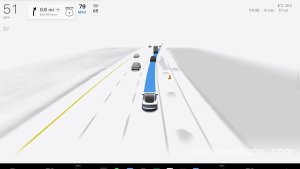
Under your supervision, Full Self-Driving (Supervised) Down Under can drive your Tesla almost anywhere. It will make lane changes, select forks to follow your navigation route, navigate around other vehicles and objects, and make left and right turns. You and anyone you authorise must use additional caution and remain attentive. It does not make your vehicle autonomous. Do not become complacent.

Full Self-Driving (Supervised) Down Under is enabled on your vehicle. To use the feature, press the right scroll wheel button once. You can disable Full Self-Driving (Supervised) Down Under in Autopilot Settings.

Be aware of road conditions or hazards (such as pot holes and speed bumps) and operate the vehicle responsibly under all circumstances.

Vision-Based Attention Monitoring

Tesla Vision-Based Attention Monitoring feature in update 2025.39.6
HW4
車型:
3
Y
HW4
此功能的描述目前僅提供英文版。

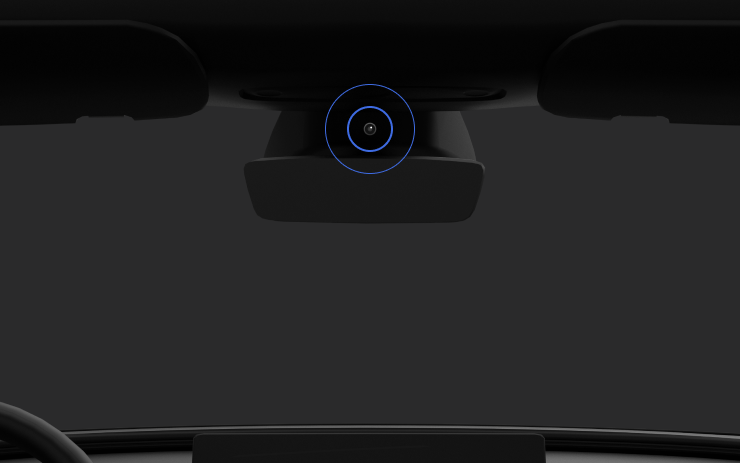
When Full Self-Driving (Supervised) is enabled, the driver monitoring system primarily relies on the cabin camera to determine driver attentiveness. Cabin camera must have clear visibility (e.g., camera is not occluded, eyes, arms, are visible, there is sufficient cabin illumination, and the driver is looking forward at the road). In other circumstances, the driver monitoring system will primarily rely on torque-based (steering wheel) monitoring to detect driver attentiveness.

If the cabin camera detects inattentiveness, a warning will appear. The warning can be dismissed by the driver immediately reverting their attention back to the road ahead. Warnings will escalate depending on the nature and frequency of detected inattentiveness, with continuous inattention leading to a Strikeout.

Tron Mode

Tesla Tron Mode feature in update 2025.39.6
全球可用
AMD Ryzen
車型:
New S
3
New X
Y
CT
AMD Ryzen
此功能的描述目前僅提供英文版。

Greetings Programs. Transform your vehicle into the Light Cycle.

Go to App Launcher > Toybox > Tron.

3D Buildings

Tesla 3D Buildings feature in update 2025.39.6
全球可用
AMD Ryzen
車型:
New S
3
New X
Y
CT
AMD Ryzen
此功能的描述目前僅提供英文版。

You can now see buildings and cityscapes in more detail with 3D view. To enable, switch to Map View and tap the 3D icon.

Requires Premium Connectivity.

Satellite View

Tesla Satellite View feature in update 2025.39.6
車型:
S
3
X
Y
CT
此功能的描述目前僅提供英文版。

You can now switch to satellite view by tapping the globe icon on the map.

Dashcam Viewer Updates

Tesla Dashcam Viewer Updates feature in update 2025.39.6
全球可用
車型:
New S
3
New X
Y
CT
此功能的描述目前僅提供英文版。

Street names are now included in dashcam event details (when available), making it easier to distinguish between recorded events. In addition, the Mobile Dashcam Viewer now streams and downloads at a higher resolution. Requires Tesla App version 4.49.5+.

Editorial note: Legacy Model S and Model X receive the street name details in Dashcam events, but it does not include the Mobile Dashcam Viewer.

Side Cameras Recording

Tesla Side Cameras Recording feature in update 2025.39.6
全球可用
車型:
CT
此功能的描述目前僅提供英文版。

Your vehicle's side cameras (B-Pillar) will now be recorded to both Dashcam and Sentry clips.

New Scroll Wheel Functions

Tesla New Scroll Wheel Functions feature in update 2025.39.6
全球可用
車型:
New S
3
New X
Y
CT
此功能的描述目前僅提供英文版。

Your left scroll wheel includes new options for quickly accessing various vehicle controls, such as Bioweapon Defense Mode, Mute Navigation, and Music Light Sync - if available in your vehicle.

Press and hold the left scroll wheel to open the menu.

Grok (Beta)

Tesla Grok (Beta) feature in update 2025.39.6
AMD Ryzen
車型:
New S
3
New X
Y
CT
AMD Ryzen
此功能的描述目前僅提供英文版。

You can now talk to Grok, an intelligent assistant built by xAI. Choose Grok's voice and personality, ranging from Storyteller to Unhinged. To launch, go to the App Launcher > Grok, or long-press the voice button on your steering wheel.

Requires Premium Connectivity or a Wi-Fi connection. Conversations are anonymous to Tesla and not associated with your vehicle.

Note: Grok is currently in Beta and does not issue commands to your car - existing voice commands remain unchanged.

Onboarding Guide

Tesla Onboarding Guide feature in update 2025.39.6
全球可用
車型:
New 3
New Y
此功能的描述目前僅提供英文版。

The Onboarding Guide helps you get familiar with your Tesla. It covers adjusting driver settings, using the touchscreen as well as controlling lights, wipers, and Autopilot features - among other functions.

Go to App launcher > Manual > Get To Know Your Tesla.

Minor Updates

Tesla Minor Updates feature in update 2025.39.6
全球可用
車型:
S
3
X
Y
CT
此功能的描述目前僅提供英文版。

- Street names are now included in dashcam event details (when available), making it easier to distinguish between recorded events.

- Apple Music provides an organized playlist view with folders, expanded artist pages and a Recently Played shelf that displays more of your listening history.

- You can log in to your media using a Tesla app notification for a faster, more seamless experience. (Not available for legacy Model S and Model X)

- You can now choose whether a phone key is required before a driver profile can be selected. Go to Driver Profile Settings > Require Phone Key for Profile. (Not available for legacy Model S and Model X)

- This update includes important security fixes and improvements.

Statistics Overview

Number of Cars
0
Percent of Fleet
0%
Installs Pending
0
Rollout Yesterday
0
Rollout Today
0

Details

FSD Version

FSD 13.2.9

Release Date

November 27, 2025