












![Tesla Driver in Mexico Makes His Model Y Fly [VIDEO]](/img/containers/article_images/2026/model-y-flying-accident-mexico.webp/c6f78372a6ed7ca93d8a0c61a905cd6b/model-y-flying-accident-mexico.jpg)



Visualization Update

Your vehicle will now display more objects on the screen, such as traffic lights, cones, and trash cans.
Voice Command Updates

You can now use Chinese voice commands to enable climate control with zone-specific settings. Additionally, voice commands now support multiple intents within a single query.
Cabin Camera

The cabin camera above your rearview mirror can now determine driver inattentiveness and provide you with audible alerts, to remind you to keep your attention on the road when Assisted Driving features are being used. Cabin Camera video do not leave the vehicle itself, which means the system cannot save or transmit information.
Voice Command Updates
You can now use voice commands to search for destinations along your navigation route or near a specific location. Additionally, voice control now supports adding waypoints, switching routes, and selecting route preferences.
Vohico

Try out Vohico, the new app that lets you browse Douyin videos and listen to Toutiao news with ease. Just log in with your Douyin account and enjoy entertainment anytime, anywhere.
Uppdatering av bilkamera och inspelning från sidokamera

Bilens sidokameror (B-stolpe) spelar nu in till både Bilkameraklipp och Vaktlägesklipp. Även appen Bilkameraspelare har uppdaterats med en rutnätsvy, vilket gör det enklare att komma åt och granska inspelningar.
Uppdatering av bilkameran

I Dashcam-appen kan du nu justera uppspelningshastigheten för mer flexibelt utseende. Du kan också välja om videon ska fylla skärmen eller behålla sin ursprungliga storlek.
När bilen är parkerad går du till Applikationsstartaren > Bilkamera.
Belysningssynkning

Upplev ljus och ljud i perfekt harmoni. Accentljus svarar nu på musik och anpassar sig i realtid till både ljud och omgivning för att ge en enhetlig visuell inverkan för olika genrer och ljusförhållanden.
För en ännu mer uppslukande upplevelse kan du också matcha belysningen efter albumets färg. Aktivera Rave Cave när bilen är parkerad för att förvandla kupén till din egen personliga nattklubb – med maximal ljusstyrka och full feststämning.
Gå till Applikationsstartaren > Leklåda > Ljussynkronisering.
Information om plats vid ankomst

För att förbättra upplevelsen av vid ankomst till stationen anger nya ikoner i laddarlistan nu platser som kräver bemannad service eller tillgång till betalning för att parkera. Vid ankomsten medföljer ett meddelande nyckelinformation som åtkomstkoder, parkeringsbegränsningar, information om nivå eller våning, och tillgänglighet för toaletter. Denna information finns även på platskortet.
Uppdatering av ljudinställningar

Anpassa ditt ljud med personliga förinställningar. Du kan skapa och spara flera förinställningar för att matcha dina lyssningsinställningar. Ljudinställningarna finns nu under Reglage > Ljud och kan även hittas med sökfunktionen Reglage.
Spara höjd för baklucka baserat på plats

Anpassa öppningshöjden på din baklucka och spara som standard eller för en specifik plats, till exempel ditt garage. Ställ in en höjd genom att pausa bakluckan på touchskärmen medan luckan rör sig. Du kan även ställa in önskad höjd manuellt och sedan trycka på bakluckans stängningsknapp tills du hör ett bekräftelseljud.
För att ställa in befintlig öppning av bakluckan till höjden i fabriksinställningarna eller för att rensa alla sparade platser går du till Reglage > Service > Ta bort sparade platser.
Signal för korsande trafik vid backning
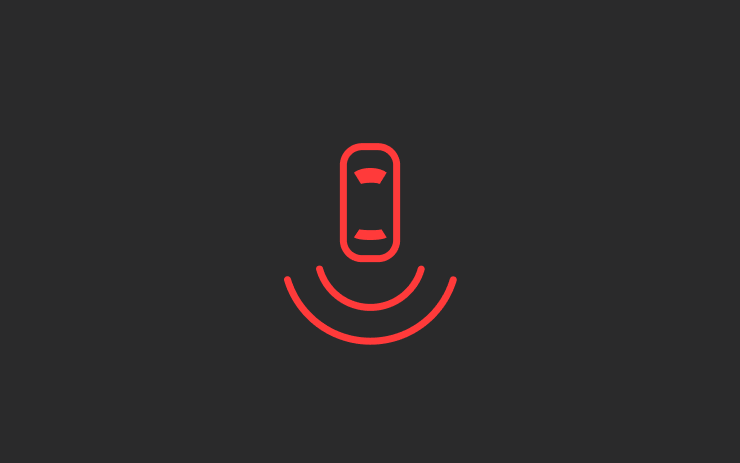
När du lägger i backen spelas ett varningsljud från riktningen av det inkommande objektet bakom dig, så som ett fordon eller fotgängare.
Gå till Reglage > Säkerhet > Ljudsignal för bakre korsande trafik.
Låt tillbehöret vara på

Använd eller ladda enheter genom lågspänningsuttagen och USB-portarna även när du har lämnat bilen, så länge batteriet är över 20 %.
När detta är aktiverat förblir dessa portar strömförsörjda även om du inte är närvarande och bilen inte används. Observera att detta kan öka fordonets strömförbrukning, även om ingen enhet är ansluten.
Gå till Reglage > Laddning > Behåll tillbehörsström på.
Minor Updates

- Media Player accounts (e.g. QQ Music) are now linked to your driver profile. Simply log into your media account while your driver profile is selected.
- This update includes important security fixes and improvements.
- Minor fixes and performance enhancements have been applied.
New Lock Alert

Tesla has added a new locking animation when you remotely lock your vehicle through the Tesla app or by walking away, and there’s still someone in the vehicle with a phone.
This new alert lets users inside the vehicle know that the vehicle can still be opened from the outside due to a phone key being nearby.
Mobile Access

Tesla’s mobile access option, found under Controls > Safety, can safely disable your vehicle from being controlled from Tesla’s mobile app. This removes the ability to control any aspects of the vehicle, including seeing the location, unlocking and starting the vehicle.
To disable mobile access, you previously had to provide the email associated with your Tesla account. You can now provide the email address or the phone number associated with your Tesla account.
Battery Health Test Removed

Tesla has removed its Battery Health Test feature from many, but not all, vehicles. Tesla’s Battery Health Test was initially added to Service Mode, but was later added to the vehicle’s main menus under Service — allowing more users to access it.
The test allows owners to see their vehicle’s battery degradation levels. While the tool under Controls and Service Mode are almost identical, the main menu version requires your vehicle to have less than a 20% state of charge before performing the test. It also only allows you to run the test once every six months to prevent further degradation from running the test too often.
It’s not clear why the feature has been removed at this time, even for vehicles that have never run the test, but the removal depends on your vehicle’s model, age, and potentially other factors.
Tow Limit Exceeded

In the latest software update, 2025.26, Tesla has added another new, undocumented feature that helps to improve the Cybertruck’s utility. When towing heavy objects, you need to be sure you balance the trailer and stay within the weight limits of the vehicle. Now, your Cybertruck can detect and warn you if the vehicle’s load rating is being exceeded.
Car Wash Mode Improvements

Car Wash Mode has been improved with this update. While Car Wash Mode will still close windows when it’s initially activated, it will now also continuously monitor your vehicle’s windows and warn you if any windows are opened during the car wash.
Service Mode Improvements

New Vehicle Functions Panel (Service Mode Plus)
A new Vehicle Functions panel with an overview of all vehicle functions, their limitations, and respective states (no conditions detected, degraded, or unavailable) is available. The panel enables users to understand the impact of conditions on affected vehicle functions and pinpoint the respective underlying alerts.
Note: This feature was added in update 2026.26.3 and is not available in prior 2025.26 updates.
Models: Model Y
New Seats Panel
A new Seats panel is available to support diagnosis for the front row seats. It adds the ability to view the location of the actuators, motor statuses, switch statuses, and run calibration routines.
Models: Model 3, Model Y
New Thermal Control Components (Service Mode Plus)
A new Control Components panel is available to support thermal Noise, Vibration, and Harshness (NVH) diagnosis. It adds the ability to individually control thermal components, set specific targets, and sweep across operating ranges with realtime feedback. It also includes a 3D static view of the heat pump, including the radiator, blower motor, louver, and pumps.
Models: Model S (2021+), Model 3, Model X (2021+), Model Y
Infotainment Panel Updates - Reboot Gateway and Infotainment (Service Mode Plus)
The ability to reboot the Gateway (GTW) and Infotainment system has been added to the Infotainment panel in Service Mode Plus. To access these new buttons, tap Infotainment > Actions.
Models: Model S (2021+), Model 3, Model X (2021+), Model Y, Cybertruck, SemiTruck
Infotainment Panel Updates - Touch Check Routine Relocation
The Touch Check routine has been moved to the Infotainment panel. To access it, tap Infotainment > Actions.
Models: All Vehicles
Refrigerant Panel Updates - Drain and Fill Routine
The Refrigerant panel has been updated to display the system pressure and highlight the current pressure values during the Drain and Fill routine. If the system pressure is too high (above 1.5 bar), a warning will be displayed until the pressure is reduced to an acceptable level. Make sure to maintain vehicle power and monitor the pressure in the Refrigerant panel while running the Drain and Fill routine.
Models: Model S (2021+), Model 3, Model X (2021+), Model Y, Cybertruck
Power Distribution Panel Updates - Hardware
The hardware protection self-test and battery capacity self-test has been added to the Power Distribution panel.
Models: Cybertruck
Power Distribution Panel Updates - Active Test Statuses
The status of the hardware protection self-test and battery capacity test is now displayed in the Power Distribution panel while the tests are actively running on the vehicle.
Models: Cybertruck
Sentry Mode With Ambient Lighting

The ambient light strips inside supported vehicles will now gently pulse red when Sentry Mode detects a threat and begins recording.

