






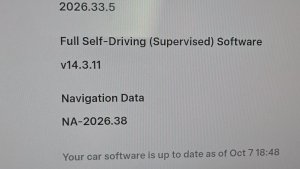


FSD (Supervised) v14.3.8

Full Self-Driving (Supervised) v14.3.8 includes:
- Upgraded the Reinforcement Learning (RL) stage of training the FSD neural network, resulting in improvements in a wide variety of driving scenarios.
- Upgraded the neural network vision encoder, improving understanding in rare and low-visibility scenarios, strengthening 3D geometry understanding, and expanding traffic sign understanding.
- Rewrote the AI compiler and runtime from the ground up with MLIR, resulting in 20% faster reaction time and improving model iteration speed.
- Mitigated unnecessary lane biasing and minor tailgating behaviors.
- Increased decisiveness of parking spot selection and maneuvering.
- Improved parking location pin prediction, now shown on a map with a P icon.
- Enhanced response to emergency vehicles, school buses, right-of-way violators, and other rare vehicles.
- Improved handling of small animals by focusing RL training on harder examples and adding rewards for better proactive safety.
- Improved traffic light handling at complex intersections with compound lights, curved roads, and yellow light stopping — driven by training on hard RL examples sourced from the Tesla fleet.
- Improved handling for rare and unusual objects extending, hanging, or leaning into the vehicle path by sourcing infrequent events from the fleet.
- Improved handling of temporary system degradations by maintaining control and automatically recovering without driver intervention, reducing unnecessary disengagements.
- Improved driver monitoring system sensitivity with better eye gaze tracking, eye wear handling, and higher accuracy in variable lighting conditions.
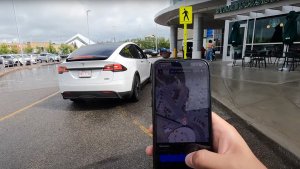
- Unified the model between Actually Smart Summon, FSD, and Robotaxi for more capable and reliable behavior.
- Help Tesla improve Self-Driving by selecting an intervention reason on the main screen after taking over.
- You can now see distance traveled in FSD (Supervised) without an intervention. The Self-Driving App will also show your longest intervention-free streak.
- Parking options now display on the map when arriving at your destination.
Upcoming Improvements:
- Expand reasoning to all behaviors beyond destination handling.
- Add pothole avoidance.
Full Self-Driving (Supervised)

Onder uw toezicht kunt u met Full Self-Driving (Supervised) vrijwel overal met uw Tesla rijden. Het start de auto vanuit geparkeerde positie, verandert van rijstrook, selecteert splitsingen om uw navigatieroute te volgen, navigeert om andere voertuigen en objecten heen, slaat links en rechts af en parkeert op uw bestemming. U, en iedereen die u toestemming geeft, moet extra voorzichtig zijn en alert blijven. Het maakt uw auto niet zelfrijdend. Word niet te nonchalant.
Full Self-Driving (Supervised) is ingeschakeld voor uw auto. Druk op de knop Self-Driving starten in de gebruikersinterface of druk eenmaal op de rechter scrollwielknop om de functie te gebruiken. U kunt Full Self-Driving (Supervised) uitschakelen in de Autopilot-instellingen.
FSD (Supervised) v14.1 Lite

FSD (Supervised) v14.1 Lite includes:
- Distilled the intelligence from HW4 V14 into HW3. This allows HW3 to directly learn how to handle scenarios using HW4 V14 as a guide. This process unlocks the improvements that have been made to HW4 including Reinforcement Learning (RL) and offline models for HW3.
- Improved both proactive and reactive responsiveness across a wide variety of categories including navigation handling, merges and forks, pedestrian interactions, traffic lights, and vehicle cut-in scenarios.
- Improved general comfort in nominal scenarios through fewer false slowdowns, smoother steering and more consistent lane centering.
- Introduced parking, unparking, and reversing capabilities.
- Added Arrival Options for you to select where FSD should pull over or park: in a Parking Lot, on the Street, in a Driveway.
- Speed Profiles are now available at all times, to further customize driving style preference.
Self-Driving starten vanuit stand P

Er verschijnt een knop op het scherm wanneer aan de bestuurdersvereisten is voldaan. Bestuurdersvereisten omvatten (maar zijn niet beperkt tot):
- De bestuurder zit op de bestuurdersstoel
- De bestuurder heeft de gordel om
- De Interieurcamera is niet geblokkeerd
Rembevestiging vereist dat de bestuurder het rempedaal indrukt en loslaat voordat FSD (Supervised) kan worden geactiveerd. Als Rembevestiging is uitgeschakeld, kunt u door op de knop te drukken Self-Driving laten remmen en FSD (Supervised) inschakelen. Als niet aan de vereisten voor bestuurdersdetectie wordt voldaan of als FSD (Supervised) geen bestuurder detecteert, moet u het rempedaal intrappen en loslaten om te bevestigen. U kunt Rembevestiging inschakelen in Self-Driving > Rembevestiging.
Deze functie maakt uw voertuig niet zelfrijdend. U moet blijven opletten en op elk moment klaar zijn om de besturing over te nemen. Alleen een geautoriseerde bestuurder met rijbewijs mag toestemming krijgen om achter het stuur plaats te nemen wanneer het voertuig niet in de Theater- of Arcade-modus staat.
Aankomstopties

- U kunt nu een aankomstoptie selecteren, zoals Parkeerterrein, Straat, Oprit en Verlaat de weg om u af te zetten in Robotaxi-stijl.
- Uw voorkeuren voor aankomstopties en voorkeursparkeerposities worden bewaard voor elke bestemming.
Snelheidsprofielen

FSD (Supervised) bepaalt nu de juiste snelheid op basis van een combinatie van bestuurdersprofiel, de snelheidslimiet en het omringende verkeer.
- Nieuw snelheidsprofiel LUIAARD, met lagere snelheden en een meer behoudende rijstrookselectie dan CHILL.
- Bestuurdersprofiel heeft nu sterkere invloed op het rijgedrag. Hoe assertiever het profiel, hoe hoger de maximumsnelheid.
- Met het rechter scrollwieltje omhoog/omlaag past u nu de instelling van het Snelheidsprofiel aan in plaats van de exacte marge maximale snelheid te selecteren in mph/km/u.
Verbeteringen van gebruikersinterface

Pas instellingen zoals Snelheidsprofiel en Aankomstopties rechtstreeks aan vanuit de Self-Driving-visualisatie op het middendisplay.
Statistieken Self-Driving

U kunt nu Self-Driving-statistieken bekijken en delen vanaf uw telefoon. Ga naar Mobiele app > Self-Driving. Vereist versie 4.59.0 of hoger van de mobiele app.
Zomerupdate

Veeg omhoog om uw nieuwe functies in de zomerupdate van 2026 te bekijken.
Geschat bereik
De geschatte actieradius bevat nu extra kenmerken die verband houden met de veroudering van de batterij na verloop van tijd.
Voorkeursroutes
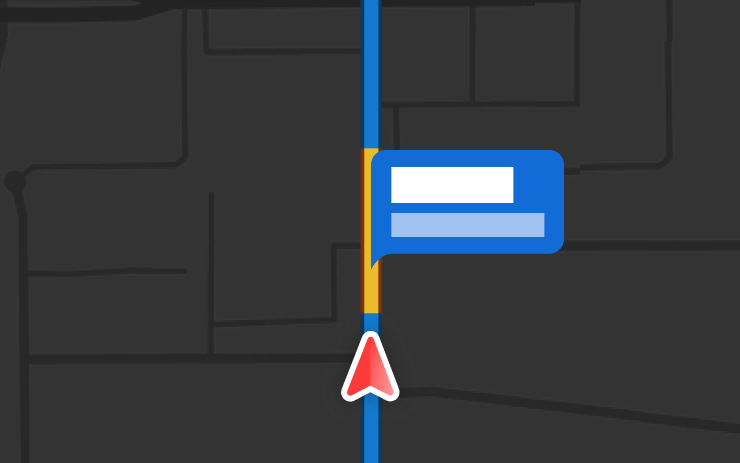
Navigatie geeft nu voorrang aan routes die u eerder hebt genomen. Actuele verkeersinformatie moet worden ingeschakeld via Bediening > Navigatie > Actuele verkeersinformatie. Locatiegegevens zijn anoniem voor Tesla en niet gekoppeld aan uw voertuig.
Automatische navigatie
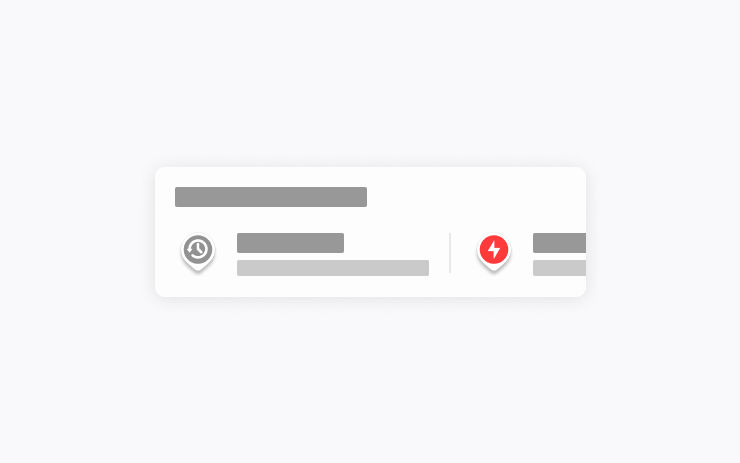
Automatische navigatie past zich nu aan uw routine aan. Naast Thuis, Werk en aankomende agenda-afspraken kan uw voertuig nu plaatsen die u regelmatig bezoekt voorstellen en er een route naartoe plannen, zoals het afzetten bij school op weg naar uw werk, of de sportschool op weg naar huis.
Ga naar Bediening > Navigatie > Automatische navigatie om dit in te schakelen. Locatiegegevens zijn anoniem voor Tesla en niet gekoppeld aan uw voertuig.
Grok-opdrachten
Grok kan nu telefoongesprekken voeren, muziek afspelen, climate control aanpassen en in het bedieningspaneel zoeken. Vraag Grok naar uw Tesla of wat er is inbegrepen in uw meest recente software-update.
Ga naar Grok > Instellingen om "Hey Grok" en locatiegebaseerde herinneringen in of uit te schakelen. Premium Connectivity of een actieve wifiverbinding is vereist. Gesprekken zijn anoniem voor Tesla en niet gekoppeld aan uw voertuig.
Tractiecontrolemodi
Kies uit drie vernieuwde tractiecontrolemodi: Auto voor normale rijomstandigheden, Gladde ondergrond voor gladde of natte wegen, of Stuck Assist wanneer u vastzit in sneeuw, modder of zand. De modus wordt aan het begin van elke rit teruggezet naar Auto. Ga naar Bediening > Dynamiek > Tractiecontrolemodus om te selecteren.
Caraoke met scores
Caraoke beoordeelt nu uw zang in de parkeerstand. Verdien sterren en houd uw topscores bij op het tabblad Mijn karaoke. Op het display achter tikt u op de wachtrijknop om een QR-code weer te geven die passagiers met hun telefoon kunnen scannen om nummers aan de wachtrij toe te voegen. Premium Connectivity vereist.
Rijvisualisatie

Pas uw zoomvoorkeur voor Self-Driving aan. Selecteer het gewenste zoomniveau in Bediening > Self-Driving > Visualisatie camerazoom.
Flitsers op de route
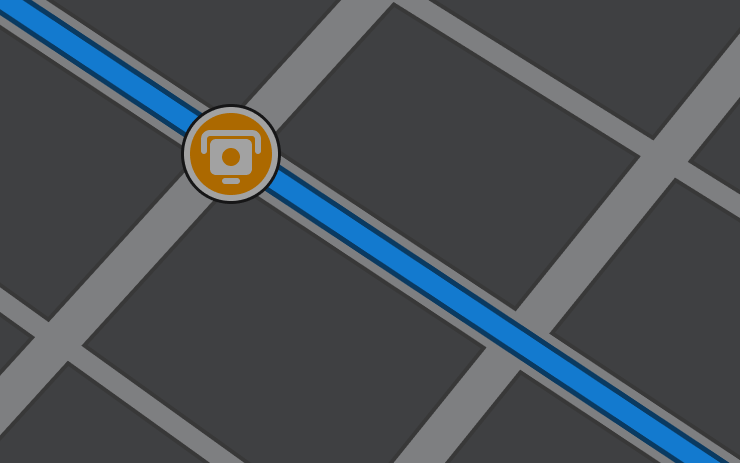
Navigatie heeft nu symbolen langs uw route om flitsers weer te geven.
Actuele verkeersinformatie moet worden ingeschakeld via Bediening > Navigatie > Actuele verkeersinformatie. Premium Connectivity vereist.
Aangepaste wraps
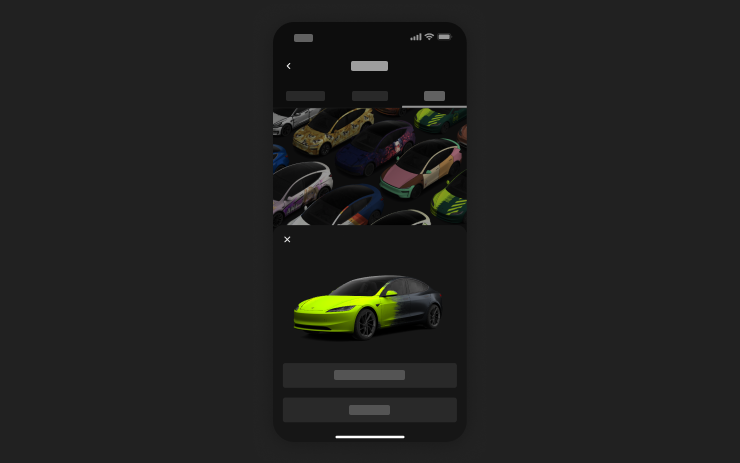
Gebruik de mobiele app om aangepaste wrap-ontwerpen vanuit afbeeldingen op uw telefoon te uploaden en rechtstreeks naar uw Tesla te sturen. Ga naar Creaties > Wrap > Uploaden. Vereist versie 4.59.0 of hoger van de mobiele app.
Voor toegang in de auto gaat u naar App Launcher > Toybox > Lakstraat.
Cameravoorbeeld
U kunt Camera Preview nu op elk moment openen, zelfs als uw Tesla niet in de parkeerstand staat.
Ga naar Bediening > Service > Cameravoorbeeld en tik op een camerabeeld om het afzonderlijk te bekijken. Tik op de rasterknop om terug te schakelen naar alle camera's.
Energie aankomst instellen
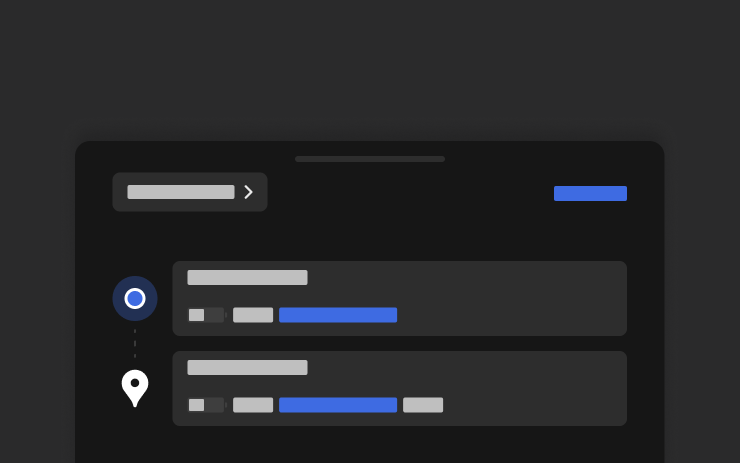
Stel de gewenste Energie bij aankomst voor de rit in op uw telefoon. Voer vanaf het tabblad Locatie in de mobiele Tesla-app uw bestemming in en tik op Energie bij aankomst instellen. Vereist versie 4.58.0 of hoger van de mobiele app.
Apple Music
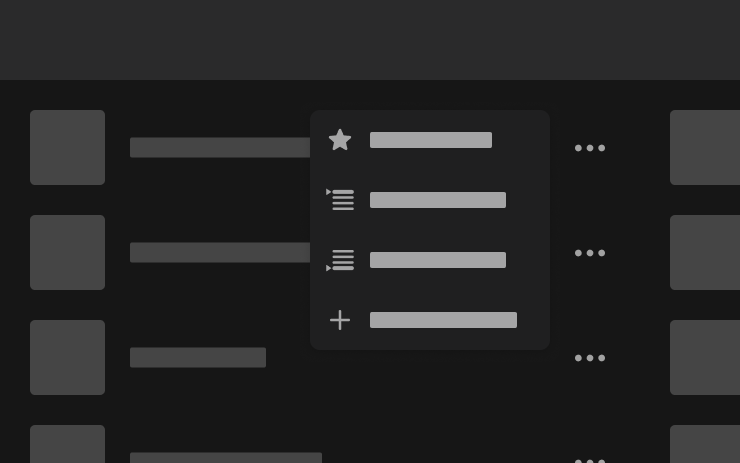
Voeg nummers direct vanaf zoekresultaten en artiestenpagina's toe aan uw Apple Music-wachtrij. Tik op een nummer en houd het ingedrukt, of tik op de drie stippen om het nummer als volgende af te spelen, aan de wachtrij toe te voegen, op te slaan in uw bibliotheek of als favoriet te markeren. Vereist een actief Apple Music-abonnement.
Webbrowser
U kunt nu de interieurcamera en -microfoon van uw Tesla gebruiken in de webbrowser. Tik om toestemming te verlenen wanneer een website om toegang vraagt. De camera is alleen beschikbaar wanneer de auto geparkeerd staat.
Supercharger zoeken
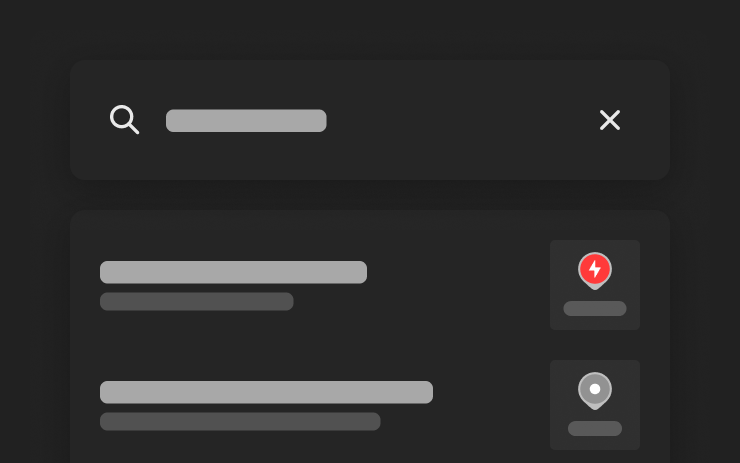
U kunt nu Superchargers op naam zoeken wanneer u naar een bestemming zoekt.
Welkomstanimatie
Uw Tesla verwelkomt u nu met animaties bij het inschakelen. Om dit uit te schakelen, gaat u naar Bediening > Scherm > Welkomstanimatie.
Display achter
Schakel de bediening van het touchscreen achter vanaf het middendisplay uit via App Launcher > Achter > Vergrendel achterdisplay. De content die via het middendisplay wordt geselecteerd, blijft achterin afspelen.
"Hé Grok"

U kunt nu praten met Grok, een intelligente assistent ontwikkeld door xAI. Om Grok te starten, gaat u naar App Launcher > Grok, houdt u de spraakknop op uw stuurwiel ingedrukt of zegt u "Hey Grok." Zeg "goodbye" om af te sluiten.
Kies de stem en persoonlijkheid van Grok, variërend van Verteller tot Losgeslagen, of stel hem in als Assistent om navigatiebestemmingen toe te voegen en te bewerken, telefoongesprekken te voeren, muziek af te spelen, de climate control aan te passen en in het bedieningspaneel te zoeken. Vraag Grok naar uw Tesla of wat er is inbegrepen in uw meest recente software-update. U kunt ook herinneringen op basis van locatie instellen, zoals "herinner me eraan om melk te halen als ik bijna thuis ben."
Ga naar Grok > Instellingen om "Hey Grok" en locatiegebaseerde herinneringen in of uit te schakelen.
Premium Connectivity of een actieve wifiverbinding is vereist. Gesprekken zijn anoniem voor Tesla en niet gekoppeld aan uw voertuig.
Verbeteringen van beveiliging

Deze update bevat belangrijke beveiligingsoplossingen en -verbeteringen.
New Tesla Wraps

Tesla has added a couple new wraps to its digital vehicle wrap feature in this update. This includes the Summer Camp wrap that Tesla advertised with the 2026 Summer Update.
Shift Icon on Instrument Cluster
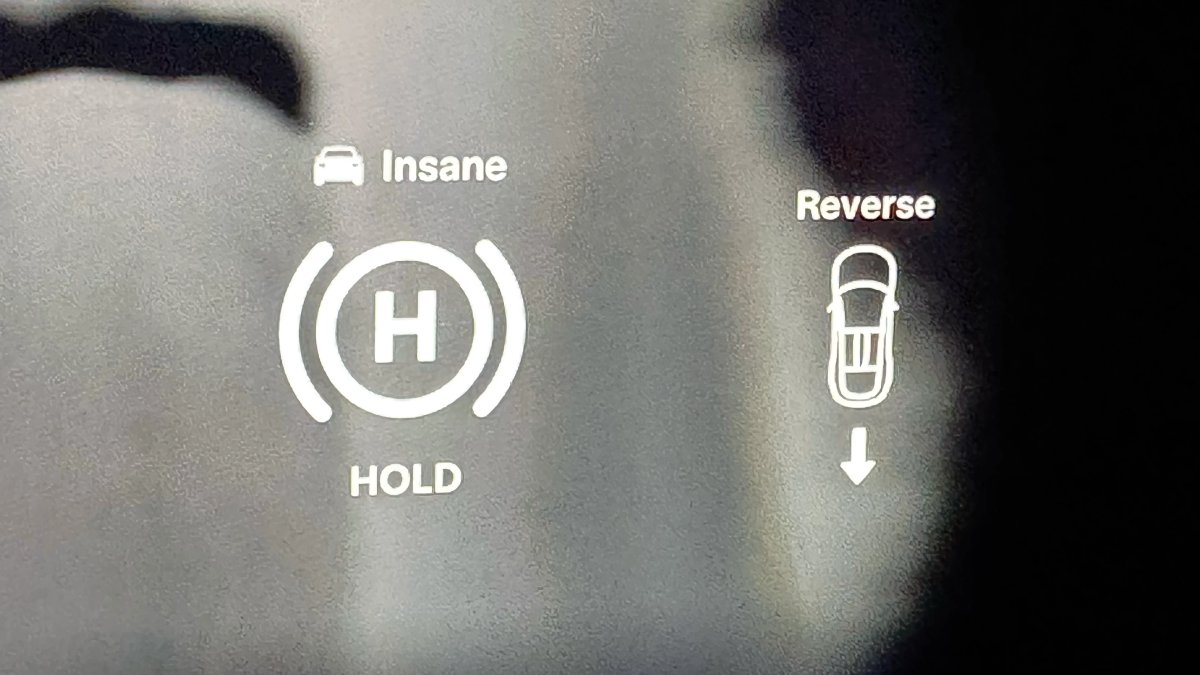
The instrument cluster on the Model S and Model X will now show an icon when you shift into drive or reverse, making it more obvious that the vehicle has shifted.
Destination Icons
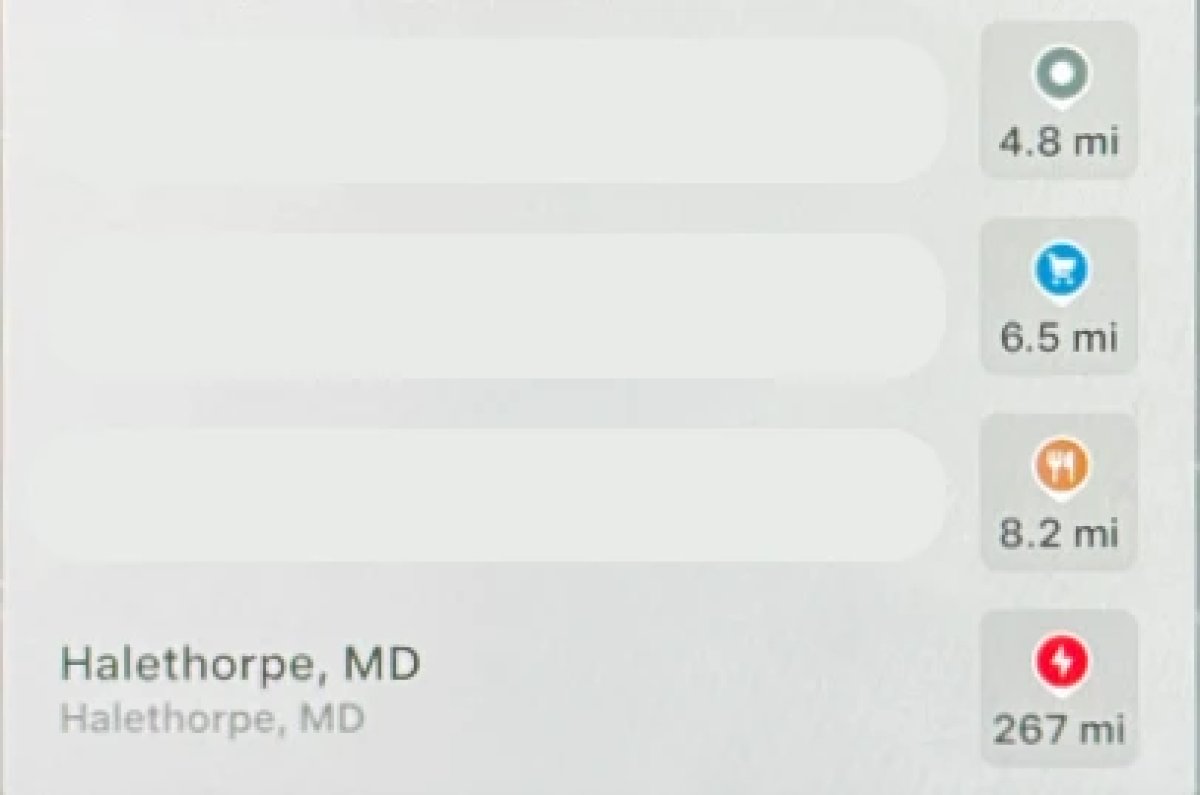
With the exception of Superchargers, destination icones used to all be the same color. With this update, destination icons will now appear in their own unique category color category points of interest now have their own colored icon. For example, parks will be green, restaurants will be orange and stores will be blue
Rear Screen Lyrics Removed

Tesla’s Caraoke feature, which lets passengers sing along to popular songs has been updated in this update. However, one popular feature has been removed. The rear screen in supported vehicles no longer shows lyrics when a user is using Caraoke.
Instead users will now now have to use their mobile devices to see lyrics on their phone, which was a feature added in this update.
Browser Bookmark Sync

Your web browser bookmarks are now synced along with your Tesla data, meaning that they’re now available across all of your vehicles.
Web Browser Zoom

The browser zoom level has been increased to make content appear larger. On some sites, such as X, or YouTube, this could trigger a different viewport, causing the site to look more like the tablet or mobile version.
While the Tesla browser is based on Chromium, you can't manually adjust the zoom level.
Visualization Zoom Shortcut

You can change the new visualization zoom level while driving. A small magnifying glass icon appears near the top-right of the visualization and can be tapped to change the zoom level to 0.5x, 1x, or 2x.
If you’re using full-screen visualizations, then the magnifying glass icon appears in the bottom-left corner.
Grok Voice Improvements

Grok now uses Grok Voice Think Fast 2.0. Grok Voice is Grok’s speech-to-speech engine that helps it better understand an individual’s voice and tone, rather than just converting their voice to text.
This engine also improves Grok’s speech output as well, making it behave more like a human’s voice.
Grok Highlights Menus

When you use Grok to bring up a feature or option in settings, Grok will now highlight the area in pulsating blue.
Improved Lighting in Visualization

In update 2026.14, Tesla improved vehicle visualizations by switching to Unreal Engine to render vehicle models. However, some of the colors and lighting looked off.
With this update, Tesla has tweaked the lighting effects, making the vehicle colors more accurate.
Rear Spoiler Visualization

On the Model Y Performance, Tesla has added the vehicle’s spoiler back to the in-car visualization.
Service Mode Improvements

Service Mode Update - Customer Profile Isolation
Entering Service Mode now activates a default profile to isolate customer data, helping to prevent technicians from inadvertently accessing customer media accounts or modifying customer settings during service.
Models: All
Signal Viewer Panel Updates (Service Mode Plus)
The Signal Viewer panel now supports viewing multiple CAN signals on the same chart for easier comparison and analysis. Signals can be dragged between charts to group related data, moved to an empty space to create a new chart, or reordered by dragging chart cards. Charts can also be paused to inspect specific values and resumed to continue live streaming.
Models: Model 3 and Model Y with AMD Ryzen infotainment processor, Model S (2021+), Model X (2021+), Cybertruck

