










FSD (Supervised) v14.3.6

Full Self-Driving (Supervised) v14.3.6 includes:
- Upgraded the Reinforcement Learning (RL) stage of training the FSD neural network, resulting in improvements in a wide variety of driving scenarios.
- Upgraded the neural network vision encoder, improving understanding in rare and low-visibility scenarios, strengthening 3D geometry understanding, and expanding traffic sign understanding.
- Rewrote the AI compiler and runtime from the ground up with MLIR, resulting in 20% faster reaction time and improving model iteration speed.
- Mitigated unnecessary lane biasing and minor tailgating behaviors.
- Increased decisiveness of parking spot selection and maneuvering.
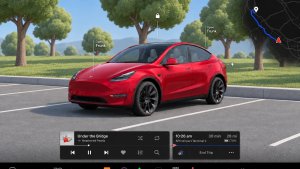
- Improved parking location pin prediction, now shown on a map with a P icon.
- Enhanced response to emergency vehicles, school buses, right-of-way violators, and other rare vehicles.
- Improved handling of small animals by focusing RL training on harder examples and adding rewards for better proactive safety.
- Improved traffic light handling at complex intersections with compound lights, curved roads, and yellow light stopping — driven by training on hard RL examples sourced from the Tesla fleet.
- Improved handling for rare and unusual objects extending, hanging, or leaning into the vehicle path by sourcing infrequent events from the fleet.
- Improved handling of temporary system degradations by maintaining control and automatically recovering without driver intervention, reducing unnecessary disengagements.
- Improved driver monitoring system sensitivity with better eye gaze tracking, eye wear handling, and higher accuracy in variable lighting conditions.
- Unified the model between Actually Smart Summon, FSD, and Robotaxi for more capable and reliable behavior.
- Help Tesla improve Self-Driving by selecting an intervention reason on the main screen after taking over.
- You can now see distance traveled in FSD (Supervised) without an intervention. The Self-Driving App will also show your longest intervention-free streak.
- Parking options now display on the map when arriving at your destination.
Upcoming Improvements:
- Expand reasoning to all behaviors beyond destination handling.
- Add pothole avoidance.
Actually Smart Summon

ASS (Actually Smart Summon) and Dumb Summon are now available for Cybertruck!
FSD (Supervised) v14 Lite

FSD (Supervised) v14 Lite includes:
- Distilled the intelligence from HW4 V14 into HW3. This allows HW3 to directly learn how to handle scenarios using HW4 V14 as a guide. This process unlocks the improvements that have been made to HW4 including Reinforcement Learning (RL) and offline models for HW3.
- Improved both proactive and reactive responsiveness across a wide variety of categories including navigation handling, merges and forks, pedestrian interactions, traffic lights, and vehicle cut-in scenarios.
- Improved general comfort in nominal scenarios through fewer false slowdowns, smoother steering and more consistent lane centering.
- Introduced parking, unparking, and reversing capabilities.
- Added Arrival Options for you to select where FSD should pull over or park: in a Parking Lot, on the Street, in a Driveway.
- Speed Profiles are now available at all times, to further customize driving style preference.
Self-Driving-app

Met de nieuwe Self-Driving-app kunt u zich met één tik abonneren, leren hoe u de functie activeert en gebruikt en doorlopende statistieken bekijken.
Ga om te openen naar App Launcher > Self-Driving.
Full Self-Driving (Supervised)

Onder uw toezicht kunt u met Full Self-Driving (Supervised) vrijwel overal met uw Tesla rijden. Het start de auto vanuit geparkeerde positie, verandert van rijstrook, selecteert splitsingen om uw navigatieroute te volgen, navigeert om andere voertuigen en objecten heen, slaat links en rechts af en parkeert op uw bestemming. U, en iedereen die u toestemming geeft, moet extra voorzichtig zijn en alert blijven. Het maakt uw auto niet zelfrijdend. Word niet te nonchalant.
Full Self-Driving (Supervised) is ingeschakeld voor uw auto. Druk op de knop Self-Driving starten in de gebruikersinterface of druk eenmaal op de rechter scrollwielknop om de functie te gebruiken. U kunt Full Self-Driving (Supervised) uitschakelen in de Autopilot-instellingen.
Self-Driving starten vanuit stand P

Er verschijnt een knop op het scherm wanneer aan de bestuurdersvereisten is voldaan. Bestuurdersvereisten omvatten (maar zijn niet beperkt tot):
- De bestuurder zit op de bestuurdersstoel
- De bestuurder heeft de gordel om
- De Interieurcamera is niet geblokkeerd
Rembevestiging vereist dat de bestuurder het rempedaal indrukt en loslaat voordat FSD (Supervised) kan worden geactiveerd. Als Rembevestiging is uitgeschakeld, kunt u door op de knop te drukken Self-Driving laten remmen en FSD (Supervised) inschakelen. Als niet aan de vereisten voor bestuurdersdetectie wordt voldaan of als FSD (Supervised) geen bestuurder detecteert, moet u het rempedaal intrappen en loslaten om te bevestigen. U kunt Rembevestiging inschakelen in Self-Driving > Rembevestiging.
Deze functie maakt uw voertuig niet zelfrijdend. U moet blijven opletten en op elk moment klaar zijn om de besturing over te nemen. Alleen een geautoriseerde bestuurder met rijbewijs mag toestemming krijgen om achter het stuur plaats te nemen wanneer het voertuig niet in de Theater- of Arcade-modus staat.
Aankomstopties

- U kunt nu een aankomstoptie selecteren, zoals Parkeerterrein, Straat, Oprit en Verlaat de weg om u af te zetten in Robotaxi-stijl.
- Uw voorkeuren voor aankomstopties en voorkeursparkeerposities worden bewaard voor elke bestemming.
Snelheidsprofielen

FSD (Supervised) bepaalt nu de juiste snelheid op basis van een combinatie van bestuurdersprofiel, de snelheidslimiet en het omringende verkeer.
- Nieuw snelheidsprofiel LUIAARD, met lagere snelheden en een meer behoudende rijstrookselectie dan CHILL.
- Bestuurdersprofiel heeft nu sterkere invloed op het rijgedrag. Hoe assertiever het profiel, hoe hoger de maximumsnelheid.
- Met het rechter scrollwieltje omhoog/omlaag past u nu de instelling van het Snelheidsprofiel aan in plaats van de exacte marge maximale snelheid te selecteren in mph/km/u.
Verbeteringen van gebruikersinterface

Pas instellingen zoals Snelheidsprofiel en Aankomstopties rechtstreeks aan vanuit de Self-Driving-visualisatie op het middendisplay.
Rijstrookaanwijzingen bij navigatie
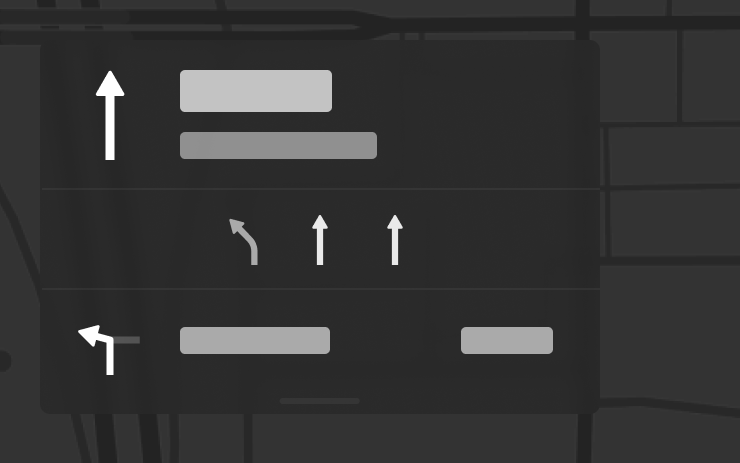
Navigatie geeft nu aan welke rijstroken u moet nemen om uw route te volgen. Voor deze functie zijn Actuele verkeersinformatie en Kaarten versie 2026.20 of hoger vereist. Om dit in te schakelen, gaat u naar Bediening > Navigatie > Actuele verkeersinformatie.
Bestemming naar auto verzenden
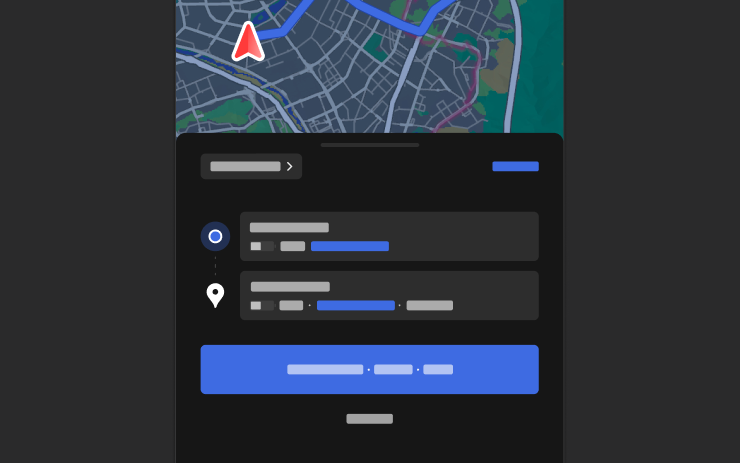
U kunt nu navigatiebestemmingen rechtstreeks naar uw Tesla verzenden. Om vanaf de mobiele app te versturen, ga naar Locatie > Navigeren, voeg een bestemming toe en tik op Verzenden naar auto. Vereist versie 4.57.0 of hoger van de mobiele app.
Om te verzenden vanaf NAVER Maps of TMAP, voegt u een bestemming toe en gaat u naar Delen > Tesla. Om vanaf KakaoMap te verzenden, voegt u een bestemming toe en gaat u naar Delen > Adres delen > Tesla.
Weerkaarten

Kaarten tonen nu weergegevens, inclusief verschillende soorten neerslag zoals regen en sneeuw. U kunt ook de weergegevens van het afgelopen uur bekijken om te zien hoe de omstandigheden langs uw route zijn veranderd. Voor deze functie is Premium Connectivity vereist. Om te bekijken, tikt u op het weerpictogram op de kaart.
Nuttige punten
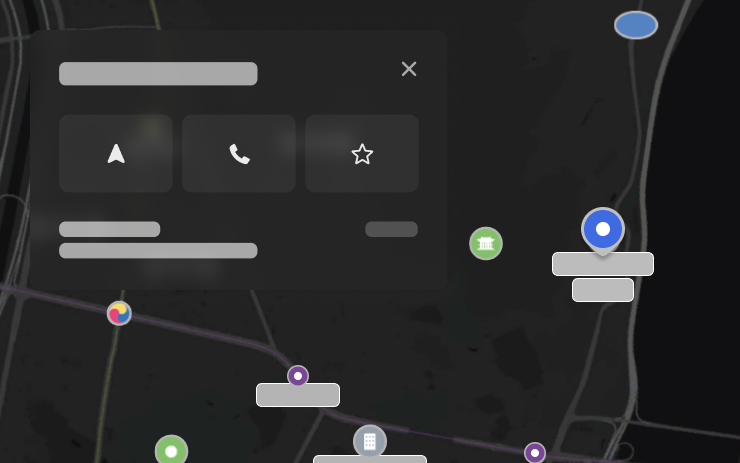
U kunt nu op nuttige plaatsen op de kaart tikken om bestemmingen te verkennen of de navigatie te starten.
Camera Preview

You can now open Camera Preview at any time, even if your Tesla is not in Park.
Go to Controls > Service > Camera Preview and tap on any camera view to see it individually. Tap the grid button to switch back to all cameras.
Dodehoekdetectie wanneer auto is geparkeerd

Als u een portier probeert te openen terwijl een naderend object wordt gedetecteerd in uw dode hoek (bijvoorbeeld een van achteren naderende fietser), hoort u een geluidssignaal en wordt uw portier niet geopend wanneer u de knop voor het eerst indrukt. Wacht even en druk een tweede keer op de knop om de waarschuwing op te heffen.
Versleuteling van dashcamclips

Dashcamclips worden nu versleuteld voor privacy wanneer ze worden opgeslagen op uw USB-stick. Alleen uw voertuig kan ze bekijken. Om clips te ontsleutelen, tikt u op het hangslotpictogram in de Dashcam-app of gaat u naar dashcam.tesla.com. Om versleuteling uit te schakelen, gaat u naar Bediening > Veiligheid > Dashcamopnamen versleutelen.
Ouderlijk toezicht

U kunt nu Browser, Theater en Arcade in uw Tesla blokkeren door in de parkeerstand naar Bediening > Veiligheid > Ouderlijk toezicht te gaan.
"Hey Grok"

U kunt nu praten met Grok, een intelligente assistent gebouwd door xAI. Om Grok te starten, gaat u naar App Launcher > Grok, houdt u de spraakknop op uw stuurwiel ingedrukt of zegt u "Hey Grok." Schakel "Hey Grok" in via Grok > Instellingen. Zeg "goodbye" om af te sluiten.
U kunt de stem en persoonlijkheid van Grok kiezen, variërend van Verteller tot Losgeslagen. Stel de persoonlijkheid van Grok in op Assistent, zodat Grok navigatiebestemmingen kan toevoegen en bewerken en zo fungeert als uw persoonlijke gids. U kunt ook herinneringen op basis van locatie instellen, zoals "herinner me eraan om melk te halen als ik bijna thuis ben." Schakel locatiegebaseerde herinneringen in via Grok > Instellingen.
Premium Connectivity of een actieve wifiverbinding is vereist. Gesprekken zijn anoniem voor Tesla en niet gekoppeld aan uw voertuig.
Opmerking: Grok bevindt zich momenteel in de vroege bètafase en ondersteunt geen spraakopdrachten voor bedieningselementen in de auto, anders dan navigatie. Bestaande spraakopdrachten blijven ongewijzigd. "Hey Grok" is getraind op Amerikaans-Engels.
Verbeteringen van beveiliging

Deze update bevat belangrijke beveiligingsoplossingen en -verbeteringen.
Tesla App FSD

Tesla will now display whether a vehicle has FSD enabled in the Tesla app. In addition, the app will now also display the blue FSD path and even the rainbow road easter egg if it’s enabled in the vehicle.
This requires Tesla app update 4.58.5 or higher and vehicle update 2026.20.6.1 or higher.
License Plate Frame
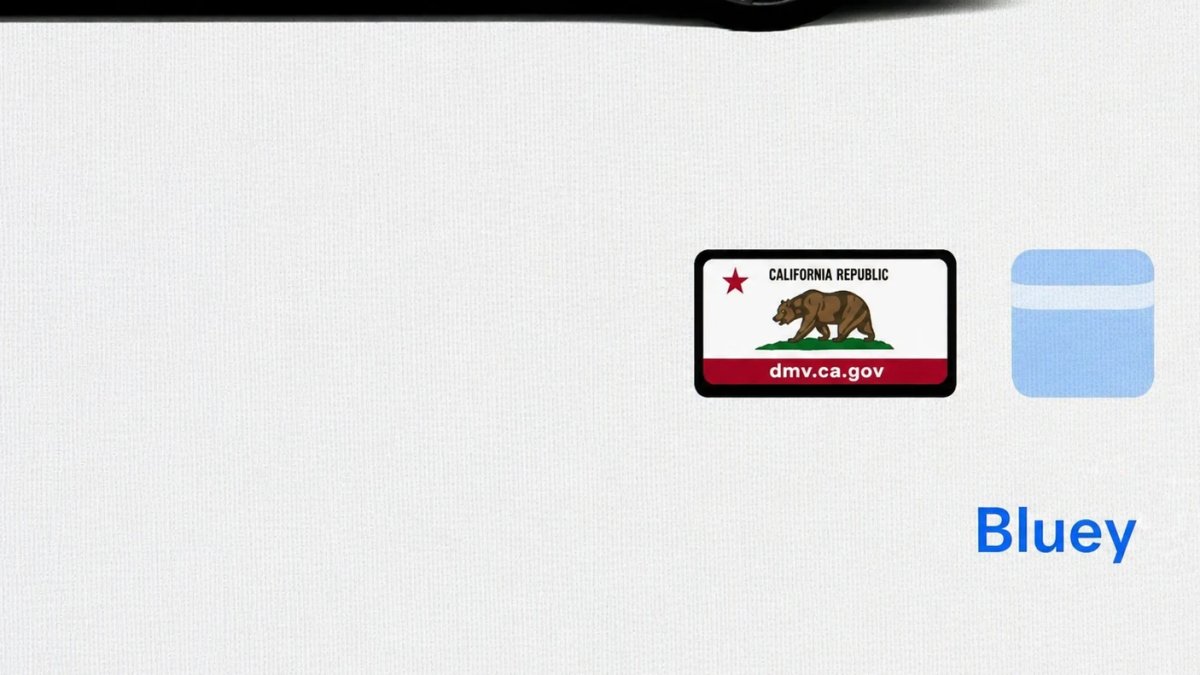
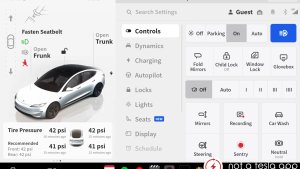
With Tesla’s recent addition of license plate customization, they also added a shortcut for it under Controls > Software.
With this update, Tesla tweaked the icon slightly by adding a license plate frame around the license plate image being used for a cleaner look.
Decrypt Dashcam Video
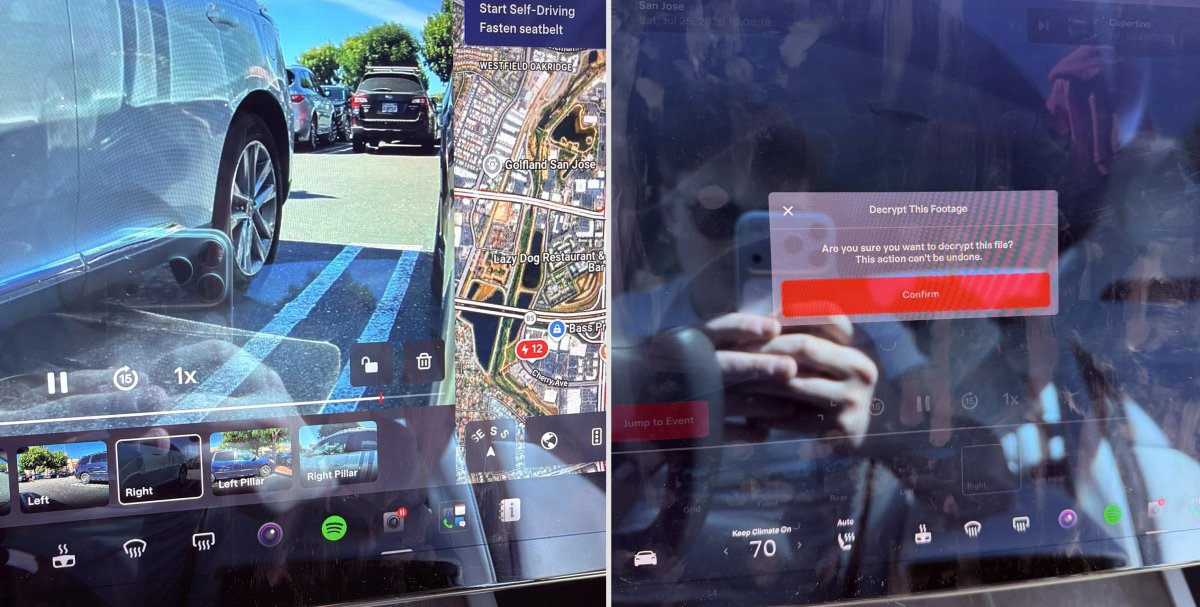
In update 2026.20, Tesla started encrypting Dashcam footage. This came at the same time as Tesla expanded recent video footage from 1 hour to up to 24 hours under certain requirements.
Encrypting the videos is an important privacy change, since if your USB drive is pulled from your vehicle, thieves can now have access to up to 24 hours of your driving, potentially revealing your workplace, home, and other important locations.
With this update, Tesla also added a button to the Dashcam Viewer that lets owners easily decrypt a specific clip, making it easier to see the footage if they mount the USB drive to their computer.
Tesla also introduced a tool that lets you decrypt any videos on your computer, as long as you log in to your Tesla account to prove that you own the video footage.
Bus Lanes
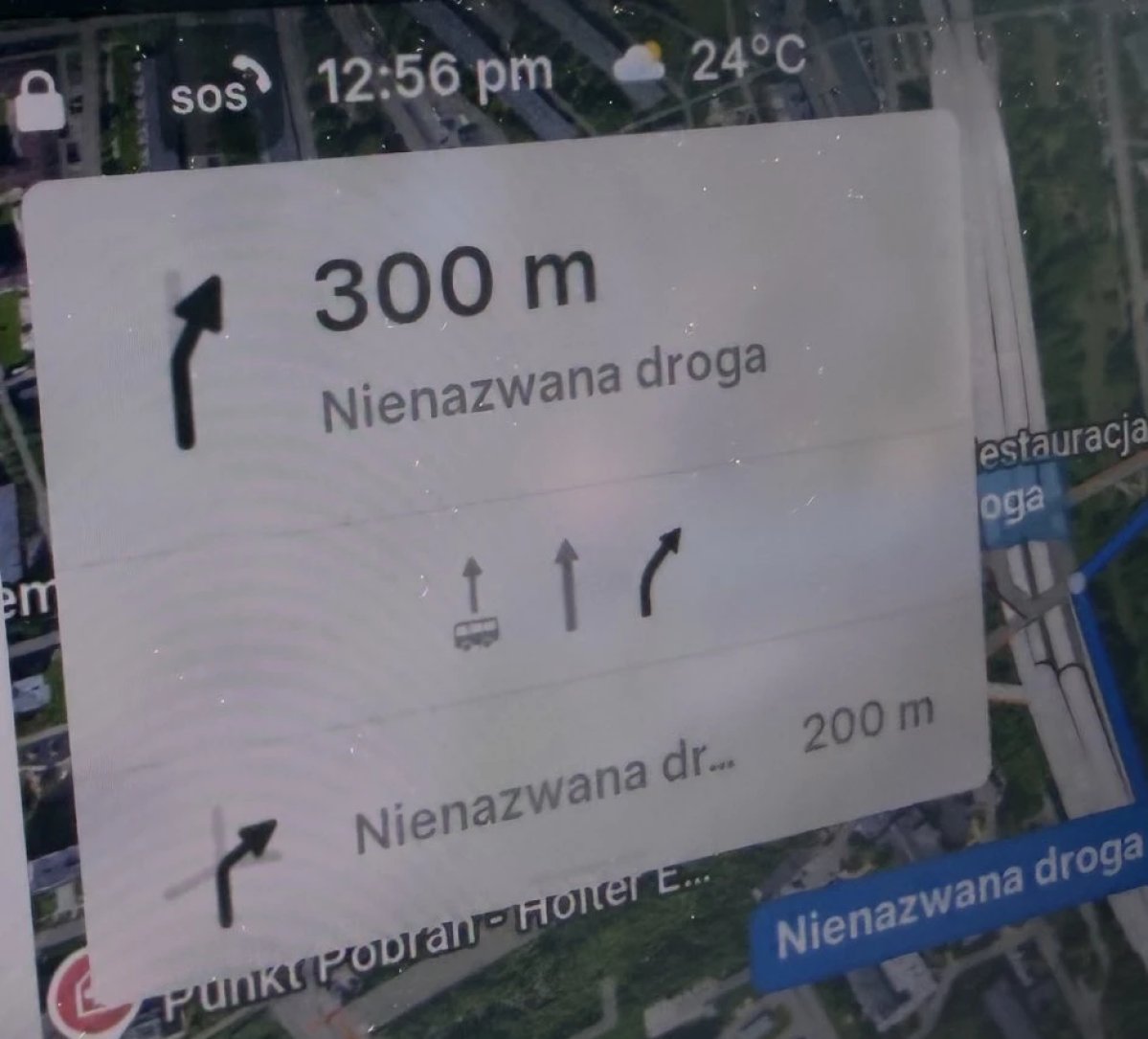
Tesla’s navigation now supports bus lanes, helping drivers be more aware of which lanes they can use.
This is even more important for FSD, so the vehicle can know which lanes are appropriate to drive in without having to read or potentially miss signs.
Service Mode Improvements

Forward Camera View Cleaning Panel
A new Forward Camera View Cleaning panel is available under Driver Assist to support cleaning the surface of the windshield in front of the cameras. The panel displays a live camera stream with the ability to zoom into the camera stream.
Models: Model 3, Model Y, Model S (2021+), Model X (2021+) with DAS AI4 and Cybertruck
Drive Unit Panel Update - Signal Chart Popups (Service Mode Plus)
The Drive Unit panel now supports interactive signal chart popups. Signals with a chart icon can be tapped to open a draggable, resizable popup window for real-time signal monitoring.
Models: Model 3, Model Y, Model S (2021+), Model X (2021+), Cybertruck

