The Model 3 Performance model didn't include Track Mode when it was first introduced. Tesla added the initial offering of Track Mode in late 2018.
Tesla later released Track Mode V2 as a software update.
The Model S Plaid was introduced in the summer of 2021. Similar to the Model 3, Track Mode wasn't available at launch.
With software update 2021.44.30, Tesla is rolling out Track Mode to the Model S Plaid.
Adjust Handling
Track Mode lets you fine-tune your vehicle's settings and disable or tone down certain features such as traction control.
Track Mode in the Model S offers similar capabilities to the Model 3. It lets you adjust handling, traction control, and regenerative braking.
The car will also make other adjustments. When Track Mode is enabled it will precondition the battery for peak performance and will increase brake cooling.
If the vehicle is unable to cool the brakes sufficiently, it will warn you with a 'critically high brake temperature' warning.

Visualizations
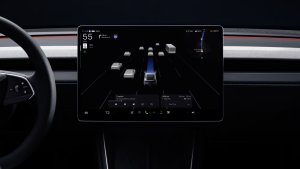
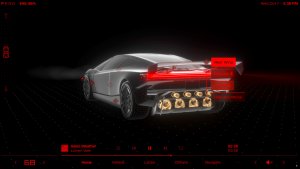
When Track Mode has been enabled the visualizations in the instrument cluster will also change to display additional details about the car.
The visualization will show the internals of the car; similar to the charging screen. It'll display the chassis of the vehicle, the wheels, brakes, motors, and battery.
Each item in the visualization is colored to give you feedback for the specific item.
For example, the Model 3 Performance will turn each wheel green, yellow, or red depending on the wheel's traction.
There is also a visualization for G-forces that's similar to the Model 3. It'll display the direction and amount of G-forces.
Walk through the Track Mode menus
Lap Times and Recording
In addition to customizing how the vehicle handles, the increased performance cooling, and the visualizations, Track Mode also includes some additional features.
Track Mode will let you set start and finish markers on the map. When these markers are set, the car will automatically display lap timings and record each lap through the car's cameras.
The cameras used during track mode are the same ones that are available when using the Dashcam. However, when using Track Mode, the car will automatically save each lap as a separate video to your USB drive.
Presets

When you customize the handling of the vehicle, you will also be able to save the settings and give them a name.
You can have up to 20 different presets for various conditions or events. The vehicle comes with two presets, one for racing and for drifting.
Here is a fantastic video of Track Mode in use on the Model 3 Performance.
Release Notes for Track Mode
The release notes for Track Mode in 2021.44.30 discuss some of the features available in Track Mode.
Optimize your Plaid configuration for dynamic driving exclusively on closed courses and experience the unmatched performance at many different venues. To enable, tap Controls > Pedals & Steering > Track Mode.
- Thermals: The heat pump system cools more aggressively, maximizing powertrain endurance and performance. Enable post-drive cooling to shorten wait times between sessions.
- Drive Systems: Torque vectoring authority is increased across the three motors, elevating the vehicle's agility and cornering capability. The accelerator pedal allows more precise torque control, and regenerative braking power is strengthened to recover more energy.
- Suspension: Adaptive damping reduces vehicle motions, improving handling and promoting driver confidence. Ride height is automatically set to 'Low' upon drive off.
- Display: A track-focused interface includes a lap timer, G-meter (real-time accelerometer), vehicle thermals monitor, Dashcam video capture, vehicle telemetry capture, and offers customization options.
Follow Us on Google
Add Not a Tesla App as a preferred source on Google to see more of our stories in Top Stories.
Add to Preferred SourcesOrdering a New Tesla?
Get FSD free for 3 months by using our referral code.