






![Tesla Driver in Mexico Makes His Model Y Fly [VIDEO]](/img/containers/article_images/2026/model-y-flying-accident-mexico.webp/c6f78372a6ed7ca93d8a0c61a905cd6b/model-y-flying-accident-mexico.jpg)








주차 중 사각 지대 경고등

사각지대에서 접근 중인 물체가 감지된 상태(예: 뒤에서 접근 중인 자전거가 있는 경우)로 도어를 열려고 시도하면, 경고음이 울리며, 처음 버튼을 눌렀을 때는 도어가 열리지 않습니다. 잠시 기다린 다음, 버튼을 다시 한번 눌러 경고를 무시하세요.
블랙박스 클립 암호화

이제 블랙박스 클립이 USB 플래시 드라이브에 저장 시 개인정보 보호를 위해 암호화됩니다. 내 차량에서만 볼 수 있습니다. 클립을 복호화하려면 블랙박스 앱에서 자물쇠 아이콘을 탭하거나 dashcam.tesla.com에 방문하세요. 암호화를 비활성화하려면 컨트롤 > 안전 > 블랙박스 녹화 암호화로 이동하세요.
자녀 보호 설정

이제 차량이 주차된 상태에서 컨트롤 > 안전 > 자녀 보호 설정으로 이동하여 Tesla에서 브라우저, 영화관 및 아케이드를 차단할 수 있습니다.
"Hey Grok"

이제 xAI로 구축한 지능형 비서 Grok과 대화할 수 있습니다. Grok을 실행하려면 앱 시작 관리자 > Grok으로 이동하여 스티어링 휠의 음성 버튼을 길게 누르거나 "Hey Grok"이라고 말하세요. Grok > 설정에서 "Hey Grok"을 활성화하세요. 해제하려면 "goodbye"라고 말하세요.
Grok의 음성과 성격을 선택할 수 있습니다. 스토리텔러부터 자유분방한 스타일까지 다양하게 제공됩니다. Grok의 성격을 어시스턴트로 설정하면 Grok이 내비게이션 목적지를 추가 및 편집하는 개인 가이드가 됩니다. "집 근처에 가면 우유 사라고 알려줘"와 같이 말해 위치 기반 미리 알림을 설정할 수도 있습니다. Grok > 설정에서 위치 기반 미리 알림을 활성화하세요.
프리미엄 커넥티비티 또는 WiFi 연결이 필요합니다. 대화는 Tesla에게 익명으로 처리되며 차량과 연결되지 않습니다.
참고: Grok은 현재 초기 베타 버전이며 내비게이션 외 다른 차량 제어를 위한 음성 명령은 지원하지 않습니다. 기존 음성 명령은 변경되지 않습니다. "Hey Grok"은 미국 영어로 훈련되었습니다.
차량에 목적지 보내기
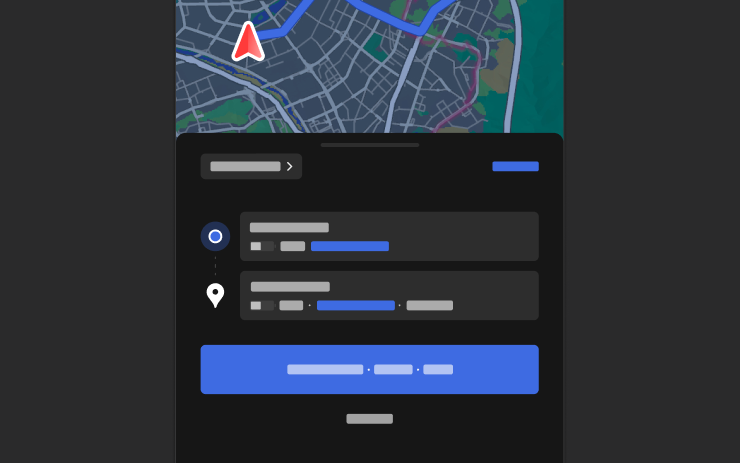
이제 내비게이션 목적지를 Tesla로 직접 보낼 수 있습니다. 모바일 앱에서 전송하려면 위치 > 길 안내로 이동하여 목적지를 추가하고 차량으로 보내기를 탭하세요. 모바일 앱 버전 4.57.0 이상이 필요합니다.
네이버 지도 또는 티맵에서 전송하려면 목적지를 추가하고 공유 > Tesla로 이동하세요. 카카오맵에서 보내려면 목적지를 추가하고 공유 > 주소 공유하기 > Tesla로 이동하세요.
날씨 지도

이제 지도에 비와 눈 같은 다양한 유형의 강수를 포함한 날씨 데이터가 표시됩니다. 경로를 따라 날씨가 어떻게 변화해 왔는지 확인할 수 있도록 지난 1시간의 날씨 데이터도 볼 수 있습니다. 이 기능을 사용하려면 프리미엄 커넥티비티가 필요합니다. 보려면 지도에서 날씨 아이콘을 탭합니다.
관심 지점
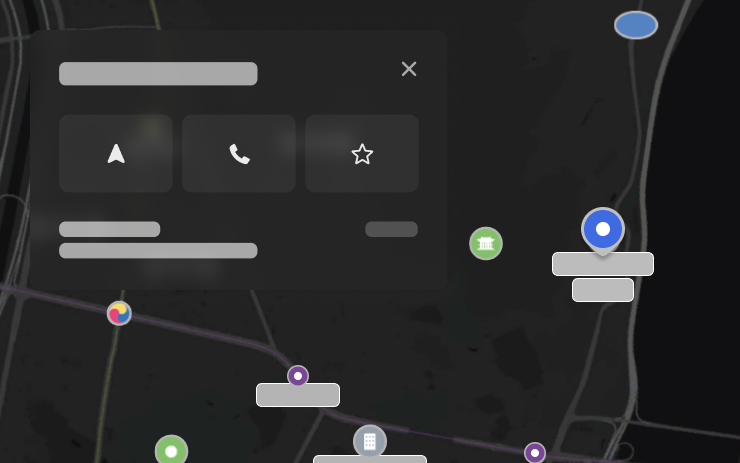
이제 지도에서 관심 지점을 탭하여 목적지를 탐색하거나 내비게이션을 시작할 수 있습니다.
보안 개선 사항

이 업데이트에는 중요한 보안 향상 및 개선 사항이 포함되어 있습니다.
Tesla App FSD

Tesla will now display whether a vehicle has FSD enabled in the Tesla app. In addition, the app will now also display the blue FSD path and even the rainbow road easter egg if it’s enabled in the vehicle.
This requires Tesla app update 4.58.5 or higher and vehicle update 2026.20.6.1 or higher.
License Plate Frame
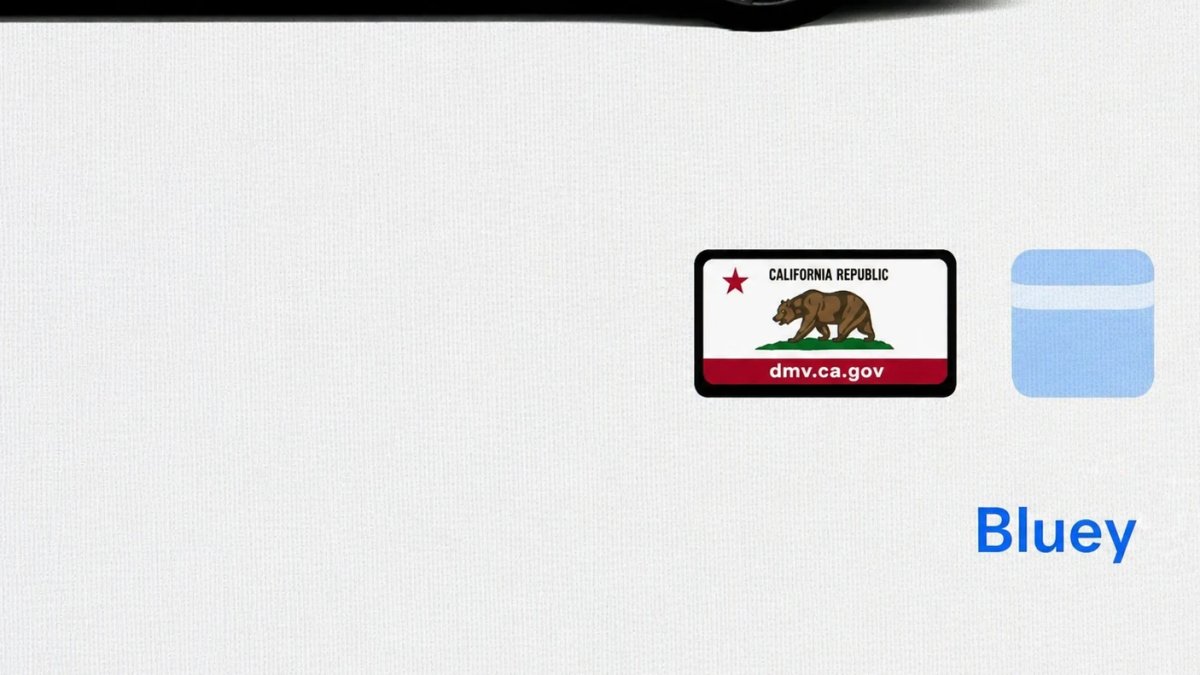
With Tesla’s recent addition of license plate customization, they also added a shortcut for it under Controls > Software.
With this update, Tesla tweaked the icon slightly by adding a license plate frame around the license plate image being used for a cleaner look.
Decrypt Dashcam Video
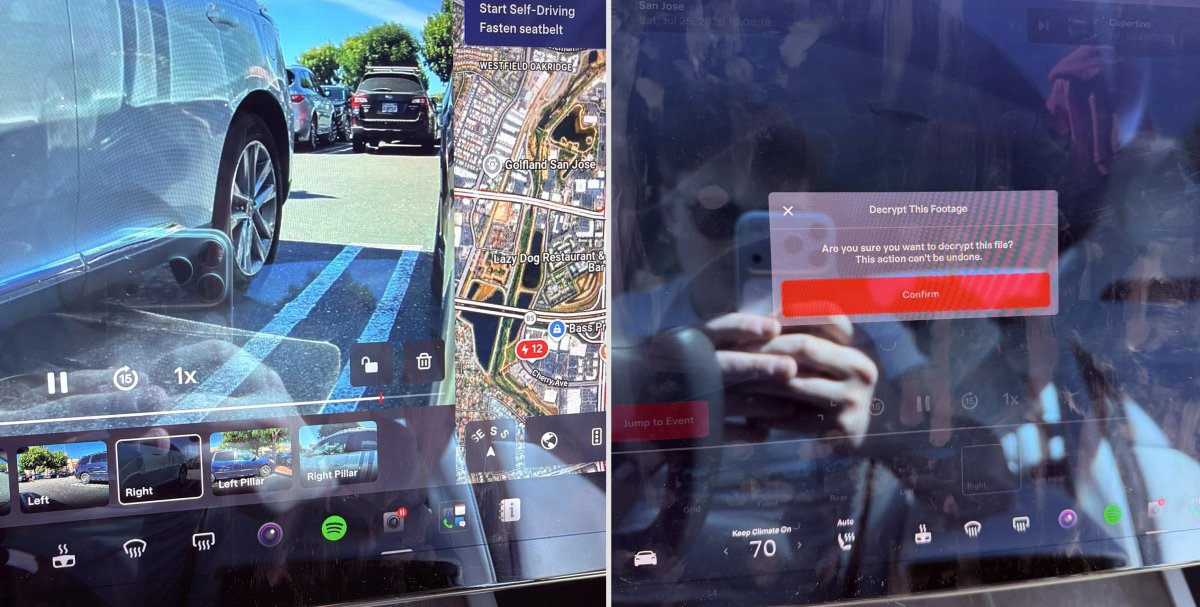
In update 2026.20, Tesla started encrypting Dashcam footage. This came at the same time as Tesla expanded recent video footage from 1 hour to up to 24 hours under certain requirements.
Encrypting the videos is an important privacy change, since if your USB drive is pulled from your vehicle, thieves can now have access to up to 24 hours of your driving, potentially revealing your workplace, home, and other important locations.
With this update, Tesla also added a button to the Dashcam Viewer that lets owners easily decrypt a specific clip, making it easier to see the footage if they mount the USB drive to their computer.
Tesla also introduced a tool that lets you decrypt any videos on your computer, as long as you log in to your Tesla account to prove that you own the video footage.
Bus Lanes
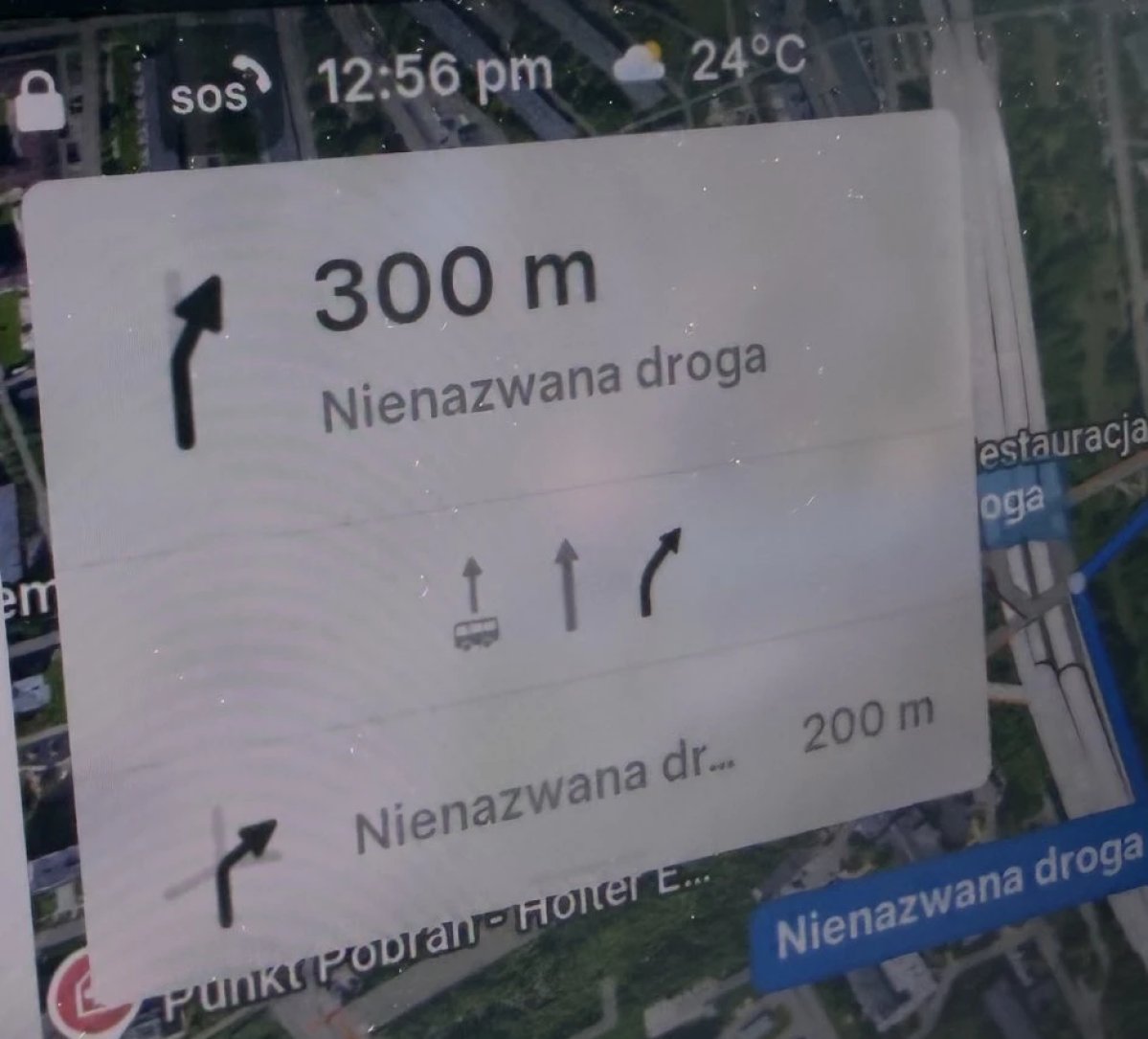
Tesla’s navigation now supports bus lanes, helping drivers be more aware of which lanes they can use.
This is even more important for FSD, so the vehicle can know which lanes are appropriate to drive in without having to read or potentially miss signs.
Service Mode Improvements

Forward Camera View Cleaning Panel
A new Forward Camera View Cleaning panel is available under Driver Assist to support cleaning the surface of the windshield in front of the cameras. The panel displays a live camera stream with the ability to zoom into the camera stream.
Models: Model 3, Model Y, Model S (2021+), Model X (2021+) with DAS AI4 and Cybertruck
Drive Unit Panel Update - Signal Chart Popups (Service Mode Plus)
The Drive Unit panel now supports interactive signal chart popups. Signals with a chart icon can be tapped to open a draggable, resizable popup window for real-time signal monitoring.
Models: Model 3, Model Y, Model S (2021+), Model X (2021+), Cybertruck

