






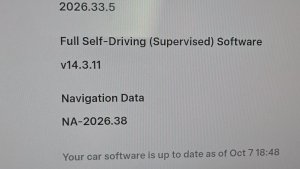


FSD (Supervised) v14.3.5

Full Self-Driving (Supervised) v14.3.5 includes:
- Upgraded the Reinforcement Learning (RL) stage of training the FSD neural network, resulting in improvements in a wide variety of driving scenarios.
- Upgraded the neural network vision encoder, improving understanding in rare and low-visibility scenarios, strengthening 3D geometry understanding, and expanding traffic sign understanding.
- Rewrote the AI compiler and runtime from the ground up with MLIR, resulting in 20% faster reaction time and improving model iteration speed.
- Mitigated unnecessary lane biasing and minor tailgating behaviors.
- Increased decisiveness of parking spot selection and maneuvering.
- Improved parking location pin prediction, now shown on a map with a P icon.
- Enhanced response to emergency vehicles, school buses, right-of-way violators, and other rare vehicles.
- Improved handling of small animals by focusing RL training on harder examples and adding rewards for better proactive safety.
- Improved traffic light handling at complex intersections with compound lights, curved roads, and yellow light stopping — driven by training on hard RL examples sourced from the Tesla fleet.
- Improved handling for rare and unusual objects extending, hanging, or leaning into the vehicle path by sourcing infrequent events from the fleet.
- Improved handling of temporary system degradations by maintaining control and automatically recovering without driver intervention, reducing unnecessary disengagements.
- Improved driver monitoring system sensitivity with better eye gaze tracking, eye wear handling, and higher accuracy in variable lighting conditions.
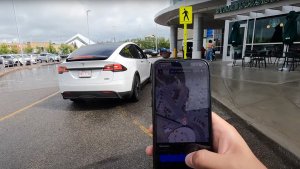
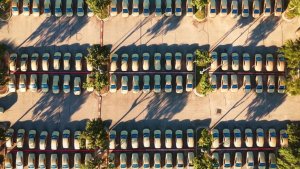
- Unified the model between Actually Smart Summon, FSD, and Robotaxi for more capable and reliable behavior.
- Help Tesla improve Self-Driving by selecting an intervention reason on the main screen after taking over.
- You can now see distance traveled in FSD (Supervised) without an intervention. The Self-Driving App will also show your longest intervention-free streak.
- Parking options now display on the map when arriving at your destination.
Upcoming Improvements:
- Expand reasoning to all behaviors beyond destination handling.
- Add pothole avoidance.
Actually Smart Summon

ASS (Actually Smart Summon) and Dumb Summon are now available for Cybertruck!
Full Self-Driving (Supervised)

Under dit opsyn kan Full Self-Driving (Supervised) køre din Tesla næsten hvor som helst. Den vil starte fra en parkeret position, foretage vognbaneskift, vælge forgreninger for at følge din navigationsrute, navigere omkring andre køretøjer og genstande, dreje til venstre og højre og parkere ved din destination. Du og alle andre, du autoriserer, skal udvise ekstra forsigtighed og være opmærksomme. Den gør ikke din bil selvstyrende. Vær ikke ukritisk tilfreds.
Full Self-Driving (Supervised) er aktiveret i din bil. For at bruge funktionen skal du trykke på knappen Start selvkørende funktion på brugergrænsefladen eller trykke én gang på højre rullehjul. Du kan deaktivere Full Self-Driving (Supervised) i Autopilot-indstillingerne.
Banevejledning for navigation
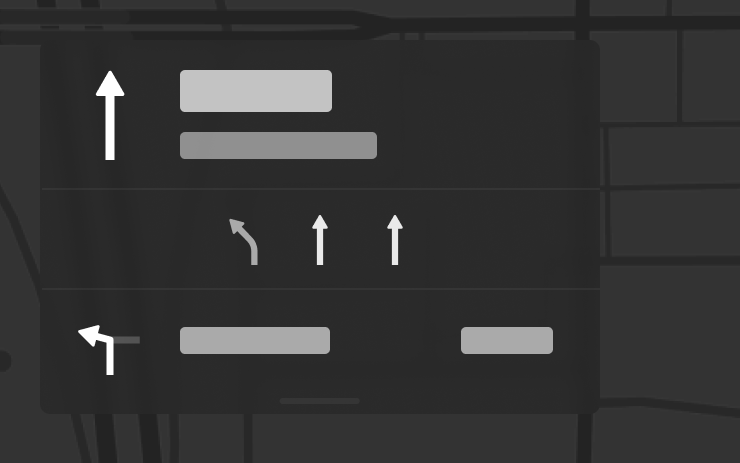
Navigation viser nu, hvilke vognbaner du skal tage for at følge din rute. Denne funktion kræver Online ruteplanlægning og Kort i version 2026.20 eller nyere. For at aktivere skal du gå til Betjening > Navigation > Online ruteplanlægning.
Send destination til bil
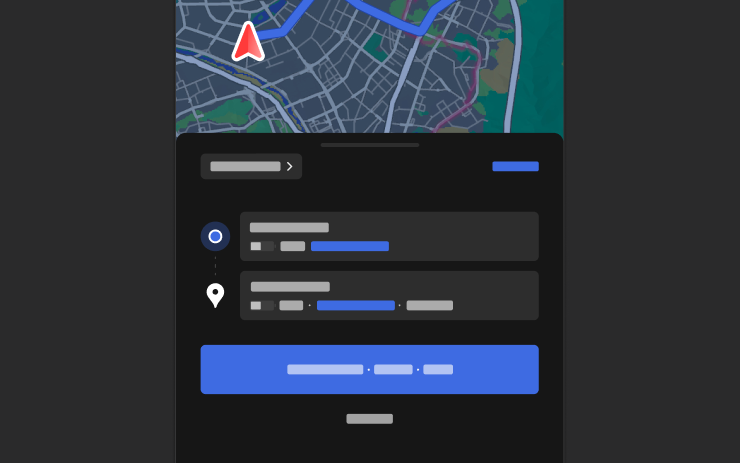
Du kan nu sende navigationsdestinationer direkte til din Tesla. For at sende fra mobilappen skal du gå til Lokation > Naviger, tilføje en destination og trykke på Send til bil. Kræver version 4.57.0 eller nyere af mobilappen.
For at sende fra NAVER Maps eller TMAP skal du tilføje en destination og gå til Del > Tesla. For at sende fra KakaoMap skal du tilføje en destination og gå til Del > Del adresse > Tesla.
Vejrkort

Kort viser nu vejrdata, herunder forskellige typer nedbør som regn og sne. Du kan også få vist vejrdata fra den seneste time for at se, hvordan forholdene har ændret sig langs din rute. Denne funktion kræver Premium Connectivity. Tryk på vejrikonet på kortet for at se det.
Interessepunkter
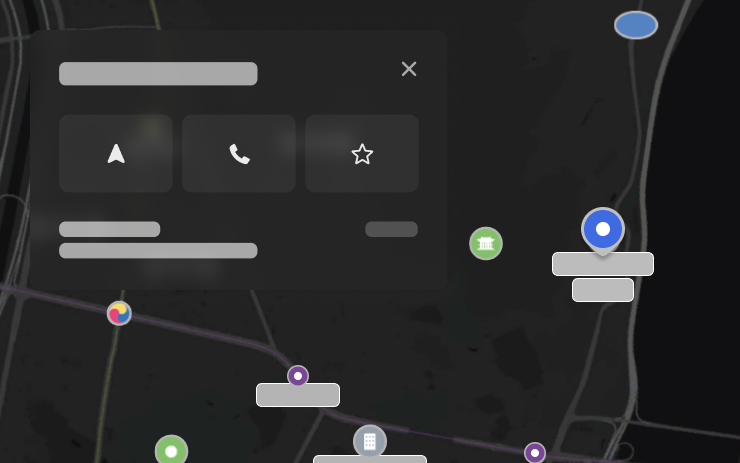
Du kan nu trykke på interessepunkter på kortet for at udforske destinationer eller begynde at navigere.
Camera Preview

You can now open Camera Preview at any time, even if your Tesla is not in Park.
Go to Controls > Service > Camera Preview and tap on any camera view to see it individually. Tap the grid button to switch back to all cameras.
Advarsel om blind vinkel under parkering

Hvis du forsøger at åbne en dør, mens en genstand, der nærmer sig, registreres i din blinde vinkel (f.eks. en cyklist, der nærmer sig bagfra), så blinker advarselslyset for blinde vinkler, der lyder en advarsel, og din dør vil ikke åbne sig med det første tryk på knappen. Vent lidt, og tryk på knappen en gang til for at tilsidesætte advarslen.
Kryptering af dashcam-klip

Dashcam-klip er nu krypterede af hensyn til dine persondata, når de gemmes på dit USB-flashdrev. Kun din bil kan se dem. For at dekryptere klip skal du trykke på hængelåsikonet i dashcam-appen eller gå ind på dashcam.tesla.com. For at deaktivere kryptering skal du gå til Betjening > Sikkerhed > Krypter dashcam-optagelser.
Forældrekontrol

Du kan nu blokere Browser, Biograf og Arkade fra din Tesla ved at gå til Betjening > Sikkerhed > Forældrekontrol, mens bilen er i Parkering.
"Hey Grok"

Du kan nu tale med Grok, en intelligent assistent bygget af xAI. For at starte Grok skal du gå til Appstarter > Grok, trykke på stemmeknappen på rattet og holde den inde, eller sige "Hey Grok." Aktiver "Hey Grok" i Grok > Indstillinger. Sig "goodbye" for at afslutte.
Giv Grok den stemme og personlighed, du ønsker - fra Fortæller til Ikke helt normal. Indstil Groks personlighed til Assistent for at få Grok til at tilføje og redigere navigationsdestinationer og blive din personlige guide. Du kan også indstille lokationsbaserede påmindelser, såsom "mind mig om at hente mælk, når jeg er tæt på mit hjem". Aktivér lokationsbaserede påmindelser i Grok > Indstillinger.
Kræver Premium Connectivity eller en WiFi-forbindelse. Samtaler er anonyme for Tesla og ikke knyttet til din bil.
Bemærk: Grok er i en tidlig beta og understøtter p.t. ikke stemmekommandoer til betjening af bilen bortset fra navigation. Eksisterende stemmekommandoer forbliver uændrede. "Hey Grok" er trænet på amerikansk engelsk.
Forbedringer af sikkerheden

Denne opdatering indeholder vigtige sikkerhedsrettelser og forbedringer.
Tesla App FSD

Tesla will now display whether a vehicle has FSD enabled in the Tesla app. In addition, the app will now also display the blue FSD path and even the rainbow road easter egg if it’s enabled in the vehicle.
This requires Tesla app update 4.58.5 or higher and vehicle update 2026.20.6.1 or higher.
License Plate Frame
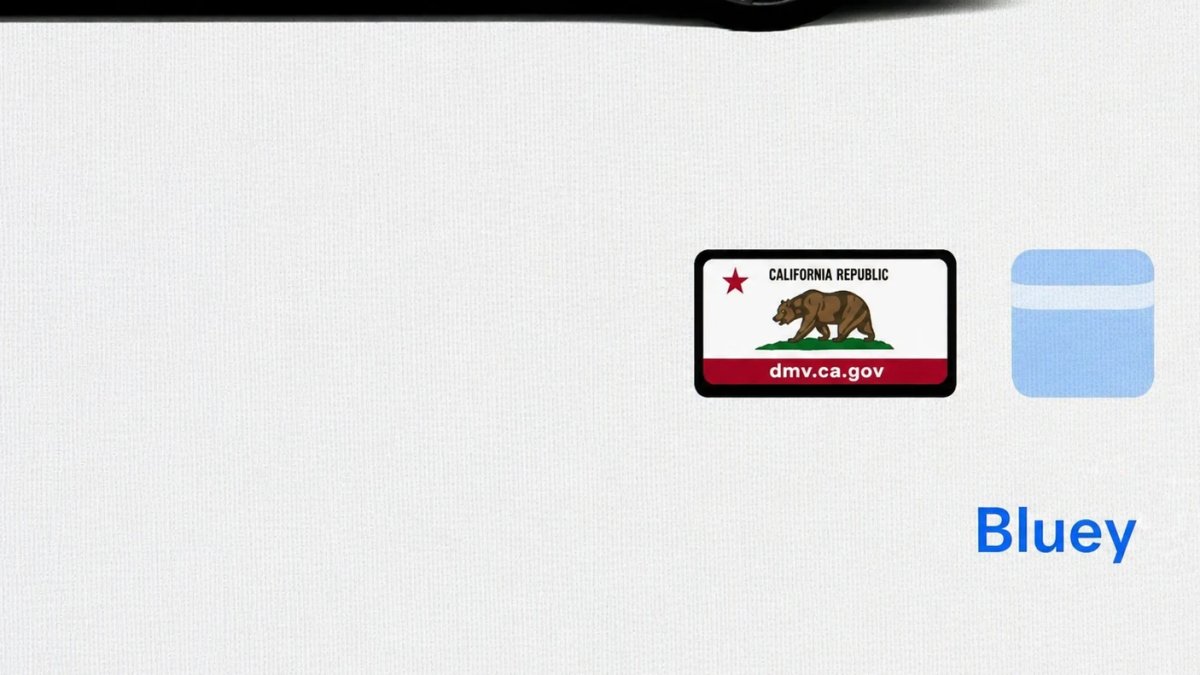
With Tesla’s recent addition of license plate customization, they also added a shortcut for it under Controls > Software.
With this update, Tesla tweaked the icon slightly by adding a license plate frame around the license plate image being used for a cleaner look.
Decrypt Dashcam Video
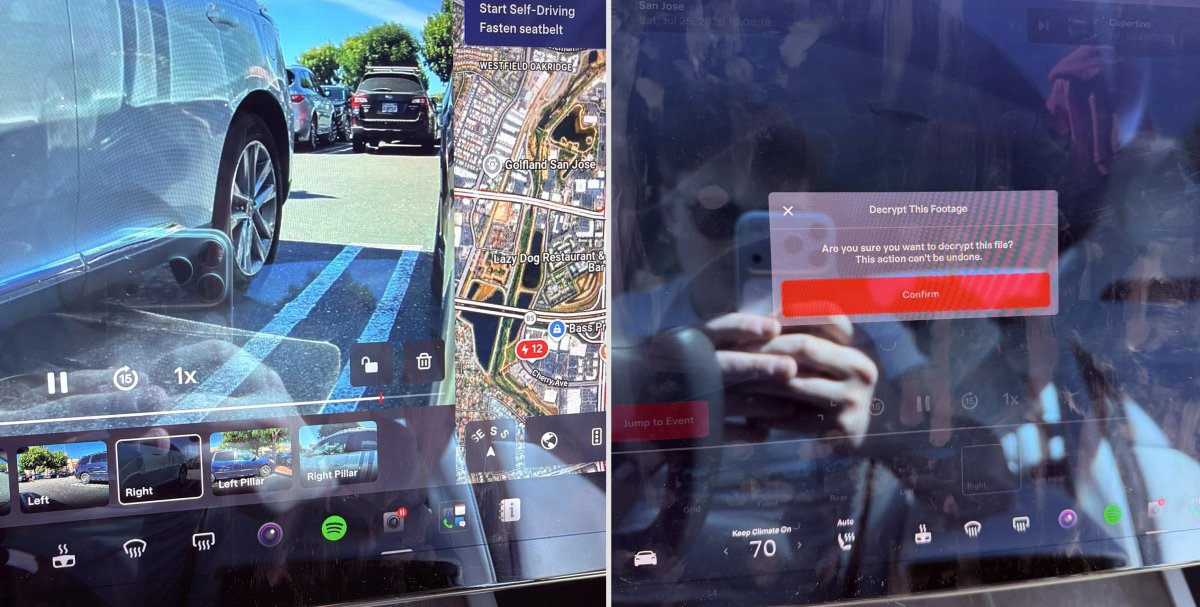
In update 2026.20, Tesla started encrypting Dashcam footage. This came at the same time as Tesla expanded recent video footage from 1 hour to up to 24 hours under certain requirements.
Encrypting the videos is an important privacy change, since if your USB drive is pulled from your vehicle, thieves can now have access to up to 24 hours of your driving, potentially revealing your workplace, home, and other important locations.
With this update, Tesla also added a button to the Dashcam Viewer that lets owners easily decrypt a specific clip, making it easier to see the footage if they mount the USB drive to their computer.
Tesla also introduced a tool that lets you decrypt any videos on your computer, as long as you log in to your Tesla account to prove that you own the video footage.
Bus Lanes
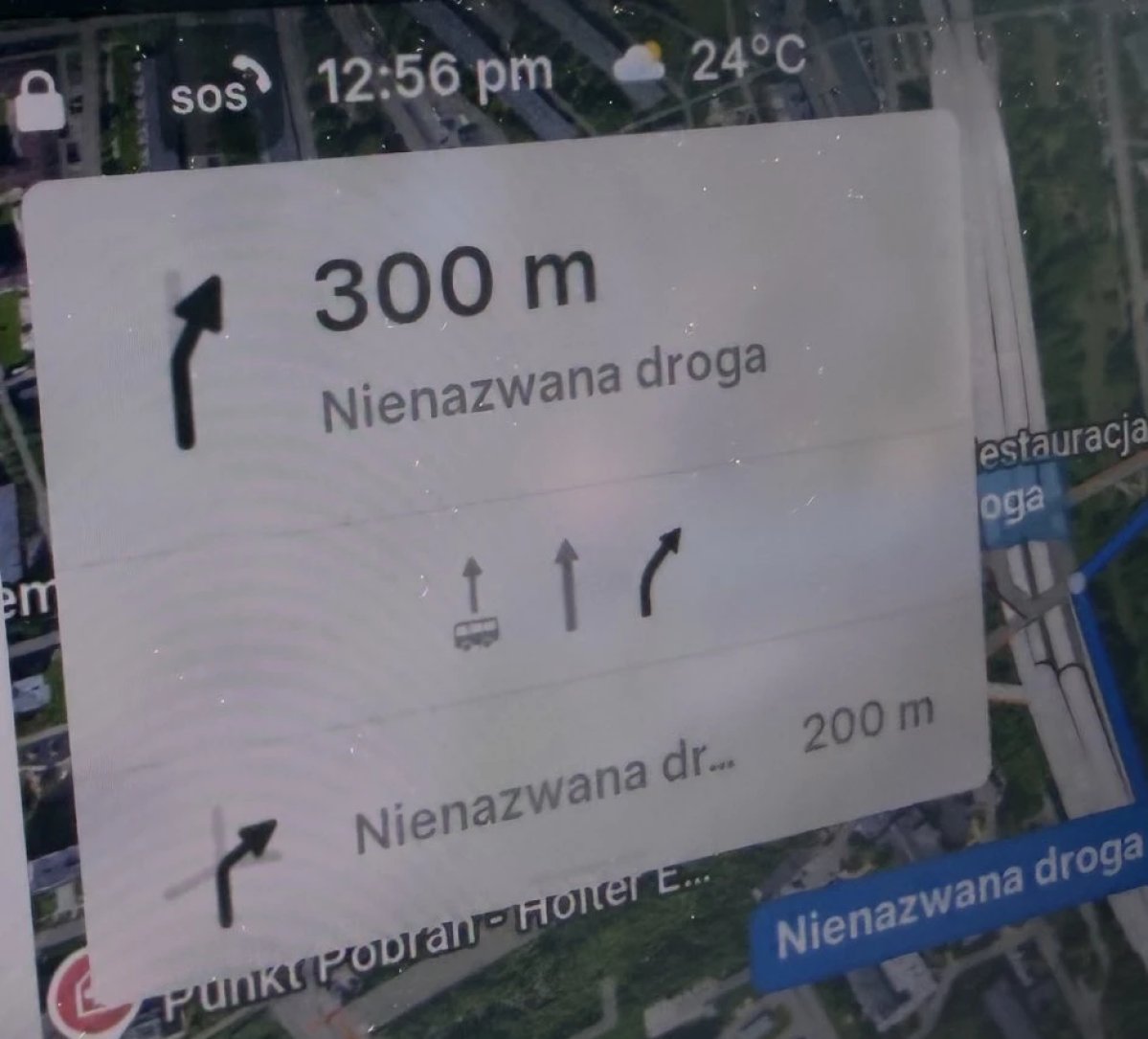
Tesla’s navigation now supports bus lanes, helping drivers be more aware of which lanes they can use.
This is even more important for FSD, so the vehicle can know which lanes are appropriate to drive in without having to read or potentially miss signs.
Service Mode Improvements

Forward Camera View Cleaning Panel
A new Forward Camera View Cleaning panel is available under Driver Assist to support cleaning the surface of the windshield in front of the cameras. The panel displays a live camera stream with the ability to zoom into the camera stream.
Models: Model 3, Model Y, Model S (2021+), Model X (2021+) with DAS AI4 and Cybertruck
Drive Unit Panel Update - Signal Chart Popups (Service Mode Plus)
The Drive Unit panel now supports interactive signal chart popups. Signals with a chart icon can be tapped to open a draggable, resizable popup window for real-time signal monitoring.
Models: Model 3, Model Y, Model S (2021+), Model X (2021+), Cybertruck

