Support for USB/Bluetooth Keyboards
Summary
Enable external keyboards for faster typing
How It Would Work
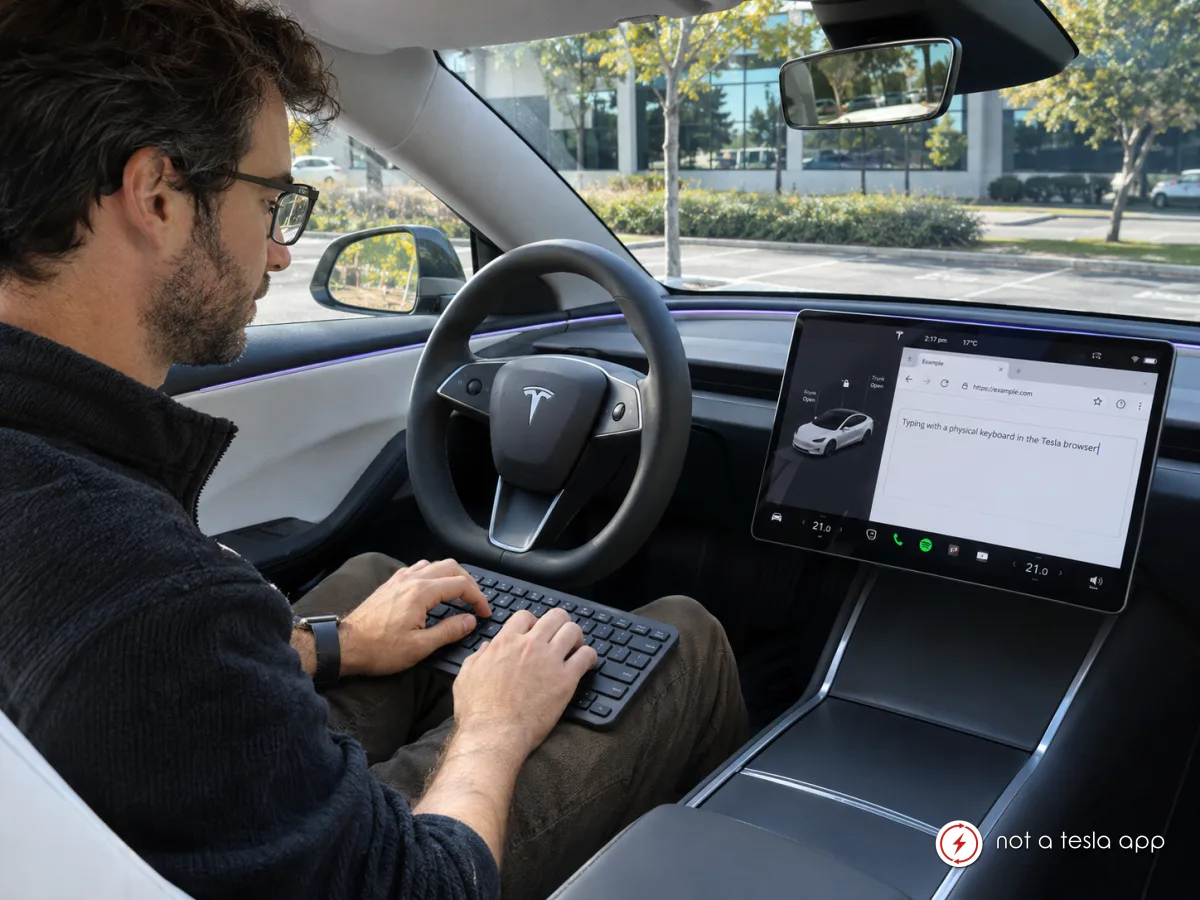
Tesla should introduce native support for standard Bluetooth and USB HID keyboards, allowing owners to use physical keyboards with the vehicle's infotainment system.
**The Problem**
Currently, typing in Tesla's built-in web browser requires using the on-screen keyboard, which covers a significant portion of the display. This makes it difficult to interact with websites, especially when filling out forms, writing messages, using web applications, or working with longer text.
**Proposed Features**
- **Bluetooth Keyboard Support:** Allow users to pair standard Bluetooth keyboards through the existing Bluetooth settings.
- **USB Keyboard Support:** Enable plug-and-play compatibility with standard USB HID keyboards through supported USB data ports.
- **Automatic On-Screen Keyboard Suppression:** When a physical keyboard is connected, the virtual keyboard should remain hidden, allowing the entire display to be used for website content.
- **Full Browser Compatibility:** Support text input in all standard HTML input fields, text areas, and web-based applications.
- **Keyboard Shortcuts:** Support common shortcuts such as Ctrl+C, Ctrl+V, Ctrl+A, Tab, Enter, and arrow keys for easier navigation and text editing.
- **Optional Mouse Support:** Consider supporting Bluetooth and USB mice for even more convenient browser interaction.
**Benefits**
This feature would significantly improve the usability of Tesla's built-in browser, especially for owners who regularly use web-based applications such as ChatGPT, email, online dashboards, and other productivity tools.
Since Tesla vehicles already have powerful infotainment hardware and Bluetooth connectivity, supporting standard HID input devices could be a practical software enhancement without requiring dedicated Tesla accessories.
The feature would be especially useful while parked, charging, or waiting in the vehicle.
**Safety**
Keyboard text input could be restricted to when the vehicle is in Park, ensuring that the feature does not encourage distracted driving.
Vote for this feature
The top three requests at the end of the month will be shared with Tesla.