




Active Road Noise Reduction

Your vehicle now has the ability to actively reduce low-frequency road noise while driving on rough surfaces. To accomplish this, the system uses the seat microphones to measure the noise in the cabin, then generates anti-noise through the speakers to create quiet zones around occupants.
Grok com Comandos de Navegação (Beta)

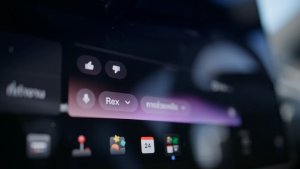
Agora pode falar com Grok, um assistente inteligente construído pela xAI. Pode escolher a voz e a personalidade de Grok, que vão do Narrador ao Desiquilibrado.
Agora, o Grok pode adicionar e editar destinos de navegação, tornando-se no seu guia pessoal. Pode pedir ao Grok para navegar até ao melhor restaurante tailandês perto de si, encontrar um Supercharger a curta distância de um café ou até planear uma visita turística romântica. Requer Conectividade Premium ou uma ligação WiFi ativa. As conversas são anónimas e não são conhecidas pela Tesla, e não estão associadas ao seu veículo.
Para iniciar o Grok, aceda ao Iniciador de Aplicações > Grok, ou mantenha premido o botão de voz do volante após ter iniciado sessão no Grok. Defina a personalidade do Grok como Assistente para usar os Comandos de Navegação.
Nota: atualmente, o Grok está na fase Beta inicial e não suporta comandos de voz para controlos do carro para além da navegação. Os comandos de voz existentes permanecem inalterados.
Libertar o Cabo de Carregamento

Agora, o carregamento pode ser interrompido e o cabo de carregamento libertado puxando e premindo o puxador da porta traseira esquerda durante 3 segundos, desde que o veículo esteja destrancado ou exista uma chave reconhecida perto. Isto é especialmente útil quando o botão de libertação do cabo de carregamento não funciona ou um adaptador de carregamento está preso na porta de carregamento. Ainda pode libertar o cabo utilizando o ecrã tátil do veículo ou a aplicação Tesla.
Deteção de Criança Deixada Sozinha

Se for detetada uma criança desacompanhada, o veículo irá piscar as luzes indicadoras exteriores, reproduzir um som de alerta e enviar uma notificação para a sua aplicação Tesla. Isto irá repetir-se em intervalos regulares até regressar ao seu veículo. Os dados do habitáculo da viatura são processados localmente e não são transmitidos à Tesla.
Esta definição está ativa por predefinição. Para desativar esta funcionalidade, vá até Controlos > Segurança > Deteção de Criança Deixada Sozinha.
Pequenas correções
Esta versão contém pequenas correções e melhorias.
Autopilot Name Changes

To go along with some of the naming changes, Tesla is replacing the term Autopilot with Self-Driving in most areas.
- Under Controls, the Autopilot tab has been renamed Self-Driving.
- Under the Autopilot menu, “Autopilot Features” has been renamed “Self-Driving Features.” This lets the user select between TACC, Autosteer, or Full Self-Driving.
Maps Version

Tesla has changed the way the map version appears in the Software menu. Instead of listing the full map version, which includes the region, version, and build, Tesla will now include only the region and version, such as NA-2025.44.
Supercharger Site Maps Expanded

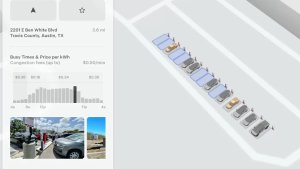
Tesla added 3D Supercharger Site maps in the 2025 Holiday Update. While the holiday update included 18 Supercharger sites in the United States, Tesla is now expanding this to Europe. We found at least two new Supercharger site maps in Belgium, located in Brugge and Heusden-Zolder.
These 3D representations of a Supercharger site include an accurate layout of the site, which is then coupled with live data.
The layout shows where each spot is, the location of the charger relative to the parking spot, handicap- and trailer-friendly stalls, and more.
The live data is even more interesting. Not only does it show which spots are occupied, but it also shows which Tesla model is charging at each location. It’ll identify and display a 3D model of the vehicle, and for non-Tesla EVs, it’ll display a generic vehicle model.
While these 3D models are limited to vehicles with AMD Ryzen infotainment units, anyone can view them by searching for the location in maps.
Service Mode Improvements
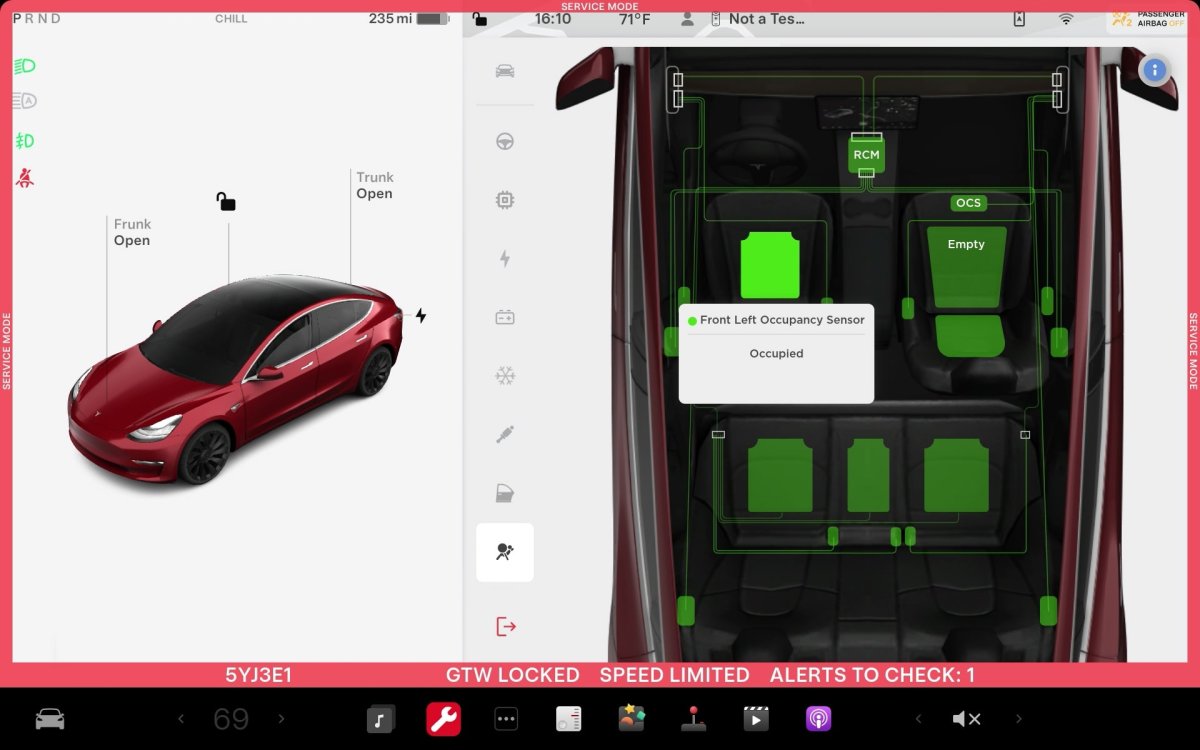
ECU Update Status Panel Updates - Non-CAN ECUs Added
The ECU Update Status panel now includes non-Controller Area Network (CAN) Electronic Control Units (ECUs), such as the Autopilot processors and Telematics Control Unit (TCU).
Models: Model S (2021+), Model 3, Model X (2021+), Model Y, Cybertruck











