


Update 2025.45.32.1 - Release Notes

Update Stats

Number of Cars

0

Percent of Fleet

0%

Installs Pending

0

Rollout Yesterday

0

Rollout Today

0

Tesla Videos

Details

Release Date

February 8, 2026

Recent News

Statistics Overview

Number of Cars
0
Percent of Fleet
0%
Installs Pending
0
Rollout Yesterday
0
Rollout Today
0

This is the Lunar New Year update in China, which adds various big features, such as Automations, "Hey, Tesla" and improved Dashcam functionality.

Automation App

Tesla Automation App feature in update 2025.45.32.1
Modelli:
N/A
La descrizione di questa funzionalità è attualmente disponibile solo in inglese.

Personalize your vehicle experience with the new Automations app. Create custom workflows that perform automatic actions when a certain event triggers and specific conditions are met. For example, you can define "When the vehicle arrives home (event triggers) and if it's a weekend (specific condition is met), open the trunk (execute automatic action)".

Go to App Launcher > Automation.

Hey Tesla

Tesla Hey Tesla feature in update 2025.45.32.1
Modelli:
N/A
La descrizione di questa funzionalità è attualmente disponibile solo in inglese.

You can now activate voice commands by saying: "Hey Tesla". To enable, go to Controls -> Voice panel.

Dashcam Recent Footage Duration

Tesla Dashcam Recent Footage Duration feature in update 2025.45.32.1
Modelli:
N/A
La descrizione di questa funzionalità è attualmente disponibile solo in inglese.

Dashcam now adjusts the recent footage duration depending on USB drive's capacity - ranging from 1 hour on smaller drives up to 24 hours on 1TB+ drives. This ensures you retain the maximum amount of recent footage for review before it is overwritten.

Finding Superchargers

Tesla Finding Superchargers feature in update 2025.45.32.1
Modelli:
N/A
La descrizione di questa funzionalità è attualmente disponibile solo in inglese.

Superchargers will now be clustered together on the map when there are many in the same area. Tapping on a cluster zooms into the area, revealing the Superchargers located there.

Nearby Parking

Tesla Nearby Parking feature in update 2025.45.32.1
Modelli:
N/A
La descrizione di questa funzionalità è attualmente disponibile solo in inglese.

Tap "Nearby Parking" on any point-of-interest page to get directions to nearby parking and start your journey with ease.

Paint Shop

Tesla Paint Shop feature in update 2025.45.32.1
Disponibile globalmente
Modelli:
3
Y
La descrizione di questa funzionalità è attualmente disponibile solo in inglese.

Personalize your Tesla avatar with window tints, custom wraps, and license plates. Use one of many preloaded designs or create and upload your own using a USB flash drive to make your vehicle unique.

Go to App Launcher > Toybox > Paint Shop or tap the paint button in Controls > Software.

Weixin Connection

Tesla Weixin Connection feature in update 2025.45.32.1
Modelli:
N/A
La descrizione di questa funzionalità è attualmente disponibile solo in inglese.

Send a location from Wexin to your Tesla. Go to Navigation Search Box > Mobile, then select Activate to start the service. Follow the on-screen prompts to activate the service on your mobile device. Once activated, you can send addresses directly from Weixin to your Tesla. Requires Premium Connectivity.

Attività Modalità cane in tempo reale su iOS

Tesla Attività Modalità cane in tempo reale su iOS feature in update 2025.45.32.1
Disponibile globalmente
Modelli:
New S
3
New X
Y
CT

Tieni sotto controllo il tuo animale domestico! Quando la Modalità cane è attiva, sul tuo iPhone viene visualizzata un'attività in tempo reale con temperatura e condizioni climatiche. Se disponi di Premium Connectivity, riceverai anche istantanee periodiche dell'abitacolo del veicolo. Richiede l'app Tesla versione 4.51.5+.

QQ Music Sing-Along Mode

Tesla QQ Music Sing-Along Mode feature in update 2025.45.32.1
Modelli:
N/A
La descrizione di questa funzionalità è attualmente disponibile solo in inglese.

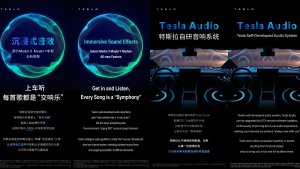
Transform your cabin to a private caraoke room with QQ Music Sing-Along Mode. Control the volume balance between vocals and music.

Go to App Launcher > QQ Music. Requires Premium Connectivity or an active WiFi connection.

Lyrics View Refresh

Tesla Lyrics View Refresh feature in update 2025.45.32.1
Modelli:
N/A
La descrizione di questa funzionalità è attualmente disponibile solo in inglese.

The lyrics for NetEase, QQ and KuGou Music has been refreshed with optimized styles and animations. Supported tracks from NetEase now highlight lyrics word by word.

KuGou Music

Tesla KuGou Music feature in update 2025.45.32.1
Modelli:
N/A
La descrizione di questa funzionalità è attualmente disponibile solo in inglese.

KuGou Music now available on your vehicle. Listen to your Daily Picks, AI Playlists, and VIP Radar on every drive.

Go to App Launcher > KuGou Music. Requires Premium Connectivity or an active WiFi connection.

Aggiornamento del Visualizzatore dashcam

Tesla Aggiornamento del Visualizzatore dashcam feature in update 2025.45.32.1
Disponibile globalmente
Modelli:
S
3
X
Y
CT

I video della dashcam ora includono dettagli aggiuntivi come velocità, angolazione del volante e stato di guida autonoma. Queste informazioni vengono visualizzate nel Visualizzatore dashcam durante la riproduzione sia sul display del veicolo che sull'app Tesla. È richiesta Premium Connectivity e la versione dell'app Tesla versione 4.51.5+.

Per abilitare la visualizzazione sul telefono, vai a Comandi > Sicurezza e attiva Visualizza telecamera tramite app mobile.

Telefono lasciato sul caricatore wireless

Tesla Telefono lasciato sul caricatore wireless feature in update 2025.45.32.1
Disponibile globalmente
Wireless Charger
Modelli:
New S
3
New X
Y
Wireless Charger

Il veicolo emetterà un segnale acustico alcuni secondi dopo la chiusura delle portiere se viene lasciato un telefono sul caricatore wireless e non vengono rilevati occupanti.

Vai a Comandi > Blocchi > Segnale acustico telefono lasciato sul caricatore wireless.

Tesla Photobooth

Tesla Tesla Photobooth feature in update 2025.45.32.1
Disponibile globalmente
AMD Ryzen
Modelli:
New S
3
New X
Y
CT
AMD Ryzen

È possibile trasformare l'auto in una cabina per fototessere! Scatta dei selfie dall'interno della tua Tesla e cambia il look con filtri, sticker ed emoji divertenti. Condividi le tue foto alla moda con amici e familiari direttamente dall'app Tesla. Il veicolo deve essere in Park. Richiede l'app Tesla versione 4.51.5+.

Vai a Utilità di avvio app > Toybox > Photobooth.

Aggiornamenti Modalità Babbo Natale

Tesla Aggiornamenti Modalità Babbo Natale feature in update 2025.45.32.1
Disponibile globalmente
Modelli:
S
3
X
Y
CT

Diffondi l'allegria natalizia tutto l'anno e trasforma la tua esperienza in auto con effetti a tema natalizio. La Modalità Babbo Natale ora aggiunge pupazzi di neve, alberi, un segnale acustico di blocco ed effetti neve per un piacere visivo 3D.

Vai a Utilità di avvio app > Toybox > Babbo Natale.

Aggiornamento Spettacolo di luci

Tesla Aggiornamento Spettacolo di luci feature in update 2025.45.32.1
Disponibile globalmente
Modelli:
New S
3
New X
Y
CT

È tempo di festeggiare con l'ultimo spettacolo di luci: Jingle Rush. Puoi guardare lo spettacolo all'istante o programmarlo con un massimo di 10 minuti di anticipo, su un singolo veicolo o sincronizzato con gli amici. Gli appassionati di spettacoli di luci possono controllare l'illuminazione interna, aggiungere effetti di colore del display e creare spettacoli personalizzati più lunghi. Per riprodurre uno spettacolo personalizzato, salva i file dello spettacolo in una cartella "LightShow" sull'unità flash, collega e seleziona.

Avvia lo spettacolo dall'app Tesla o vai su Utilità di avvio app > Toybox > Spettacolo di luci sul touchscreen del veicolo.

Miglioramenti della navigazione

Tesla Miglioramenti della navigazione feature in update 2025.45.32.1
Disponibile globalmente
Modelli:
S
3
X
Y
CT

Ora puoi riordinare i preferiti di navigazione, impostare Casa o Lavoro lasciando un segnaposto in un punto qualsiasi della mappa e visualizzare le destinazioni suggerite in base ai tuoi viaggi e alle tue abitudini recenti.

Phone Left Behind

Tesla Phone Left Behind feature in update 2025.45.32.1
Disponibile globalmente
Modelli:
New 3
New Y
CT
La descrizione di questa funzionalità è attualmente disponibile solo in inglese.

Your vehicle will chime a few seconds after the doors close if a phone key is inside the cabin or a phone is left on the wireless charger and no occupants are detected. Phone key detection requires UWB-supported devices.

Go to Controls > Locks > Phone Left Behind Chime.

Salva limite di carica per posizione

Tesla Salva limite di carica per posizione feature in update 2025.45.32.1
Disponibile globalmente
Modelli:
S
3
X
Y
CT

Ora puoi salvare un limite di carica per la tua posizione corrente quando il veicolo è parcheggiato e verrà applicato automaticamente alla prossima ricarica lì.

Vai a Comandi > Ricarica.

Simulatore di aggancio SpaceX

Tesla Simulatore di aggancio SpaceX feature in update 2025.45.32.1
Disponibile globalmente
AMD Ryzen
Modelli:
New S
3
New X
Y
CT
AMD Ryzen

Diventa un astronauta e metti alla prova le tue abilità attraccando alla Stazione Spaziale Internazionale. Controlla e guida il razzo in questo gioco di simulazione di attracco in 3D utilizzando una serie di comandi basati sulle interfacce effettivamente utilizzate dagli astronauti della NASA.

Per giocare, metti in Park (P) e vai a Utilità di avvio app > Arcade > SpaceX.

Minor Update

Tesla Minor Update feature in update 2025.45.32.1
Disponibile globalmente
Modelli:
S
3
X
Y
CT
La descrizione di questa funzionalità è attualmente disponibile solo in inglese.

- You can now choose Exclude Home when Cabin Overheat Protection or No A/C is enabled.

Aggiornamenti minori

Tesla Aggiornamenti minori feature in update 2025.45.32.1
Disponibile globalmente
Modelli:
S
3
X
Y
CT

- Abilita o disabilita i tappetini di ricarica wireless per telefono in Comandi > Ricarica.

- Il veicolo invierà un avviso mobile se una portiera dell'abitacolo viene lasciata aperta mentre la Modalità cane è attiva.

- Aggiungi i brani di Spotify alla tua coda direttamente dalla schermata di ricerca.

- Scorri le grandi playlist, gli album, i podcast, gli audiolibri e la tua raccolta di Spotify senza interruzioni.

- Porta le vibrazioni a un altro livello con i colori dell'arcobaleno durante la Rave Cave. Il colore delle luci di accento cambierà insieme al ritmo della musica. Vai a Utilità di avvio app > Toybox > Sincronizzazione luci.

- Il suono di blocco ora include il ciclo luci dalla modalità Tron. Vai a Utilità di avvio app > Toybox > Boombox > Suono di blocco.

- Consenti al tuo veicolo di condividere i dati di ricarica con Tesla per supportare funzioni come le Statistiche di ricarica nell'app Tesla.

New Wheel Options

Tesla New Wheel Options feature in update 2025.45.32.1
Disponibile globalmente
Undocumented
Modelli:
S
3
X
Y
CT
Undocumented
Le funzionalità non documentate sono disponibili solo in inglese.

The new wheel designs that are available on the Standard Model 3 and Model Y are now available for all vehicles to equip in the vehicle visualization.

The new 18” Prismata for the Model 3 and the 18” Aperture wheels are available for all models in the tire section. To view or select the new wheels, go to Controls > Service and select tires and wheels.

Express Lanes

Tesla Express Lanes feature in update 2025.45.32.1
Undocumented
Modelli:
S
3
X
Y
CT
Undocumented
Le funzionalità non documentate sono disponibili solo in inglese.

Tesla has added support for Express Lanes in some vehicles. Similar to HOV or toll roads, Express Lanes are faster lanes that may charge fees based on vehicle occupancy, vehicle type, and time of day.

With this update, Tesla is adding the ability for users to toggle the use of Express Lanes on or off in navigation settings. This feature is not available in all vehicles and Tesla may still be testing it.

Supercharger Live Maps Shows Exact Models

Tesla Supercharger Live Maps Shows Exact Models feature in update 2025.45.32.1
Disponibile globalmente
AMD
Undocumented
Modelli:
S
3
X
Y
CT
AMD
Undocumented
Le funzionalità non documentate sono disponibili solo in inglese.

The new Supercharger Site Maps not only provide a real-time 3D rendering of a Supercharger site but also show the actual vehicle models being charged at each stall.

Tesla will show what kind of vehicle is charging at each stall, whether it’s the original Model Y, the new Model Y, a Cybertruck, or show whether it’s a non-Tesla being charged.

The Supercharger maps are useful to see which stalls are open, their location, which are handicap accessible or whether a location has pull-through stalls.

Dashcam Viewer Zoom Support

Tesla Dashcam Viewer Zoom Support feature in update 2025.45.32.1
Disponibile globalmente
AMD
Undocumented
Modelli:
S
3
X
Y
CT
AMD
Undocumented
Le funzionalità non documentate sono disponibili solo in inglese.

When you’re viewing a video in the Dashcam Viewer, you can now pinch the video to zoom in. In addition, you can also pan the video while zoomed to see other parts of the video.

Note: This feature is limited to vehicles with Tesla’s AMD Ryzen infotainment processor.

Camera Visibility Warning Improvement

Tesla Camera Visibility Warning Improvement feature in update 2025.45.32.1
Disponibile globalmente
Undocumented
Modelli:
S
3
X
Y
CT
Undocumented
Le funzionalità non documentate sono disponibili solo in inglese.

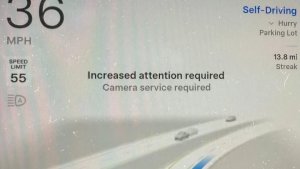
When you receive a camera visibility warning, indicating that a camera has an obscured view, the camera's view will now be labeled. This lets you know exactly which camera needs to be cleaned.

The display is similar to the Dashcam Viewer, where the camera location is overlaid on top of a photo from the camera. Previously, the camera was unlabeled, making it unclear which camera was obscured and needed to be cleaned.

Tesla will display Front for one of the front cameras underneath the windshield and fascia for the front bumper camera.

V4 Supercharger Visualization

Tesla V4 Supercharger Visualization feature in update 2025.45.32.1
Disponibile globalmente
Undocumented
Modelli:
S
3
X
Y
CT
Undocumented
Le funzionalità non documentate sono disponibili solo in inglese.

Tesla recently launched charging visualizations on the vehicle’s display. Tesla supports a wide variety of chargers and includes a different visualization for each type, including the mobile connector, Wall Connector, v2, and v3 Supercharger styles, as well as a generic type for third-party chargers.

However, surprisingly absent was a unique visualization for the newer style, V4 Superchargers. With this update, Tesla has added a proper visualization for the V4 Superchargers.

Wrap & License Plate Icons

Tesla Wrap & License Plate Icons feature in update 2025.45.32.1
Disponibile globalmente
Undocumented
Modelli:
S
3
X
Y
CT
Undocumented
Le funzionalità non documentate sono disponibili solo in inglese.

You can easily access the vehicle wraps and license plate options by navigating to Controls > Software. Underneath the vehicle visualization, you’ll have a photo of the selected license plate for your vehicle, as well as a wrapping paper icon that will take you directly to the vehicle visualization options.

The wrapping paper icon replaces the old colored square that used to take you to the vehicle Colorizer feature.

Car Wash Mode Notification

Tesla Car Wash Mode Notification feature in update 2025.45.32.1
Disponibile globalmente
Undocumented
Modelli:
S
3
X
Y
CT
Undocumented
Le funzionalità non documentate sono disponibili solo in inglese.

Tesla will now show you a notification reminding you to use Car Wash Mode. Whenever you’re near a car wash, Tesla pops up a reminder that lets you easily enable Car Wash Mode.

This is part of Tesla’s Car Wash Mode improvements in this update.

Parking Brake

Tesla Parking Brake feature in update 2025.45.32.1
Disponibile globalmente
Undocumented
Modelli:
S
3
X
Y
CT
Undocumented
Le funzionalità non documentate sono disponibili solo in inglese.

Tesla has removed the ability to enable the emergency brake (parking brake) from the vehicle’s display. Near the bottom of the Controls > Safety menu, users could manually enable the vehicle’s emergency brake. However, this option has now disappeared.

However, users can still enable the vehicle’s emergency brake by using the gear stalk or Park icon on the touch screen.

Car Wash Mode Redesign

Tesla Car Wash Mode Redesign feature in update 2025.45.32.1
Disponibile globalmente
Undocumented
Modelli:
S
3
X
Y
CT
Undocumented
Le funzionalità non documentate sono disponibili solo in inglese.

Tesla has redesigned the Car Wash Mode feature with this update. It now includes a visualization of the vehicle on the right with the usual checklist items on the left.

For anyone not familiar with Car Wash Mode, it features a real-time checklist to help prepare your vehicle for a car wash. If any items are in the proper setting, such as a window or trunk being opened, the dot next to the item will turn red.

The ‘Enable Free Roll’ option at the bottom is now more obvious, making it easier for users to find how to put their vehicle into neutral.

Switch to Bluetooth

Tesla Switch to Bluetooth feature in update 2025.45.32.1
Disponibile globalmente
Undocumented
Modelli:
S
3
X
Y
CT
Undocumented
Le funzionalità non documentate sono disponibili solo in inglese.

If your phone is connected via Bluetooth and the vehicle detects that your phone is playing audio, it will now prompt you to switch over to the Bluetooth audio source, so the audio comes out of your vehicle’s speakers instead.

Most users likely listen to a music streaming service such as Apple Music or Spotify, but when they listen to audio on their phone, there is often a second pause, leaving the driver wondering why the audio isn’t coming out of their vehicle’s speakers.

This solves that problem and also makes it easier to switch to Bluetooth instead of manually finding and tapping the Bluetooth app.

New Visualizations With Unreal Engine

Tesla New Visualizations With Unreal Engine feature in update 2025.45.32.1
Disponibile globalmente
Undocumented
Modelli:
New S
New X
Undocumented
Le funzionalità non documentate sono disponibili solo in inglese.

The new visualizations that have been available on the 2026 Model S and Model X are now available on all 2021+ Model S and Model X vehicles.

Besides the improved visuals in the instrument cluster and in the menus, you can now freely rotate your vehicle’s visualization in the Controls menu, letting you view your vehicle from any angle.

In addition, the module that pops up when parked, which lets you open the doors and trunk, is also interactive, allowing you to pan and zoom in on the vehicle.

Air Suspension Controls

Tesla Air Suspension Controls feature in update 2025.45.32.1
Disponibile globalmente
Undocumented
Modelli:
New S
New X
Undocumented
Le funzionalità non documentate sono disponibili solo in inglese.

Air suspension controls for the Model S and Model X are now available in the main Controls section, rather than requiring users to go to the separate Suspension tab.

The 2026 models already include this feature. 2025 and older vehicles keep the older, more detailed Suspension menu, instead of the simplified version found in the 2026 models.

Boomerang Fu Game Removed

Tesla Boomerang Fu Game Removed feature in update 2025.45.32.1
Disponibile globalmente
Undocumented
Modelli:
S
3
X
Y
CT
Undocumented
Le funzionalità non documentate sono disponibili solo in inglese.

The game Boomerang Fu has been removed from vehicles and replaced with SpaceX Docking Simulator. The game's license likely expired this year, as it was released in last year’s holiday update.

Favorites On Map

Tesla Favorites On Map feature in update 2025.45.32.1
Disponibile globalmente
Undocumented
Modelli:
S
3
X
Y
CT
Undocumented
Le funzionalità non documentate sono disponibili solo in inglese.

Tesla has made several changes to favorites and home/work in this update. However, this change has gone undocumented in the release notes.

In addition to putting the home/work icons into the Navigate box and showing your top two suggestions underneath, Tesla is also pinning all of your favorites, home, and work locations directly on the map.

This makes it much easier to orient yourself as you move the map around and makes it obvious when you’re near one of your favorites, such as a friend’s home, restaurant, or other favorite location.

View Dashcam Storage

Tesla View Dashcam Storage feature in update 2025.45.32.1
Disponibile globalmente
Undocumented
Modelli:
S
3
X
Y
CT
Undocumented
Le funzionalità non documentate sono disponibili solo in inglese.

You can now view the storage space of your Dashcam USB drive. You can view the amount of space used by Dashcam and the total size of the drive.

To view Dashcam storage, go to Controls > Safety and scroll down to Dashcam.

Dashcam Filters

Tesla Dashcam Filters feature in update 2025.45.32.1
Disponibile globalmente
Undocumented
Modelli:
S
3
X
Y
CT
Undocumented
Le funzionalità non documentate sono disponibili solo in inglese.

Tesla has made additional improvements to the Dashcam Viewer. In addition to having Dashcam and Sentry tabs in the Dashcam Viewer, Tesla now includes additional categories for Dashcam videos.

The system will automatically categorize videos taken with Dashcam and Sentry Mode and put them into appropriate categories that triggered the footage, such as Honk, Manual Save, Handle Pull, etc.

Hebrew Language Added

Tesla Hebrew Language Added feature in update 2025.45.32.1
Disponibile globalmente
Undocumented
Modelli:
S
X
CT
Undocumented
Le funzionalità non documentate sono disponibili solo in inglese.

You can now choose Hebrew as your touchscreen language.

To change the language, shift into Park, and go to Controls > Display > Touchscreen Language.

Service Mode Improvements

Tesla Service Mode Improvements feature in update 2025.45.32.1
Disponibile globalmente
Undocumented
Modelli:
S
3
X
Y
CT
Undocumented
Le funzionalità non documentate sono disponibili solo in inglese.

Thermal Control Components Panel Added to Service Mode

The Thermal Control Components panel has been added to Service Mode to support thermal Noise, Vibration, and Harshness (NVH) diagnosis. It adds the ability to individually control thermal components, set specific targets, and sweep across operating ranges with real-time feedback. It also includes a 3D static view of the heat pump, including the radiator, blower motor, louver, and pumps.

Models: Model S (2021+), Model 3 (Heat Pump), Model X (2021+), Model Y, Cybertruck

Airbag Panel Update - New Disarm Airbag and Resistance Check Routines

In the Airbags panel, a routine has been added that allows users to disarm the airbags. With this routine, users no longer need to disconnect the Low Voltage (LV) battery when diagnosing the Safety and Restraints system. Once the airbags are disarmed, individual components, such as an airbag or pretensioner, can be tapped to view the resistance readings.

Models: Model S (2021+), Model 3, Model X (2021+), Model Y, Cybertruck

Statistics Overview

Number of Cars
0
Percent of Fleet
0%
Installs Pending
0
Rollout Yesterday
0
Rollout Today
0

Details

Release Date

February 8, 2026











