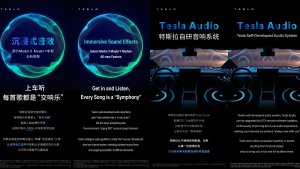
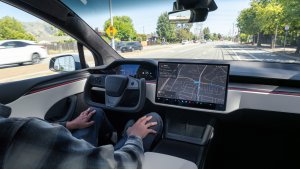


This is the Lunar New Year update in China, which adds various big features, such as Automations, "Hey, Tesla" and improved Dashcam functionality.
Tesla Videos
Details
Release Date
2025.45 Updates
Update 2025.45.32.1
Update 2025.45.10
Update 2025.45.9.1
Update 2025.45.9
Update 2025.45.8
Update 2025.45.7
Update 2025.45.6
Update 2025.45.5
Recent News
Automation App
Personalize your vehicle experience with the new Automations app. Create custom workflows that perform automatic actions when a certain event triggers and specific conditions are met. For example, you can define "When the vehicle arrives home (event triggers) and if it's a weekend (specific condition is met), open the trunk (execute automatic action)".
Go to App Launcher > Automation.
Hey Tesla
You can now activate voice commands by saying: "Hey Tesla". To enable, go to Controls -> Voice panel.
Dashcam Recent Footage Duration
Dashcam now adjusts the recent footage duration depending on USB drive's capacity - ranging from 1 hour on smaller drives up to 24 hours on 1TB+ drives. This ensures you retain the maximum amount of recent footage for review before it is overwritten.
Finding Superchargers
Superchargers will now be clustered together on the map when there are many in the same area. Tapping on a cluster zooms into the area, revealing the Superchargers located there.
Nearby Parking
Tap "Nearby Parking" on any point-of-interest page to get directions to nearby parking and start your journey with ease.
Paint Shop
Personalize your Tesla avatar with window tints, custom wraps, and license plates. Use one of many preloaded designs or create and upload your own using a USB flash drive to make your vehicle unique.
Go to App Launcher > Toybox > Paint Shop or tap the paint button in Controls > Software.
Weixin Connection
Send a location from Wexin to your Tesla. Go to Navigation Search Box > Mobile, then select Activate to start the service. Follow the on-screen prompts to activate the service on your mobile device. Once activated, you can send addresses directly from Weixin to your Tesla. Requires Premium Connectivity.
Praćenje uživo u načinu rada za kućne ljubimce na sustavu iOS
Pripazite na svog ljubimca! Kad je aktivan Način rada za kućne ljubimce, vidjet ćete aktivnost uživo na svom iPhoneu s obavijestima o temperaturi i klimatskim uvjetima. Ako imate Premium povezivost, povremeno ćete dobivati i snimke kabine vozila. Zahtijeva verziju aplikacije Tesla 4.51.5 ili višu.
QQ Music Sing-Along Mode
Transform your cabin to a private caraoke room with QQ Music Sing-Along Mode. Control the volume balance between vocals and music.
Go to App Launcher > QQ Music. Requires Premium Connectivity or an active WiFi connection.
Lyrics View Refresh
The lyrics for NetEase, QQ and KuGou Music has been refreshed with optimized styles and animations. Supported tracks from NetEase now highlight lyrics word by word.
KuGou Music
KuGou Music now available on your vehicle. Listen to your Daily Picks, AI Playlists, and VIP Radar on every drive.
Go to App Launcher > KuGou Music. Requires Premium Connectivity or an active WiFi connection.
Ažuriranje preglednika kamere u vozilu
Isječci kamere u vozilu sada uključuju dodatne pojedinosti kao što su brzina, kut upravljača i stanje samostalne vožnje. Te se informacije pojavljuju u pregledniku kamere u vozilu tijekom reprodukcije na zaslonu vozila i u aplikaciji Tesla. Zahtijeva Premium povezivost i verziju aplikacije Tesla 4.51.5+.
Kako biste omogućili pregled na svom telefonu, idite na Kontrole > Sigurnost i uključite opciju Prikaži kameru putem mobilne aplikacije.
Telefon je ostavljen na bežičnom punjaču
Vaše vozilo aktivirat će zvuk nekoliko sekundi nakon zatvaranja vrata ako ostavite telefon na bežičnom punjaču, a ne otkrije se nijedan putnik.
Idite na Kontrole > Brave > Zvučno upozorenje za ostavljanje telefona na bežičnom punjaču.
Teslina kabina za fotografije
Pretvorite svoj automobil u fotokabinu! Snimite selfije iz svoje Tesle i dočarajte si novi izgled pomoću zabavnih filtera, naljepnica i emojija. Podijelite svoje elegantne fotografije s prijateljima i obitelji izravno putem aplikacije Tesla. Automobil mora biti u položaju Parkiranje. Zahtijeva verziju aplikacije Tesla 4.51.5 ili višu.
Otvorite App Launcher > Toybox > Photobooth.
Ažuriranje načina rada Djed Božićnjak
Širite blagdansko raspoloženje tijekom cijele godine i transformirajte svoje iskustvo u automobilu uz efekte blagdanske tematike. Način rada Djed Božićnjak sada dodaje svečane snjegovića, drveće, zvučno upozorenja i snježne efekte za 3D vizualnu poslasticu.
Otvorite App Launcher > Toybox > Santa.
Ažuriranje svjetlosnih efekata
Vrijeme je za slavlje uz najnovije svjetlosne efekte – Jingle Rush. Efekte možete reproducirati odmah ili ih možete zakazati do 10 minuta unaprijed, na jednom vozilu ili sinkroniziranu s prijateljima. Ljubitelji svjetlosnih efekata mogu kontrolirati unutarnju rasvjetu, dodavati efekte u boji zaslona i kreirati duže predstave. Da biste reproducirali prilagođenu predstavu, spremite datoteke emisije u mapu „LightShow” na memorijskom pogonu, povežite se i odaberite.
Pokrenite predstavu putem aplikacije Tesla ili idite na Pokretač aplikacija > Toybox > Svjetlosni efekti na dodirnom zaslonu vozila.
Poboljšanja navigacije
Sada možete promijeniti redoslijed favorita u navigaciji, postaviti opciju Kuća ili Posao zabadanjem pribadače bilo gdje na karti te pregledati predložena odredišta na temelju vaših nedavnih putovanja i navika.
Phone Left Behind
Your vehicle will chime a few seconds after the doors close if a phone key is inside the cabin or a phone is left on the wireless charger and no occupants are detected. Phone key detection requires UWB-supported devices.
Go to Controls > Locks > Phone Left Behind Chime.
Spremite ograničenje punjenja po lokaciji
Sada možete spremiti ograničenje punjenja za svoju trenutačnu lokaciju dok ste parkirani i ono će se automatski primijeniti sljedeći put kad tamo budete punili.
Idite na Kontrole > Punjenje.
SpaceX simulator spajanja na ISS
Postanite astronaut i dokažite svoje vještine spajanjem s međunarodnom svemirskom stanicom. Upravljajte i vodite raketu u ovoj igri simulatora 3D priključka pomoću skupa kontrola koje se temelje na stvarnim sučeljima koja upotrebljavaju NASA-ini astronauti.
Da biste igrali igru, prebacite vozilo u parkirni položaj (P) i idite na Pokretač aplikacija > Arkadne igre > SpaceX.
Minor Update
- You can now choose Exclude Home when Cabin Overheat Protection or No A/C is enabled.
Manja ažuriranja
- Omogućite ili onemogućite bežične punjače telefona pod Kontrole > Punjenje.
- Vaše će vozilo sada poslati mobilno upozorenje ako bilo koja vrata kabine ostanu otvorena dok je aktivan način rada za kućne ljubimce.
- Dodajte Spotify pjesme u svoj red čekanja izravno sa zaslona za pretraživanje.
- Navigirajte kroz velike Spotify popise za reprodukciju, albume, podcaste, audioknjige i svoju medijateku bez stranica.
- Podignite zabavu na višu razinu pomoću duginih boja tijekom značajke Rave Cave. Boja ambijentalnih svjetala mijenjat će se zajedno s ritmovima vaše glazbe. Idite na App Launcher > Toybox > Sinkronizacija svjetla.
- Zvuk zaključavanja sada uključuje ciklus svjetla iz načina rada Tron. Idite na Pokretač aplikacija > Toybox > Boombox > Zvuk zaključavanja.
- Dopustite da vozilo dijeli podatke o punjenju s tvrtkom Tesla kako bi se podržale značajke kao što su Statistika punjenja u aplikaciji Tesla.
New Wheel Options
The new wheel designs that are available on the Standard Model 3 and Model Y are now available for all vehicles to equip in the vehicle visualization.
The new 18” Prismata for the Model 3 and the 18” Aperture wheels are available for all models in the tire section. To view or select the new wheels, go to Controls > Service and select tires and wheels.
Express Lanes
Tesla has added support for Express Lanes in some vehicles. Similar to HOV or toll roads, Express Lanes are faster lanes that may charge fees based on vehicle occupancy, vehicle type, and time of day.
With this update, Tesla is adding the ability for users to toggle the use of Express Lanes on or off in navigation settings. This feature is not available in all vehicles and Tesla may still be testing it.
Supercharger Live Maps Shows Exact Models
The new Supercharger Site Maps not only provide a real-time 3D rendering of a Supercharger site but also show the actual vehicle models being charged at each stall.
Tesla will show what kind of vehicle is charging at each stall, whether it’s the original Model Y, the new Model Y, a Cybertruck, or show whether it’s a non-Tesla being charged.
The Supercharger maps are useful to see which stalls are open, their location, which are handicap accessible or whether a location has pull-through stalls.
Dashcam Viewer Zoom Support
When you’re viewing a video in the Dashcam Viewer, you can now pinch the video to zoom in. In addition, you can also pan the video while zoomed to see other parts of the video.
Note: This feature is limited to vehicles with Tesla’s AMD Ryzen infotainment processor.
Camera Visibility Warning Improvement
When you receive a camera visibility warning, indicating that a camera has an obscured view, the camera's view will now be labeled. This lets you know exactly which camera needs to be cleaned.
The display is similar to the Dashcam Viewer, where the camera location is overlaid on top of a photo from the camera. Previously, the camera was unlabeled, making it unclear which camera was obscured and needed to be cleaned.
Tesla will display Front for one of the front cameras underneath the windshield and fascia for the front bumper camera.
V4 Supercharger Visualization
Tesla recently launched charging visualizations on the vehicle’s display. Tesla supports a wide variety of chargers and includes a different visualization for each type, including the mobile connector, Wall Connector, v2, and v3 Supercharger styles, as well as a generic type for third-party chargers.
However, surprisingly absent was a unique visualization for the newer style, V4 Superchargers. With this update, Tesla has added a proper visualization for the V4 Superchargers.
Wrap & License Plate Icons
You can easily access the vehicle wraps and license plate options by navigating to Controls > Software. Underneath the vehicle visualization, you’ll have a photo of the selected license plate for your vehicle, as well as a wrapping paper icon that will take you directly to the vehicle visualization options.
The wrapping paper icon replaces the old colored square that used to take you to the vehicle Colorizer feature.
Car Wash Mode Notification
Tesla will now show you a notification reminding you to use Car Wash Mode. Whenever you’re near a car wash, Tesla pops up a reminder that lets you easily enable Car Wash Mode.
This is part of Tesla’s Car Wash Mode improvements in this update.
Parking Brake
Tesla has removed the ability to enable the emergency brake (parking brake) from the vehicle’s display. Near the bottom of the Controls > Safety menu, users could manually enable the vehicle’s emergency brake. However, this option has now disappeared.
However, users can still enable the vehicle’s emergency brake by using the gear stalk or Park icon on the touch screen.
Car Wash Mode Redesign
Tesla has redesigned the Car Wash Mode feature with this update. It now includes a visualization of the vehicle on the right with the usual checklist items on the left.
For anyone not familiar with Car Wash Mode, it features a real-time checklist to help prepare your vehicle for a car wash. If any items are in the proper setting, such as a window or trunk being opened, the dot next to the item will turn red.
The ‘Enable Free Roll’ option at the bottom is now more obvious, making it easier for users to find how to put their vehicle into neutral.
Switch to Bluetooth
If your phone is connected via Bluetooth and the vehicle detects that your phone is playing audio, it will now prompt you to switch over to the Bluetooth audio source, so the audio comes out of your vehicle’s speakers instead.
Most users likely listen to a music streaming service such as Apple Music or Spotify, but when they listen to audio on their phone, there is often a second pause, leaving the driver wondering why the audio isn’t coming out of their vehicle’s speakers.
This solves that problem and also makes it easier to switch to Bluetooth instead of manually finding and tapping the Bluetooth app.
New Visualizations With Unreal Engine
The new visualizations that have been available on the 2026 Model S and Model X are now available on all 2021+ Model S and Model X vehicles.
Besides the improved visuals in the instrument cluster and in the menus, you can now freely rotate your vehicle’s visualization in the Controls menu, letting you view your vehicle from any angle.
In addition, the module that pops up when parked, which lets you open the doors and trunk, is also interactive, allowing you to pan and zoom in on the vehicle.
Air Suspension Controls
Air suspension controls for the Model S and Model X are now available in the main Controls section, rather than requiring users to go to the separate Suspension tab.
The 2026 models already include this feature. 2025 and older vehicles keep the older, more detailed Suspension menu, instead of the simplified version found in the 2026 models.
Boomerang Fu Game Removed
The game Boomerang Fu has been removed from vehicles and replaced with SpaceX Docking Simulator. The game's license likely expired this year, as it was released in last year’s holiday update.
Favorites On Map
Tesla has made several changes to favorites and home/work in this update. However, this change has gone undocumented in the release notes.
In addition to putting the home/work icons into the Navigate box and showing your top two suggestions underneath, Tesla is also pinning all of your favorites, home, and work locations directly on the map.
This makes it much easier to orient yourself as you move the map around and makes it obvious when you’re near one of your favorites, such as a friend’s home, restaurant, or other favorite location.
View Dashcam Storage
You can now view the storage space of your Dashcam USB drive. You can view the amount of space used by Dashcam and the total size of the drive.
To view Dashcam storage, go to Controls > Safety and scroll down to Dashcam.
Dashcam Filters
Tesla has made additional improvements to the Dashcam Viewer. In addition to having Dashcam and Sentry tabs in the Dashcam Viewer, Tesla now includes additional categories for Dashcam videos.
The system will automatically categorize videos taken with Dashcam and Sentry Mode and put them into appropriate categories that triggered the footage, such as Honk, Manual Save, Handle Pull, etc.
Hebrew Language Added
You can now choose Hebrew as your touchscreen language.
To change the language, shift into Park, and go to Controls > Display > Touchscreen Language.
Service Mode Improvements
Thermal Control Components Panel Added to Service Mode
The Thermal Control Components panel has been added to Service Mode to support thermal Noise, Vibration, and Harshness (NVH) diagnosis. It adds the ability to individually control thermal components, set specific targets, and sweep across operating ranges with real-time feedback. It also includes a 3D static view of the heat pump, including the radiator, blower motor, louver, and pumps.
Models: Model S (2021+), Model 3 (Heat Pump), Model X (2021+), Model Y, Cybertruck
Airbag Panel Update - New Disarm Airbag and Resistance Check Routines
In the Airbags panel, a routine has been added that allows users to disarm the airbags. With this routine, users no longer need to disconnect the Low Voltage (LV) battery when diagnosing the Safety and Restraints system. Once the airbags are disarmed, individual components, such as an airbag or pretensioner, can be tapped to view the resistance readings.
Models: Model S (2021+), Model 3, Model X (2021+), Model Y, Cybertruck













