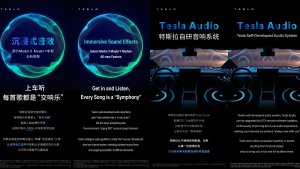
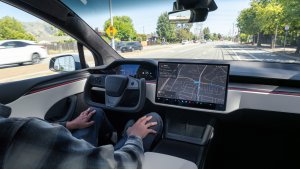

This is the Lunar New Year update in China, which adds various big features, such as Automations, "Hey, Tesla" and improved Dashcam functionality.
Tesla Videos
Details
Release Date
2025.45 Updates
Update 2025.45.32.1
Update 2025.45.10
Update 2025.45.9.1
Update 2025.45.9
Update 2025.45.8
Update 2025.45.7
Update 2025.45.6
Update 2025.45.5
Recent News
Automation App
Personalize your vehicle experience with the new Automations app. Create custom workflows that perform automatic actions when a certain event triggers and specific conditions are met. For example, you can define "When the vehicle arrives home (event triggers) and if it's a weekend (specific condition is met), open the trunk (execute automatic action)".
Go to App Launcher > Automation.
Hey Tesla
You can now activate voice commands by saying: "Hey Tesla". To enable, go to Controls -> Voice panel.
Dashcam Recent Footage Duration
Dashcam now adjusts the recent footage duration depending on USB drive's capacity - ranging from 1 hour on smaller drives up to 24 hours on 1TB+ drives. This ensures you retain the maximum amount of recent footage for review before it is overwritten.
Finding Superchargers
Superchargers will now be clustered together on the map when there are many in the same area. Tapping on a cluster zooms into the area, revealing the Superchargers located there.
Nearby Parking
Tap "Nearby Parking" on any point-of-interest page to get directions to nearby parking and start your journey with ease.
Paint Shop
Personalize your Tesla avatar with window tints, custom wraps, and license plates. Use one of many preloaded designs or create and upload your own using a USB flash drive to make your vehicle unique.
Go to App Launcher > Toybox > Paint Shop or tap the paint button in Controls > Software.
Weixin Connection
Send a location from Wexin to your Tesla. Go to Navigation Search Box > Mobile, then select Activate to start the service. Follow the on-screen prompts to activate the service on your mobile device. Once activated, you can send addresses directly from Weixin to your Tesla. Requires Premium Connectivity.
Dog Moden livetapahtumat iOS:ssä
Pidä lemmikkiäsi silmällä! Kun Dog Mode on aktiivinen, näet livetapahtumat iPhonessasi sekä reaaliaikaiset päivitykset lämpötilasta ja ilmasto-olosuhteista. Jos sinulla on Premium Connectivity -palvelu, saat myös säännöllisiä tilannekuvia ajoneuvosi ohjaamosta. Vaatii Tesla-sovelluksen version 4.51.5+.
QQ Music Sing-Along Mode
Transform your cabin to a private caraoke room with QQ Music Sing-Along Mode. Control the volume balance between vocals and music.
Go to App Launcher > QQ Music. Requires Premium Connectivity or an active WiFi connection.
Lyrics View Refresh
The lyrics for NetEase, QQ and KuGou Music has been refreshed with optimized styles and animations. Supported tracks from NetEase now highlight lyrics word by word.
KuGou Music
KuGou Music now available on your vehicle. Listen to your Daily Picks, AI Playlists, and VIP Radar on every drive.
Go to App Launcher > KuGou Music. Requires Premium Connectivity or an active WiFi connection.
Kojelautakameran katseluohjelman päivitys
Kojelautakameran leikkeet sisältävät nyt lisätietoja, kuten nopeuden, ohjauspyörän kulman ja itsestään ajavan tilan. Nämä tiedot näytetään kojelautakameran katseluohjelmassa toiston aikana sekä ajoneuvon näytössä että Tesla-sovelluksessa. Toiminnon käyttöön tarvitaan Premium Connectivity ja Tesla-sovelluksen versio 4.51.5+.
Ota katselu käyttöön puhelimessasi valitsemalla Hallintalaitteet > Turvallisuus ja ottamalla Näytä kamera käyttöön mobiilisovelluksella.
Puhelin jäänyt langattomaan laturiin
Ajoneuvo antaa merkkiäänen muutaman sekunnin kuluttua ovien sulkemisesta, jos puhelin on jätetty langattomaan laturiin eikä autossa havaita matkustajia.
Siirry kohtaan Hallintalaitteet > Lukot > Puhelin jäänyt langattomaan laturiin -merkkiääni.
Tesla Photobooth
Tee autostasi valokuvauskoppi! Ota selfieitä Tesla-autossasi ja anna itsellesi uusi ilme hauskoilla suodattimilla, tarroilla ja emojeilla. Jaa tyylikkäät valokuvasi ystävien ja perheenjäsenten kanssa suoraan Tesla-sovelluksesta. Auton on oltava P-vaihteella. Vaatii Tesla-sovelluksen version 4.51.5+.
Valitse App Launcher > Toybox > Photobooth.
Santa-tilan päivitykset
Levitä lomatunnelmaa ympäri vuoden ja muuta kokemusta autossasi loma-aiheisilla tehosteilla. Santa-tilassa on nyt juhlavia lumiukkoja, puita, lukkoääni ja lumitehosteita visuaaliseksi 3D-herkuksi.
Valitse App Launcher > Toybox > Santa.
Valoshow’n päivitys
On aika juhlia uusimmalla valoshow'lla - Jingle Rush. Voit toistaa show'n heti tai ajastaa sen jopa 10 minuuttia etukäteen joko yhdellä ajoneuvolla tai synkronoituna ystävien kanssa. Valoshow’n harrastajat voivat ohjata sisävalaistusta, lisätä näyttöön väritehosteita ja luoda pidempiä mukautettuja esityksiä. Mukautetun ohjelman toistamiseksi tallenna show-tiedostot muistitikun ”LightShow”-kansioon, muodosta yhteys ja valitse.
Käynnistä show Tesla-sovelluksesta tai valitse ajoneuvosi kosketusnäytöstä App Launcher > Toybox > Valoshow.
Navigoinnin parannukset
Voit nyt järjestää navigoinnin suosikit uudelleen, asettaa kodin tai työpaikan pudottamalla pinnin haluamaasi kohtaan kartalla ja tarkastella ehdotettuja määränpäitä viimeisimpien matkojen ja tapojesi perusteella.
Phone Left Behind
Your vehicle will chime a few seconds after the doors close if a phone key is inside the cabin or a phone is left on the wireless charger and no occupants are detected. Phone key detection requires UWB-supported devices.
Go to Controls > Locks > Phone Left Behind Chime.
Tallenna latausraja sijainnin mukaan
Voit nyt tallentaa nykyiselle sijainnillesi latausrajan, kun olet pysäköitynä. Se otetaan käyttöön automaattisesti, kun seuraavan kerran lataat siellä.
Valitse Hallintalaitteet > Lataaminen.
SpaceX -telakointisimulaattori
Ryhdy astronautiksi ja todista taitosi telakoitumalla kansainväliselle avaruusasemalle. Ohjaa rakettia tässä 3D-telakointisimulaattoripelissä käyttämällä hallintalaitteita, jotka perustuvat NASA-astronauttien käyttämiin todellisiin käyttöliittymiin.
Pelaa vaihtamalla P-vaihteelle ja valitsemalla App Launcher > Arcade > SpaceX.
Minor Update
- You can now choose Exclude Home when Cabin Overheat Protection or No A/C is enabled.
Pienet päivitykset
- Ota puhelimen langattomat latausalustat käyttöön tai poista ne käytöstä valikossa Hallintalaitteet > Lataaminen.
- Ajoneuvosi lähettää nyt mobiilihälytyksen, jos jokin ohjaamon ovi jää auki, kun Dog Mode on aktiivinen.
- Lisää Spotify-kappaleita jonoosi suoraan hakunäytöstä.
- Selaa suuria Spotify-soittolistoja, albumeita, podcasteja, äänikirjoja ja kirjastoasi saumattomasti ilman sivutusta.
- Nosta tunnelma uudelle tasolle sateenkaaren väreillä Rave-luolan aikana. Korostusvalojen väri muuttuu musiikkisi tahdissa. Valitse App Launcher > Toybox > Valojen synkronointi.
- Lukitusääni sisältää nyt valosyklin Tron-tilasta. Valitse App Launcher > Toybox > Boombox > Lukitusääni.
- Salli ajoneuvosi jakaa lataustietoja Teslan kanssa ominaisuuksien, kuten lataustilastojen, tukemiseksi Tesla-sovelluksessa.
New Wheel Options
The new wheel designs that are available on the Standard Model 3 and Model Y are now available for all vehicles to equip in the vehicle visualization.
The new 18” Prismata for the Model 3 and the 18” Aperture wheels are available for all models in the tire section. To view or select the new wheels, go to Controls > Service and select tires and wheels.
Express Lanes
Tesla has added support for Express Lanes in some vehicles. Similar to HOV or toll roads, Express Lanes are faster lanes that may charge fees based on vehicle occupancy, vehicle type, and time of day.
With this update, Tesla is adding the ability for users to toggle the use of Express Lanes on or off in navigation settings. This feature is not available in all vehicles and Tesla may still be testing it.
Supercharger Live Maps Shows Exact Models
The new Supercharger Site Maps not only provide a real-time 3D rendering of a Supercharger site but also show the actual vehicle models being charged at each stall.
Tesla will show what kind of vehicle is charging at each stall, whether it’s the original Model Y, the new Model Y, a Cybertruck, or show whether it’s a non-Tesla being charged.
The Supercharger maps are useful to see which stalls are open, their location, which are handicap accessible or whether a location has pull-through stalls.
Dashcam Viewer Zoom Support
When you’re viewing a video in the Dashcam Viewer, you can now pinch the video to zoom in. In addition, you can also pan the video while zoomed to see other parts of the video.
Note: This feature is limited to vehicles with Tesla’s AMD Ryzen infotainment processor.
Camera Visibility Warning Improvement
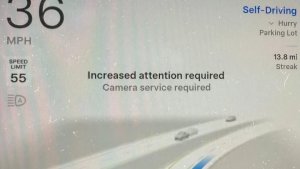
When you receive a camera visibility warning, indicating that a camera has an obscured view, the camera's view will now be labeled. This lets you know exactly which camera needs to be cleaned.
The display is similar to the Dashcam Viewer, where the camera location is overlaid on top of a photo from the camera. Previously, the camera was unlabeled, making it unclear which camera was obscured and needed to be cleaned.
Tesla will display Front for one of the front cameras underneath the windshield and fascia for the front bumper camera.
V4 Supercharger Visualization
Tesla recently launched charging visualizations on the vehicle’s display. Tesla supports a wide variety of chargers and includes a different visualization for each type, including the mobile connector, Wall Connector, v2, and v3 Supercharger styles, as well as a generic type for third-party chargers.
However, surprisingly absent was a unique visualization for the newer style, V4 Superchargers. With this update, Tesla has added a proper visualization for the V4 Superchargers.
Wrap & License Plate Icons
You can easily access the vehicle wraps and license plate options by navigating to Controls > Software. Underneath the vehicle visualization, you’ll have a photo of the selected license plate for your vehicle, as well as a wrapping paper icon that will take you directly to the vehicle visualization options.
The wrapping paper icon replaces the old colored square that used to take you to the vehicle Colorizer feature.
Car Wash Mode Notification
Tesla will now show you a notification reminding you to use Car Wash Mode. Whenever you’re near a car wash, Tesla pops up a reminder that lets you easily enable Car Wash Mode.
This is part of Tesla’s Car Wash Mode improvements in this update.
Parking Brake
Tesla has removed the ability to enable the emergency brake (parking brake) from the vehicle’s display. Near the bottom of the Controls > Safety menu, users could manually enable the vehicle’s emergency brake. However, this option has now disappeared.
However, users can still enable the vehicle’s emergency brake by using the gear stalk or Park icon on the touch screen.
Car Wash Mode Redesign
Tesla has redesigned the Car Wash Mode feature with this update. It now includes a visualization of the vehicle on the right with the usual checklist items on the left.
For anyone not familiar with Car Wash Mode, it features a real-time checklist to help prepare your vehicle for a car wash. If any items are in the proper setting, such as a window or trunk being opened, the dot next to the item will turn red.
The ‘Enable Free Roll’ option at the bottom is now more obvious, making it easier for users to find how to put their vehicle into neutral.
Switch to Bluetooth
If your phone is connected via Bluetooth and the vehicle detects that your phone is playing audio, it will now prompt you to switch over to the Bluetooth audio source, so the audio comes out of your vehicle’s speakers instead.
Most users likely listen to a music streaming service such as Apple Music or Spotify, but when they listen to audio on their phone, there is often a second pause, leaving the driver wondering why the audio isn’t coming out of their vehicle’s speakers.
This solves that problem and also makes it easier to switch to Bluetooth instead of manually finding and tapping the Bluetooth app.
New Visualizations With Unreal Engine
The new visualizations that have been available on the 2026 Model S and Model X are now available on all 2021+ Model S and Model X vehicles.
Besides the improved visuals in the instrument cluster and in the menus, you can now freely rotate your vehicle’s visualization in the Controls menu, letting you view your vehicle from any angle.
In addition, the module that pops up when parked, which lets you open the doors and trunk, is also interactive, allowing you to pan and zoom in on the vehicle.
Air Suspension Controls
Air suspension controls for the Model S and Model X are now available in the main Controls section, rather than requiring users to go to the separate Suspension tab.
The 2026 models already include this feature. 2025 and older vehicles keep the older, more detailed Suspension menu, instead of the simplified version found in the 2026 models.
Boomerang Fu Game Removed
The game Boomerang Fu has been removed from vehicles and replaced with SpaceX Docking Simulator. The game's license likely expired this year, as it was released in last year’s holiday update.
Favorites On Map
Tesla has made several changes to favorites and home/work in this update. However, this change has gone undocumented in the release notes.
In addition to putting the home/work icons into the Navigate box and showing your top two suggestions underneath, Tesla is also pinning all of your favorites, home, and work locations directly on the map.
This makes it much easier to orient yourself as you move the map around and makes it obvious when you’re near one of your favorites, such as a friend’s home, restaurant, or other favorite location.
View Dashcam Storage
You can now view the storage space of your Dashcam USB drive. You can view the amount of space used by Dashcam and the total size of the drive.
To view Dashcam storage, go to Controls > Safety and scroll down to Dashcam.
Dashcam Filters
Tesla has made additional improvements to the Dashcam Viewer. In addition to having Dashcam and Sentry tabs in the Dashcam Viewer, Tesla now includes additional categories for Dashcam videos.
The system will automatically categorize videos taken with Dashcam and Sentry Mode and put them into appropriate categories that triggered the footage, such as Honk, Manual Save, Handle Pull, etc.
Hebrew Language Added
You can now choose Hebrew as your touchscreen language.
To change the language, shift into Park, and go to Controls > Display > Touchscreen Language.
Service Mode Improvements
Thermal Control Components Panel Added to Service Mode
The Thermal Control Components panel has been added to Service Mode to support thermal Noise, Vibration, and Harshness (NVH) diagnosis. It adds the ability to individually control thermal components, set specific targets, and sweep across operating ranges with real-time feedback. It also includes a 3D static view of the heat pump, including the radiator, blower motor, louver, and pumps.
Models: Model S (2021+), Model 3 (Heat Pump), Model X (2021+), Model Y, Cybertruck
Airbag Panel Update - New Disarm Airbag and Resistance Check Routines
In the Airbags panel, a routine has been added that allows users to disarm the airbags. With this routine, users no longer need to disconnect the Low Voltage (LV) battery when diagnosing the Safety and Restraints system. Once the airbags are disarmed, individual components, such as an airbag or pretensioner, can be tapped to view the resistance readings.
Models: Model S (2021+), Model 3, Model X (2021+), Model Y, Cybertruck













