






Service Menu Redesign
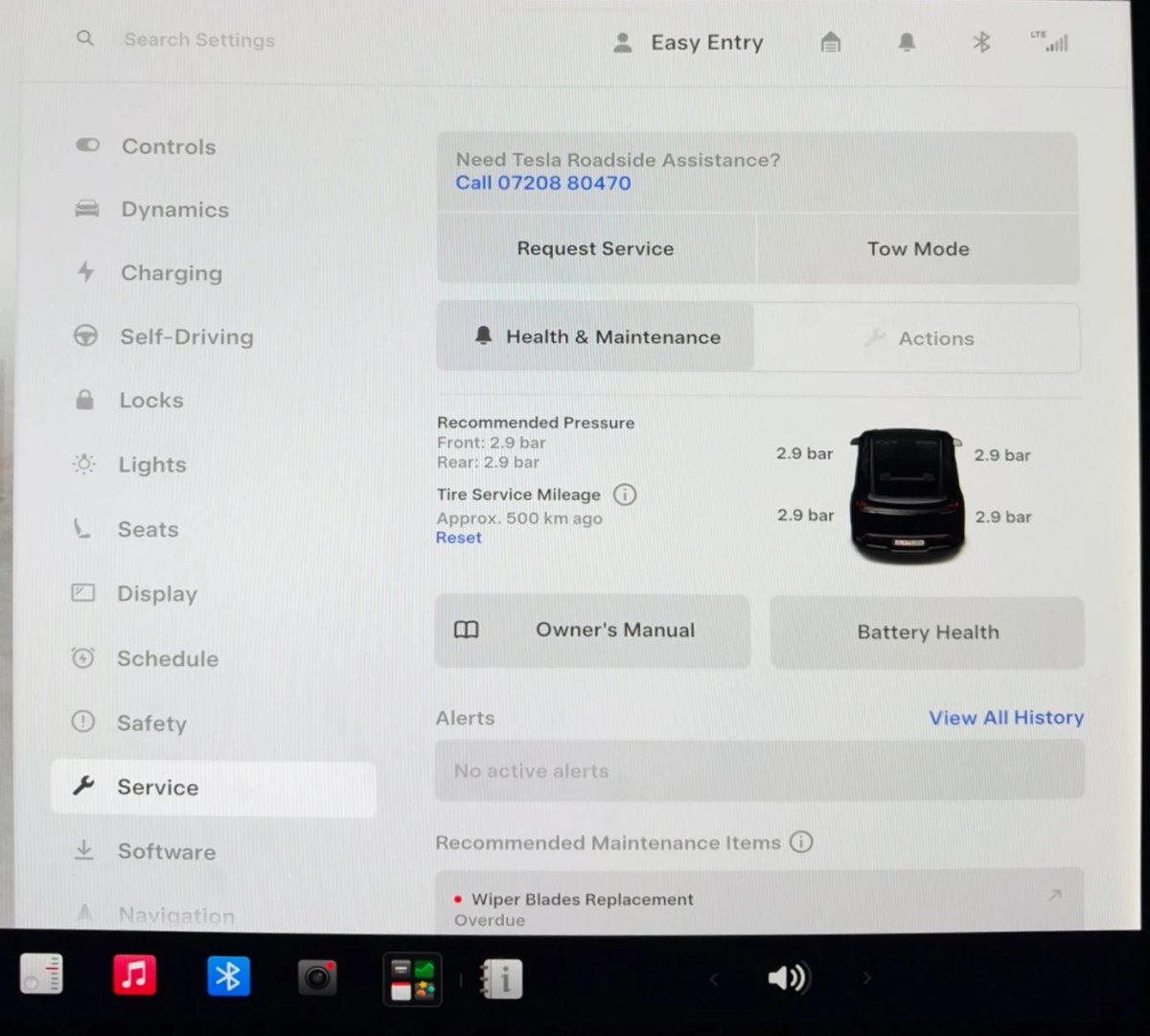
The Controls > Service menu has received a fresh layout. The new layout brings the Request Service and Tow Mode buttons to the forefront, while organizing content into two sections, Health & Maintenance and Actions.
Actions holds features such as Car Wash Mode, Wiper Service, Adjust Headlights, and other functions, while Health & Maintenance houses tire PSI, alerts, and recommended service.
SI Computer
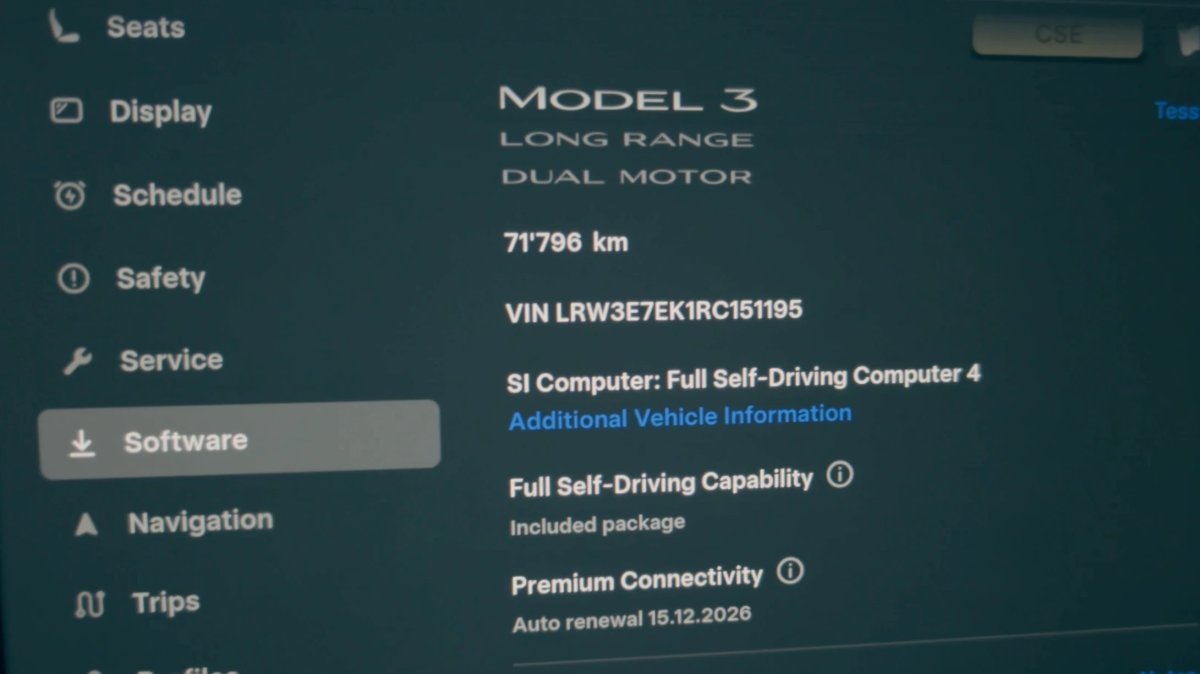
Tesla has renamed the vehicle’s FSD computer from AI Computer to SI Computer. This shows up in the Controls > Software menu.
Service Mode Improvements
HV Battery Panel Update - Reset PCS Button
A Reset Power Conversion System (PCS) button has been added to the HV
Battery panel PCS popup. The button allows users to reset the PCS Electronic Control Unit (ECU) directly from Service Mode instead of searching for the task in Toolbox.
Models: Model 3, Model Y, Model S (2021+), Model X (2021+), Cybertruck
HV Battery and Charging Panel Update - PCS2 Labeling
The HV Battery and Charging panels now correctly display the component label as Power Conversion System (PCS) 2 when a PCS2 bidirectional unit is installed. Previously, vehicles with PCS2 hardware were still labeled as PCS.
Models: Model 3, Model Y
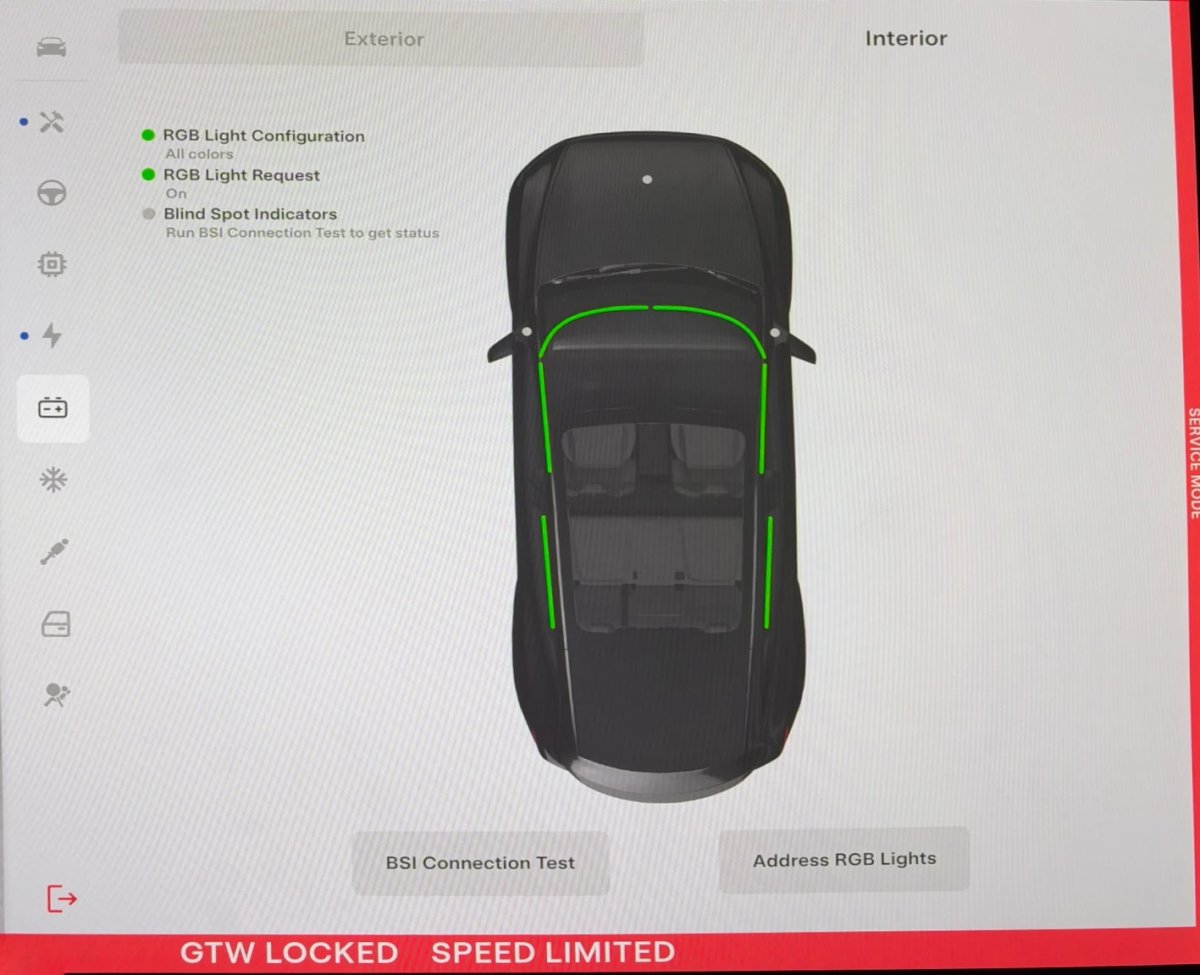
Interior Lighting Panel Update - Frunk LED Health Indicator
The Interior Lighting panel now includes a health indicator for the front trunk (or frunk) LED. When the frunk is open, the indicator shows the LED connection status: green for connected, red for disconnected. A disconnected frunk LED is detected via an undercurrent alert, helping technicians identify when the LED connector has not been plugged back in after servicing the front area of the vehicle.
Models: Model 3, Model Y, Model S (2021+), Model X (2021+)
Portuguese Language (Beta)
Service Mode now supports Portuguese as a language option. Users can select Portuguese from the language drop-down list in Vehicle Info.
Portuguese is currently in beta and may contain translation inaccuracies.
Models: All vehicles
Service Mode Update - Feedback Button (Service Mode Plus)
The feedback feature has been updated with a new in-app experience, replacing the previous email and QR code. A Feedback button is now available in the navigation sidebar. Tapping it opens a form where users can select a category (Bug, Improvement, or Translation), enter a description, and optionally place an on-screen marker to highlight the area of concern.
Models: All vehicles
CAN Viewer Button Removed and Renamed to Signal Viewer (Service Mode Plus)
The CAN Viewer button has been removed from the Vehicle Overview page and renamed to Signal Viewer. Signal Viewer is now only accessible from the Tools section in the navigation menu.
More Features Coming Soon

This update includes several hidden changes that hint at upcoming features.
One change is receiving notifications if a Supercharger you’re navigating to suddenly becomes busier or less busy, and the price changes. Drivers will receive an in-vehicle alert saying the Supercharger price has decreased or increased.
There are also upcoming Grok changes, with one suggesting that Grok’s wake word may be improved with an on-vehicle model.
Vehicle navigation may soon also offer a new option to prefer major roads and avoid smaller or unpaved routes.

