"Bird’s-Eye" View
Summary
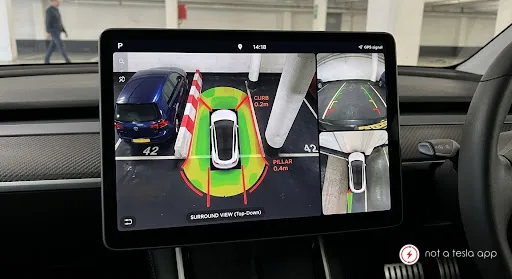
Add a real-time, 360-degree top-down (bird's-eye) surround-view option to the parking screen layout.
How It Would Work
How It Works
1. Automatic Activation
Engages automatically when shifting into Reverse (R), low-speed Drive (D) maneuvering under 5 mph near detected objects, or manually tapping the Camera icon.
2. UI & Screen Layout
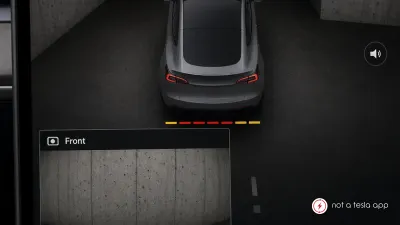
Split-View Display: The main touchscreen presents a split layout:
Left Half: Dynamic 360° top-down render of the vehicle and its immediate surroundings.
Right Half: standard high-definition wide-angle Rear or Front camera view with dynamic trajectory guidelines.
Perspective Toggle: Drivers can swipe on the 360° model to rotate the view (similar to full-screen Park Assist 3D visuals) or tap specific angles (e.g., front-left wheel view to prevent curb rash).
3. Software-Based Camera Stitching & Occupancy Network
Uses real-time video feed processing from the Autopilot hardware (HW3/HW4/HW5) to stitch camera inputs into a single overhead perspective.
Leverages Tesla's Occupancy Network memory buffer to map ground lines, curb height, and stationary objects into the top-down composite as the vehicle moves, compensating for cameras that do not point straight downward.
4. Interactive Safety Overlay
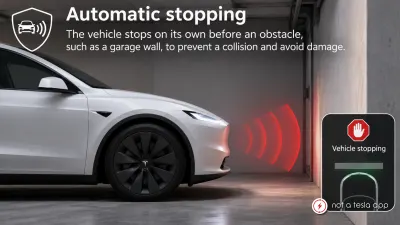
Visual proximity indicators (color-coded bands: green, yellow, red) overlay the 360° map with exact distance measurements (in inches/cm) to nearest obstacles.
Tap-to-enlarge: Touching any specific camera sector on the 360° map instantly expands that camera’s full-screen feed.
Vote for this feature
The top three requests at the end of the month will be shared with Tesla.